Triford wrote:QUOTE (Triford @ Dec 5 2011,8:08 AM) <{POST_SNAPBACK}>And you don't need a manual to remember how it was programmed and wired just in case something may go wrong
Heck, I hate to think what I'd be like with a full cockpit. I'm forever fixing things and editing things as it is.
Your Cockpit?
 by connor » Mon Dec 05, 2011 10:03 am

- connor
- Senior Member
- Joined: Sat Nov 27, 2010 11:01 am
- Posts: 1616
- Location: Christchurch
by Naki » Mon Dec 05, 2011 10:08 am
Thats a pretty awesome set up...makes my system look pathetic..mine's similar to Connors just a joystick/pedals and one screen...plus some great addons.
Last edited by Naki on Mon Dec 05, 2011 11:27 am, edited 1 time in total.
-

Naki - NZFF Pro
- Joined: Sat Aug 05, 2006 10:03 pm
- Posts: 7176
- Location: Tauranga
by Triford » Mon Dec 05, 2011 11:14 am
connor wrote:QUOTE (connor @ Dec 5 2011,11:03 AM) <{POST_SNAPBACK}>Heck, I hate to think what I'd be like with a full cockpit. I'm forever fixing things and editing things as it is.
I will put up some photos of the wiring required to make mine work if you are interested
- Triford
- Member
- Joined: Sun Dec 14, 2008 2:05 pm
- Posts: 49
- Location: Palmerston north
by mfraser » Mon Dec 05, 2011 5:29 pm
Triford wrote:QUOTE (Triford @ Dec 5 2011,12:14 PM) <{POST_SNAPBACK}>I will put up some photos of the wiring required to make mine work if you are interested
I don't mind the wiring so much as mine's mostly run thru USB, however I had to write and test thousands of lines of FSUIPC code to get all the switches and LED's working!!
- mfraser
- Sim-holic
- Joined: Sun May 04, 2008 4:23 pm
- Posts: 537
- Location: Auckland, New Zealand
by Triford » Mon Dec 05, 2011 8:47 pm
mfraser wrote:QUOTE (mfraser @ Dec 5 2011,6:29 PM) <{POST_SNAPBACK}>I don't mind the wiring so much as mine's mostly run thru USB, however I had to write and test thousands of lines of FSUIPC code to get all the switches and LED's working!!
The challenge, head banging, frustration and burnt fingers from soldering and the aha moments at 3.00am when you figure out a problem. Is it all worth it ? "to right"
- Triford
- Member
- Joined: Sun Dec 14, 2008 2:05 pm
- Posts: 49
- Location: Palmerston north
by Basilisk » Sat Dec 10, 2011 10:16 am
My new cockpit 
Pedals, Yoke and throttle arrived yesterday, replacing the Windows joystick I've used since 95. I bought them from Amazon us for $290NZ with $98NZ shipping :X An amazingly different experience for sure. Even takes less time to set up than my old one, which needed about 10 unpluggings/repluggings each restart before windows would notice it...and then had to be calibrated again.
Also picked up REX-2 at halfprice yesterday so having a ball.
Learning a lot of new things about NZ flying around with VLC and the complete REALNZ series, even though I've lived here for 24 years.
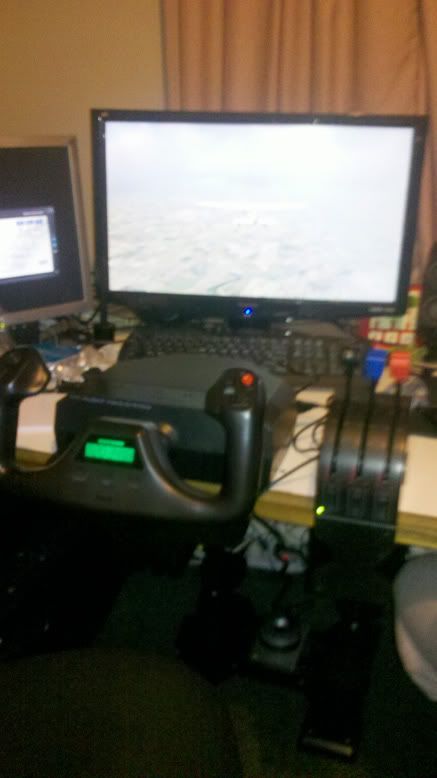
My first flight didn't go so well though, when I clicked back into the game after checking controls it realised the throttle was on full and took off when I wasn't ready, I then panicked and couldn't work out what foot did what and nearly crashed into the wellington terminal and a radio mast.
Later during flight over Levin I nearly fell out of the sky when I accidentally activated the toe brakes.
With my girlfriend navigating with help from google earth (despite mistaking Levin for Palmerston North) we eventually decided to call it time and land at Wanganui.
I almost pulled off the landing but slowed down too much before stalling at the last moment and dropping the last few metres to the tarmac. I bounced then ended up sliding along on my nose in a not so graceful manner. Probably survivable...but not for the plane.
Pedals, Yoke and throttle arrived yesterday, replacing the Windows joystick I've used since 95. I bought them from Amazon us for $290NZ with $98NZ shipping :X An amazingly different experience for sure. Even takes less time to set up than my old one, which needed about 10 unpluggings/repluggings each restart before windows would notice it...and then had to be calibrated again.
Also picked up REX-2 at halfprice yesterday so having a ball.
Learning a lot of new things about NZ flying around with VLC and the complete REALNZ series, even though I've lived here for 24 years.
My first flight didn't go so well though, when I clicked back into the game after checking controls it realised the throttle was on full and took off when I wasn't ready, I then panicked and couldn't work out what foot did what and nearly crashed into the wellington terminal and a radio mast.
Later during flight over Levin I nearly fell out of the sky when I accidentally activated the toe brakes.
With my girlfriend navigating with help from google earth (despite mistaking Levin for Palmerston North) we eventually decided to call it time and land at Wanganui.
I almost pulled off the landing but slowed down too much before stalling at the last moment and dropping the last few metres to the tarmac. I bounced then ended up sliding along on my nose in a not so graceful manner. Probably survivable...but not for the plane.
- Basilisk
- Member
- Joined: Tue Jun 19, 2007 12:37 pm
- Posts: 13
- Location: Christchurch, NZ
by Olderndirt » Sat Dec 10, 2011 1:46 pm
There's an outfit over in the US http://www.rogerdodger.net/diyflightsystems.html uses PVC tubing to construct some interesting, inexpensive setups. I have a stick and rudder setup with the Saitek X52 and pedals. Perhaps there's something similar in NZ.

-

Olderndirt - Senior Member
- Joined: Wed Jan 05, 2011 2:36 pm
- Posts: 1774
- Location: Rochester, Washington USA
by mfraser » Sat Dec 10, 2011 10:59 pm
Basilisk wrote:QUOTE (Basilisk @ Dec 10 2011,11:16 AM) <{POST_SNAPBACK}>.... Later during flight over Levin I nearly fell out of the sky when I accidentally activated the toe brakes.
Congrats on the new setup.... A word of caution though - my cockpit bug started when I first bought my yoke and pedals!!
As an aside, you might want to check your control settings in FS, as pressing toe brakes in-flight shouldn't bring about a catastrophic in-flight failure (For some reason FS always seems to bind my controls to weird and wacky assignments)!! It did bring a smile to my face though!!Last edited by mfraser on Sat Dec 10, 2011 10:59 pm, edited 1 time in total.
- mfraser
- Sim-holic
- Joined: Sun May 04, 2008 4:23 pm
- Posts: 537
- Location: Auckland, New Zealand
by nzkingair » Tue Dec 13, 2011 1:29 pm


Finally got there.... Full size Joystick and Collective/thottle assemblies home built, and you would not believe the difference it makes to your overall flying ability and control. I mostly fly choppers and small GA aircraft -- Cessnas - Piper Cub - twins (Kingair is one of my favourites.
Last edited by nzkingair on Wed Dec 14, 2011 2:17 pm, edited 1 time in total.
nzkingair
-

nzkingair - Member
- Joined: Wed Jul 06, 2011 9:54 pm
- Posts: 28
- Location: Tauranga
by nzkingair » Tue Dec 13, 2011 2:21 pm
May as well put my lot up here too.... having trouble here... no luck trying to get photo loaded!!!!!
Cheers Warren
Cheers Warren
Last edited by nzkingair on Tue Dec 13, 2011 2:25 pm, edited 1 time in total.
nzkingair
-
nzkingair - Member
- Joined: Wed Jul 06, 2011 9:54 pm
- Posts: 28
- Location: Tauranga
by Splitpin » Tue Dec 13, 2011 4:59 pm
nzkingair wrote:QUOTE (nzkingair @ Dec 13 2011,3:21 PM) <{POST_SNAPBACK}>May as well put my lot up here too.... having trouble here... no luck trying to get photo loaded!!!!!
Cheers Warren
Keep at it Warren.......if its anything like some that have already been shown here.....i dont think i want to see it......i feel very inferior

Look forward to seeing your pic.
-

Splitpin - NZFF Pro
- Joined: Mon Aug 03, 2009 12:15 pm
- Posts: 21449
- Location: Christchurch NZ

by metalnwood » Tue Dec 20, 2011 8:32 pm
nzkingair wrote:QUOTE (nzkingair @ Dec 13 2011,2:29 PM) <{POST_SNAPBACK}>Finally got there.... Full size Joystick and Collective/thottle assemblies home built, and you would not believe the difference it makes to your overall flying ability and control. I mostly fly choppers and small GA aircraft -- Cessnas - Piper Cub - twins (Kingair is one of my favourites.
I must have missed your post. Just curious about how much travel your stick has? given the proportion of stick above the gimbal it's probably not too much I wouldn't think?
Thanks,
Jason
- metalnwood
- Member
- Joined: Wed Feb 11, 2009 5:23 pm
- Posts: 82
by nzkingair » Tue Jan 03, 2012 4:42 pm
metalnwood wrote:QUOTE (metalnwood @ Dec 20 2011,9:32 PM) <{POST_SNAPBACK}>I must have missed your post. Just curious about how much travel your stick has? given the proportion of stick above the gimbal it's probably not too much I wouldn't think?
Thanks,
Jason
Hi Jason,
Sorry about delay, have been away for Xmas.
Total movement in all directions from centre is 6cm. doesn't sound a lot but works very well for the sim. Have a look here for the original HOW TO on Flightsim.com... http://www.flightsim.com/main/howto/joystick.htm
Cheers Warren.nzkingair
-
nzkingair - Member
- Joined: Wed Jul 06, 2011 9:54 pm
- Posts: 28
- Location: Tauranga
by brendan » Wed Jan 25, 2012 2:44 pm
Power on switch is in here....
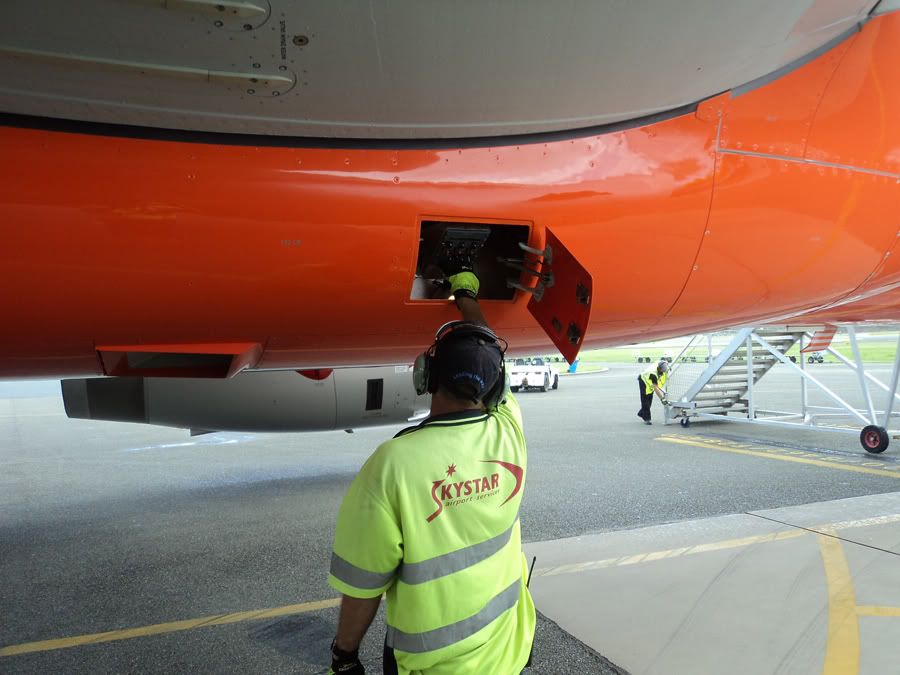
Missus made me move it outta the lounge...
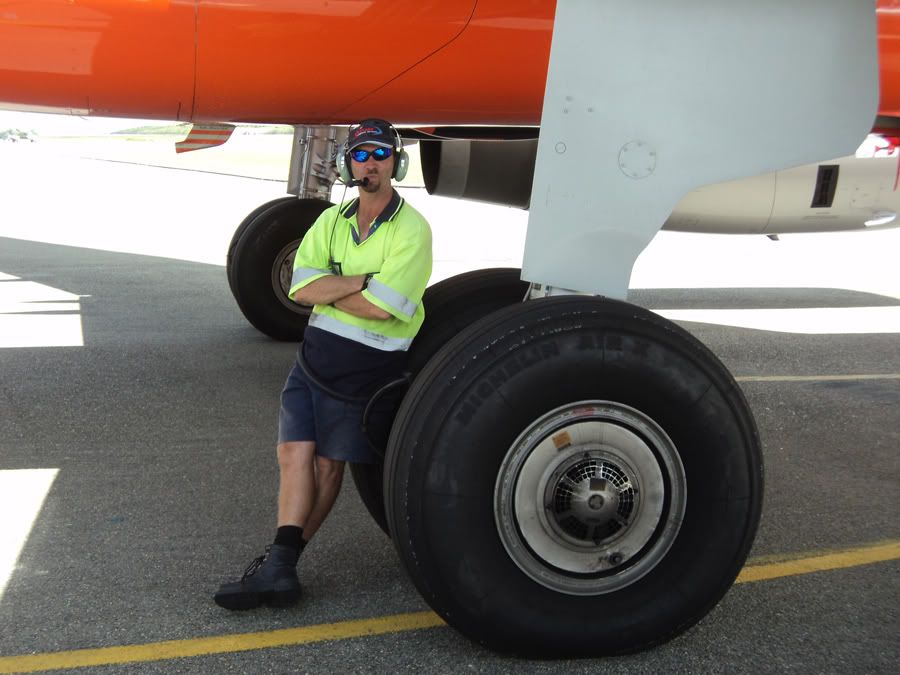
Cooling fans , card runs abit hot...

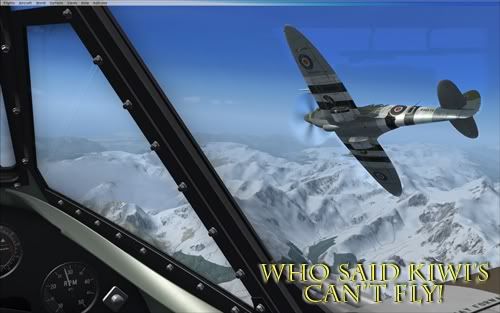
Sorry had to be done LOL , you guys have some serious rigs, awesome to see!!
Missus made me move it outta the lounge...
Cooling fans , card runs abit hot...
Sorry had to be done LOL , you guys have some serious rigs, awesome to see!!
- brendan
- Member
- Joined: Fri Sep 24, 2010 2:12 am
- Posts: 108
- Location: Born in Invercargill, live in Aus.
by Ian Warren » Wed Jan 25, 2012 3:09 pm
Be interesting to see what model Joystick you are using there Brendan 

-

Ian Warren - NZFF Pro
- Joined: Fri May 05, 2006 5:23 pm
- Posts: 41187
- Location: AREA 51
by metalnwood » Sun Jul 15, 2012 7:32 pm
I have been playing around with my screen set up.I know there are a few eyefinity users lurking here.
I have limited my eyefinity so that my sims only render to the center screen and at a maximum to about 1/2 of the side screens because the distortion is too much with a very wide aspect ratio.
So, I decided to try portrait/landscape/portrait instead. This way I still get the same width, about half the width of the landscape view but I also get all the new vertical resolution and view. Not only that but the aspect ratio is now so much better that the distortion is much better on the sides.
Right now I have the side monitors sitting on some bar stools, they dont line up. It's all a bit dodgey but as long as they dont fall over it gives me an idea of what it is like.
On their sides the monitors have about 1M of visible panel in height. You can see out the sides of the plane without leaning over with TIR. So far I like it, here are a couple vids.
I think I will go ahead and make some proper stands to line up the monitors properly.
http://www.youtube.com/watch?v=M9-IV8G_k70 DCS world
xplane http://www.youtube.com/watch?v=aPpyA2iqKQU
I have limited my eyefinity so that my sims only render to the center screen and at a maximum to about 1/2 of the side screens because the distortion is too much with a very wide aspect ratio.
So, I decided to try portrait/landscape/portrait instead. This way I still get the same width, about half the width of the landscape view but I also get all the new vertical resolution and view. Not only that but the aspect ratio is now so much better that the distortion is much better on the sides.
Right now I have the side monitors sitting on some bar stools, they dont line up. It's all a bit dodgey but as long as they dont fall over it gives me an idea of what it is like.
On their sides the monitors have about 1M of visible panel in height. You can see out the sides of the plane without leaning over with TIR. So far I like it, here are a couple vids.
I think I will go ahead and make some proper stands to line up the monitors properly.
http://www.youtube.com/watch?v=M9-IV8G_k70 DCS world
xplane http://www.youtube.com/watch?v=aPpyA2iqKQU
- metalnwood
- Member
- Joined: Wed Feb 11, 2009 5:23 pm
- Posts: 82
by deeknow » Sun Jul 15, 2012 7:57 pm
wow, fabulous idea and powerful wrap-around effect in that layout huh, be really interested to hear how you get on 
Deans repaints: http://www.deeknow.com/
X570 Mini-ITX m/b - Ryzen7 5700X3D (8c/16t) - RTX 2060-super - 32GB 3600MHz DDR4 - Win10 - P3Dv5.3
X570 Mini-ITX m/b - Ryzen7 5700X3D (8c/16t) - RTX 2060-super - 32GB 3600MHz DDR4 - Win10 - P3Dv5.3
-

deeknow - NZFF Pro
- Joined: Tue Sep 18, 2007 10:15 pm
- Posts: 4485
- Location: NZHN
by Ian Warren » Sun Jul 15, 2012 8:09 pm
Great little setup , think still required to move out to set this up .. NaaaaaH already looking at mods to suit me without going outside
-
Ian Warren - NZFF Pro
- Joined: Fri May 05, 2006 5:23 pm
- Posts: 41187
- Location: AREA 51
by metalnwood » Sun Jul 15, 2012 8:13 pm
Ian Warren wrote:QUOTE (Ian Warren @ Jul 15 2012,8:09 PM) <{POST_SNAPBACK}>Great little setup , think still required to move out to set this up .. NaaaaaH already looking at mods to suit me without going outside
I was required to move to my own dark area of the house in my own little room. I can do whatever I like there though!
- metalnwood
- Member
- Joined: Wed Feb 11, 2009 5:23 pm
- Posts: 82
Who is online
Users browsing this forum: No registered users and 57 guests