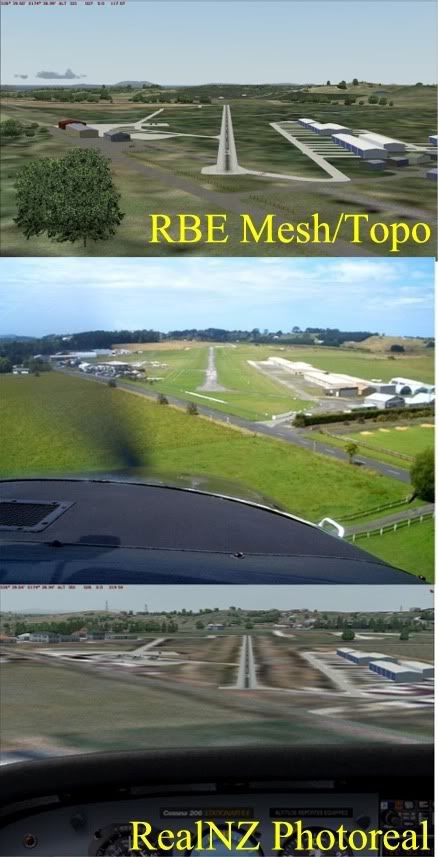
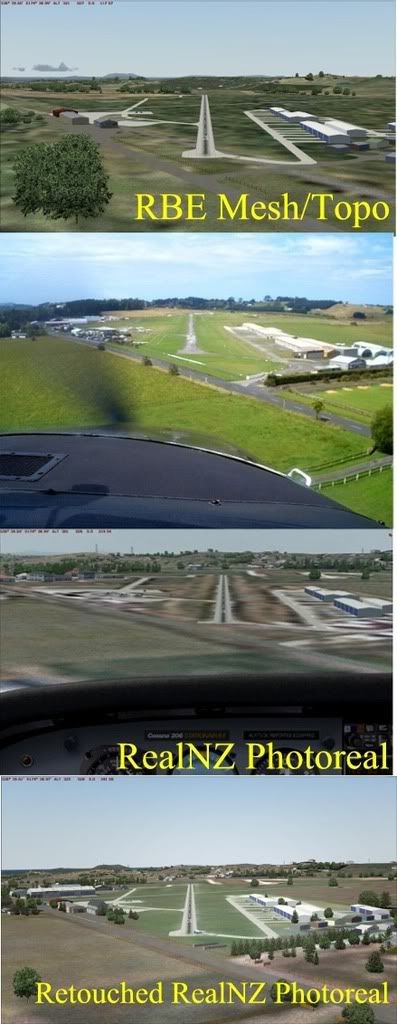
The choices in FS2004 are fairly limited. Or, since I'm having a glass-half-full kind of day, I could say the choices in FS2004 are nice and simple.
You can place polygons under the airport, similar to AFCAD polygons, but as you've noticed it isn't pretty. That's why people create and distribute other textures, such as '3D grass', but these are no good for fine-tuning a particular airport, they are global changes to the default textures, and can cause issues at other airports.
And these polygons don't appear over photoreal, anyway, although those textures which can be laid down using AFCAD do -- hence your 'AFCAD green' is a common choice.
So as far as I'm concerned, there's only one way to overcome this -- building your own custom-textures ground polygons using GMAX, specifically the FS2002 gamepack.
I'm not saying that you have to reproduce the exact airport (which for me, involves flying over the top of the airport hanging out of a Cessna, usually), you could just have your own set of 'quality' textures, such as a few nice grass choices, your own tarmac, asphalt etc, and mix'n'match them.
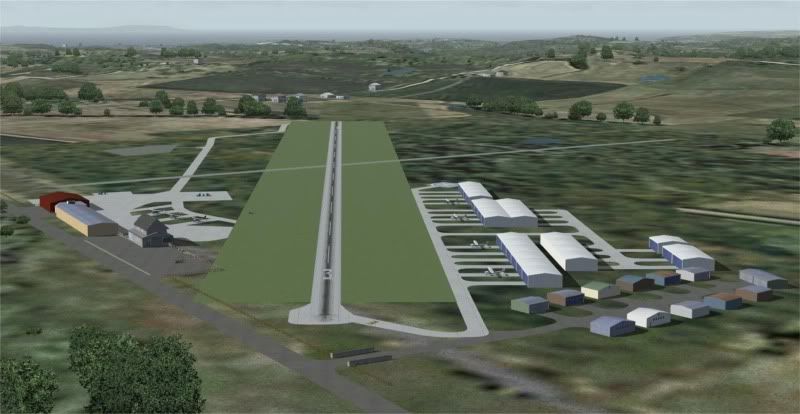
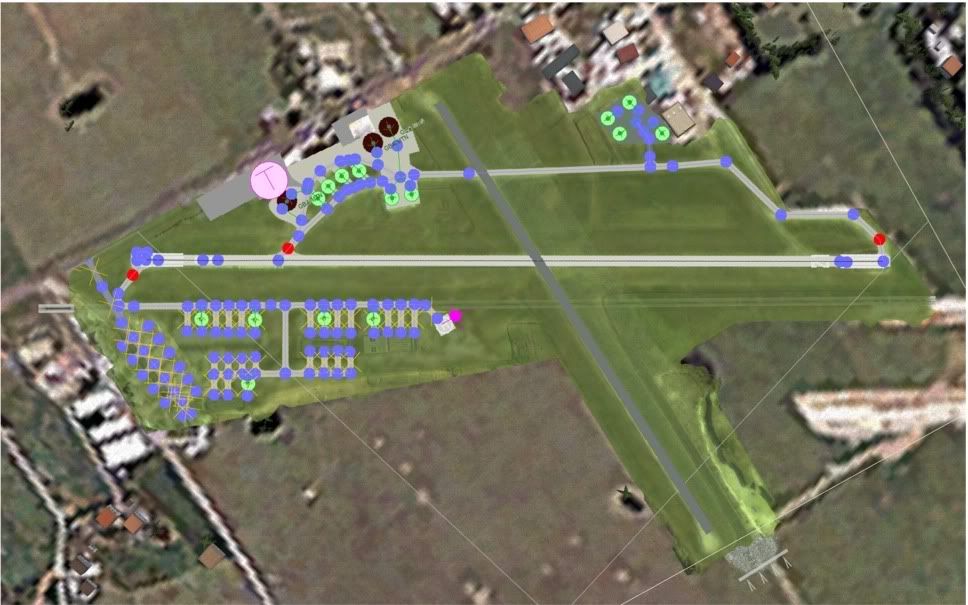
Here's a GMAX screenshot of this in its simplest form -- this is Koromiko. This airport actually stands out a lot more than I normally like in the Marlborough scenery, as the grass is very green and there's no blending. But this makes it a good example.
This screenshot shows 2 layers, but in reality this is two different GMAX files -- each layer needs to be exported separately. However GMAX can display the contents of another file for reference, which is handy.

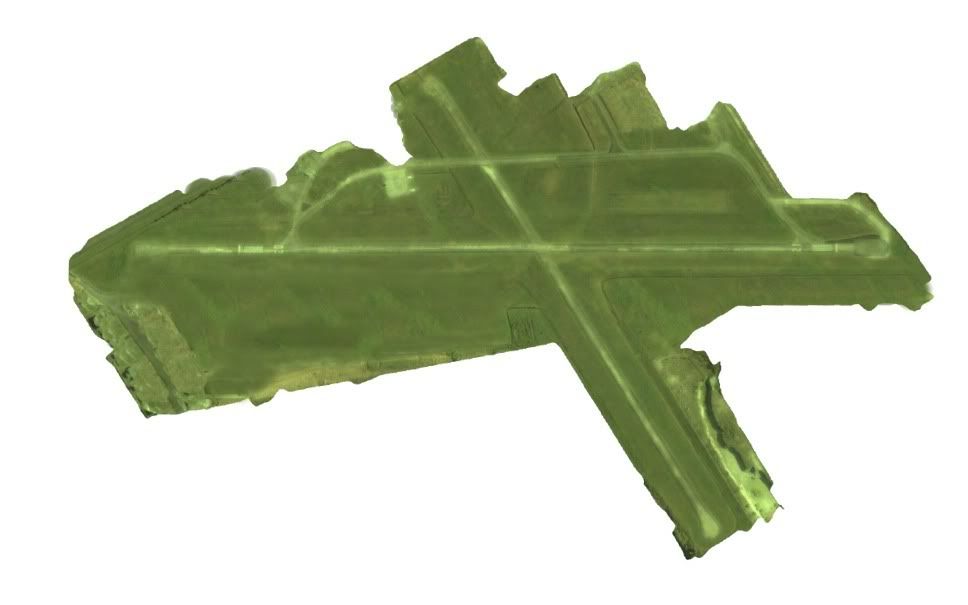
This next image is a close-up of the middle layer only. See how it is made up of very simple textures only, mostly tiled. (There is a top layer which I haven't shown, which has the runway markings.)

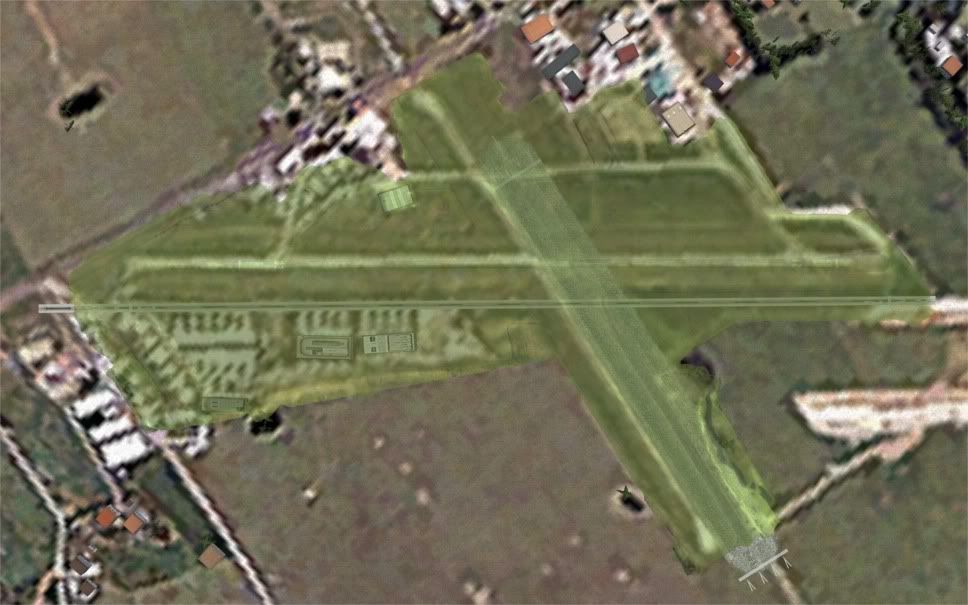
And here's a more complex layout, Tauranga. If you leave out the tarmac photo texture, it is pretty similar, just repeating textures.
(I normally don't show this sort of thing, the GMAX files are kinda ugly until they are blended into the sim. You're privileged...)

There are some things which are not shown here, as GMAX won't display alpha transparency, but some of the textures can be blended using the alpha channel. However this is not really suitable for tiled textures, as the alpha is part of the texture, so you'd probably need more than one texture to blend edges effectively. However one handy trick (which I've used at Koromiko and Woodbourne) is to give the material in GMAX a degree of transparency, allowing the 'dirty' photoreal to show through slightly.