Tile Proxy -- verdict: disturbingly cool

Post and comment on screen captures from the beautiful game here. Home of the monthly screenshot competition

Postby toprob » Tue May 22, 2007 7:22 pm

Charl wrote:Robin
What's your internet speed/load time for this stuff?
I imagine it's not really flyable in present incarnation, or is it?
And I assume the mesh just sits under the phototextures?

You'll notice from all my screenshots that I'm flying something pretty slow:) I would imagine that it would be next to useless if you fly fast. The TP manual acknowledges the texture load, suggesting that you either fly round and round in the same spot, or simply pause the sim until the textures catch up. It also suggests mapping the scenery refresh to the keyboard, and I use this a lot. For instance, in the Auckland shot above I took off from Ardmore, but by the time I got to NZAA the textures where very blurry. A scenery refresh fixed it, but it is a slow process. Returning to Ardmore is a bit more successful, as I've already flown the area. That's one thing I notice -- textures are sharper behind you
The initial load is quite long -- about 5 minutes. However I'm always surprised how quickly a flight starts. For exploring a particular area down low and slow, it works very well.
Textures are cached -- both downloaded images and those converted for the sim. The texture folder for NZ, which has cached the area I've flown over, is getting rather unwieldy -- it takes about 10 minutes for Explorer to access the folder, as it includes 270,000 textures totaling over 1GB. This doesn't affect the sim loading though, just Explorer for some reason.
You definitely notice the patchwork nature of Google Earth. Some areas are very low resolution, but even the high resolution stuff is made up of lots of different colours/times/cloud cover etc.
Of course water isn't masked, so you are always looking at photos of water. Again, this is very patchy.
These photoreal textures, like all photoreal in FSX, sit on top of mesh without issue. Airport/park polys sit on top of the photo, which tends to obscure the photoreal detail a little. The author of TP suggests excluding these for areas where you plan to fly often using TP.
Sure, it has a long way to go -- starting at an airport is a bit bland without autogen, and you don't really get the benefit of the high resolution textures until you are up off the ground.
By the way, I did an experiment, putting my Marlborough autogen into the Tile Proxy texture folder, and it works well, except that it is a bit out of alignment. I think this is just because of the difference in the way TP works compared to normal Georeferenced TIFFs. Neither one is probably more accurate than the other.
It would be a good idea though to offer users the choice of my custom photoreal or TP photoreal, as TP allows for a higher resolution -- 1.2m compared to 2.4m. Picton, though, is very low resolution and just turns into mush using TP.

EDIT: a quick check of my internet usage suggests TP consumes just under 50MB per hour.

Last edited by toprob on Tue May 22, 2007 7:28 pm, edited 1 time in total.
User avatar
toprob
NZFF Pro
 
Topic author
Joined: Sat Apr 29, 2006 4:56 pm
Posts: 6711
Location: Upper Hutt

Postby Ian Warren » Tue May 22, 2007 7:32 pm

Now thats pretty :)
Image
User avatar
Ian Warren
NZFF Pro
 
Joined: Fri May 05, 2006 5:23 pm
Posts: 41187
Location: AREA 51

Postby deaneb » Tue May 22, 2007 8:15 pm

toprob wrote:
deaneb wrote:Robin - are you able to share your config file entries ??

I found this post VERY useful:)
In particular, the bit which says:
"the DEFAULT ProxyUser.ini works perfectly if you make two small changes: The "figurethisoutyourself" parts of the URLs just need to be replaced with v******e****.net (for Service Exapmple 1) and "g*****.com" (for Service Example 2). Then, under the heading, remember to remove the # sign from in front of the service you wish to try to activate it. IMPORTANT: Make sure to ADD a # sign to the non-functioning "Acme" example to DE-ACTIVATE it, i.e. so only ONE service remains without a # sign and thus "active"."

Well followed this to the letter, appeared real simple but it still does not work for me. In fact I reloaded tile proxy three times to make sure I had a clean ini file to change.

Always seems to get to 35 or 36 percent scenery load in FSX and then just stops, with tile proxy repeatedly erroring.

Wasted half the night already so will give up for now !!!

Here is my entry

[Service Example 2]
cache_folder=cache.service2
network_module=libnettile
module_config="server=http://kh*.google.com|path=/kh?t=t%s&n=404&v=17|quad=qrts|balance=0123|useragent=Mozilla/4.0 (compatible; MSIE 7.0; Windows NT 6.0; SLCC1; .NET CLR 2.0.50727; .NET CLR 3.0.04506; .NET CLR 1.1.4322)"
max_lod=13
min_level=5
max_level=17
color_hack=No
color_level=0
bulk_extend=25
Image
User avatar
deaneb
Senior Member
 
Joined: Sat Aug 12, 2006 4:40 pm
Posts: 1561
Location: Blenheim

Postby toprob » Tue May 22, 2007 8:28 pm

Deane -- your config looks ok, are you running beta 3?
EDIT: oops, a couple of differences:

[Google]
cache_folder=cache.service2
network_module=libnettile
module_config="conn=20|rate=2.0|server=http://kh*.google.com|path=/kh?t=t%s&n=404&v=17|quad=qrts|balance=0123|useragent=Mozilla/4.0 (compatible; MSIE 7.0; Windows NT 6.0; SLCC1; .NET CLR 2.0.50727; .NET CLR 3.0.04506; .NET CLR 1.1.4322)"
max_lod=13
min_level=5
max_level=17
color_hack=No
color_level=0
bulk_extend=50


Does the dos box give any clue to what is going wrong? Some folk need to deactivate virus software (nortons is one culprit), but luckily I didn't have any problems with AVG running plus 2 firewalls.
Last edited by toprob on Tue May 22, 2007 8:30 pm, edited 1 time in total.
User avatar
toprob
NZFF Pro
 
Topic author
Joined: Sat Apr 29, 2006 4:56 pm
Posts: 6711
Location: Upper Hutt

Postby deaneb » Tue May 22, 2007 10:52 pm

Thanks Robin

Seems to be working now but very slow - can't get past the very blurry stage.

Deane
Image
User avatar
deaneb
Senior Member
 
Joined: Sat Aug 12, 2006 4:40 pm
Posts: 1561
Location: Blenheim

Postby HardCorePawn » Wed May 23, 2007 9:20 am

it takes about 10 minutes for Explorer to access the folder, as it includes 270,000 textures totaling over 1GB. This doesn't affect the sim loading though, just Explorer for some reason.


That will be explorer attempting to 'scan' every file so it can fill out the details in the extra information columns, regardles of if you are displaying them or not.

ie. it scans things like .jpg's and .gifs so it can display things like size, resolution, color depth etc... same with .avi and .wmv etc...

having 270,000 files in one dir is never a good idea!
"Son, we are about the break the surly bonds of gravity, and punch the face of God." -- Homer Simpson

Image
User avatar
HardCorePawn
Senior Member
 
Joined: Fri Sep 01, 2006 4:18 pm
Posts: 1277
Location: 2500' above Godzone

Postby Bandit » Wed May 23, 2007 11:06 am

Great shots Robin.

There was an article on TV3's Campbell Live last week about some Kiwi architects work for Google earth. They were creating 3d objects for various companies so users could see their buildings while using Google. I'm sure they were using a freeware program to create the objects. I'd have to rewatch the article to confirm this though.

The article can be watched from the TV3 website here

This could link in very nicely with Tile Proxy in future maybe.
Testers are born to fiddle. What does this button do? Oh! Never mind.....
User avatar
Bandit
Forum Addict
 
Joined: Fri Jul 21, 2006 10:08 pm
Posts: 423
Location: Palmerston North

Postby Christian » Wed May 23, 2007 11:39 am

Deane - I get the same problems. FileInformationError? or something like that. I have no AV and ran EndItAll. Christian Buechner also has no clue why some people get this error. If I'm lucky I can get a complete set of sharp tiles around the area I start and that's it. If I'm unlucky everything is black!

Playing with this a bit, I find it's a neat toy but not much more. I'm an autogen fan and especially the textures with buildings look too flat and unrealistic to me. I see this more of a scenery designer tool - checkout which areas look great, and than recreate it for real including autogen + seamlessly tiling photos with correct colours. I don't think this technology is ready to become widely adapted, but that's just my opinion.

Cheers,
Christian
Breathtakingly gorgeous FS landscapes for New Zealand.
Visit Sim Pilot Experience now:
http://www.simpilotexperience.com
Follow me on twitter:
http://www.twitter.com/ChristianStock
User avatar
Christian
Forum Addict
 
Joined: Sun Apr 30, 2006 12:03 pm
Posts: 426
Location: melbourne

Postby deaneb » Wed May 23, 2007 12:31 pm

Christian wrote: Deane - I get the same problems. FileInformationError? or something like that. I have no AV and ran EndItAll. Christian Buechner also has no clue why some people get this error. If I'm lucky I can get a complete set of sharp tiles around the area I start and that's it. If I'm unlucky everything is black!

Playing with this a bit, I find it's a neat toy but not much more. I'm an autogen fan and especially the textures with buildings look too flat and unrealistic to me. I see this more of a scenery designer tool - checkout which areas look great, and than recreate it for real including autogen + seamlessly tiling photos with correct colours. I don't think this technology is ready to become widely adapted, but that's just my opinion.

Cheers,
Christian

fully agree Christian, there is long way to go yet. I seem to be in the same boat as you, Lucky and I get one or two sharp tiles around the start location and the rest blurry. Sometimes the area is all black.
I will be removing now I have had a play with it !!

Deane
Image
User avatar
deaneb
Senior Member
 
Joined: Sat Aug 12, 2006 4:40 pm
Posts: 1561
Location: Blenheim

Postby Timmo » Wed May 23, 2007 1:10 pm

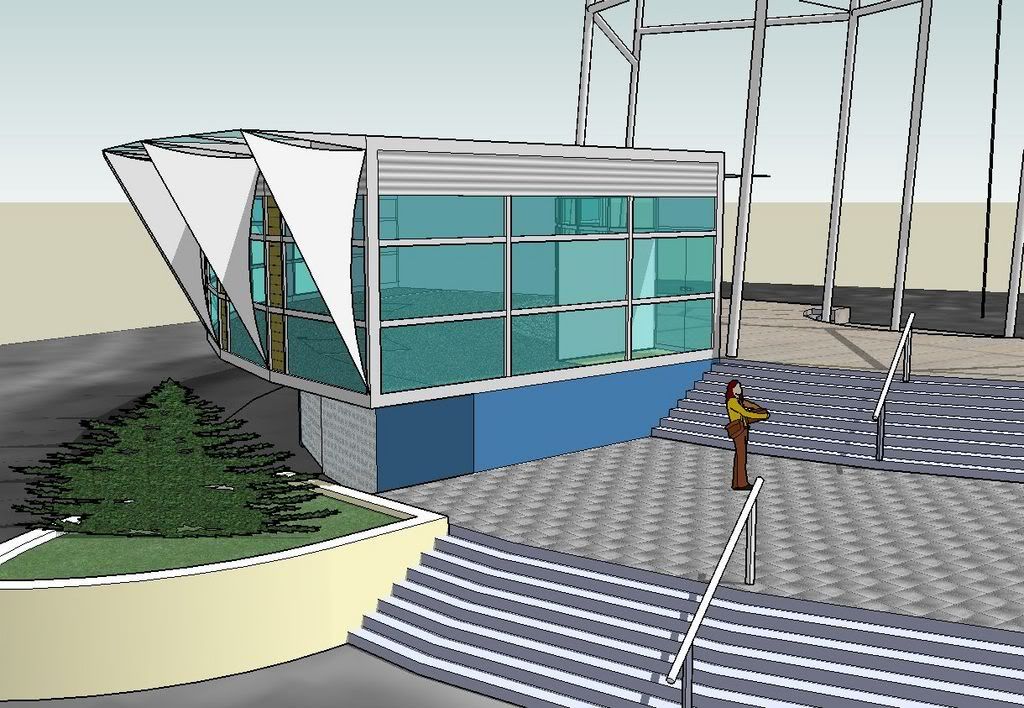
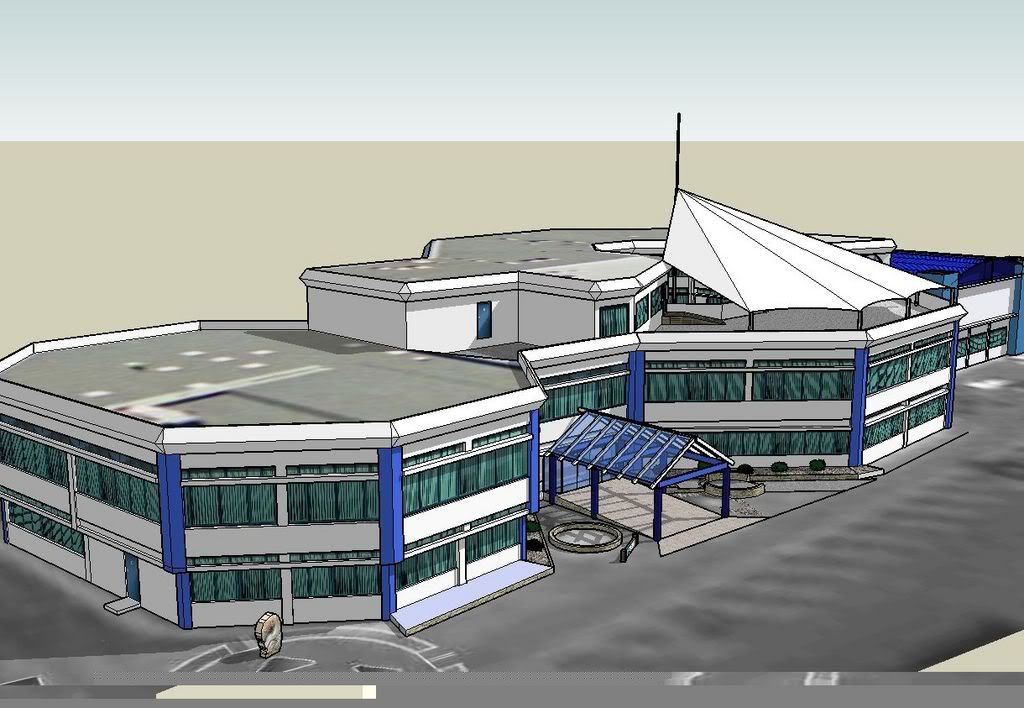
Bandit- They were using GoogleSketchup which can be downloaded with Google Earth....its a great package, simple to use and SUPER fast to create basic buildings etc

Im using the pro version to do the initial stages of airport design (you need the pro version to be able to export as .3ds)

I didnt see the program but wondered how they could be 'selling' or getting paid for that work as GoogleSketchup prohibits it in the EULA???
....other wise i would be making money from the various work ive done around Whakatane ;)
user posted image
user posted image
user posted image
Timmo
NZFF Pro
 
Joined: Wed Oct 25, 2006 6:28 pm
Posts: 2056
Location: Tauranga

Postby ronwestnz » Wed May 23, 2007 6:46 pm

Is an interesting addon, getting lots of failed downloads thou, but the ones i am getting differently show the potential for the future.


Microsoft is also working this type of scenery downloader, that will interface with the 3d virtual earth. some areas already have been modelled for testing already.

the 3d stuff, is gonna blow auto gen away when they get it going
Image
ronwestnz
Member
 
Joined: Mon Jan 01, 2007 9:34 am
Posts: 73
Location: NZPM

Postby ZKTOM » Sat Jun 02, 2007 9:14 pm

Wow! I cannot wait until Microsoft or some other flight simulation company will create a full photo/real world realistic program. Imagine the amount of space required though...
ZKTOM(FS)-Qualified Flight Simmer

"If it ain't Boeing, It ain't going"
Image
ZKTOM
Forum Addict
 
Joined: Wed Mar 21, 2007 4:53 pm
Posts: 328
Location: Computer Room

Previous

Return to Screenshots

Who is online

Users browsing this forum: No registered users and 1 guest