Tile Proxy -- verdict: disturbingly cool

Post and comment on screen captures from the beautiful game here. Home of the monthly screenshot competition

Postby toprob » Mon May 21, 2007 4:52 pm

Finally managed to get Tile Proxy working today, so I had a flight around Christchurch. There are some issues -- textures become blurry after a while, and of course there are some bits obscured by clouds -- but works a lot better than I thought it would. Definitely the shape of things to come.
Tile Proxy = aerial images loaded directly from Google Earth.

user posted image

user posted image

user posted image

user posted image

user posted image

user posted image

user posted image

user posted image

user posted image
User avatar
toprob
NZFF Pro
 
Topic author
Joined: Sat Apr 29, 2006 4:56 pm
Posts: 6711
Location: Upper Hutt

Postby ZK-Brock » Mon May 21, 2007 4:59 pm

Very nice Robin :thumbup:
ZK-Brock
NZFF Pro
 
Joined: Sun Jul 23, 2006 3:35 pm
Posts: 2035

Postby scon » Mon May 21, 2007 5:10 pm

Where do you get it from :blink:
scon
Sim-holic
 
Joined: Mon Oct 16, 2006 7:16 pm
Posts: 963
Location: NZ

Postby toprob » Mon May 21, 2007 5:32 pm

There's a beta available from the Avsim library. Bear in mind:
FSX only;
Need nice fast broadband.

EDIT: Maybe more of an explanation is required here.
Tile Proxy is a program which 'streams' aerial imagery directly from any online aerial image source such as Google Earth or Virtual Earth. There's no scenery supplied with it -- you just set up your configuration depending on which server you wish to use, and TP will automatically load the images when you start a flight.
Last edited by toprob on Mon May 21, 2007 5:35 pm, edited 1 time in total.
User avatar
toprob
NZFF Pro
 
Topic author
Joined: Sat Apr 29, 2006 4:56 pm
Posts: 6711
Location: Upper Hutt

Postby Ian Warren » Mon May 21, 2007 5:43 pm

WHICKED ! Robin PIC no 7 ... The Russelly Hotel ! :thumbup: .. anyone in for a bitta Autogen :D
Image
User avatar
Ian Warren
NZFF Pro
 
Joined: Fri May 05, 2006 5:23 pm
Posts: 41187
Location: AREA 51

Postby Charl » Mon May 21, 2007 8:29 pm

Ian Warren wrote:WHICKED ! Robin PIC no 7 ... The Russelly Hotel !  :thumbup: .. anyone in for a bitta Autogen  :D

Definitely very interesting...could one adapt existing autogen?
What about scenery objects?
Could one plop some hangers onto this, for example?

user posted image
User avatar
Charl
NZFF Pro
 
Joined: Mon May 01, 2006 8:28 am
Posts: 9691
Location: Auckland

Postby Naki » Mon May 21, 2007 8:41 pm

Charl - that shot of yours is in Flight Sim with Tile Proxy? Amazing if it is.
User avatar
Naki
NZFF Pro
 
Joined: Sat Aug 05, 2006 10:03 pm
Posts: 7170
Location: Tauranga

Postby Charl » Mon May 21, 2007 8:44 pm

'Fraid not, though it is a tilted view from Google Earth so is comparable I suspect.
User avatar
Charl
NZFF Pro
 
Joined: Mon May 01, 2006 8:28 am
Posts: 9691
Location: Auckland

Postby Naki » Mon May 21, 2007 8:49 pm

Oh well -I guess that something like that is not too far away in the future and judging frrom Robins pics looks pretty close.
User avatar
Naki
NZFF Pro
 
Joined: Sat Aug 05, 2006 10:03 pm
Posts: 7170
Location: Tauranga

Postby toprob » Mon May 21, 2007 9:15 pm

Charl wrote:Definitely very interesting...could one adapt existing autogen?
What about scenery objects?
Could one plop some hangers onto this, for example?

user posted image

Here's default hangers on top of Tile Proxy.

I've seen some screenshots where someone took the autogen from a payware scenery and stuck it in the Tile Proxy texture folder, and it works fine. I will need to experiment with Marlborough -- it may be possible to remove the supplied 2.4 m/px scenery for use with 1.2 m/px from TP, but still retain my autogen.
Of course any addon scenery would sit on top.

user posted image
User avatar
toprob
NZFF Pro
 
Topic author
Joined: Sat Apr 29, 2006 4:56 pm
Posts: 6711
Location: Upper Hutt

Postby Charl » Mon May 21, 2007 10:22 pm

Plenty of tantalising possibilities.
You could rely on hi-res 2D down to really short distances, the autogen could actually be much more sparse, limited perhaps to major features generally, (airports and approach etc) without losing the "feel".
And easier to place?
The combination may be a killer app.
And, it's updated.
User avatar
Charl
NZFF Pro
 
Joined: Mon May 01, 2006 8:28 am
Posts: 9691
Location: Auckland

Postby Cbris » Tue May 22, 2007 12:06 am
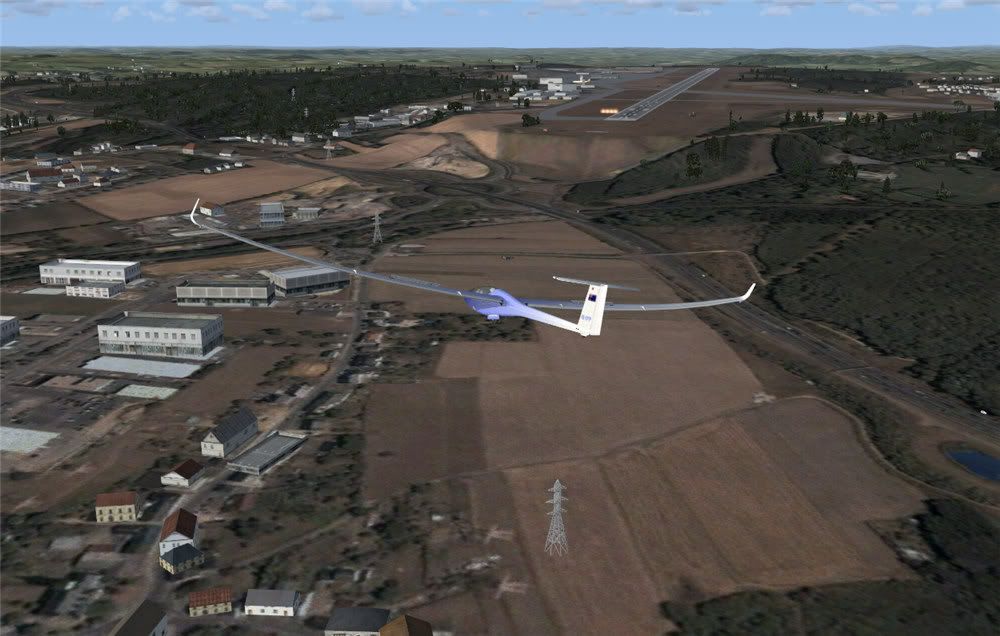
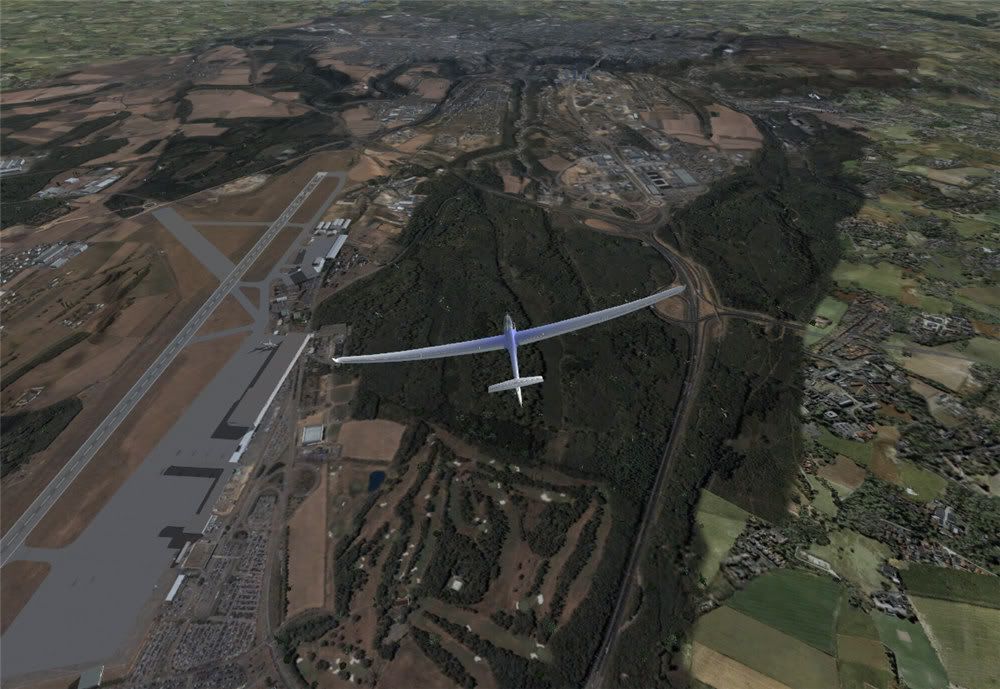
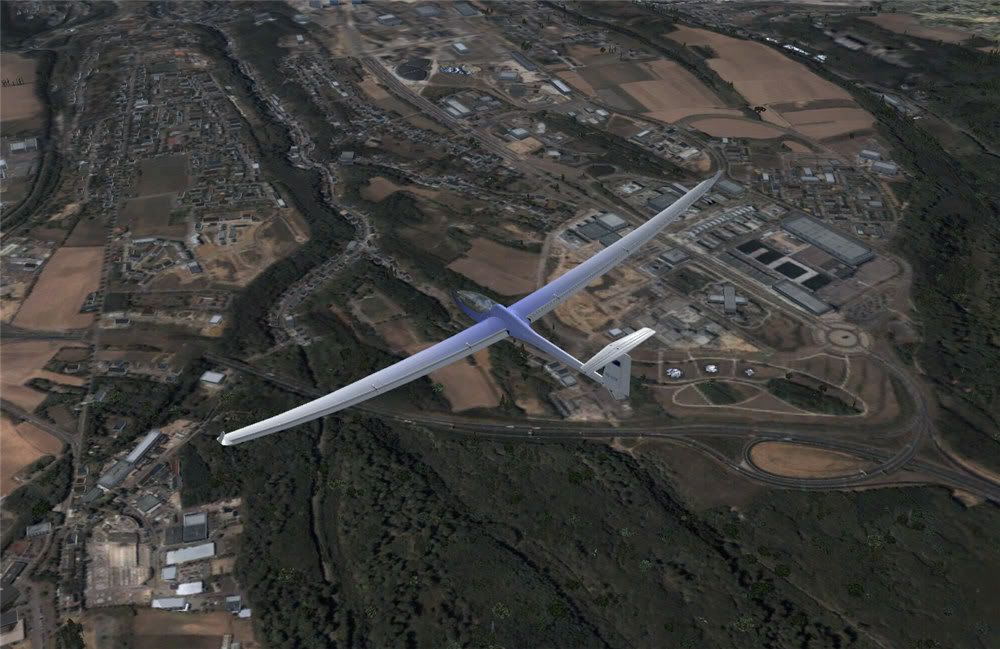
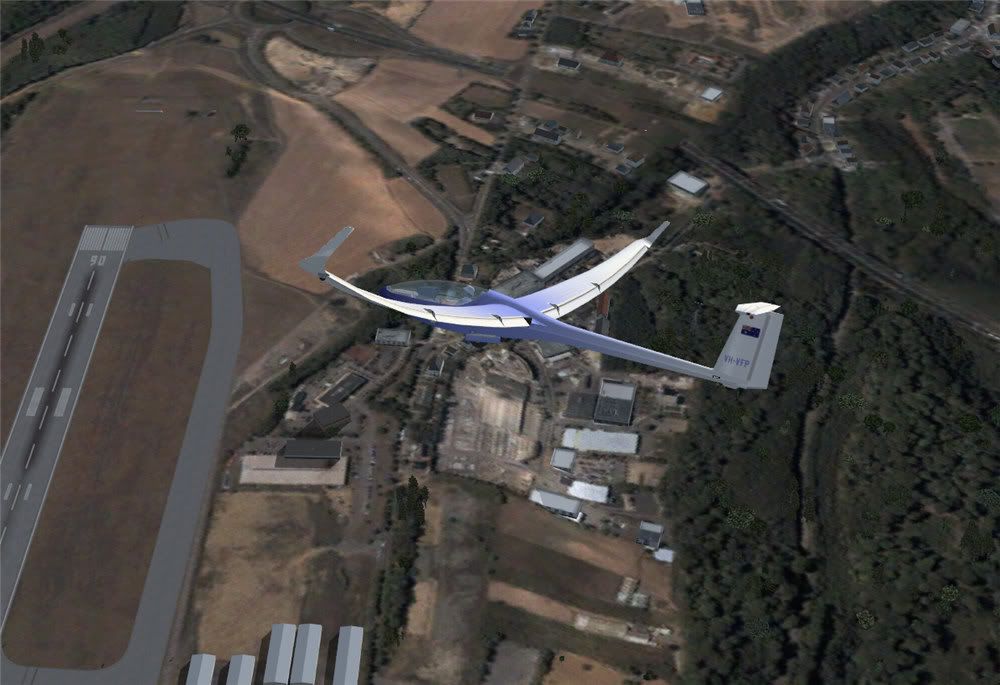
Aerosoft are doing something similar... It's called "Aerosoft Photo Scenery" and it is a DIY tool more or less.

For Forum info: go here

Basically you buy this app and download the Google satellite imagery to your own PC (something to do with Google's tough copyrights - fair dos). Then all you do is buy (Cheaper?) addons for various areas as they get developed - all these need to consist of then is the updated autogens and enhanced objects.

I am personally not to sure about this concept, because you won't get your home town made specially for you - you are still tied to buying a scenery project, but you now add "your own" photo tiles.

Here's some I took of Luxemburg (free demo)

user posted image

user posted image

user posted image

user posted image
Chris Brisland a.k.a. 'EagleSkinner' or 'Dances with Paintbrushes'

Visit my site below (Click the pic) for all my latest FSX paints and much more

Image

Drop by my blog sometime

[url=http://www.facebook.com/christopher.brisland?ref=name#!/pages/Eagleskinner/119483578109942]Follow me on Facebook too[/url]
User avatar
Cbris
Forum Addict
 
Joined: Sat Aug 12, 2006 9:43 pm
Posts: 399
Location: EGNE - well, 7 1/2 miles from threshhold of 03

Postby towerguy » Tue May 22, 2007 8:02 am

just some clarification please??

once you have done the flight are you able to save the downloaded tiles so you can refly the area offline? or is it only a case of being online every time?

I just wondered because if the cloud shows as a white area on the ground then you could only fly during fine periods. You would not be able to do an instrument approach and then break out to see scenery.
CPU- i7 4790K @4.0Gb Cooler- Noctua NH-D15 M/B- Z97 ProGamer P/S- 750W RAM- 16Gb
Graphics- Nvidia GTX970 16Gb Drives- 2x 120Gb SSD Samsung 850EVO, 1x 2Tb HD, 1x DVD-RW
Sound- on M/B Logitec 5.1 surround sound system OS- Win 10 pro , all wrapped in a black Corsair case Display - Panasonic UHD 4k 50" Flatscreen TV.( 3840x2160 Res)
User avatar
towerguy
Sim-holic
 
Joined: Mon Aug 07, 2006 4:27 pm
Posts: 886

Postby scon » Tue May 22, 2007 8:07 am

towerguy wrote: just some clarification please??

once you have done the flight are you able to save the downloaded tiles so you can refly the area offline? or is it only a case of being online every time?

I just wondered because if the cloud shows as a white area on the ground then you could only fly during fine periods. You would not be able to do an instrument approach and then break out to see scenery.

I think you need to be online ALL the time
scon
Sim-holic
 
Joined: Mon Oct 16, 2006 7:16 pm
Posts: 963
Location: NZ

Postby Cbris » Tue May 22, 2007 9:18 am

towerguy wrote: just some clarification please??

once you have done the flight are you able to save the downloaded tiles so you can refly the area offline? or is it only a case of being online every time?

I just wondered because if the cloud shows as a white area on the ground then you could only fly during fine periods. You would not be able to do an instrument approach and then break out to see scenery.

For the Aerosoft "toy" yes - the tiles are saved to a scenery library. But the disadvantage is you only get a small area. No live feed during flight.

Swings and roundabouts.

Oh, and as for clouds, the Google satellite images aren't, AFAIK, live. They are usually static photos taken during one shuttle flight or another. Usually up to 4 or 5 years ago.

So you won't be able to get rid of clouds I'm afraid.
Last edited by Cbris on Tue May 22, 2007 9:21 am, edited 1 time in total.
Chris Brisland a.k.a. 'EagleSkinner' or 'Dances with Paintbrushes'

Visit my site below (Click the pic) for all my latest FSX paints and much more

Image

Drop by my blog sometime

[url=http://www.facebook.com/christopher.brisland?ref=name#!/pages/Eagleskinner/119483578109942]Follow me on Facebook too[/url]
User avatar
Cbris
Forum Addict
 
Joined: Sat Aug 12, 2006 9:43 pm
Posts: 399
Location: EGNE - well, 7 1/2 miles from threshhold of 03

Postby hinch » Tue May 22, 2007 10:39 am

i know lots of people wondered if this was possible, and now it is! wow, fantastic. Microsoft's VE has amazing aerial photography for the UK, you can even see the slabs on my patio.

That is partly amazing because i live about 60miles from anywhere of any significance so thanks for them including us out in the sticks. It is also amazing because the patio has been covered by an extension for 18months.

Then again, looking at my old school it shows the astroturf in construction... that's been there since 2001.

www.flashearth.com
hinch
 

Postby deaneb » Tue May 22, 2007 5:09 pm

This is the way of the future - I prdeicted many years ago that we would eventually be flying thru an on-line 3d world. This looks like the first step. I believe MS have a team out taking (literally) millions of pics of one of the major US cities and they will be making 3d models of all the major buildings.

I have loaded Tile proxy, but the config of it looks complicated as the authors can't specifically tell how to set it up for Google earth.

Robin - are you able to share your config file entries ??

Deane
Image
User avatar
deaneb
Senior Member
 
Joined: Sat Aug 12, 2006 4:40 pm
Posts: 1561
Location: Blenheim

Postby toprob » Tue May 22, 2007 6:35 pm

deaneb wrote:Robin - are you able to share your config file entries ??

I found this post VERY useful:)
In particular, the bit which says:
"the DEFAULT ProxyUser.ini works perfectly if you make two small changes: The "figurethisoutyourself" parts of the URLs just need to be replaced with v******e****.net (for Service Exapmple 1) and "g*****.com" (for Service Example 2). Then, under the heading, remember to remove the # sign from in front of the service you wish to try to activate it. IMPORTANT: Make sure to ADD a # sign to the non-functioning "Acme" example to DE-ACTIVATE it, i.e. so only ONE service remains without a # sign and thus "active"."
User avatar
toprob
NZFF Pro
 
Topic author
Joined: Sat Apr 29, 2006 4:56 pm
Posts: 6711
Location: Upper Hutt

Postby toprob » Tue May 22, 2007 6:42 pm

A couple more shots:

user posted image

user posted image
User avatar
toprob
NZFF Pro
 
Topic author
Joined: Sat Apr 29, 2006 4:56 pm
Posts: 6711
Location: Upper Hutt

Postby Charl » Tue May 22, 2007 6:46 pm

Robin
What's your internet speed/load time for this stuff?
I imagine it's not really flyable in present incarnation, or is it?
And I assume the mesh just sits under the phototextures?
User avatar
Charl
NZFF Pro
 
Joined: Mon May 01, 2006 8:28 am
Posts: 9691
Location: Auckland

Next

Return to Screenshots

Who is online

Users browsing this forum: No registered users and 3 guests