Just new to flightsim.com is a new mesh for AU and NZ. Comes in 4 parts just I'm downloading now. For FSX
File Names are
aunz1.zip
aunz2.zip
aunz3.zip
aunz4.zip
New free mesh out for NZ and AU
22 posts
• Page 1 of 2 • 1, 2
 by JonARNZ » Thu Apr 26, 2007 11:10 pm
scon wrote:JonARNZ wrote: Yeah, the readme gives nothing away either...
Man do you have it already ( they are big flies )
Yeah, all up about 300MB I think. No I dont have it yet, I used the view function on flightsim.com to see the files
Last edited by JonARNZ on Thu Apr 26, 2007 11:12 pm, edited 1 time in total.
ARNZX flightsim.co.nz
Asus Sabretooth X79 MB | i73930K CPU | 8GB DDR3 1600 C7 Ram | GTX 560Ti DCII OC | Corsair H80 Water Cooling
Asus Sabretooth X79 MB | i73930K CPU | 8GB DDR3 1600 C7 Ram | GTX 560Ti DCII OC | Corsair H80 Water Cooling
-

JonARNZ - Senior Member
- Joined: Sat Oct 21, 2006 12:49 pm
- Posts: 1523
- Location: Auckland
by JonARNZ » Fri Apr 27, 2007 12:56 am
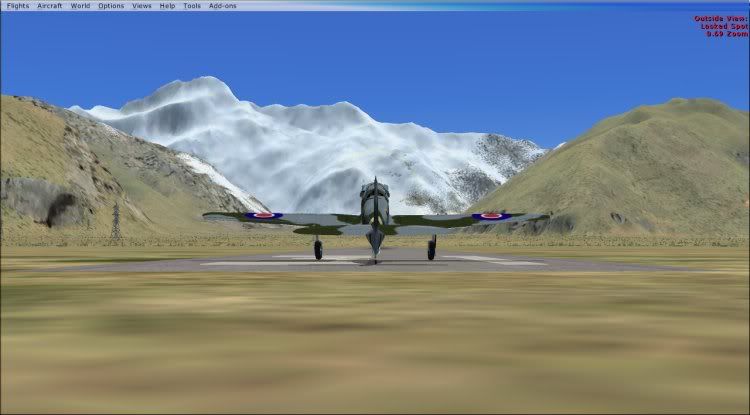
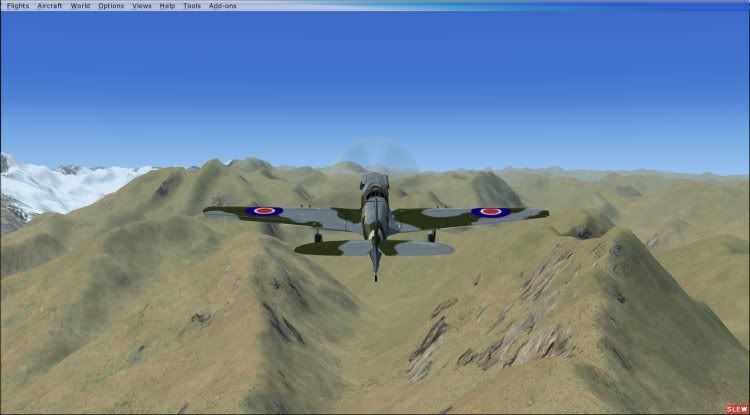
300 MB's later and I have some before and after shots. Befores show FSX default on maximum mesh settings. After show thefree mesh installed.
Mount cook looking towards the mountain
Before
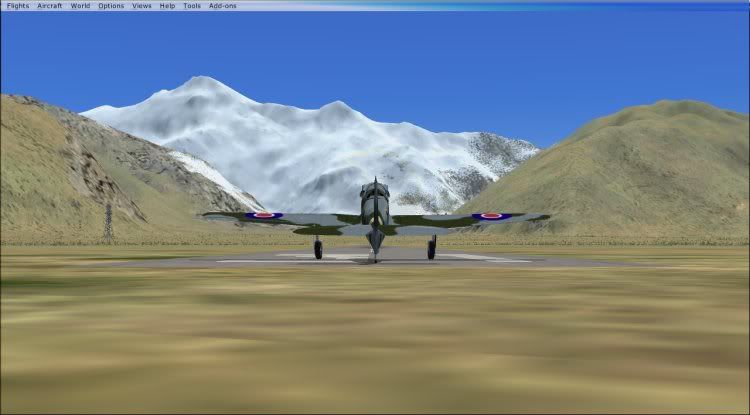
After
Mount cook 45 degrees to the right of last shot, at altitude
Before
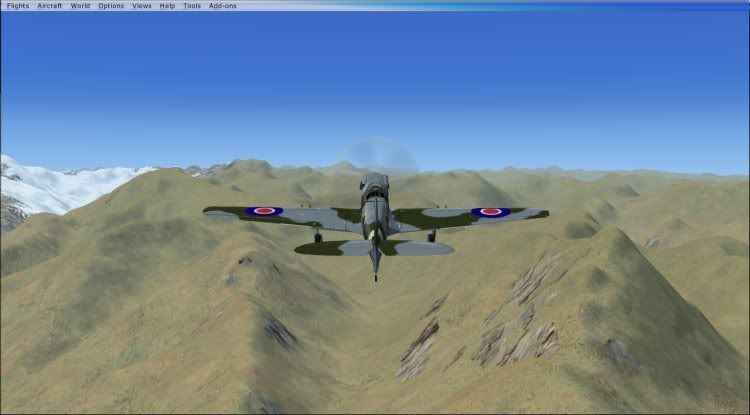
After
Milford Sound
Before
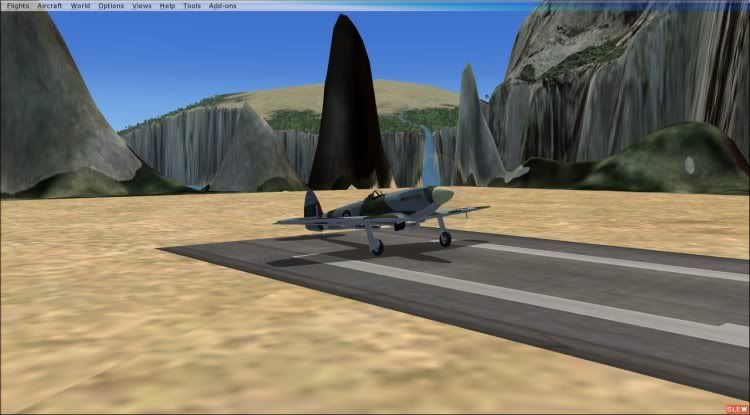
After
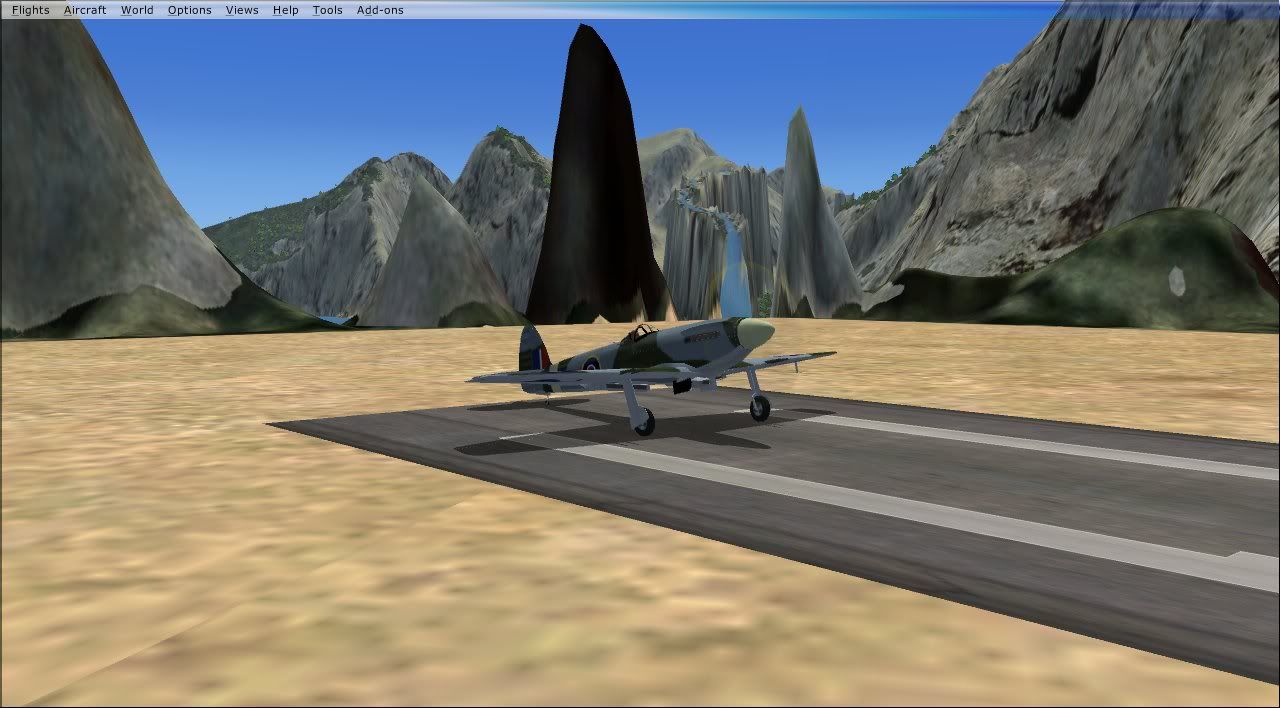
Some weird stuff going on in this part of the country
Mount cook looking towards the mountain
Before
After
Mount cook 45 degrees to the right of last shot, at altitude
Before
After
Milford Sound
Before
After
Some weird stuff going on in this part of the country
ARNZX flightsim.co.nz
Asus Sabretooth X79 MB | i73930K CPU | 8GB DDR3 1600 C7 Ram | GTX 560Ti DCII OC | Corsair H80 Water Cooling
Asus Sabretooth X79 MB | i73930K CPU | 8GB DDR3 1600 C7 Ram | GTX 560Ti DCII OC | Corsair H80 Water Cooling
-
JonARNZ - Senior Member
- Joined: Sat Oct 21, 2006 12:49 pm
- Posts: 1523
- Location: Auckland
by johanfrc » Fri Apr 27, 2007 6:01 am
I must say that I can't see why downloading 300 mb's will help? Millford looks a bit better, but not that "good".

If God had really intended men to fly, he'd make it easier to get to the airport. - George Winters
- johanfrc
- Member
- Joined: Sun Feb 04, 2007 12:34 am
- Posts: 149
- Location: Denmark
by scon » Fri Apr 27, 2007 8:12 am
I have mine set at 76M at doing a flight from NZAA to NZWN in a 737 last night I didn't notice a difference.
How do you get the RBE mesh working in FSX and does anyone have a different landclass installed, I have a free one I found on the RBE site, ( would a LC affect how a mesh looks )
How do you get the RBE mesh working in FSX and does anyone have a different landclass installed, I have a free one I found on the RBE site, ( would a LC affect how a mesh looks )
- scon
- Sim-holic
- Topic author
- Joined: Mon Oct 16, 2006 7:16 pm
- Posts: 963
- Location: NZ
by toprob » Fri Apr 27, 2007 10:06 am
FSX default mesh for NZ is based on SRTM 90 metre data, which for use in FS2004 was resampled to 76 metres. I assume the same applies for FSX. That's why to get the full effect of the default mesh you set your mesh to 76 metres.
Trying to increase the resolution by resampling is basically making up the intermediate detail, so really you are looking at a 90 metre resolution.
SRTM data for around Milford is damaged -- hence the huge rounded mountains, which I've always imagined are scans of clouds. Incidentally, you can fix the elevation to some degree by using a non-SRTM mesh such as Christian's, but the topo data (rivers etc) is kind of locked to the damaged data, so it will still display funny.
Christian's freeware 75 metre mesh is not based on SRTM data, so it doesn't have the messed-up Milford, and it is also resampled from much higher resolution data -- the same data which produced the 20 metre mesh (I assume) so it is inherently more accurate.
That's why Christian's freeware mesh will display better in FSX -- although since there are changes to the way mesh is created in FSX, it may or may not perform as well. What we really need is a 75 metre mesh recompiled for native FSX. However I don't notice any real performance hit from his 20 metre mesh in FSX.
It is possible these days to obtain SRTM data greater than 90 metre resolution, but I don't know if that is available for NZ, and I don't know if it is used in this new mesh. Looking at the Milford screenshot suggests that this is based on newer data.
Trying to increase the resolution by resampling is basically making up the intermediate detail, so really you are looking at a 90 metre resolution.
SRTM data for around Milford is damaged -- hence the huge rounded mountains, which I've always imagined are scans of clouds. Incidentally, you can fix the elevation to some degree by using a non-SRTM mesh such as Christian's, but the topo data (rivers etc) is kind of locked to the damaged data, so it will still display funny.
Christian's freeware 75 metre mesh is not based on SRTM data, so it doesn't have the messed-up Milford, and it is also resampled from much higher resolution data -- the same data which produced the 20 metre mesh (I assume) so it is inherently more accurate.
That's why Christian's freeware mesh will display better in FSX -- although since there are changes to the way mesh is created in FSX, it may or may not perform as well. What we really need is a 75 metre mesh recompiled for native FSX. However I don't notice any real performance hit from his 20 metre mesh in FSX.
It is possible these days to obtain SRTM data greater than 90 metre resolution, but I don't know if that is available for NZ, and I don't know if it is used in this new mesh. Looking at the Milford screenshot suggests that this is based on newer data.
-

toprob - NZFF Pro
- Joined: Sat Apr 29, 2006 4:56 pm
- Posts: 6741
- Location: Upper Hutt
by Christian » Fri Apr 27, 2007 11:44 am
Robin explained it really well.
I wouldn't recommend the 300MB download. FSX is already using SRTM data and it looks to me that this 'new' mesh is also SRTM. Not much point. The only difference seems to be that the 'new' mesh is using an updated SRTM where the cloud cover is fixed. (Coincidentally, the people who supplied that fix to the SRTM people is GeographX.)
For Australia, it's probably very similar to what's in FSX already as well...
The freeware RBE is better because it's actual resolution is 76 m, not 90 m like the STRM. As Robin said, it's based on the same data as the 20m mesh.
How to install? Simple. If you only have FSX just run the installer. If you want to use it for FS9 and FSX, copy the Red Baron NZ mesh folder into Addon Scenery in FSX and add to the scenery library.
A fix for the muckup in Milford Sound also exists. I released a patch for the RBE topo a few weeks ago. If you own the topo, copy it across to FSX and install the patch and Milford Sound is fixed!
Cheers,
Christian
I wouldn't recommend the 300MB download. FSX is already using SRTM data and it looks to me that this 'new' mesh is also SRTM. Not much point. The only difference seems to be that the 'new' mesh is using an updated SRTM where the cloud cover is fixed. (Coincidentally, the people who supplied that fix to the SRTM people is GeographX.)
For Australia, it's probably very similar to what's in FSX already as well...
The freeware RBE is better because it's actual resolution is 76 m, not 90 m like the STRM. As Robin said, it's based on the same data as the 20m mesh.
How to install? Simple. If you only have FSX just run the installer. If you want to use it for FS9 and FSX, copy the Red Baron NZ mesh folder into Addon Scenery in FSX and add to the scenery library.
A fix for the muckup in Milford Sound also exists. I released a patch for the RBE topo a few weeks ago. If you own the topo, copy it across to FSX and install the patch and Milford Sound is fixed!
Cheers,
Christian
Breathtakingly gorgeous FS landscapes for New Zealand.
Visit Sim Pilot Experience now:
http://www.simpilotexperience.com
Follow me on twitter:
http://www.twitter.com/ChristianStock
Visit Sim Pilot Experience now:
http://www.simpilotexperience.com
Follow me on twitter:
http://www.twitter.com/ChristianStock
-

Christian - Forum Addict
- Joined: Sun Apr 30, 2006 12:03 pm
- Posts: 426
- Location: melbourne
by JonARNZ » Fri Apr 27, 2007 12:53 pm
Jimmy wrote: haha you sure you didn't just upload your before shot for the after one too Jonhonestly I can't see a differance!
Not worth 300mbs at all!
Thanks for that Jimmy. If you look more closely, but take your glasses off because it seems your only looking through one eye, you will see quite a difference, particularly in the last shot in Milford.
The question is, is it enough for people to download? Thats up to them to decide, at least now they can see a comparison, surely thats a good thing?
ARNZX flightsim.co.nz
Asus Sabretooth X79 MB | i73930K CPU | 8GB DDR3 1600 C7 Ram | GTX 560Ti DCII OC | Corsair H80 Water Cooling
Asus Sabretooth X79 MB | i73930K CPU | 8GB DDR3 1600 C7 Ram | GTX 560Ti DCII OC | Corsair H80 Water Cooling
-
JonARNZ - Senior Member
- Joined: Sat Oct 21, 2006 12:49 pm
- Posts: 1523
- Location: Auckland
22 posts
• Page 1 of 2 • 1, 2
Who is online
Users browsing this forum: No registered users and 33 guests