C-130 Herc Out and About

Post and comment on screen captures from the beautiful game here. Home of the monthly screenshot competition

Postby ZK-Brock » Fri Dec 15, 2006 12:43 pm

Hi Guys. Thanks to the Captain Sim 24-hour sale, I'm the owner of the C130 Pro package. Now that I've got my Manual sorted, I've started to get to grips with the actual airplane. I've done two trips:

Nelson-Wellington
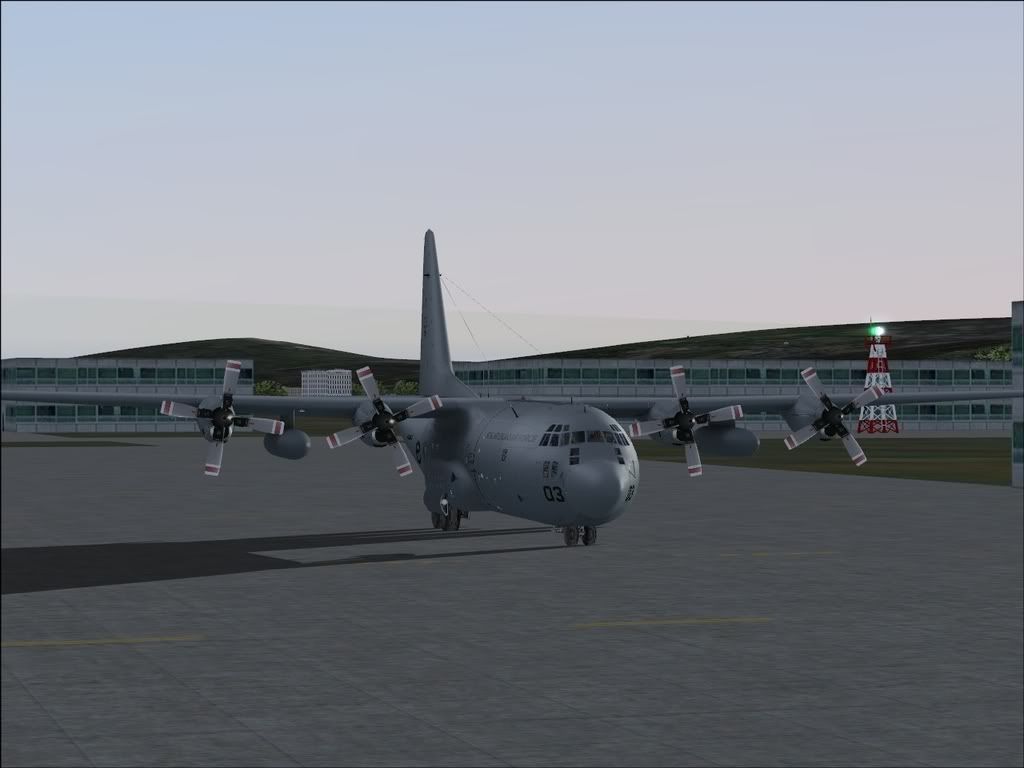
This was my first proper flight in the C-130 (I'd had a quick trip earlier in the day).
user posted image
Sitting on the ground at Nelson

user posted image
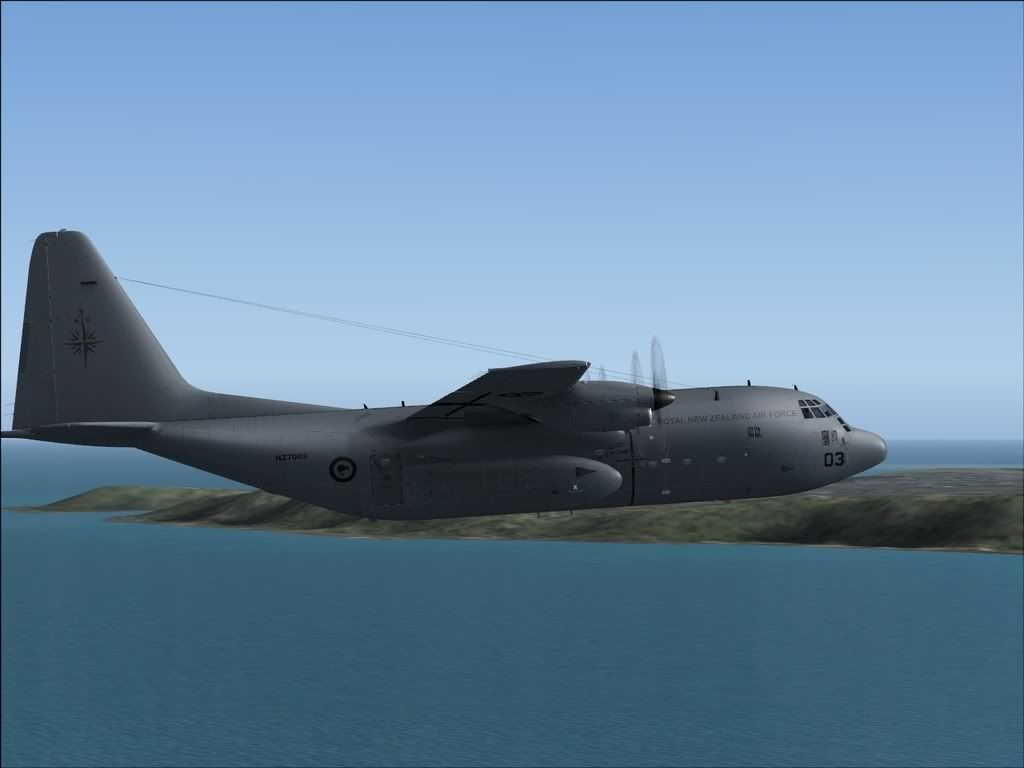
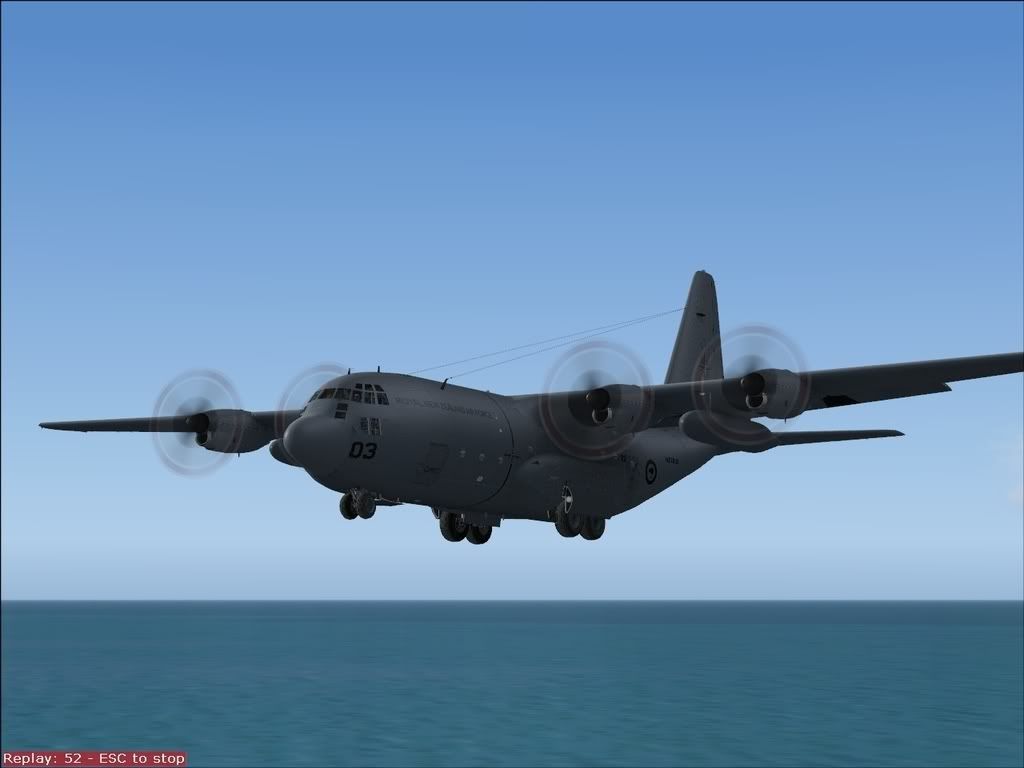
Near the top of climb

user posted image
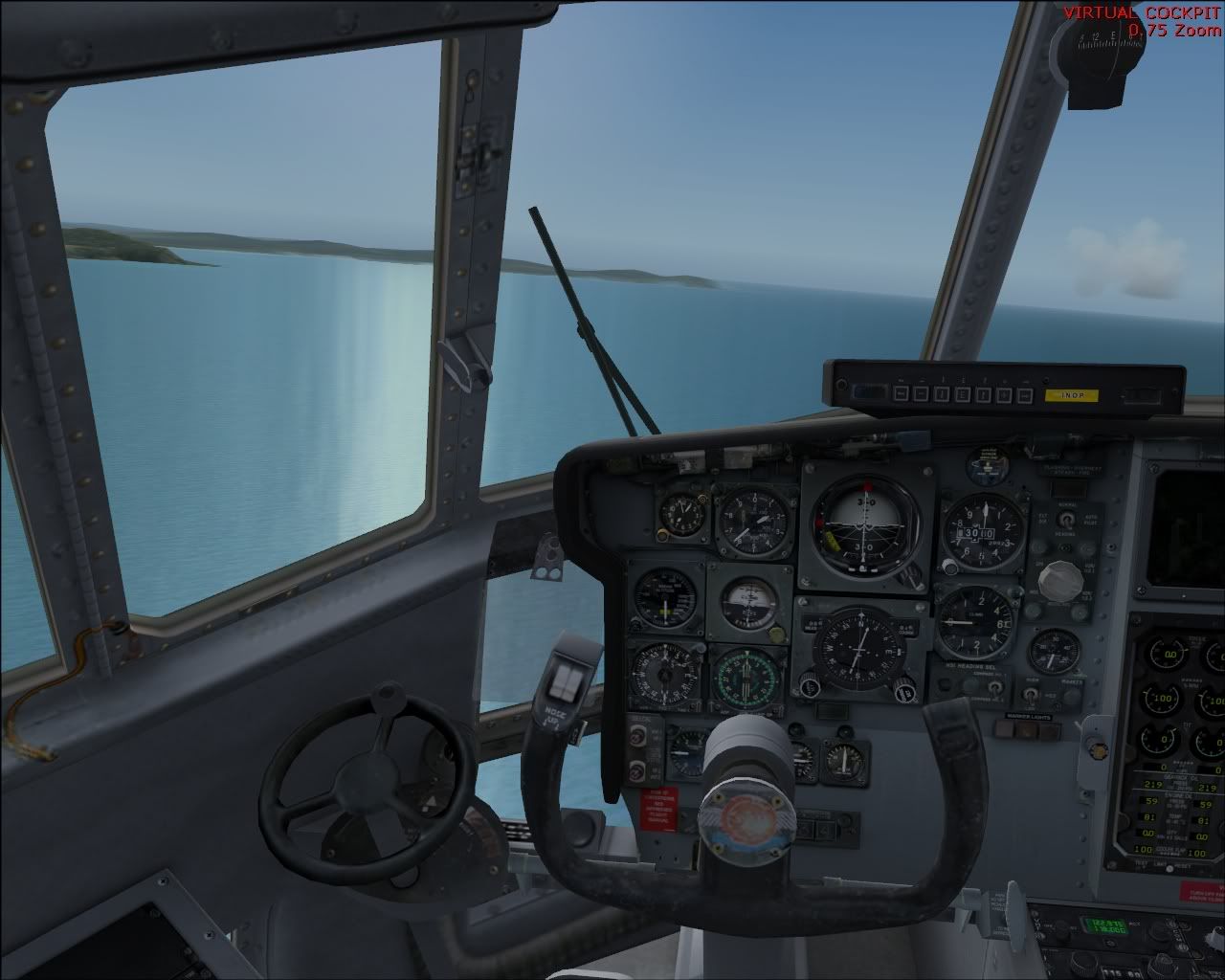
Heading towards Welly, using the great VC
user posted image
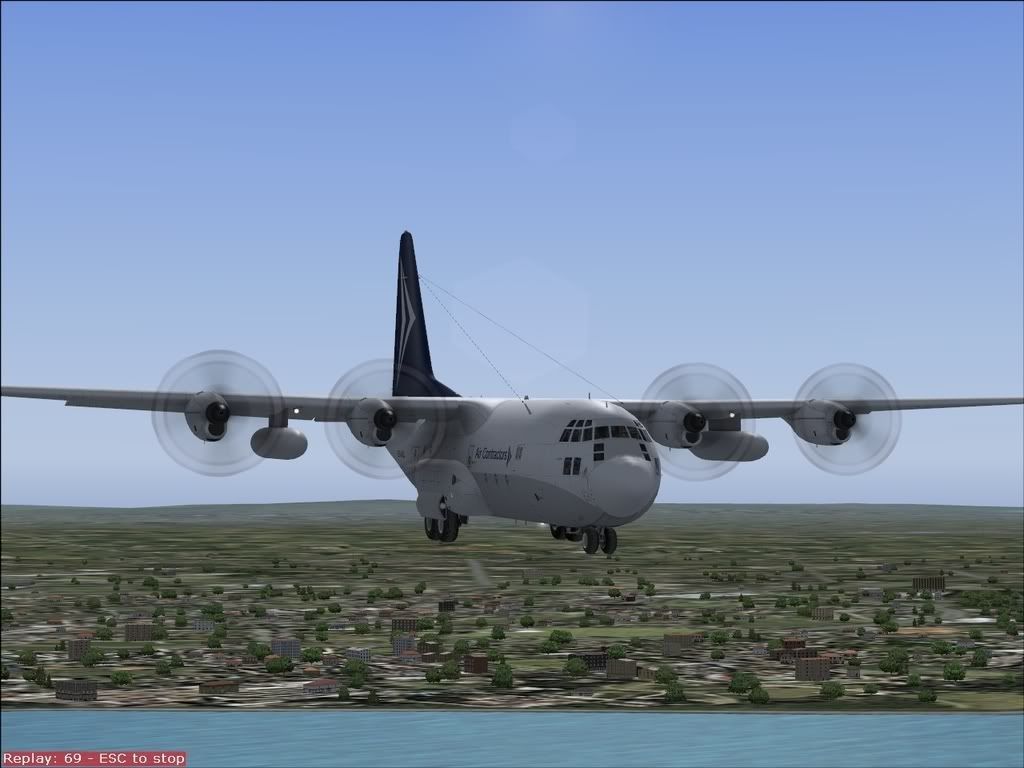
Visual Approach into Wellington

user posted image
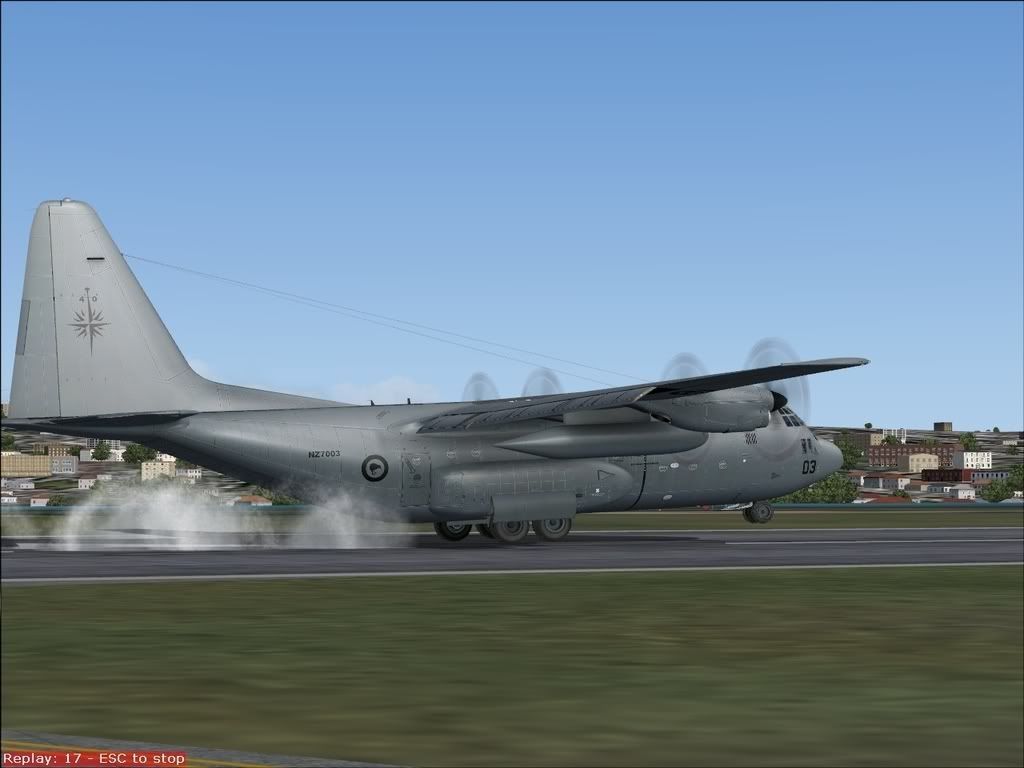
Touchdown! The C130 is an incredibly easy aircraft to land.

Gatwick-Liverpool
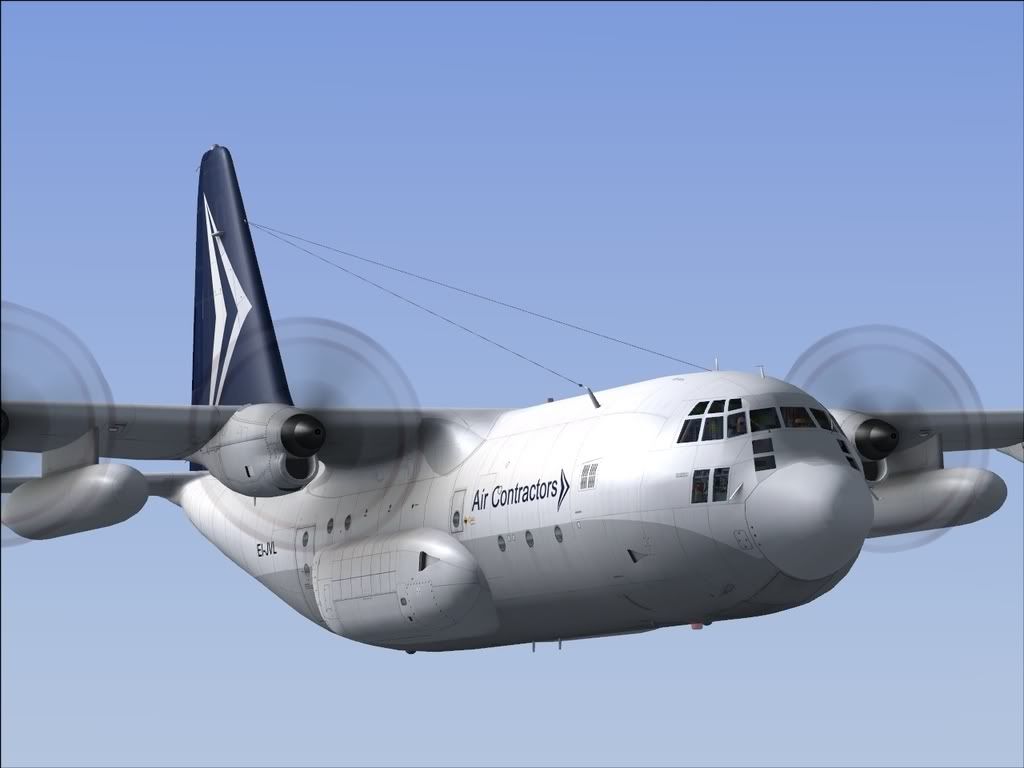
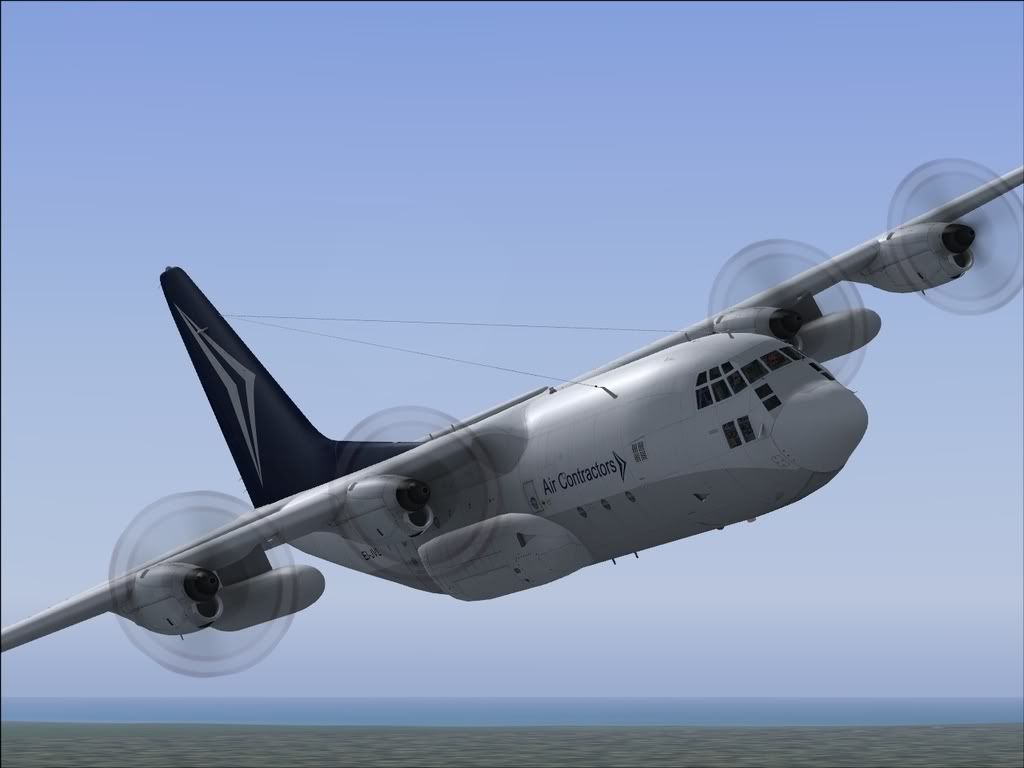
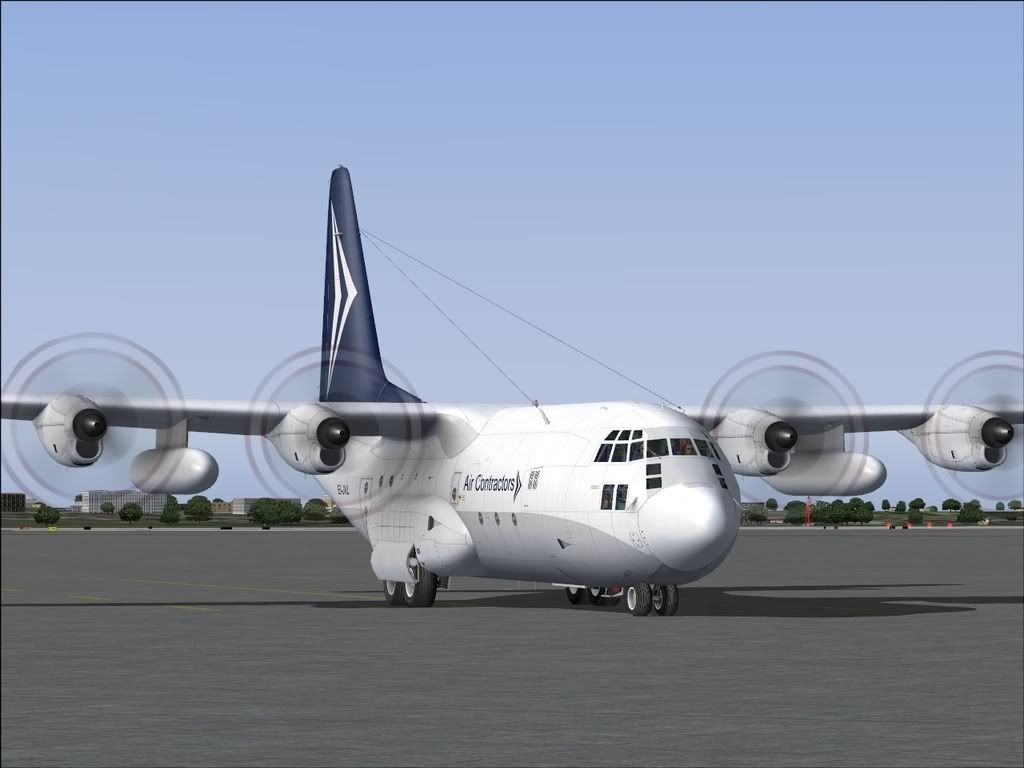
This was a tutorial flight from PCpilot magazine. It certainly taught me a lot. I flew the Air Contractors Mail plane (BRILLIANT repaint)
user posted image
Started up in London. Now I know how to enable all the nav equipment that I'd been missing for the previous flight.

user posted image
Climbing out to FL180

user posted image
The visual model is amazing

user posted image
Turning on track to the Honiley VOR

user posted image
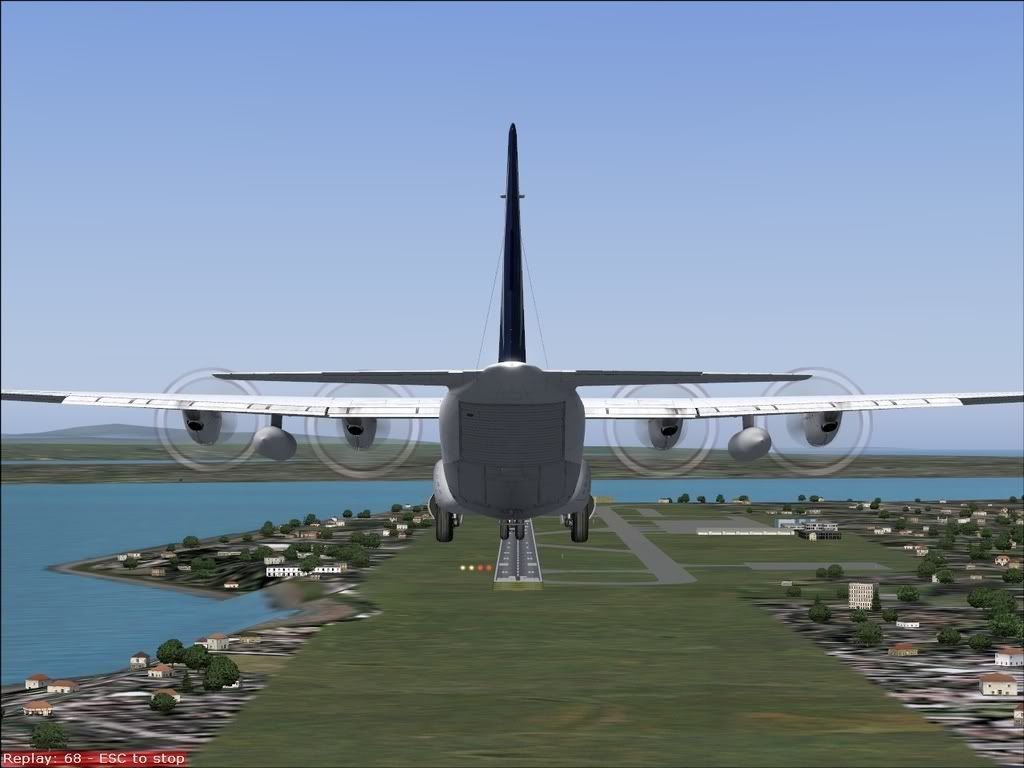
On approach. Now that I knew how to use the nav systems, I used an ILS approach using the Autopilot. I turned onto the localiser myself, descended below the glideslope, and pressed the "Glide" button. It flew perfect, leaving me to control the Flaps, gear, speed and extendable landing lights (!).
user posted image
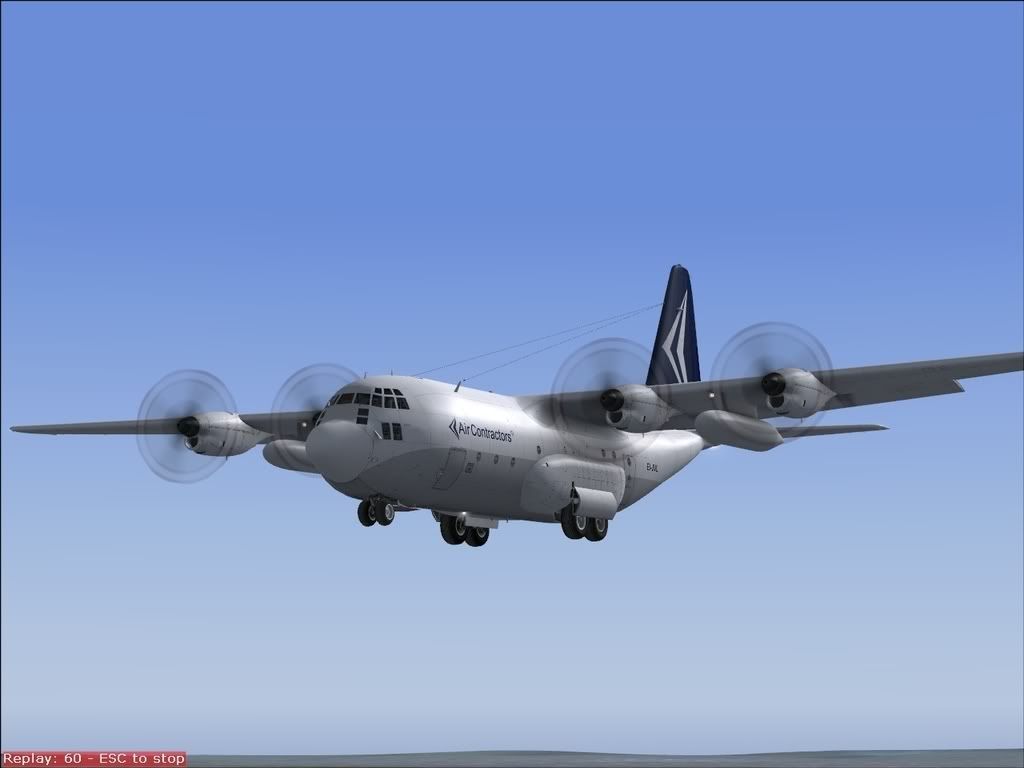
Love that sun reflection

user posted image
The autopilot kept me glued to the glideslope and localiser
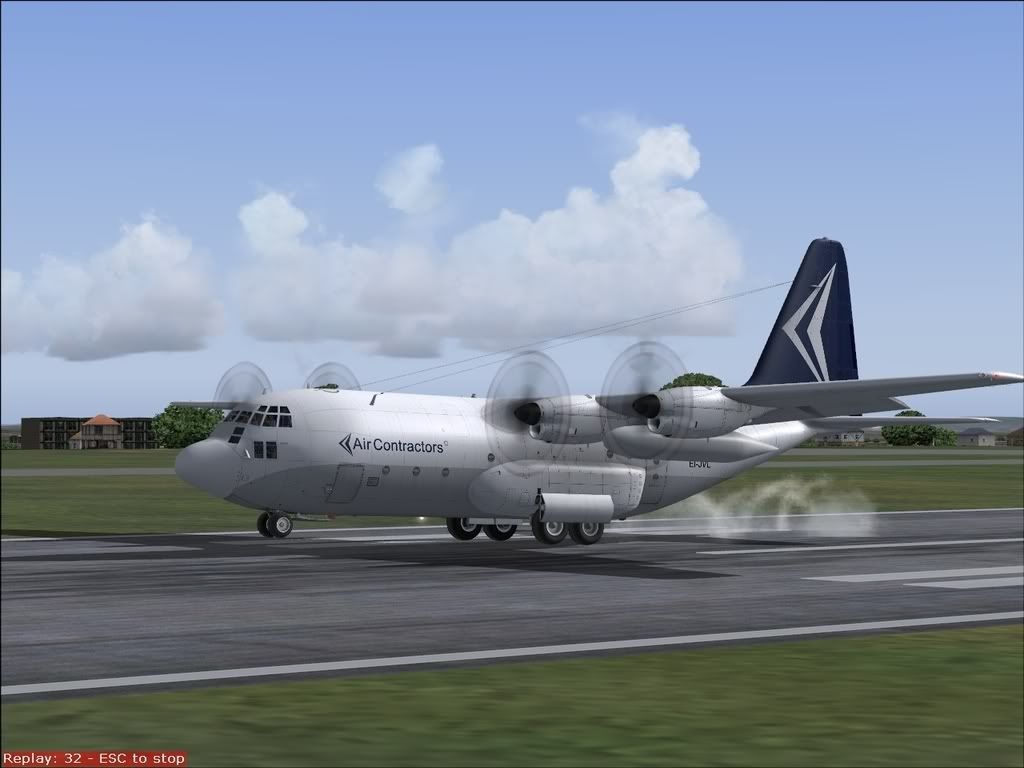
user posted image
Touchdown! I noticed by the time I had my flaps down to the landing configuration (I don't like using a whole lot of flaps in most types that I fly), 70%, I needed lots of power to keep my speed up.

Plea for help
My manual has been a big help, though I don't know how to work out my runway length required, rotation speeds etc. If someone who owns the product (either the Captain Sim or Just flight versions) could help me with this, I'd be very appreciative.

Enjoy,
Brock :plane: :thumbup:
ZK-Brock
NZFF Pro
 
Topic author
Joined: Sun Jul 23, 2006 3:35 pm
Posts: 2035

Postby G-HEVN » Fri Dec 15, 2006 8:46 pm

Don't have the C130, but generally....

In the Performance section, you should see pages for take off performance and landing performance. Here you'll find tables of distances plotted against temperature and pressure altitude.

ISA ("International Standard Atmosphere") is 15 degrees celcius, 1013mB.

Pressure Altitude is altitude corrected for atmospheric pressure. ie. it's what the altimeter would read if 1013 were set. There's a standard function in E6B calculators (or whizz wheels) for working out PA. (1013mB = 29.92 inHg)

You should also find rotation speeds for various weight configurations in the same section.
G-HEVN
 

Postby bigal » Fri Dec 15, 2006 8:46 pm

Great shots. Nice a/craft to fly :thumbup:
bigal
Newbie
 
Joined: Wed Jul 12, 2006 9:53 pm
Posts: 4
Location: Brisbane

Postby ZK-Brock » Fri Dec 15, 2006 8:50 pm

Thanks for your input Tim. I've had a look through the performance section numerous times, and it details the following things:
  • Critical Field Length
  • Take off Factor, f.t.o. (What is this???)
  • Landing distance from 50 feet
  • Landing Ground Roll

No mention of takeoff speeds there. The normal procedures section doesn't specify either.
ZK-Brock
NZFF Pro
 
Topic author
Joined: Sun Jul 23, 2006 3:35 pm
Posts: 2035

Postby Naki » Fri Dec 15, 2006 9:07 pm

Great Shots - have just got this myself (and the same RNZAF paint which is very well done - thanks Dax) and starting to put it through its paces unfortunatley my PC shut down on my first proper flight for no reason so I'll have to start again.

Also like your manual - must put one together like that myself.

Paul
User avatar
Naki
NZFF Pro
 
Joined: Sat Aug 05, 2006 10:03 pm
Posts: 7170
Location: Tauranga

Postby G-HEVN » Fri Dec 15, 2006 9:12 pm

Critical field length is the distance required for a one-engine-inoperative take off, or a braked full stop if an engine fails at the critical engine failure speed. It's normally calculated for different weight configurations.

Take off factor, I have no idea, and neither, it seems, does google! (sorry)

50ft distance is that required from a height of 50ft above the runway, or to reach 50ft on take off (50ft is the height allowed for obstacle clearance). Its importance is in terms of "how far away is the nearest tree?"

Ground roll is the distance required from the point the wheels touch the ground, or to the point where the wheels leave the ground on take off.

Certainly all the POHs I've seen specify the rotation speeds with the other take off data. Maybe a page got missed by your print shop? It's worth double checking against the PDF...
G-HEVN
 

Postby ardypilot » Fri Dec 15, 2006 10:47 pm

Great screenies Brock- only a quality Captainsim model could lure you back to FS2004 from FSX huh? :P

I have been considering buying this for a while- could you (or anyone else) just confirm that you do not receive any FPS performance decrease when flying from the outside spot view?

BTW- Gatwick was my old local airport, in screenie #7, that shows the view south of West Sussex to the coast, you would be able to see my old house in the UK!

Also, please post your shots a little smaller in future ;)
User avatar
ardypilot
NZFF Pro
 
Joined: Wed Apr 26, 2006 10:01 am
Posts: 6802
Location: Auckland

Postby Naki » Sat Dec 16, 2006 6:17 am

Hi Trolly

On my system (AMD 3500, 2 gig ram, 256 mb Radeon X800) I have had no or little decrease in FPS in the spot view even in complex sceneries, however there is a decrease in the VC of about 7 - 8 FPS in complex sceneries and about 2 FPS in the 2d panel. I have the FPS locked at 25 FPS.

Cheers

Paul
User avatar
Naki
NZFF Pro
 
Joined: Sat Aug 05, 2006 10:03 pm
Posts: 7170
Location: Tauranga

Postby Jimmy » Sat Dec 16, 2006 8:56 am

Very nice looking aircraft! Aparently from a review I read the systems in this aircraft arn't really realistic, like you can turn the hydralics of and nothing will be effected lol I think this one is more attention focused on visuls than realisum. What do you think?

Have you tried doing the refueling from a tanker yet!

I wounder how it would run on my 2.4 768mb RAM and fx5600 hmmm

James
Jimmy
 

Postby ZK-Brock » Sat Dec 16, 2006 11:47 am

Maybe a page got missed by your print shop? It's worth double checking against the PDF...


I checked, there's nothing there. Input from Naki would be appreciated ;)

I have been considering buying this for a while- could you (or anyone else) just confirm that you do not receive any FPS performance decrease when flying from the outside spot view?


I can also confirm that the performance hit is minimal, though you can expect a drop when operating in the VC.

Very nice looking aircraft! Aparently from a review I read the systems in this aircraft arn't really realistic, like you can turn the hydralics of and nothing will be effected lol I think this one is more attention focused on visuls than realisum. What do you think?

Have you tried doing the refueling from a tanker yet!


Hey James
I haven't experimented with the hydraulics yet, but I know that setting the AC electrics to off has an effect - your EICAS and navigation systems don't work.

Also, the in-flight refueling is only available in the Just flight version (comes in a box, not a download), so I cannot do it.
ZK-Brock
NZFF Pro
 
Topic author
Joined: Sun Jul 23, 2006 3:35 pm
Posts: 2035

Postby ZK-Brock » Sat Dec 16, 2006 1:57 pm

Guys, I found some useful Takeoff and Landing Data Here

There is also a useful checklist on the same page.
ZK-Brock
NZFF Pro
 
Topic author
Joined: Sun Jul 23, 2006 3:35 pm
Posts: 2035

Postby ZK-Brock » Sat Dec 16, 2006 3:23 pm

In the takeoff data linked to above, in the approach speed it specifies 2 speeds: TDS and THS. Obviously TDS is touchdown speed, but what is THS? Can anyone shed some light onto this cryptic chart?
ZK-Brock
NZFF Pro
 
Topic author
Joined: Sun Jul 23, 2006 3:35 pm
Posts: 2035

Postby Jimmy » Sat Dec 16, 2006 4:26 pm

Could THS mean threshold speed? The speed you should be at when crosing over the threshold.......... Just a thought

James
Jimmy
 

Postby ZK-Brock » Sat Dec 16, 2006 5:17 pm

James, that makes sense completely! The THS is about 10kts faster than the TDS....

so you come in at the THS, flare, and touch down at the TDS!

Yay James! :clap: :clap: :clap: :bow: :bow: :bow:
ZK-Brock
NZFF Pro
 
Topic author
Joined: Sun Jul 23, 2006 3:35 pm
Posts: 2035

Postby FlyingKiwi » Sun Dec 17, 2006 10:34 am

Great shots, that model looks amazing!
User avatar
FlyingKiwi
Senior Member
 
Joined: Mon May 29, 2006 4:17 pm
Posts: 1688
Location: Auckland

Postby Naki » Sun Dec 17, 2006 2:11 pm

Sorry didn't get back earlier but only have the POH on PDF and haven't printed it off yet. - you are ahead of me as so far only I have had one decent flight and still need to spend some time going through all the systems etc.

Cheers

Paul
User avatar
Naki
NZFF Pro
 
Joined: Sat Aug 05, 2006 10:03 pm
Posts: 7170
Location: Tauranga

Postby ZK-Brock » Sun Dec 17, 2006 2:56 pm

Paul,
I've now realised that the documentation that comes with the C-130 package is pretty rubbish. The systems sections are cryptic and don't actually tell you what they'll do for you in flight. The start-up procedures lack direction and are confusing, and the Performance data is incomplete (no V-speeds!!!! :o ). The best documentation you can get is c130tutorial.zip from AVsim.

It goes through the whole flight procedures, explaining systems along the way. The takeoff and landing data I linked to earlier is also useful.
ZK-Brock
NZFF Pro
 
Topic author
Joined: Sun Jul 23, 2006 3:35 pm
Posts: 2035

Postby Naki » Sun Dec 17, 2006 6:23 pm

Excellent - thanks for the tip

Cheers

Paul
User avatar
Naki
NZFF Pro
 
Joined: Sat Aug 05, 2006 10:03 pm
Posts: 7170
Location: Tauranga


Return to Screenshots

Who is online

Users browsing this forum: No registered users and 16 guests