Adamski wrote:QUOTE (Adamski @ Jan 19 2012,12:09 AM) <{POST_SNAPBACK}>Looks like the base grass texture is missing somehow. FYI, I didn't place any of Snowman's files anywhere "shared" (eg. the default FSX Addon Scenery directory). I created a new directory in FSX root called "Addon_Scenery_Snowman" and placed NZOH (and Army Ojects, libraries etc.) in there.
I checked this morning and Ohakea was third down the list following Army objects and Object libraries. I moved Ohakea to the top and rechecked, it made no difference. Something else I noticed this morning was black boxes along the runway maybe lights or signs, not sure will post a screenshot tonigh. I have the three folders in the Addon scenery folder.

Ohakea Scenery V2
 by lowglow » Thu Jan 19, 2012 5:22 am
-
lowglow - Sim-holic
- Joined: Mon Jul 06, 2009 9:42 pm
- Posts: 538
- Location: Blenheim New Zealand
by lowglow » Thu Jan 19, 2012 6:36 am
Here is the screen shot of the black boxes
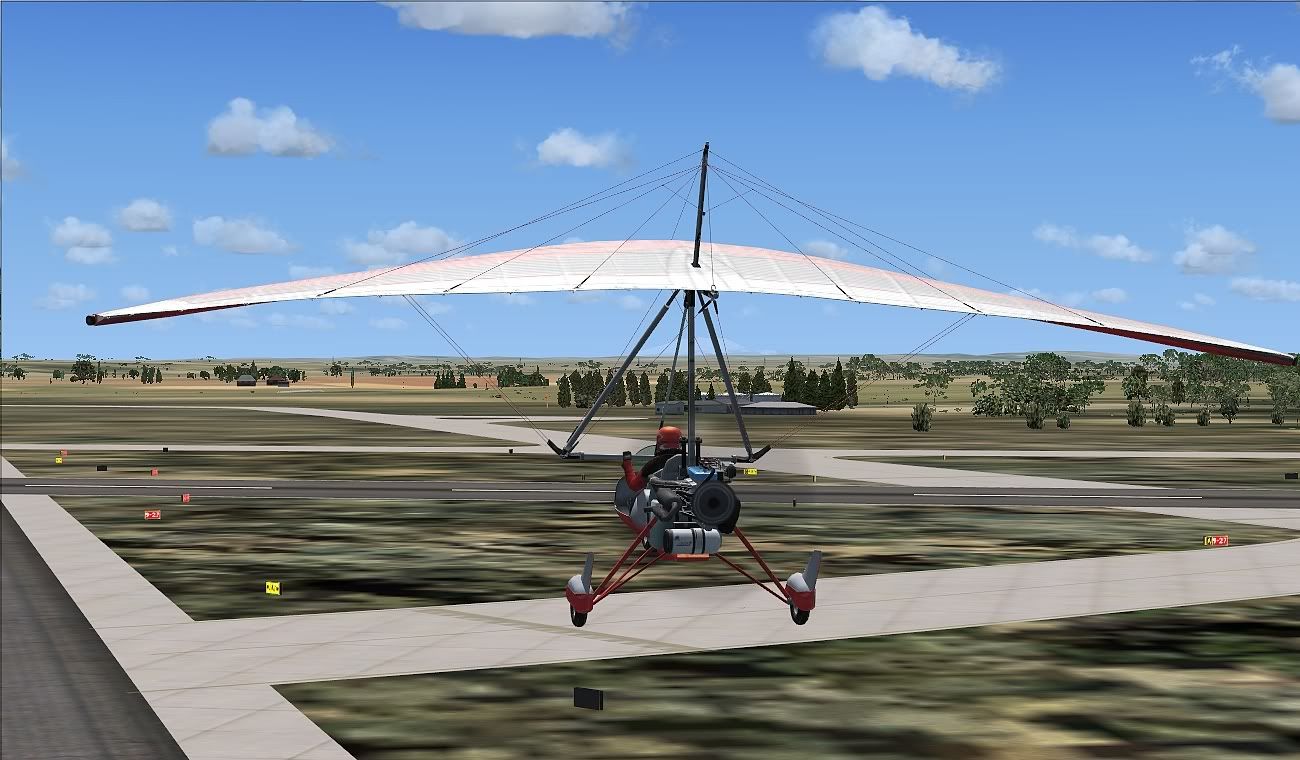
They apear aeound the edges and ends of the runway
Something I have noticed is that the texture folder within the Ohakea folder is empty no files in it what so eva I checked in both the downloads from the two places that I down loaded the Ohakea addon from and it is the same from both sites is the normal or the problem?
They apear aeound the edges and ends of the runway
Something I have noticed is that the texture folder within the Ohakea folder is empty no files in it what so eva I checked in both the downloads from the two places that I down loaded the Ohakea addon from and it is the same from both sites is the normal or the problem?
Last edited by lowglow on Thu Jan 19, 2012 6:39 am, edited 1 time in total.


-
lowglow - Sim-holic
- Joined: Mon Jul 06, 2009 9:42 pm
- Posts: 538
- Location: Blenheim New Zealand
by Adamski » Thu Jan 19, 2012 11:56 am
lowglow wrote:QUOTE (lowglow @ Jan 19 2012,7:36 AM) <{POST_SNAPBACK}>Here is the screen shot of the black boxes
They apear aeound the edges and ends of the runway
I think that's just the reverse sides of the taxiway signs ...lowglow wrote:QUOTE (lowglow @ Jan 19 2012,7:36 AM) <{POST_SNAPBACK}>Something I have noticed is that the texture folder within the Ohakea folder is empty no files in it what so eva I checked in both the downloads from the two places that I down loaded the Ohakea addon from and it is the same from both sites is the normal or the problem?
I don't have any textures in there either. I think the folder needs to be there, though, for the scenery to be recognised.
Try replicating my setup to see if it makes any difference:
1) Create a folder in FSX root, called "Addon_Scenery_Snowman" (or similar).
2) Place the three NZOH folders in there: "NZ Army Objects", "Ohakea V2" and "Scenery Libraries".
3) Add/overwrite the updated files from the update (into Ohakea V2\scenery).
4) Add/enable them in FSX as per usual, but place all three right at the top in priority.
It's possible that placing them in the FSX Addon Scenery folder messed up ordering/priorities.
Adamski- NZFF Pro
- Joined: Thu Nov 01, 2007 2:22 am
- Posts: 5072
- Location: Birkenhead, Auckland

by lowglow » Thu Jan 19, 2012 7:21 pm
Adamski wrote:QUOTE (Adamski @ Jan 19 2012,12:56 PM) <{POST_SNAPBACK}>I think that's just the reverse sides of the taxiway signs ...
Yes I see now that I have changed the setup to replicate yours that I now have signs and not black boxesAdamski wrote:QUOTE (Adamski @ Jan 19 2012,12:56 PM) <{POST_SNAPBACK}>Try replicating my setup to see if it makes any difference:
1) Create a folder in FSX root, called "Addon_Scenery_Snowman" (or similar).
2) Place the three NZOH folders in there: "NZ Army Objects", "Ohakea V2" and "Scenery Libraries".
3) Add/overwrite the updated files from the update (into Ohakea V2\scenery).
4) Add/enable them in FSX as per usual, but place all three right at the top in priority.
It's possible that placing them in the FSX Addon Scenery folder messed up ordering/priorities.
Ok I have done exactly that and no change except for the signs now and not black boxes.
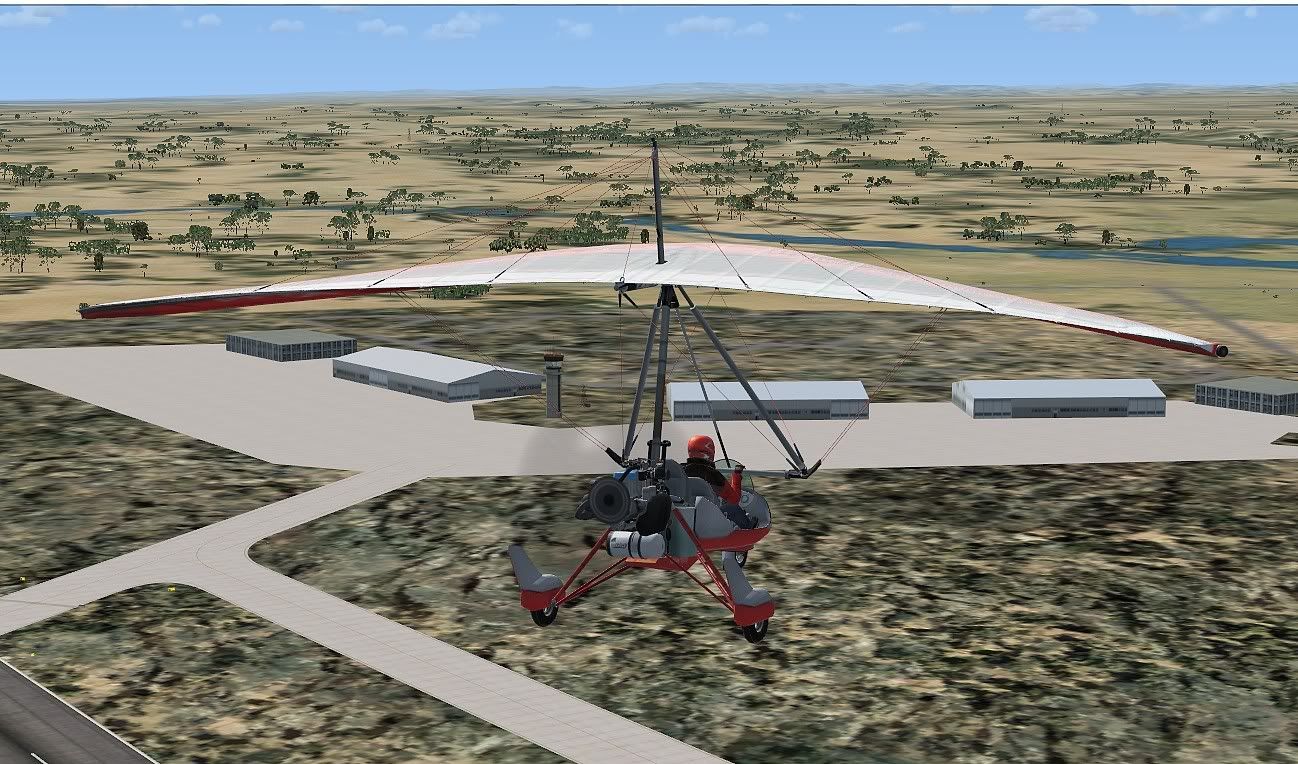
I also tryed something else. I removed and deactivated Ohakea V2 The NZ Army Objects and also the Scenery Library and checked back to Ohakea and appears as if the wierd ground textures are default FSX
as shown in this screen shot yuck
So I guess that must mean that the ground textures for Ohakea V2 are not showing up over the default textures
lowglow- Sim-holic
- Joined: Mon Jul 06, 2009 9:42 pm
- Posts: 538
- Location: Blenheim New Zealand
by Adamski » Thu Jan 19, 2012 8:48 pm
lowglow wrote:QUOTE (lowglow @ Jan 19 2012,8:21 PM) <{POST_SNAPBACK}>So I guess that must mean that the ground textures for Ohakea V2 are not showing up over the default textures
Sounds about right ... but I wonder *why*?? Does this happen anywhere else? I'm wondering whether some of your stock FSX textures (grass etc.) got nuked by something. Have you been using any other scenery-related utilities?
Actually, I've just realised ... mine isn't exactly "stock" FSX ... as I've been using REX for years - and forgot that part of my theme involves improving/replacing airport textures. Not sure whether the grass is one of thise that change, but certainly runways, parking slots and taxiways change.
-

Adamski - NZFF Pro
- Joined: Thu Nov 01, 2007 2:22 am
- Posts: 5072
- Location: Birkenhead, Auckland
by lowglow » Thu Jan 19, 2012 10:00 pm
Adamski wrote:QUOTE (Adamski @ Jan 19 2012,9:48 PM) <{POST_SNAPBACK}>Sounds about right ... but I wonder *why*?? Does this happen anywhere else? I'm wondering whether some of your stock FSX textures (grass etc.) got nuked by something. Have you been using any other scenery-related utilities?
Well I've had alook around a few different areas of NZ and they all look fineAdamski wrote:QUOTE (Adamski @ Jan 19 2012,9:48 PM) <{POST_SNAPBACK}>Actually, I've just realised ... mine isn't exactly "stock" FSX ... as I've been using REX for years - and forgot that part of my theme involves improving/replacing airport textures. Not sure whether the grass is one of thise that change, but certainly runways, parking slots and taxiways change.
I do have the grass file detail1.bmp in the FSX Scenery\World\Texture folder changed to REX_GRASSII, I always save backups of any files that I change and I have now changed back to the default FSX detail1.bmp file and there is only a slight change to the grass areas around the wierd texture but not the wierd texture itself, no change.
lowglow- Sim-holic
- Joined: Mon Jul 06, 2009 9:42 pm
- Posts: 538
- Location: Blenheim New Zealand
by Adamski » Fri Jan 20, 2012 12:31 am
lowglow wrote:QUOTE (lowglow @ Jan 19 2012,11:00 PM) <{POST_SNAPBACK}>I do have the grass file detail1.bmp in the FSX Scenery\World\Texture folder changed to REX_GRASSII, I always save backups of any files that I change and I have now changed back to the default FSX detail1.bmp file and there is only a slight change to the grass areas around the wierd texture but not the wierd texture itself, no change.
Bummer. I'm out of ideas! Snowman ... H-E-L-P!!!!!
-
Adamski - NZFF Pro
- Joined: Thu Nov 01, 2007 2:22 am
- Posts: 5072
- Location: Birkenhead, Auckland
by lowglow » Fri Jan 20, 2012 7:18 pm
Adamski wrote:QUOTE (Adamski @ Jan 20 2012,1:31 AM) <{POST_SNAPBACK}>Bummer. I'm out of ideas! Snowman ... H-E-L-P!!!!!
Thanks for your help, I guess if I cant get this sorted I will just have to stay away from Ohakea
-
lowglow - Sim-holic
- Joined: Mon Jul 06, 2009 9:42 pm
- Posts: 538
- Location: Blenheim New Zealand
by Adamski » Fri Jan 20, 2012 7:52 pm
lowglow wrote:QUOTE (lowglow @ Jan 20 2012,8:18 PM) <{POST_SNAPBACK}>Thanks for your help, I guess if I cant get this sorted I will just have to stay away from Ohakea
Shame ... you're missing a treat!
Just looking at your pics again ... your scenery outside the apron looks looks pretty weird as well. Compare it to my #2.
You're in FSX, DX9 ... yes?
-
Adamski - NZFF Pro
- Joined: Thu Nov 01, 2007 2:22 am
- Posts: 5072
- Location: Birkenhead, Auckland
by Ian Warren » Fri Jan 20, 2012 8:16 pm
Asking Gavin , was there not two photo's depending on the build , maybe send the larger base to Chris and Chris take the ground poly out , or i could reinstall my Ohakea make sure it running properly and send it through to you , that would discard any possible idea it maybe a corrupt file .

-

Ian Warren - NZFF Pro
- Joined: Fri May 05, 2006 5:23 pm
- Posts: 41187
- Location: AREA 51
by lowglow » Sat Jan 21, 2012 6:51 am
Adamski wrote:QUOTE (Adamski @ Jan 20 2012,8:52 PM) <{POST_SNAPBACK}>Shame ... you're missing a treat!
Just looking at your pics again ... your scenery outside the apron looks looks pretty weird as well. Compare it to my #2.
You're in FSX, DX9 ... yes?
I have had a quick look at your post I am heading out for a while, daughter is competteing in Country music awards this weekend I will take some screen shots this afternoon. I am sure that the surounding area is normal or at least as normal as I know it to be. I am running FSX with acceleration. DX9? not sure what that is
-
lowglow - Sim-holic
- Joined: Mon Jul 06, 2009 9:42 pm
- Posts: 538
- Location: Blenheim New Zealand
by Adamski » Sat Jan 21, 2012 1:53 pm
lowglow wrote:QUOTE (lowglow @ Jan 21 2012,7:51 AM) <{POST_SNAPBACK}>I have had a quick look at your post I am heading out for a while, daughter is competing in Country music awards this weekend I will take some screen shots this afternoon. I am sure that the surrounding area is normal or at least as normal as I know it to be. I am running FSX with acceleration. DX9? not sure what that is
Best of luck for your daughter!
DX9 - running in standard FSX DirectX 9 as opposed to the DirectX 10 "preview" mode. I run in DX9 but also have VLC (Vector Land Class) enabled, so I'll see what it looks like with it disabled.
-
Adamski - NZFF Pro
- Joined: Thu Nov 01, 2007 2:22 am
- Posts: 5072
- Location: Birkenhead, Auckland
by lowglow » Sat Jan 21, 2012 2:28 pm
Adamski wrote:QUOTE (Adamski @ Jan 21 2012,2:53 PM) <{POST_SNAPBACK}>Best of luck for your daughter!
Thanks shes doing OK half time break so I got a couple of hours to killAdamski wrote:QUOTE (Adamski @ Jan 21 2012,2:53 PM) <{POST_SNAPBACK}>DX9 - running in standard FSX DirectX 9 as opposed to the DirectX 10 "preview" mode. I run in DX9 but also have VLC (Vector Land Class) enabled, so I'll see what it looks like with it disabled.
I can't answer the question about the DX9, how can I tell and is DX9 better than 10. I have not purchased VLC yet as I am reasonably new to Microsoft Flight Sims so far apart from free downloads the only payware I have purchased is REAL NZ Marlborough and a few aircraft. But I am Keen to add more.
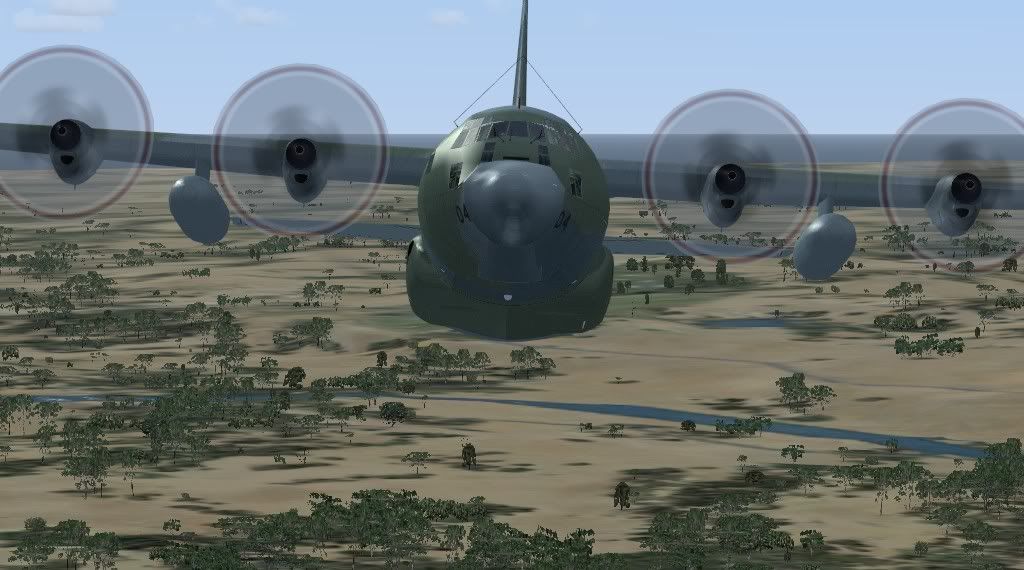
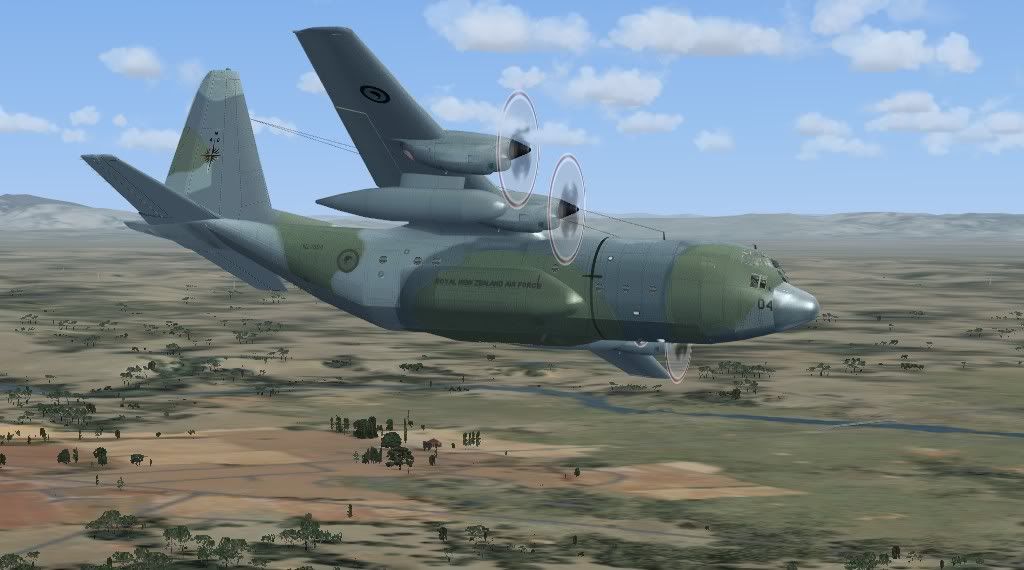
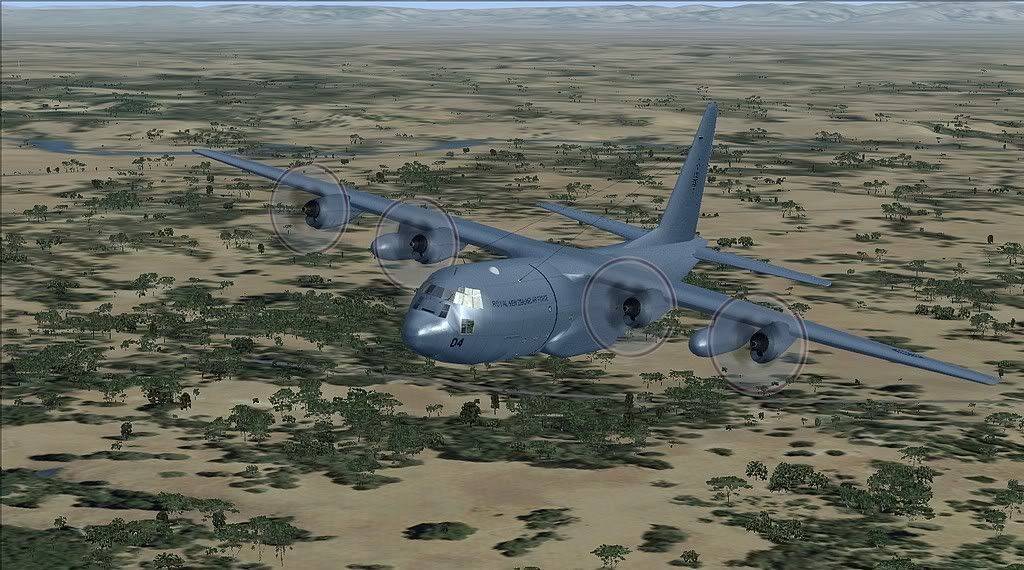
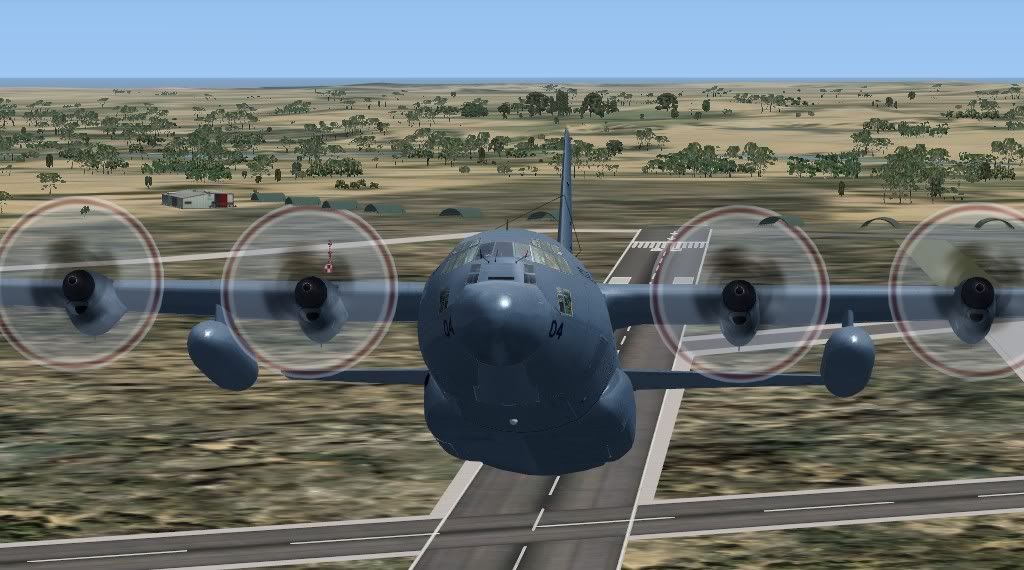
Here are some screen shots all taken around the Ohakea area
lowglow- Sim-holic
- Joined: Mon Jul 06, 2009 9:42 pm
- Posts: 538
- Location: Blenheim New Zealand
by Adamski » Sat Jan 21, 2012 3:28 pm
lowglow wrote:QUOTE (lowglow @ Jan 21 2012,3:28 PM) <{POST_SNAPBACK}>I can't answer the question about the DX9, how can I tell and is DX9 better than 10. I have not purchased VLC yet as I am reasonably new to Microsoft Flight Sims so far apart from free downloads the only payware I have purchased is REAL NZ Marlborough and a few aircraft. But I am Keen to add more.
In Options/Settings/Display, there's a tickbox "Preview DirectX 10". Make sure that's UN ticked. Though water textures etc. are better with DX10, there are quite a few issues with it so most people have it disabled.
While you're on that screen, check that you have filtering set to "Anisotropic" and also see if you can run FSX with the texture resolution slider all the way to the right (maximum/best).
Similarly, go to the "Scenery" options page and fiddle with the sliders there - see if that makes any difference.
Here's as near as I can manage to your settings. Individual tree textures will be different as I still have ORBX NZSI enabled (and don't want to mess with that) ... though the mapping of tree areas should be the same.
The same again, but with VLC enabled. As you can see, it's a huge improvement on default FSX - correcting those awful default FSX "desert" textures.
If you're keen to add more (!!!) then I'd definitely put VLC near the top of your list. Finances permitting, I'd then work my way through Rob's RealNZ sceneries ... and also Mike (Creator)'s excellent Hamilton/Taupo.
You could maybe hold off on Rob's Wellington, as I think he's working on an update.
Does anyone else here have a clue as to what may be the cause of the missing airfield texture?Last edited by Adamski on Sat Jan 21, 2012 3:29 pm, edited 1 time in total.


-
Adamski - NZFF Pro
- Joined: Thu Nov 01, 2007 2:22 am
- Posts: 5072
- Location: Birkenhead, Auckland
by Ian Warren » Sat Jan 21, 2012 3:41 pm
Installed the Ohakea scenery last night , i put all AI and extra into the Ohakea scenery and texture folder so its all in one and it works fine , maybe the objects are in a wrong file folder cause the ground texture issue .
I suggest to Chris deleting all relevant file or ones install pre problem state and i will send the combined working file here to him and it should work unless something else has been added , notice no VLC .
I suggest to Chris deleting all relevant file or ones install pre problem state and i will send the combined working file here to him and it should work unless something else has been added , notice no VLC .
Last edited by Ian Warren on Sat Jan 21, 2012 3:41 pm, edited 1 time in total.
-
Ian Warren - NZFF Pro
- Joined: Fri May 05, 2006 5:23 pm
- Posts: 41187
- Location: AREA 51
by Adamski » Sat Jan 21, 2012 5:46 pm
Ian Warren wrote:QUOTE (Ian Warren @ Jan 21 2012,4:41 PM) <{POST_SNAPBACK}>Installed the Ohakea scenery last night , i put all AI and extra into the Ohakea scenery and texture folder so its all in one and it works fine , maybe the objects are in a wrong file folder cause the ground texture issue .
I suggest to Chris deleting all relevant file or ones install pre problem state and i will send the combined working file here to him and it should work unless something else has been added , notice no VLC .
Thanks, Ian. I think he's had a go at putting them all in the seperate folder (like you have). My guess is that there's a default (grass?) texture being called that's gone AWOL for some reason.
-
Adamski - NZFF Pro
- Joined: Thu Nov 01, 2007 2:22 am
- Posts: 5072
- Location: Birkenhead, Auckland
by Ian Warren » Sat Jan 21, 2012 5:53 pm
I think they may have been the possible a missing texture strange affect tho and is not the norm , what i have here is just throw in and all should work , sure between the both of us should be able to get Chris up and running .
Last edited by Ian Warren on Sat Jan 21, 2012 5:57 pm, edited 1 time in total.
-
Ian Warren - NZFF Pro
- Joined: Fri May 05, 2006 5:23 pm
- Posts: 41187
- Location: AREA 51
by lowglow » Sat Jan 21, 2012 6:03 pm
Adamski wrote:QUOTE (Adamski @ Jan 21 2012,6:46 PM) <{POST_SNAPBACK}>Thanks, Ian. I think he's had a go at putting them all in the seperate folder (like you have). My guess is that there's a default (grass?) texture being called that's gone AWOL for some reason.
Yep thats correct and I think we may have determined that the problem is with the default Ohakea as shown in this picture with no addons at all
Or maybe this is not the default Ohakea. How can we find out and if not what is this?Last edited by lowglow on Sat Jan 21, 2012 6:04 pm, edited 1 time in total.
-
lowglow - Sim-holic
- Joined: Mon Jul 06, 2009 9:42 pm
- Posts: 538
- Location: Blenheim New Zealand
by Ian Warren » Sat Jan 21, 2012 6:17 pm
That is very unusual , no other airfields like this , Palmerston North ok ?
-
Ian Warren - NZFF Pro
- Joined: Fri May 05, 2006 5:23 pm
- Posts: 41187
- Location: AREA 51
by lowglow » Sat Jan 21, 2012 6:29 pm
Adamski wrote:QUOTE (Adamski @ Jan 21 2012,4:28 PM) <{POST_SNAPBACK}>In Options/Settings/Display, there's a tickbox Make sure that's UN ticked. Though water textures etc. are better with DX10, there are quite a few issues with it so most people have it disabled.
While you're on that screen, check that you have filtering set to "Anisotropic" and also see if you can run FSX with the texture resolution slider all the way to the right (maximum/best).
Similarly, go to the "Scenery" options page and fiddle with the sliders there - see if that makes any difference.
If you're keen to add more (!!!) then I'd definitely put VLC near the top of your list. Finances permitting, I'd then work my way through Rob's RealNZ sceneries ... and also Mike (Creator)'s excellent Hamilton/Taupo.
You could maybe hold off on Rob's Wellington, as I think he's working on an update.
Does anyone else here have a clue as to what may be the cause of the missing airfield texture?
I have checked for the tick box for "Preview DirectX 10". It's not there I have hunted everywhere and I don't have it? I did change to Anisotropic and the texture resolution slider was already all the way to the right.
I haven't yet played with the Scenery sliders but I will when I get the chance (My Daughter has got into the finals tomorrow and we have guests around)
I intentend to do exactlly as you have described wiith the addons and will probably include REX .
I also want to learn to create my own addons I have plenty of experience with other sims and creating aircraft just need to learn the new software for FSX addons have started with some aircraft repaintsIan Warren wrote:QUOTE (Ian Warren @ Jan 21 2012,7:17 PM) <{POST_SNAPBACK}>That is very unusual , no other airfields like this , Palmerston North ok ?
Hang on I'll check
lowglow- Sim-holic
- Joined: Mon Jul 06, 2009 9:42 pm
- Posts: 538
- Location: Blenheim New Zealand
Who is online
Users browsing this forum: No registered users and 10 guests