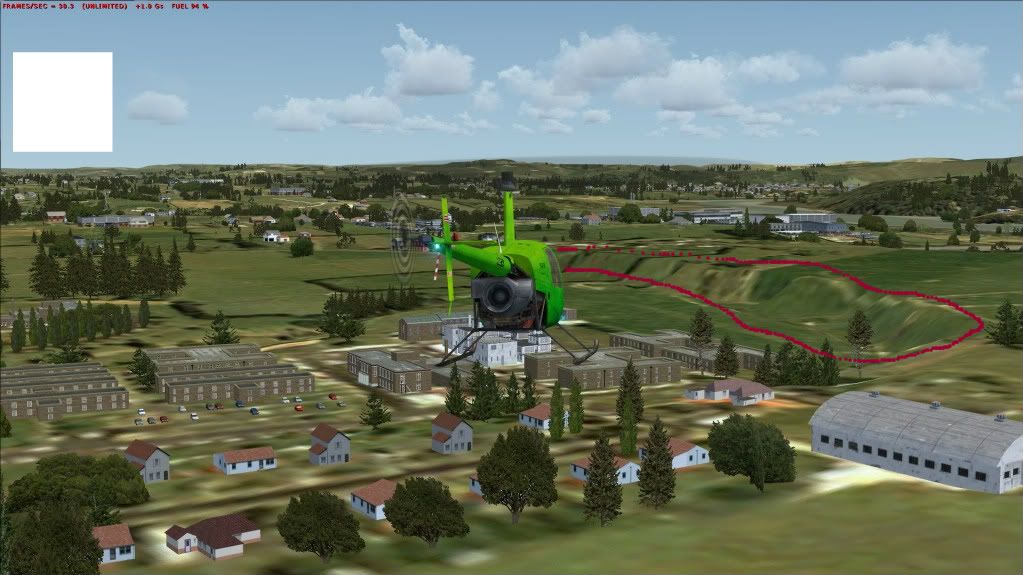
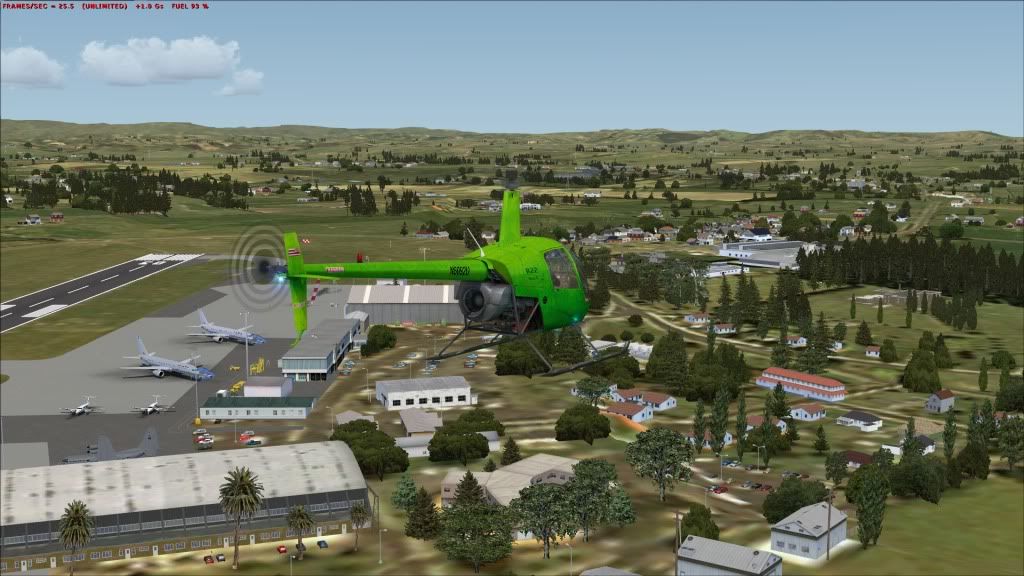
Whenuapai

An area to discuss scenery addons for virtual NZ

Postby Kahu » Sun Jul 17, 2011 11:38 am

I now have Whenuapai at a stage where it is ready for testing. I'm trying to uploaded the file on Skydrive but the site seems to be down at the moment.

If people could test the scenery and let me know whats still needed or missing would be great.

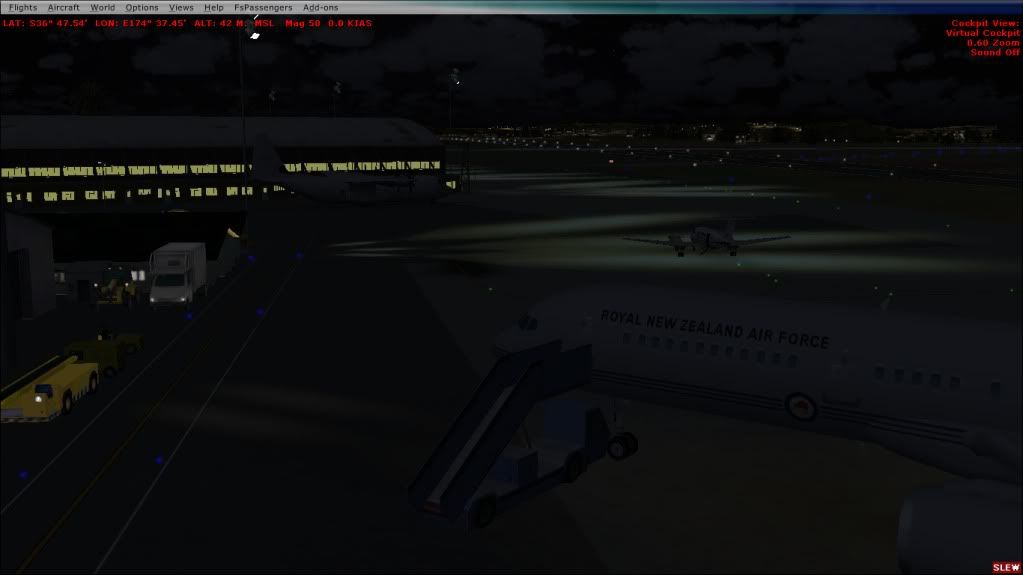
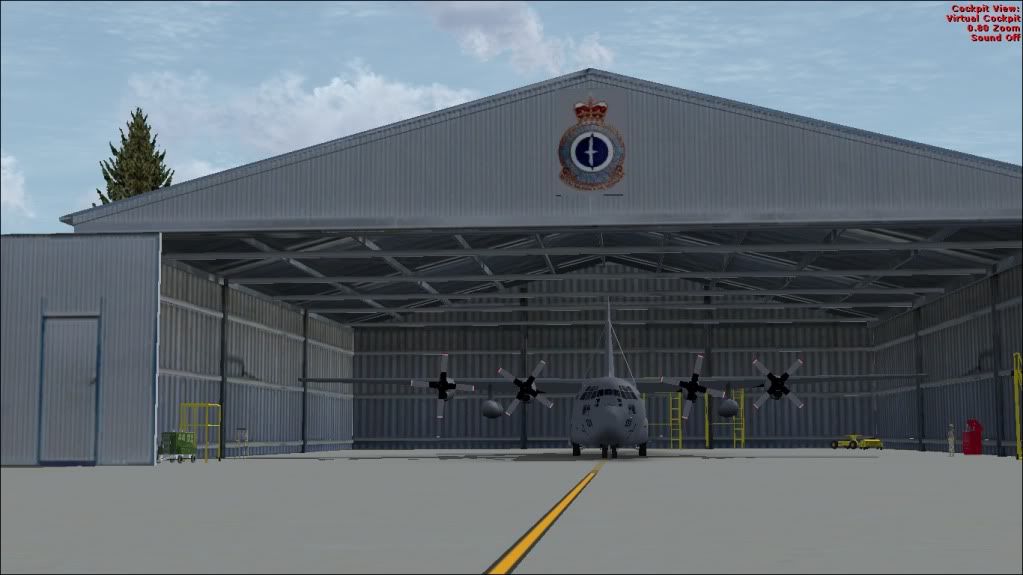
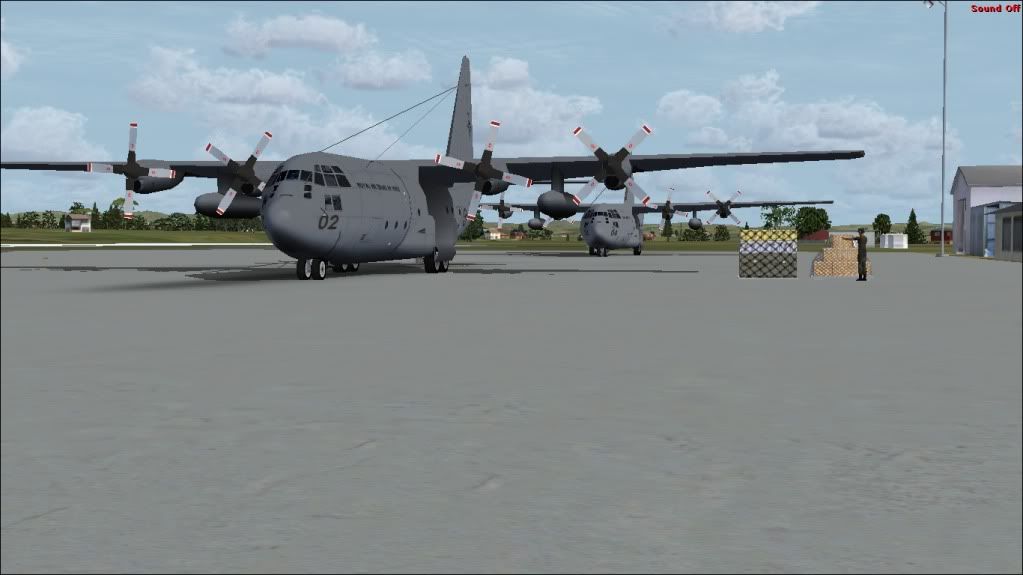
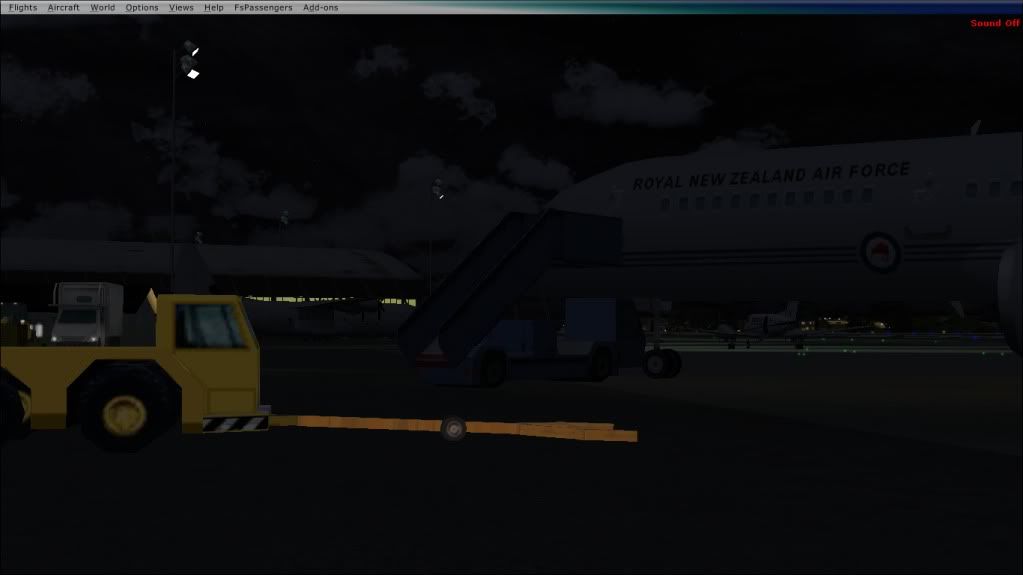
In the mean time heres some shots of freeware AI traffic at Whenuapai.
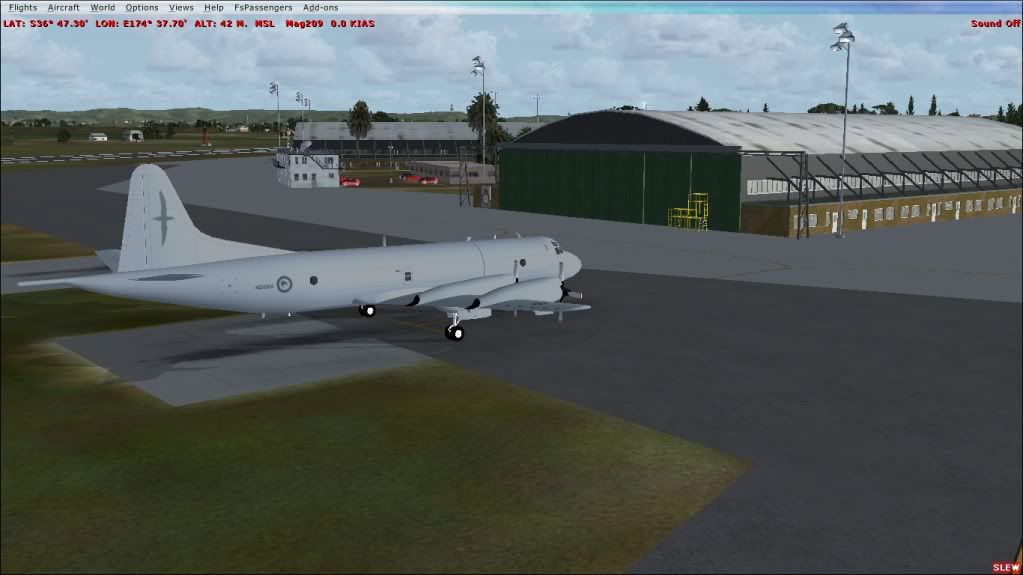


I'll post link for download as soon as site is back online.


Try this Link:DOWLOAD HERE

Also requires my previous Ohakea Scenery if needed click Here

Last edited by Kahu on Sun Jul 17, 2011 12:14 pm, edited 1 time in total.
Image
User avatar
Kahu
Sim-holic
 
Topic author
Joined: Sat May 05, 2007 3:59 pm
Posts: 578
Location: Tauranga

Postby Ian Warren » Sun Jul 17, 2011 11:44 am

Looking Great Gavin , cool.gif Im a ready for looksie biggrin.gif
Image
User avatar
Ian Warren
NZFF Pro
 
Joined: Fri May 05, 2006 5:23 pm
Posts: 41187
Location: AREA 51

Postby Naki » Sun Jul 17, 2011 11:46 am

whathesaid.gif ..although I'm heading out soon
User avatar
Naki
NZFF Pro
 
Joined: Sat Aug 05, 2006 10:03 pm
Posts: 7170
Location: Tauranga

Postby brad63 » Sun Jul 17, 2011 11:48 am

Ah all the fantastic products you and others are producing sends a pleasent shiver down my spine.
Love it tongue.gif .
B-RAD

i7 930 o/c 4.1 GHz
Gigabyte GA X58A UD3R
Kingston HyperX T1 PC12800/1600 CL9 12Gb
Sapphire Radeon HD5850
WD Caviar Blk 64mb cache 1TB Raid0
Antec P193,with 1200w dual channel PSU
Corsair H100 cooler
Win7 64bit
FSX SP2 Accel
Matrox TH2go
3 x Philips 170B 17inch LCDs
TrackIR
Saitek Pedals,Yoke and Quadrants
VLC,RealNZ,Godzone,fs-creations,FTX etc
brad63
Member
 
Joined: Thu Mar 10, 2011 9:25 am
Posts: 94
Location: Whakatane

Postby Ian Warren » Sun Jul 17, 2011 11:54 am

Brad , Paul , Its Gav,s Birthday today and hes giving us presents .... I don,t get it biggrin.gif
Image
User avatar
Ian Warren
NZFF Pro
 
Joined: Fri May 05, 2006 5:23 pm
Posts: 41187
Location: AREA 51

Postby Kahu » Sun Jul 17, 2011 12:17 pm

Links now up, see above biggrin.gif
Image
User avatar
Kahu
Sim-holic
 
Topic author
Joined: Sat May 05, 2007 3:59 pm
Posts: 578
Location: Tauranga

Postby brad63 » Sun Jul 17, 2011 12:36 pm

Ian Warren wrote:
QUOTE (Ian Warren @ Jul 17 2011,11:54 AM) <{POST_SNAPBACK}>
Brad , Paul , Its Gav,s Birthday today and hes giving us presents .... I don,t get it biggrin.gif

Those are the birthdays I like. Happy birthday Gav. Oh and thanks for the pressie, Ive always wanted one of these. Size is perfect. cheers1.gif
Last edited by brad63 on Sun Jul 17, 2011 1:21 pm, edited 1 time in total.
B-RAD

i7 930 o/c 4.1 GHz
Gigabyte GA X58A UD3R
Kingston HyperX T1 PC12800/1600 CL9 12Gb
Sapphire Radeon HD5850
WD Caviar Blk 64mb cache 1TB Raid0
Antec P193,with 1200w dual channel PSU
Corsair H100 cooler
Win7 64bit
FSX SP2 Accel
Matrox TH2go
3 x Philips 170B 17inch LCDs
TrackIR
Saitek Pedals,Yoke and Quadrants
VLC,RealNZ,Godzone,fs-creations,FTX etc
brad63
Member
 
Joined: Thu Mar 10, 2011 9:25 am
Posts: 94
Location: Whakatane

Postby Adamski » Sun Jul 17, 2011 3:44 pm

Kahu wrote:
QUOTE (Kahu @ Jul 17 2011,11:38 AM) <{POST_SNAPBACK}>
I now have Whenuapai at a stage where it is ready for testing. I'm trying to uploaded the file on Skydrive but the site seems to be down at the moment.
If people could test the scenery and let me know whats still needed or missing would be great.

Both links worked great, many thanks. I've re-downloaded NZOH just to be sure I have the latest. Feedback soon!!!!

You won't believe how long I've waited for NZWP - going to be such a treat!!
Image
User avatar
Adamski
NZFF Pro
 
Joined: Thu Nov 01, 2007 2:22 am
Posts: 5029
Location: Birkenhead, Auckland

Postby lowflier » Sun Jul 17, 2011 5:44 pm

WOW! biggrin.gif Awesome airbase you've got here, I'm not too experienced in this area but fell this does a heck of a lot more than fell the gap made by the default scenery! Thanks a heap!
Image
lowflier
Forum Addict
 
Joined: Wed Feb 16, 2011 5:15 pm
Posts: 362
Location: New Zealand

Postby Adamski » Sun Jul 17, 2011 7:49 pm

Here we go ... I'm sure these will be the first of many!!! I'm just so thrilled to have NZWP in FSX!


Hmmm ... didn't know they'd upgraded/repainted *all three* of those runways laugh.gif


A debug pic for you ... some polygons not quite right:


While we're at it ... the new freeware T-45 again ... but at your (also amazing) NZOH:


Last edited by Adamski on Sun Jul 17, 2011 10:57 pm, edited 1 time in total.
Image
User avatar
Adamski
NZFF Pro
 
Joined: Thu Nov 01, 2007 2:22 am
Posts: 5029
Location: Birkenhead, Auckland

Postby Redda03 » Sun Jul 17, 2011 8:33 pm

[quote name='Kahu' date='Jul 22 2011,12:38 AM' post='8289057']
I now have Whenuapai at a stage where it is ready for testing. I'm trying to uploaded the file on Skydrive but the site seems to be down at the moment.

If people could test the scenery and let me know whats still needed or missing would be great.


Brilliant....just like I remember the Base!!

Appears to be a minor flatten problem with the terrain to the NW of the airfield......


Rest seems OK....

Bob R
url="http://www.VectorLandclass.co.nz/"]
Image[/url]
Redda03
Forum Addict
 
Joined: Tue Aug 08, 2006 12:31 pm
Posts: 205
Location: Waikanae Beach

Postby Kahu » Sun Jul 17, 2011 9:27 pm

Adamski in 1) you seem to be missing lots of scenery objects can you re-check the readme of what files are needed wink.gif

also the polygons are meant to be like that as in the pics I used of NZWP, a may change though if it looks funny

##Also your NZOH installation is missing lots of scenery objects

Reeda03 I'll recheck flatten problem I dont seem to get that, are you using VLC at all?
Last edited by Kahu on Sun Jul 17, 2011 9:32 pm, edited 1 time in total.
Image
User avatar
Kahu
Sim-holic
 
Topic author
Joined: Sat May 05, 2007 3:59 pm
Posts: 578
Location: Tauranga

Postby Adamski » Sun Jul 17, 2011 9:49 pm

Kahu wrote:
QUOTE (Kahu @ Jul 17 2011,9:27 PM) <{POST_SNAPBACK}>
Adamski in 1) you seem to be missing lots of scenery objects can you re-check the readme of what files are needed wink.gif
also the polygons are meant to be like that as in the pics I used of NZWP, a may change though if it looks funny
##Also your NZOH installation is missing lots of scenery objects

Looks like I forgot Snowman's Libraries. This is a brand new FSX install, so I'm gradually rebuilding all my sceneries etc. I'll pop a note to say how I get on!

Yep! Well spotted! thumbup1.gif


I've removed the duff pic from the previous post.
Last edited by Adamski on Sun Jul 17, 2011 10:56 pm, edited 1 time in total.
Image
User avatar
Adamski
NZFF Pro
 
Joined: Thu Nov 01, 2007 2:22 am
Posts: 5029
Location: Birkenhead, Auckland

Postby zkcav » Sun Jul 17, 2011 10:04 pm

Happy Birthday Mate. I've just done 2 fly arounds and looks 100% improvement on the deafult clapping.gif Well done!

No issues with the ridge reported. The only thing I'm missing is the A/C on the apron. I guess those are AI?
Last edited by zkcav on Sun Jul 17, 2011 10:06 pm, edited 1 time in total.
Takeoff's are optional. Landings are mandatory.
User avatar
zkcav
Forum Addict
 
Joined: Fri Jul 30, 2010 8:58 pm
Posts: 401
Location: NZPM

Postby Redda03 » Mon Jul 18, 2011 5:28 pm

Kahu wrote:
QUOTE (Kahu @ Jul 22 2011,10:27 AM) <{POST_SNAPBACK}>
Reeda03 I'll recheck flatten problem I dont seem to get that, are you using VLC at all?


I am using VLC.

Bob R
url="http://www.VectorLandclass.co.nz/"]
Image[/url]
Redda03
Forum Addict
 
Joined: Tue Aug 08, 2006 12:31 pm
Posts: 205
Location: Waikanae Beach

Postby Kahu » Mon Jul 18, 2011 9:14 pm

Redda03 wrote:
QUOTE (Redda03 @ Jul 18 2011,5:28 PM) <{POST_SNAPBACK}>
I am using VLC.

Bob R


Here try this modofied AFCAD DOWNLOAD HERE Just replace the existing file with this new one
Last edited by Kahu on Mon Jul 18, 2011 9:15 pm, edited 1 time in total.
Image
User avatar
Kahu
Sim-holic
 
Topic author
Joined: Sat May 05, 2007 3:59 pm
Posts: 578
Location: Tauranga

Postby rayclyde » Mon Jul 18, 2011 10:28 pm

Kahu wrote:
QUOTE (Kahu @ Jul 23 2011,10:14 AM) <{POST_SNAPBACK}>
Here try this modofied AFCAD DOWNLOAD HERE Just replace the existing file with this new one


Kahu

Thankyou for your work. I see no problems after an hour of "touch and Go" The ridge mentioned above is absent from my installation - [FSX + acceleration and with VLC]

Clyde Williams
Levin
rayclyde
Forum Addict
 
Joined: Sat Sep 09, 2006 10:25 am
Posts: 150
Location: Levin

Postby zkcav » Sun Jul 24, 2011 1:38 pm

Hi Gavin

Tried doing a few ILS approches on 03 last night. 34 degrees seems right alignment but the glide slope seens to be out - as is papi. At 2 NM DME it had me down to below 300 ft (200AGL) - the AIP says it should be 740 papi was all white and I was well above glidle slope, if i followed this down it would have put me into the dirt well before Briggins Creek Rd.

Just used the King Air to shoot a few more and the G/S put me into the ground at DME 3.1. Tonight if I get a chance I'll try the ILS on 21 and the VORTAC approches.

Cheers Paul
Last edited by zkcav on Sun Jul 24, 2011 2:41 pm, edited 1 time in total.
Takeoff's are optional. Landings are mandatory.
User avatar
zkcav
Forum Addict
 
Joined: Fri Jul 30, 2010 8:58 pm
Posts: 401
Location: NZPM

Postby cooldad » Sun Jul 24, 2011 7:26 pm

Hi guys, Looking at this post showing Ohakea I thought I'd compare with my view. Can someone tell me whether I'm missing a tarmac texture? Around the buildings I seem to have a white surface instead of a grey one. See my pic below...


Paul
User avatar
cooldad
Forum Addict
 
Joined: Wed May 31, 2006 10:26 am
Posts: 226
Location: Hutt Valley, Wellington

Postby Kahu » Sun Jul 24, 2011 7:50 pm

cooldad wrote:
QUOTE (cooldad @ Jul 24 2011,7:26 PM) <{POST_SNAPBACK}>
Hi guys, Looking at this post showing Ohakea I thought I'd compare with my view. Can someone tell me whether I'm missing a tarmac texture? Around the buildings I seem to have a white surface instead of a grey one. See my pic below...


Paul


You seem to have the wrong AFCAD showing. Check you have AFX_NZOH file in the main Ohakea scenery folder, if so either delete any other Ohakea AFCAD you may have or try placing this file in the scenery -world- sceney folder.

Thanks ZKCAV i'll check this out.
Last edited by Kahu on Sun Jul 24, 2011 7:51 pm, edited 1 time in total.
Image
User avatar
Kahu
Sim-holic
 
Topic author
Joined: Sat May 05, 2007 3:59 pm
Posts: 578
Location: Tauranga

Next

Return to Scenery

Who is online

Users browsing this forum: No registered users and 9 guests