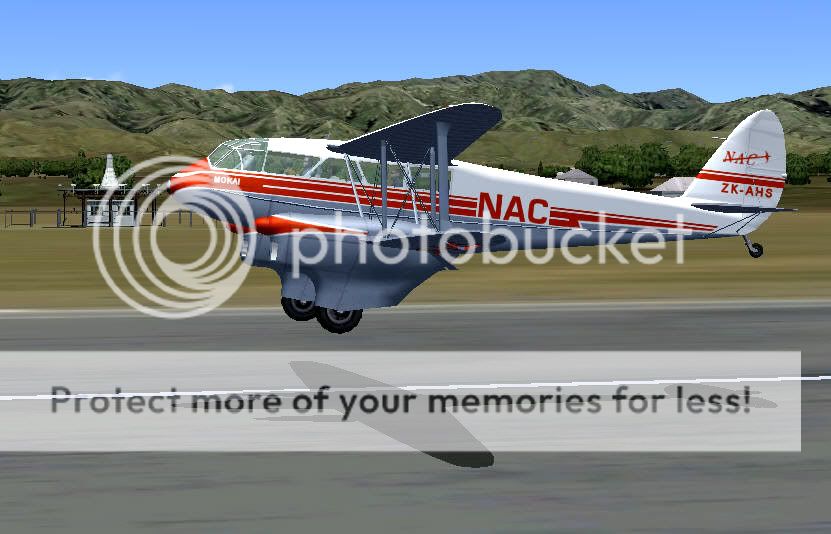
I also have some real time shots of Gavin's showing our NZ one with NAC paint...

Can anyone tell me if local paint has ever been done for this one...?
100% ad-free
 by Bazza » Tue Mar 15, 2011 6:52 pm


by Naki » Tue Mar 15, 2011 7:14 pm

by Fauville » Tue Mar 15, 2011 7:55 pm
 But the one in MOTAT.

by dbcunnz » Tue Mar 15, 2011 11:24 pm
Bazza wrote:QUOTE (Bazza @ Mar 15 2011,10:52 PM) <{POST_SNAPBACK}>I have the FSX version of that plane.
I have tried searching for the file at Flightsim.com as suggested but can't gt a result for dh89nac.zip.
Any suggestions.......?
It is on flightsim.com do a search for NAC ZK-AHS it is for FS2004 but works fine in FSX


by Ian Warren » Wed Mar 16, 2011 2:28 pm
dbcunnz wrote:QUOTE (dbcunnz @ Mar 16 2011,12:24 AM) <{POST_SNAPBACK}>It is on flightsim.com do a search for NAC ZK-AHS
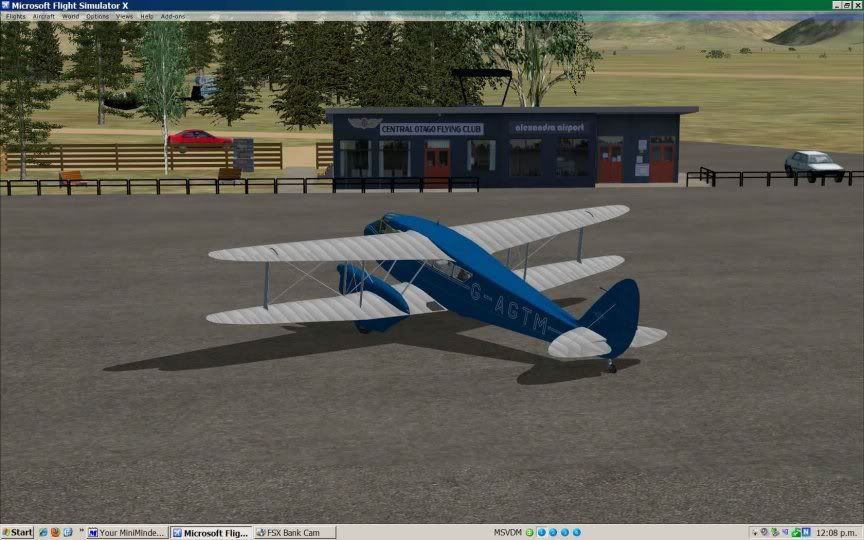
Good screen Doug , this type that was used New Zealand through out and especially the West Coast .

by bobby48w » Wed Mar 16, 2011 4:04 pm
dbcunnz wrote:QUOTE (dbcunnz @ Mar 16 2011,12:24 AM) <{POST_SNAPBACK}>It is on flightsim.com do a search for NAC ZK-AHS it is for FS2004 but works fine in FSX
Found it okay thanks very much but it only worked for me in FSX after I altered the FS 2004 aircraft cfg included in the download, to the following:
Changed TITLE= to FSX DH89 NAC From FS9
Changed SIM= to Rapide v3 From v2
Changed DESCRIPTION= deleted all the text following. (This may not be necessary but I did it anyway)
And of course changed the #fltsim 2 to the next available number ( in my case it was fltsim 15)
Trust this might be helpful to anyone else wanting to include it in their FSX Rapide skins and having trouble with it not loading in its cfg FS9 form.
by Bazza » Wed Mar 16, 2011 4:39 pm
bobby48w wrote:QUOTE (bobby48w @ Mar 16 2011,5:04 PM) <{POST_SNAPBACK}>Trust this might be helpful to anyone else wanting to include it in their FSX Rapide skins and having trouble with it not loading in its cfg FS9 form.
Thanks for your timely post.
Having started this thread off I got diverted and hadn't got around to installing the new paint job, so your
advice came just as I was finding that it didn't load...
Now I can delete about 14 other paint schemes....
Now OK. Thanks again. Last edited by Bazza on Wed Mar 16, 2011 4:40 pm, edited 1 time in total.
by AdrianPetford » Wed Mar 16, 2011 10:52 pm
bobby48w wrote:QUOTE (bobby48w @ Mar 16 2011,4:04 AM) <{POST_SNAPBACK}>Found it okay thanks very much but it only worked for me in FSX after I altered the FS 2004 aircraft cfg included in the download, to the following:
Changed TITLE= to FSX DH89 NAC From FS9
Changed SIM= to Rapide v3 From v2
Changed DESCRIPTION= deleted all the text following. (This may not be necessary but I did it anyway)
And of course changed the #fltsim 2 to the next available number ( in my case it was fltsim 15)
Trust this might be helpful to anyone else wanting to include it in their FSX Rapide skins and having trouble with it not loading in its cfg FS9 form.
I found it better to start by copying an entry from the FSX version's aircraft.cfg and making edits to that, as the FSX Rapide has a number of new features (extra windows, starboard generator etc) that are switched on or off by a leading letter in the FSX aircraft.cfg's TITLE field and there are some other slight differences.
Unfortunately as David Garwood never released a paintkit for the FSX version, there are only a handful of native FSX repaints but all the FS9 repaints will work (I have over 25 of them)! It's simply a case of copying and renaming an existing texture folder from the FSX version, deleting fusalage_t.dds, fusalage_t_spec.dds, wings_t.dds, wings_t_spec.dds and dropping in fusalage_t.bmp and wings_t.bmp from the FS9 repaint download.
There's also this:
ZK-ACO, MacRobertson Air Race (1934). Repaint by Peter Watkins. On BritSim.com as "4 FSX Rapide paints". An FS9 version is also available.
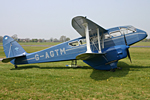
Oh yes, and looking back at the first picture in the thread:
She visits my local field every year and on this day I was due to take a pleasure flight but sadly she "went unservicable" so could only do taxi runs. I'm hoping to get another chance if she revisits this year
.
AdeAdrian Petford
West Midlands, UK
I spend eleven months of the year in the UK and one in NZ. I'm hoping to improve that... ;-)
Users browsing this forum: No registered users and 7 guests