Blenheim area upgrade FS2004 question

An area to discuss scenery addons for virtual NZ

Postby Transit » Thu Nov 18, 2010 2:23 pm

Hi Guys,
I am going to visit my partners 80 year old father near Blenheim soon.
He is into planes and is a keen attender at Omaka airshow.
Also he is a very knowledgeable tramper all through Marlborough.


I thought I would load my FS2004 on the nifty new gamer notebook,
cart the MSSWFF2 down and blow him away biggrin.gif

I just have FS2004 with 75 m freeware mesh and later nz landclass.

Have had a good read and search of the available scenery.
I wonder if people would care to give me a clue what I am best
to get to make the flying area to be best quality ?

Happy to pay a little smile.gif
Not sure I am planing a huge amount of subsequent flying ohmy.gif

Or should I just get FSX and deal with the slow down in exchange for better water ?

any help much appreciated.


Pete

Transit
Member
 
Topic author
Joined: Tue Feb 09, 2010 7:46 pm
Posts: 31

Postby dbcunnz » Thu Nov 18, 2010 2:48 pm

Transit wrote:
QUOTE (Transit @ Nov 18 2010, 03:23 PM) <{POST_SNAPBACK}>
Hi Guys,
I am going to visit my partners 80 year old father near Blenheim soon.
He is into planes and is a keen attender at Omaka airshow.
Also he is a very knowledgeable tramper all through Marlborough.


I thought I would load my FS2004 on the nifty new gamer notebook,
cart the MSSWFF2 down and blow him away biggrin.gif

I just have FS2004 with 75 m freeware mesh and later nz landclass.

Have had a good read and search of the available scenery.
I wonder if people would care to give me a clue what I am best
to get to make the flying area to be best quality ?

Happy to pay a little smile.gif
Not sure I am planing a huge amount of subsequent flying ohmy.gif

Or should I just get FSX and deal with the slow down in exchange for better water ?

any help much appreciated.


Pete

Hi Pete my suggestion would be to go for FSX and get the VLC and the Marlborough ad ons for FSX both are payware but the VLC will give you a 20 mesh and they will both bring you flight sim to life.
With these two ad ons your father will be able to see Marlborough as it really is.

Doug
Last edited by dbcunnz on Thu Nov 18, 2010 2:55 pm, edited 1 time in total.
Image
User avatar
dbcunnz
NZFF Pro
 
Joined: Thu Feb 21, 2008 12:56 pm
Posts: 4009
Location: Blenheim New Zealand

Postby Ian Warren » Thu Nov 18, 2010 3:29 pm

I agree with the above from Doug , when buying FSX make sure its the 'Gold' Edition' for someone almost new this helps with adding the service packs with Acceleration , the price difference between Deluxe and Gold is only a few dollars .
Image
User avatar
Ian Warren
NZFF Pro
 
Joined: Fri May 05, 2006 5:23 pm
Posts: 41187
Location: AREA 51

Postby Transit » Thu Nov 18, 2010 4:15 pm

Ok got that thanks smile.gif
What will it do on my asus notebook I wonder
centrino coreduo separate 9800gpu 2gb ram
speced as a gamer
Pete

That vlc certainly looks stunning.
Whats the story with the simpilotexperienc roads and rivers bizzo ?
They say it's from the latest data.
Are these a different development ?
Seems we are well catered for New_Zealand_etc.gif
Transit
Member
 
Topic author
Joined: Tue Feb 09, 2010 7:46 pm
Posts: 31

Postby Charl » Thu Nov 18, 2010 4:34 pm

Rock bottom price, and something that will actually run on your machine:
Stick with your FS2004 mesh, and add Real New Zealand Marlborough FS2004


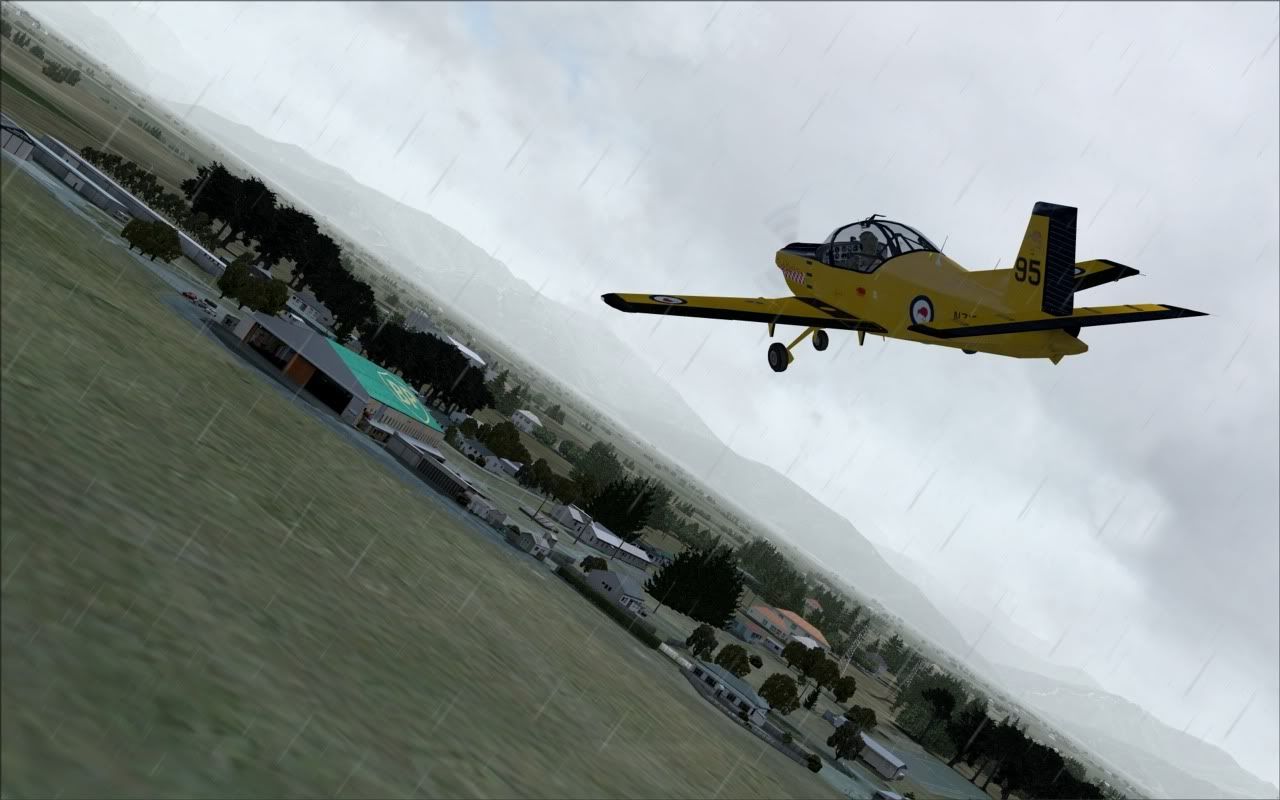
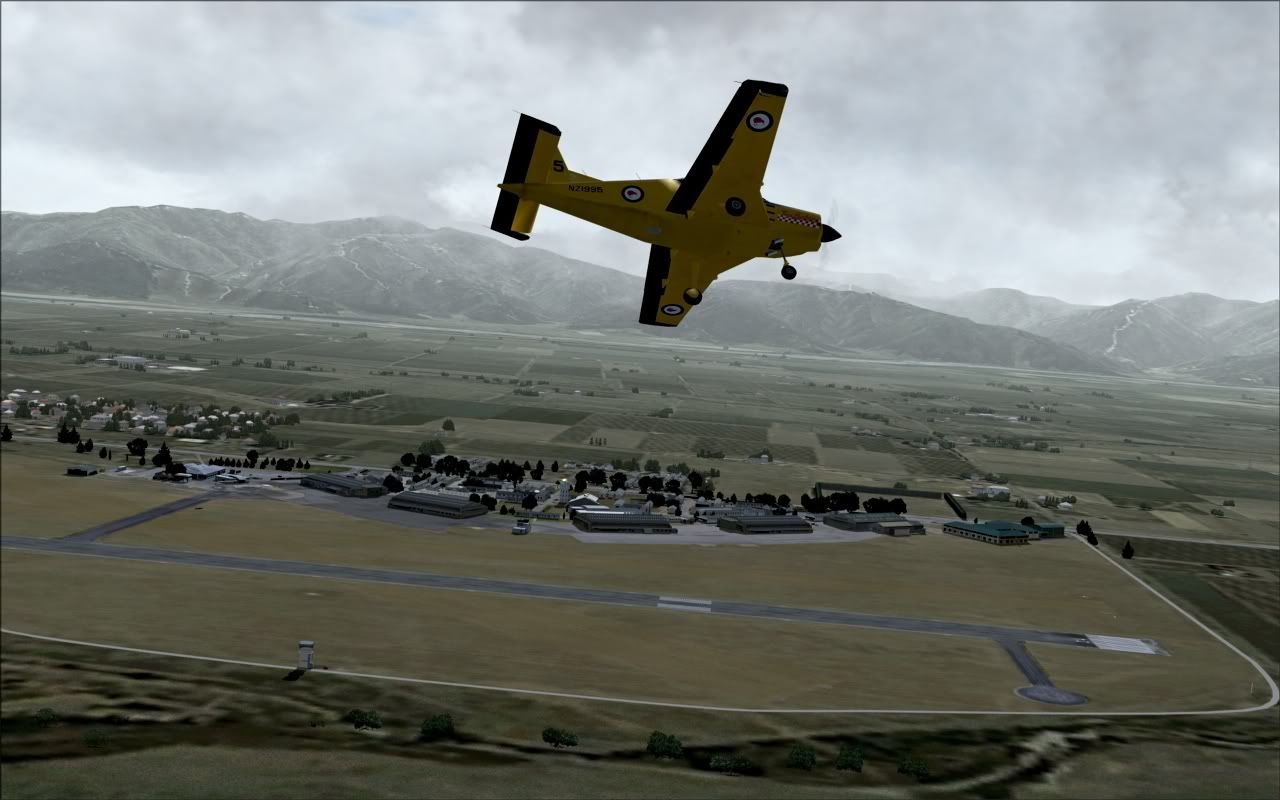
Your sim won't look like this immediately, you'll need some freeware HD clouds, but the photoreal terrain and everything else should be fine.

If you aren't happy with the mesh resolution in the Sounds also add a little Mountains of New Zealand
Last edited by Charl on Thu Nov 18, 2010 4:37 pm, edited 1 time in total.
User avatar
Charl
NZFF Pro
 
Joined: Mon May 01, 2006 8:28 am
Posts: 9691
Location: Auckland

Postby Transit » Thu Nov 18, 2010 4:53 pm

Thanks Charl
Hardwarewise I agree best to stay with 2004.
should I get' Roads and Rivers' to fix them too ?

Are there more than one mesh sets for NZ?
bit confusing smile.gif
I think best to 20m if it available in FS9

thanks
Pete
Transit
Member
 
Topic author
Joined: Tue Feb 09, 2010 7:46 pm
Posts: 31

Postby Ian Warren » Thu Nov 18, 2010 5:48 pm

Pete , Pleased Charl showed a good description and screens , there are so many freeware addons alltho a little dated still work fine and generally the PC will show it were your future? father 'n' law will enjoy .
Image
User avatar
Ian Warren
NZFF Pro
 
Joined: Fri May 05, 2006 5:23 pm
Posts: 41187
Location: AREA 51

Postby Charl » Thu Nov 18, 2010 6:02 pm

See here for freeware scenery bits:
http://nzff.org/forum/viewtopic.php?t=5

See here for other must-have payware
http://nzff.org/forum/viewtopic.php?t=12

Red Baron is now Simpilot Experience. and the packages are named differently
Payware "Roads and Rivers" is a topographic package, won't affect Marlborough as it is photoreal, but is a must for the rest of FS9 NZ.
"Mountains of New Zealand" is payware 20m mesh, you should probably get this in preference to your freeware 75m mesh.
(My screens are 20m)
Last edited by Charl on Thu Nov 18, 2010 6:04 pm, edited 1 time in total.
User avatar
Charl
NZFF Pro
 
Joined: Mon May 01, 2006 8:28 am
Posts: 9691
Location: Auckland

Postby IslandBoy77 » Thu Nov 18, 2010 8:13 pm

I think I agree with Charl on this one: FSX is generally "prettier", but it gives your hardware a good caning into the bargain. Since you've only got 2GB RAM & a 9800 GPU, FS9 (aka 2004) with the RealNZ Marlborough & the Combo Scenery of New Zealand pack is the go for great frame rates and pretty good scenery. There are quite a few "add-ons" (payware and freeware) to spice up the FS9 environs which will help to mitigate some of the "age" FSX is showing now. You could still do FSX so you could get / use VLC (which is for FSX only) - you'd just need to run some of the sliders down (notably the water - which is still passable even on the 3rd or 4th notch from the left). I suppose it depends how long you plan on sticking with whatever you get. There have been lots of discussions about FS9 / FSX in all manner of respects over the last few months especially - perhaps if you read through some of those you'll get a feel for what people are using and why.

All the best! thumbup1.gif plane.gif

Here's some links for FS9 scenery etc:

Payware
http://windowlight.co.nz/store/index.php?m...ce04ce4975229c5
http://www.simpilotshop.com/index.php?page...=com_virtuemart

Freeware
http://fs-snowman.com/index.php?ind=downlo...view&idev=1
http://walhalla.mine.nu/fs2004/newzealand.html
Last edited by IslandBoy77 on Thu Nov 18, 2010 8:15 pm, edited 1 time in total.
User avatar
IslandBoy77
Senior Member
 
Joined: Tue Feb 03, 2009 2:23 pm
Posts: 1020
Location: Napier, New Zealand

Postby Transit » Thu Nov 18, 2010 9:17 pm

Excellent thanks Guys,
digesting that info smile.gif
Pete
Transit
Member
 
Topic author
Joined: Tue Feb 09, 2010 7:46 pm
Posts: 31

Postby NZ255 » Thu Nov 18, 2010 11:59 pm

Just updated the FS2004 payware must have page
http://nzff.org/forum/viewtopic.php?t=...t=0#entry432607
Nick
User avatar
NZ255
NZFF Pro
 
Joined: Wed Jun 20, 2007 12:57 pm
Posts: 2475

Postby Transit » Fri Nov 19, 2010 10:26 am

Ok so if I can just confirm I have it right. smile.gif
I'll pass on FSX due to hardware limitations.

I get the combo from sim pilot experience
and the real Marlbourgh for the grand sum of $114.
That being US $ is it ?
I suppose they are selling to the world !

I have the original FS2004,
are there any updates that Bill spat out that it needs ?
Thanks for the friendly help guys smile.gif

Pete
Last edited by Transit on Fri Nov 19, 2010 10:47 am, edited 1 time in total.
Transit
Member
 
Topic author
Joined: Tue Feb 09, 2010 7:46 pm
Posts: 31

Postby toprob » Fri Nov 19, 2010 11:06 am

The currency for Simpilot purchases depends on where you buy it -- the SimPilotShop uses Australian currency, I think.

Godzone Virtual Flight scenery is charged in New Zealand dollars. Good grief, that's NZ$15 for Marlborough...

There is a patch for FS2004, I forget what it fixed.
User avatar
toprob
NZFF Pro
 
Joined: Sat Apr 29, 2006 4:56 pm
Posts: 6711
Location: Upper Hutt

Postby Transit » Fri Nov 19, 2010 11:09 am

Charl wrote:
QUOTE (Charl @ Nov 18 2010, 05:34 PM) <{POST_SNAPBACK}>
.......

Your sim won't look like this immediately, you'll need some freeware HD clouds, but the photoreal terrain and everything else should be fine.


d/ling clouds smile.gif
Pete
Transit
Member
 
Topic author
Joined: Tue Feb 09, 2010 7:46 pm
Posts: 31


Return to Scenery

Who is online

Users browsing this forum: No registered users and 8 guests