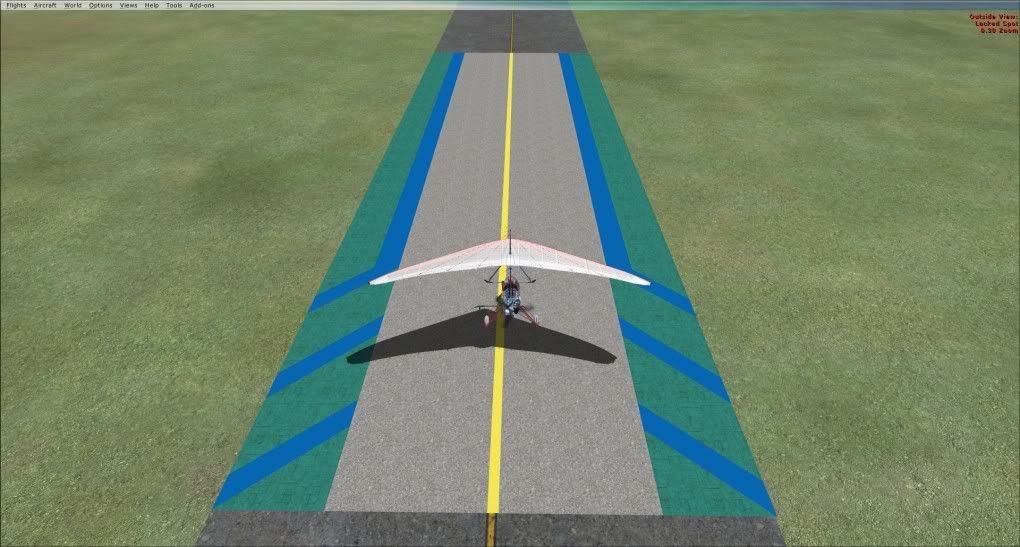
Ground Markings - Sketchup
8 posts
• Page 1 of 1
 by Adamski » Sat Oct 23, 2010 11:56 pm
Nzeddy wrote:QUOTE (Nzeddy @ Oct 23 2010, 10:49 PM) <{POST_SNAPBACK}>An easy way of ground poly? Im not sure but it's a start. Made with Sketchup 8.
More info please!


-

Adamski - NZFF Pro
- Joined: Thu Nov 01, 2007 2:22 am
- Posts: 5072
- Location: Birkenhead, Auckland
by Nzeddy » Sun Oct 24, 2010 9:17 am
Adamski wrote:QUOTE (Adamski @ Oct 24 2010, 12:56 AM) <{POST_SNAPBACK}>More info please!
About what? How I placed it? What I did? Or just everything I did to make that.- Eddy

-

Nzeddy - Sim-holic
- Topic author
- Joined: Thu Jun 12, 2008 7:52 pm
- Posts: 866
by Adamski » Sun Oct 24, 2010 12:17 pm
Nzeddy wrote:QUOTE (Nzeddy @ Oct 24 2010, 09:17 AM) <{POST_SNAPBACK}>Or just everything I did to make that.
Yep!... is it an easy way to make/replace ground textures?
-
Adamski - NZFF Pro
- Joined: Thu Nov 01, 2007 2:22 am
- Posts: 5072
- Location: Birkenhead, Auckland
by Nzeddy » Mon Oct 25, 2010 8:58 am
Im just testing it to see if it's any good in FSX. I think it's easy for me but people prefer Gmax for the ground polys which I should really do.
How:
Make a rectangle box by 10x.10x30m (WxHxL). Draw all the lines and stuff and add a texture to it. Save as then export as collada file. Convert it to a FSX MDL using Model Converter X and compile it as a FSX BGL using LibraryCreatorXML. Place the object with any object placement tool. I use Instant Scenery 2 (much easier!). Then fiddle with the scale, height and heading then your done.
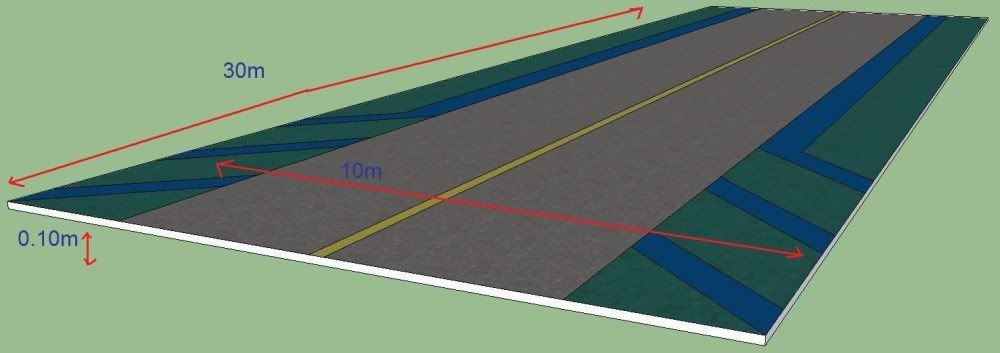
How:
Make a rectangle box by 10x.10x30m (WxHxL). Draw all the lines and stuff and add a texture to it. Save as then export as collada file. Convert it to a FSX MDL using Model Converter X and compile it as a FSX BGL using LibraryCreatorXML. Place the object with any object placement tool. I use Instant Scenery 2 (much easier!). Then fiddle with the scale, height and heading then your done.
Last edited by Nzeddy on Mon Oct 25, 2010 9:02 am, edited 1 time in total.
- Eddy
-
Nzeddy - Sim-holic
- Topic author
- Joined: Thu Jun 12, 2008 7:52 pm
- Posts: 866
by Nzeddy » Mon Oct 25, 2010 8:42 pm
Ok, I think I know what Im doing now. Still testing things out though.
This time the height is 0m.
More to come.
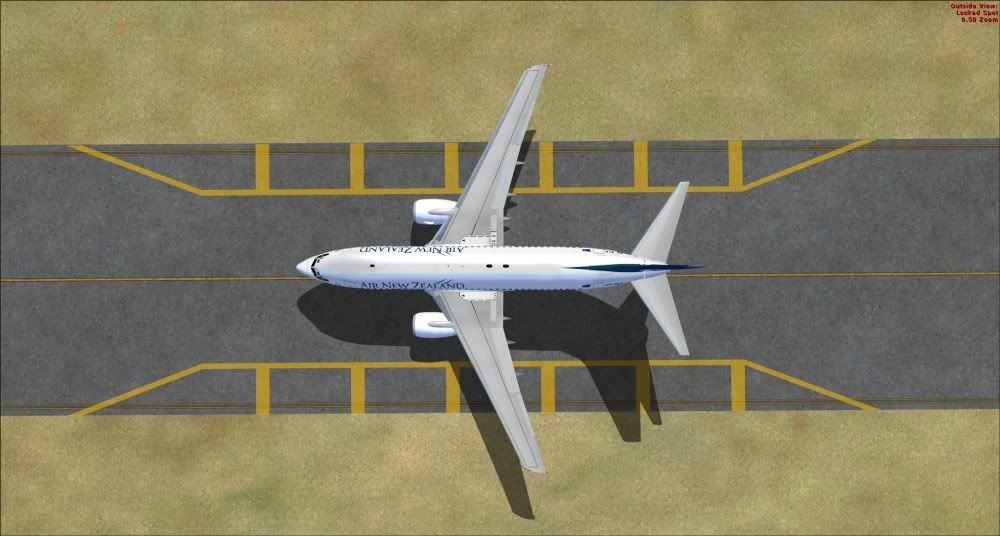
This time the height is 0m.
More to come.
Last edited by Nzeddy on Mon Oct 25, 2010 8:43 pm, edited 1 time in total.
- Eddy
-
Nzeddy - Sim-holic
- Topic author
- Joined: Thu Jun 12, 2008 7:52 pm
- Posts: 866
by Ian Warren » Mon Oct 25, 2010 9:30 pm
Adam , crossing and trying new poly teture would be great to see a full complete , insert photoreal from your own source and build further

-

Ian Warren - NZFF Pro
- Joined: Fri May 05, 2006 5:23 pm
- Posts: 41187
- Location: AREA 51
8 posts
• Page 1 of 1
Who is online
Users browsing this forum: No registered users and 20 guests