Robin a while ago you responded to a post concerning disappearing runways attributed to the RealNZ Wellington Airport addon.
unfortunately I can't recall which forum I posted it on.
I am in the process of Installing FS9 and addons on a new computer and wonder if you could provide me with the fix.
I am aware that this effects the flattening of a part of the Wellington scenery but I prefer the compromise to be able to land at airports such as Wanganui and Palmerston North etc without the runways disappearing.
Regards Richard
Disappearing runways
17 posts
• Page 1 of 1
 by toprob » Tue Sep 11, 2007 10:26 am
I've moved this here as a 'quick fix', and I'll pin it for a while.
This was covered in this thread.
The relevant info is:
In the folder Scenery\Ocen\scenery --
Rename FL994460.GVF to FL994460.bgl
Rename GVF994460.bgl to GVF994460.bak.
This was covered in this thread.
The relevant info is:
In the folder Scenery\Ocen\scenery --
Rename FL994460.GVF to FL994460.bgl
Rename GVF994460.bgl to GVF994460.bak.
-

toprob - NZFF Pro
- Joined: Sat Apr 29, 2006 4:56 pm
- Posts: 6741
- Location: Upper Hutt
by RPN » Tue Sep 11, 2007 5:53 pm
toprob wrote:QUOTE(toprob @ Sep 15 2007, 10:26 PM) <{POST_SNAPBACK}>I've moved this here as a 'quick fix', and I'll pin it for a while.
This was covered in this thread.
The relevant info is:
In the folder Scenery\Ocen\scenery --
Rename FL994460.GVF to FL994460.bgl
Rename GVF994460.bgl to GVF994460.bak.
Many thanks Robin, that will do the trick.
- RPN
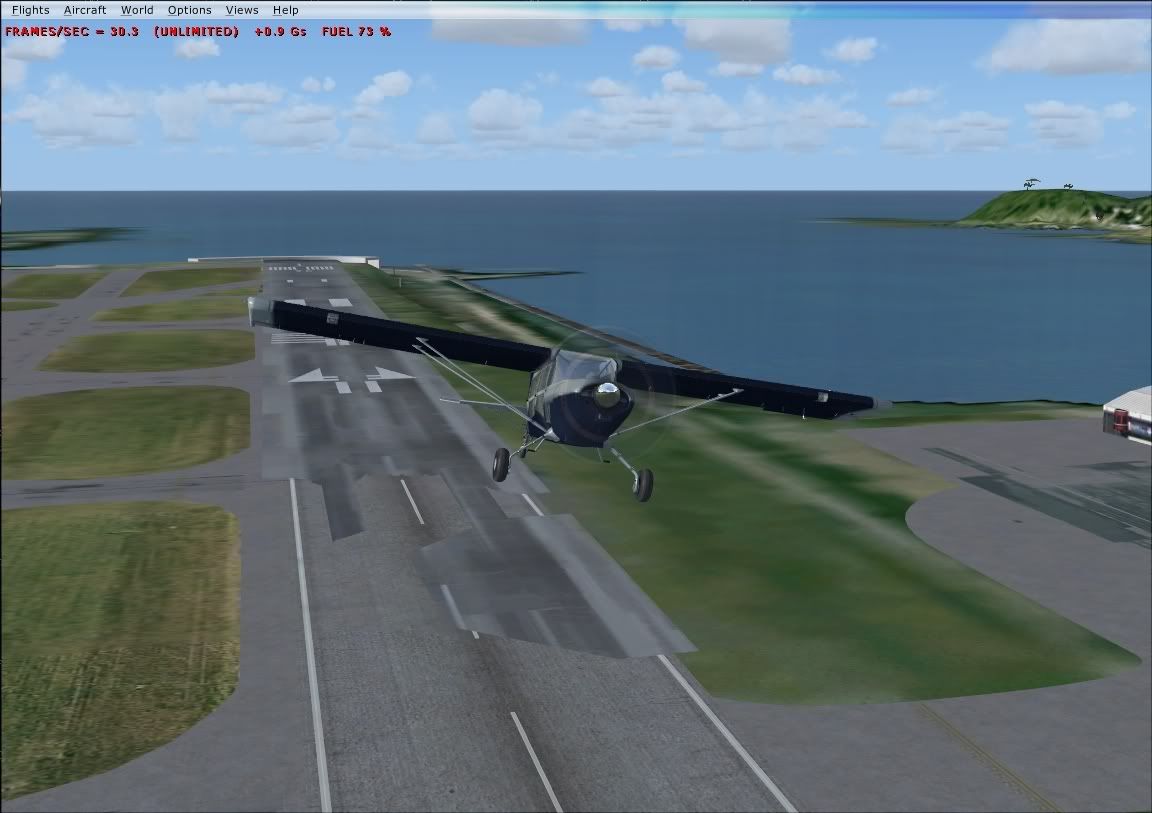

by toprob » Mon Sep 27, 2010 8:55 pm
ZK-MAT wrote:QUOTE (ZK-MAT @ Sep 27 2010, 09:22 PM) <{POST_SNAPBACK}>Hi there Robin
I am getting this in FSX. Is the fix the same?
No, this issue only happens to other airports when NZWN is installed, and is FS2004 only.
I'm not too sure why you would see this in FSX -- I'll have a look through some past posts and see if anyone else has come across this.
-Robin
-
toprob - NZFF Pro
- Joined: Sat Apr 29, 2006 4:56 pm
- Posts: 6741
- Location: Upper Hutt
by pilotgallagher01 » Tue Sep 28, 2010 10:56 pm
I remember a few times if I had reinstalled FSX and tried to just copy my Real NZ TG folders without properly installing it off the discs, sometimes the runway would dissapear to grass as I approached it, dunno if this is similar to what your experiencing :S

- pilotgallagher01
- Forum Addict
- Joined: Fri Jul 10, 2009 1:54 pm
- Posts: 317
- Location: Tauranga
by toprob » Wed Sep 29, 2010 9:48 am
pilotgallagher01 wrote:QUOTE (pilotgallagher01 @ Sep 28 2010, 11:56 PM) <{POST_SNAPBACK}>I remember a few times if I had reinstalled FSX and tried to just copy my Real NZ TG folders without properly installing it off the discs, sometimes the runway would dissapear to grass as I approached it, dunno if this is similar to what your experiencing :S
Yes, you'd get this with any airport where the elevation had changed, as the elevation is partly controlled by a separate file in Scenery\World\Scenery. Unless you back this up as well, just copying the scenery folder won't work properly.
-
toprob - NZFF Pro
- Joined: Sat Apr 29, 2006 4:56 pm
- Posts: 6741
- Location: Upper Hutt
by Butcher » Thu Feb 07, 2013 5:49 am
I know this topic is a bit older, but i have this problem as well. I did make a freshly install of FSX and all of the AddOns i use (RealNZ, VLC and ORBX [Nort- and South-Island]).
I installed the fixes for Supercity, Tauranga and the Southern Lakes.
Wellington and Auckland are fine, but for Tauranga and the Marlborough district i have this disappearing Runways as well.
[attachment=589:real_nz_orbx_2.jpg]
I know there is no fix for the Marlorough Scenerie until now but i thought Tauranga would work, someone has an idea what could be wrong??
regards
Gerhard
I installed the fixes for Supercity, Tauranga and the Southern Lakes.
Wellington and Auckland are fine, but for Tauranga and the Marlborough district i have this disappearing Runways as well.
[attachment=589:real_nz_orbx_2.jpg]
I know there is no fix for the Marlorough Scenerie until now but i thought Tauranga would work, someone has an idea what could be wrong??
regards
Gerhard
Last edited by Butcher on Thu Feb 07, 2013 6:02 am, edited 1 time in total.
- Butcher
- Newbie
- Joined: Mon Aug 06, 2012 11:04 am
- Posts: 7
- Location: germany
by toprob » Thu Feb 07, 2013 8:46 am
Butcher wrote:QUOTE (Butcher @ Feb 7 2013,6:49 AM) <{POST_SNAPBACK}>I know this topic is a bit older, but i have this problem as well. I did make a freshly install of FSX and all of the AddOns i use (RealNZ, VLC and ORBX [Nort- and South-Island]).
I installed the fixes for Supercity, Tauranga and the Southern Lakes.
Wellington and Auckland are fine, but for Tauranga and the Marlborough district i have this disappearing Runways as well.
I know there is no fix for the Marlorough Scenerie until now but i thought Tauranga would work, someone has an idea what could be wrong??
regards
Gerhard
Just a couple of things to check first. Have you set the scenery priority of Orbx using FTX Central -- 'FTX Scenery Library insertion point' covered in the Real NZ Tauranga patch manual?
Reinstalling can cause problems if you don't uninstall completely first, so this is worth checking as well. What normally should happen is that the 'default' elevation files are installed first, and then the patch (or installer with FTX option in some cases) deactivates the existing elevation files and activates the alternative Orbx elevations. After a reinstall, sometimes you can end up with both the default and Orbx elevations activated.
There is a couple of files in RealNZTauranga\scenery which you should check.
After patching, you should have these files:
NZTG_ADEX_GVF_CVX.off
NZTG_ADEX_FTX_CVX.bgl
You shouldn't have these files:
NZTG_ADEX_GVF_CVX.bgl
NZTG_ADEX_FTX_CVX.off
If you have these, let me know.
It is also worth checking the Orbx Tauranga files in ORBX\FTX_NZ\FTX_NZNI_05_SCENERY\Scenery
Find all the files with NZTG in the filename. There should only be one file with a '.bgl' extension, the others should be '.bak'.
If this doesn't help let me know.
-Robin
-
toprob - NZFF Pro
- Joined: Sat Apr 29, 2006 4:56 pm
- Posts: 6741
- Location: Upper Hutt
by Butcher » Thu Feb 07, 2013 11:26 am
toprob wrote:QUOTE (toprob @ Feb 7 2013,9:46 AM) <{POST_SNAPBACK}>Just a couple of things to check first. Have you set the scenery priority of Orbx using FTX Central -- 'FTX Scenery Library insertion point' covered in the Real NZ Tauranga patch manual?
YepQUOTEAfter a reinstall, sometimes you can end up with both the default and Orbx elevations activated.
There is a couple of files in RealNZTauranga\scenery which you should check.
After patching, you should have these files:
NZTG_ADEX_GVF_CVX.off
NZTG_ADEX_FTX_CVX.bgl
You shouldn't have these files:
NZTG_ADEX_GVF_CVX.bgl
NZTG_ADEX_FTX_CVX.off[/quote]
I had more, NZTG_ADEX_GVF_CVX.off, NZTG_ADEX_GVF_CVX.bgl and NZTG_ADEX_FTX_CVX.bgl !
After i renamed the second NZTG_ADEX_GVF_CVX.bgl to NZTG_ADEX_GVF_CVX.very.off, no change.QUOTEIt is also worth checking the Orbx Tauranga files in ORBX\FTX_NZ\FTX_NZNI_05_SCENERY\Scenery
Find all the files with NZTG in the filename. There should only be one file with a '.bgl' extension, the others should be '.bak'.[/quote]
Yep, there are three files with NZTG: ADE_FTX_NZNI_NZTG.bak, ADE_FTX_NZNI_NZTG_CVX.bak and ADE_FTX_NZNI_NZTG_Objects.BGL
-Gerhard-
- Butcher
- Newbie
- Joined: Mon Aug 06, 2012 11:04 am
- Posts: 7
- Location: germany
by toprob » Thu Feb 07, 2013 12:04 pm
Butcher wrote:QUOTE (Butcher @ Feb 7 2013,12:26 PM) <{POST_SNAPBACK}>Yep
I had more, NZTG_ADEX_GVF_CVX.off, NZTG_ADEX_GVF_CVX.bgl and NZTG_ADEX_FTX_CVX.bgl !
After i renamed the second NZTG_ADEX_GVF_CVX.bgl to NZTG_ADEX_GVF_CVX.very.off, no change.
Yep, there are three files with NZTG: ADE_FTX_NZNI_NZTG.bak, ADE_FTX_NZNI_NZTG_CVX.bak and ADE_FTX_NZNI_NZTG_Objects.BGL
-Gerhard-
Ok, worth a try. However since there was that double-up, it may be that there's something else duplicated:
One other location to check -- what NZTG files do you have in Scenery\World\Scenery ?
-
toprob - NZFF Pro
- Joined: Sat Apr 29, 2006 4:56 pm
- Posts: 6741
- Location: Upper Hutt
by Butcher » Thu Feb 07, 2013 12:19 pm
toprob wrote:QUOTE (toprob @ Feb 7 2013,1:04 PM) <{POST_SNAPBACK}>One other location to check -- what NZTG files do you have in Scenery\World\Scenery ?
only one: ADE_FTX_NZNI_NZTG_elevation_adjustment.BGL, checked it thriceLast edited by Butcher on Thu Feb 07, 2013 12:21 pm, edited 1 time in total.
- Butcher
- Newbie
- Joined: Mon Aug 06, 2012 11:04 am
- Posts: 7
- Location: germany
by Butcher » Sat Feb 09, 2013 10:47 pm
Ok, finally i got it but i looks like i had an understanding problem of the manual.
The manual says:"
The manual says:"
QUOTE
you must run the FTX Central tool and set the FTX Scenery Insertion Point so that Orbx NZNI and NZSI load before any
Real New Zealand scenery such as Real NZ Tauranga. To set the correct location, make sure that the Insertion Point is
BELOW any Real New Zealand scenery.[/quote] which should look like this in the ORBX-Central Tool and within the FSX Scenery library i think:
[attachment=590:scenerie...fig_orbx.jpg]
ORBX Scenery on top and Real NZ below.....
but after i did all the changes i was told in this thread and via PM, nothing worked for me.
Each time i found myself below the ORBX-texture/scenery if i was on a runway or an apron.
I even tried to adjust the Airfield height via the Airport Designer Tool 9X, but that did nor really work either.
So what made the real change for me, was to set the RealNZ Scenery above the ORBX-Scenery in the FSX Scenery library,
which now look this way:
[attachment=591:scenerie...nfig_now.jpg]
So the workearound for me was:
1. Set the insertion point as described in the manual
2. I checked all what toprob and dbcunnz asked me to do and renamed what was wrong
3. i changed the entrys in the FSX Scenery library, so that the RealNZ-Scenery is on top of ORBX
Thanks all for your help and fast responses
cheers

Real New Zealand scenery such as Real NZ Tauranga. To set the correct location, make sure that the Insertion Point is
BELOW any Real New Zealand scenery.[/quote] which should look like this in the ORBX-Central Tool and within the FSX Scenery library i think:
[attachment=590:scenerie...fig_orbx.jpg]
ORBX Scenery on top and Real NZ below.....
but after i did all the changes i was told in this thread and via PM, nothing worked for me.
Each time i found myself below the ORBX-texture/scenery if i was on a runway or an apron.
I even tried to adjust the Airfield height via the Airport Designer Tool 9X, but that did nor really work either.
So what made the real change for me, was to set the RealNZ Scenery above the ORBX-Scenery in the FSX Scenery library,
which now look this way:
[attachment=591:scenerie...nfig_now.jpg]
So the workearound for me was:
1. Set the insertion point as described in the manual
2. I checked all what toprob and dbcunnz asked me to do and renamed what was wrong
3. i changed the entrys in the FSX Scenery library, so that the RealNZ-Scenery is on top of ORBX
Thanks all for your help and fast responses
cheers
- Butcher
- Newbie
- Joined: Mon Aug 06, 2012 11:04 am
- Posts: 7
- Location: germany
by toprob » Sun Feb 10, 2013 9:52 am
Butcher wrote:QUOTE (Butcher @ Feb 9 2013,11:47 PM) <{POST_SNAPBACK}>Ok, finally i got it but i looks like i had an understanding problem of the manual.
The manual says:"
which should look like this in the ORBX-Central Tool and within the FSX Scenery library i think:
ORBX Scenery on top and Real NZ below.....
but after i did all the changes i was told in this thread and via PM, nothing worked for me.
Each time i found myself below the ORBX-texture/scenery if i was on a runway or an apron.
I even tried to adjust the Airfield height via the Airport Designer Tool 9X, but that did nor really work either.
So what made the real change for me, was to set the RealNZ Scenery above the ORBX-Scenery in the FSX Scenery library,
which now look this way:
So the workearound for me was:
1. Set the insertion point as described in the manual
2. I checked all what toprob and dbcunnz asked me to do and renamed what was wrong
3. i changed the entrys in the FSX Scenery library, so that the RealNZ-Scenery is on top of ORBX
Thanks all for your help and fast responses
cheers
Although this would work temporarily, if you use FTX Central to change the region then it will revert to FTX on top, which isn't what you want.
Editing the priority using the FSX Scenery shouldn't be required, as Orbx overwrites this every time you use FTX Central.
The bit you've quoted says:
To set the correct location, make sure that the Insertion Point is BELOW any Real New Zealand scenery.
In your screenshot, it is above the Real NZ scenery.
-
toprob - NZFF Pro
- Joined: Sat Apr 29, 2006 4:56 pm
- Posts: 6741
- Location: Upper Hutt
by emfrat » Sun Feb 10, 2013 12:23 pm
This confusion has been an issue for years...if developers would provide a screenshot, or other clear illustration of the required Scenery Library positions, or at the very least say "Nearer the top of the screen" or "Nearer the bottom..." it would save a lot of people a lot of time. In this context, the terms"above" and "below" are ambiguous and misleading, even to native English speakers, because correct interpretation of them requires technical knowledge of Microsoft's priority system, which many people do not have. 
Have a nice day, now...
MikeW
Have a nice day, now...
MikeW
MikeW
'Propliner' is actually short for 'Proper airliner, with big rumbly radials'

'Propliner' is actually short for 'Proper airliner, with big rumbly radials'
-

emfrat - NZFF Pro
- Joined: Sat May 07, 2011 7:41 pm
- Posts: 4159
- Location: 50 DME YBBN
by toprob » Sun Feb 10, 2013 12:45 pm
emfrat wrote:QUOTE (emfrat @ Feb 10 2013,1:23 PM) <{POST_SNAPBACK}>This confusion has been an issue for years...if developers would provide a screenshot, or other clear illustration of the required Scenery Library positions, or at the very least say "Nearer the top of the screen" or "Nearer the bottom..." it would save a lot of people a lot of time. In this context, the terms"above" and "below" are ambiguous and misleading, even to native English speakers, because correct interpretation of them requires technical knowledge of Microsoft's priority system, which many people do not have.
Have a nice day, now...
MikeW
I've always found that the confusion is mainly with those who DO have enough knowledge of the Scenery Library to make themselves dangerous:) I used to use 'higher' and 'lower' but these were confusing to those who though in terms of priority -- higher priority is the opposite of higher onscreen. Therefore no knowledge of Microsoft's priority system is required, as 'above' can only mean onscreen, as that's all that users see.
I don't include a screenshot of FTX Central because Orbx have a very tight EULA when it comes to this. However you are right, I normally make this a bit clearer. Like this.Last edited by toprob on Sun Feb 10, 2013 12:47 pm, edited 1 time in total.
-
toprob - NZFF Pro
- Joined: Sat Apr 29, 2006 4:56 pm
- Posts: 6741
- Location: Upper Hutt

17 posts
• Page 1 of 1
Return to Godzone 'Real New Zealand' Scenery Support
Who is online
Users browsing this forum: No registered users and 23 guests