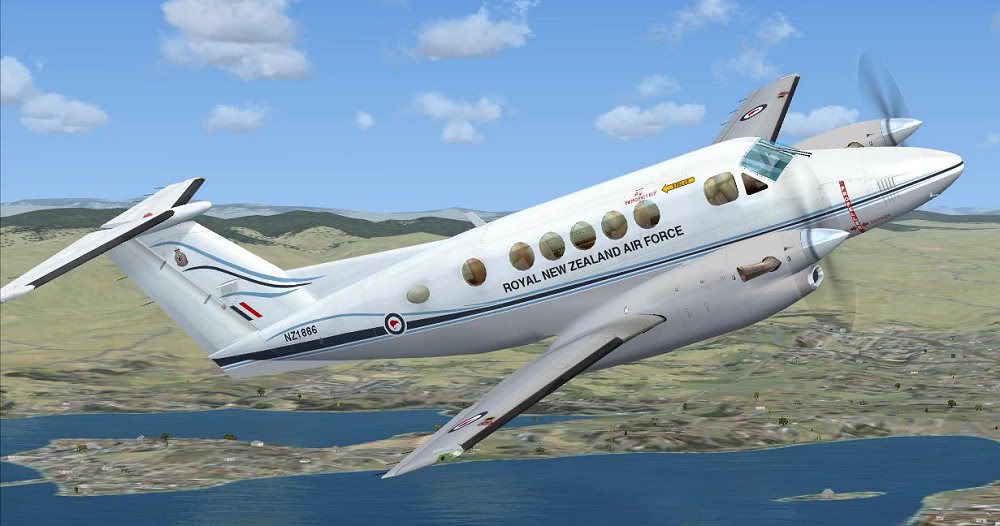
and to have one off our members giving away FS2004 (Adam hope you no what your doing )
  , I wont design or model for it but for a work like this i still need it !
100% ad-free
 by Ian Warren » Mon Apr 05, 2010 8:41 pm
and to have one off our members giving away FS2004 (Adam hope you no what your doing ) , I wont design or model for it but for a work like this i still need it !

by Adamski » Tue Apr 06, 2010 1:19 am
Ian Warren wrote:QUOTE (Ian Warren @ Apr 5 2010, 08:41 PM) <{POST_SNAPBACK}>Fan-Dan-Diddley-Tastic Markus
Drat! I didn't spot that it's an FS2004 aircraft! However ... the Newman's Dash 7 looks/works a treat in FSX, so I may be in luck!
Fantastic looking repaint!! Would love to add it to my fleet.

by Wildbillkelso » Tue Apr 06, 2010 5:21 am
Adamski wrote:QUOTE (Adamski @ Apr 6 2010, 01:19 AM) <{POST_SNAPBACK}>Drat! I didn't spot that it's an FS2004 aircraft!
Don't bother, mate!
Just tested - it works perfectly with FSX (SP1, un-accelerated):
by Adamski » Tue Apr 06, 2010 11:47 am
Wildbillkelso wrote:QUOTE (Wildbillkelso @ Apr 6 2010, 05:21 AM) <{POST_SNAPBACK}>Just tested - it works perfectly with FSX (SP1, un-accelerated):
Oooooh ... GREAT!
Looking forward to your "I've finished it!" announcement!
by mavman » Tue Apr 06, 2010 12:27 pm
Adamski wrote:QUOTE (Adamski @ Apr 6 2010, 11:47 AM) <{POST_SNAPBACK}>Oooooh ... GREAT!
Looking forward to your "I've finished it!" announcement!
Ditto! Can't wait!

by Wildbillkelso » Tue Apr 06, 2010 9:25 pm


by mavman » Tue Apr 06, 2010 11:31 pm
Wildbillkelso wrote:QUOTE (Wildbillkelso @ Apr 6 2010, 09:25 PM) <{POST_SNAPBACK}>Just have to pack her!
@ mavman:
May I include the photograph you've posted above (done at Wanaka, I presume?) to the package?
I love to have references included...
Also would like to create a comparison shot (even without the spotter's terrace in the background for FS).
Any details to add to the picture? When taken? Your real name?
Absolutely you can use the photo, no acknowledgment needed.
by Wildbillkelso » Wed Apr 07, 2010 2:05 am
Adamski wrote:QUOTE (Adamski @ Apr 6 2010, 12:47 PM) <{POST_SNAPBACK}>Looking forward to your "I've finished it!" announcement!
Here it is!
Upload to AVSIM, Flightsim.com and SOH is done.
@ mavman:
Thank you so much!
Have fun.
Markus.
by Adamski » Wed Apr 07, 2010 2:44 am
Wildbillkelso wrote:QUOTE (Wildbillkelso @ Apr 7 2010, 02:05 AM) <{POST_SNAPBACK}>Here it is!
Upload to AVSIM, Flightsim.com and SOH is done.
What's the filename? I can't seem to find it!
Also - are there any special tricks to get the AFG B300 to work in FSX? I can't get the 2D panel to work ... though the VC seems OK
I used the installer to extract to a "dummy" FS2004 directory, then manually copied over the aircraft and effects to my FSX.
by Wildbillkelso » Wed Apr 07, 2010 3:00 am
Adamski wrote:QUOTE (Adamski @ Apr 7 2010, 03:44 AM) <{POST_SNAPBACK}>What's the filename? I can't seem to find it!
Filename will be kingair_nz1886.zip.
But it will take some time until the library managers will make it available...
Just took a look into the AFG panel.cfg:
The 2D entries refer to the path of the default FS2004 Kingair 350. As the filenames of the default FSX Kingair were changed, these references ("file_1024=..\..\Beech_King_Air_350\panel\Panel_Background_1024.bmp") have to be adjusted to match the FSX designations.
I'd rather copy the whole default FSX Kingair bmp files to the AFG Kingair panel folder and replace the path reference with the adequate file name...
Cheers,
Markus.
by SeanTK » Wed Apr 07, 2010 5:25 am

by Charl » Wed Apr 07, 2010 9:56 am
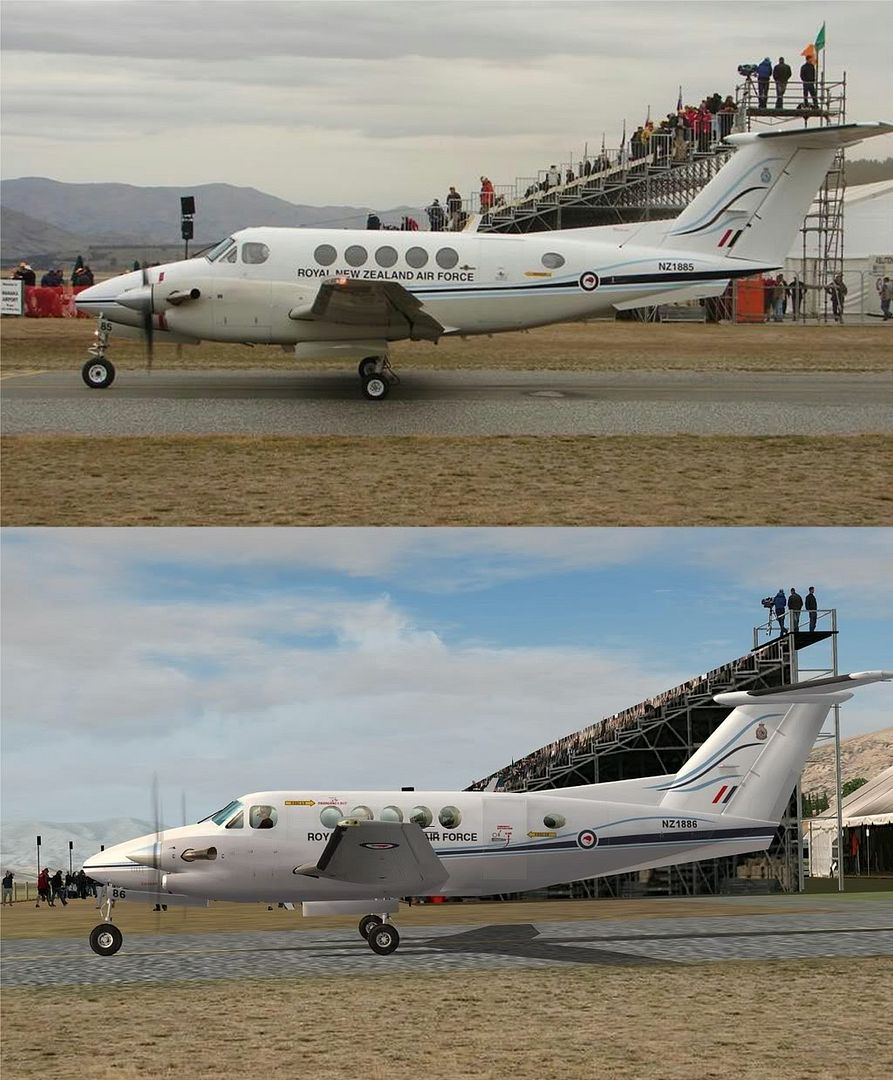
Wildbillkelso wrote:QUOTE (Wildbillkelso @ Apr 6 2010, 10:25 PM) <{POST_SNAPBACK}>Also would like to create a comparison shot (even without the spotter's terrace in the background for FS).
Always available for a little Real vs Sim:
Great job, Markus, and thanks!Last edited by Charl on Wed Apr 07, 2010 11:13 am, edited 1 time in total.

by Ian Warren » Wed Apr 07, 2010 11:08 am
Charl wrote:QUOTE (Charl @ Apr 7 2010, 10:56 AM) <{POST_SNAPBACK}>Always available for a little Real vs Sim:
They were the shots to take , the arrre back , just like the Screenshot Competition
by dbcunnz » Wed Apr 07, 2010 7:36 pm



by mavman » Wed Apr 07, 2010 8:18 pm
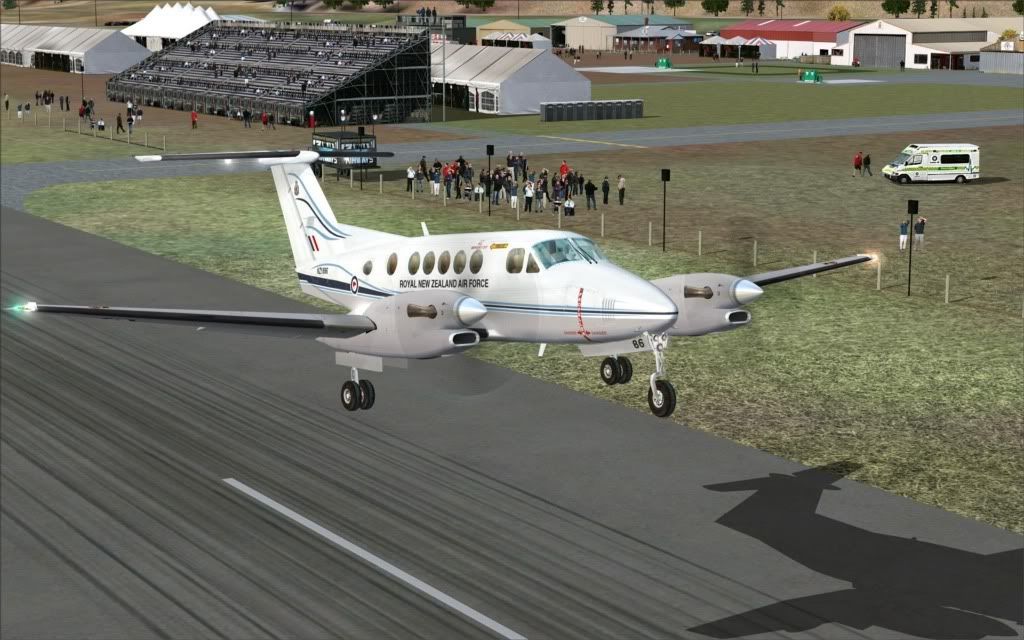
 I've already taken her for a spin from Ohakea to Wanaka....might try a low level nav exercise next, will have to take a screenie or two!
by Wildbillkelso » Thu Apr 08, 2010 2:13 am
dbcunnz wrote:QUOTE (dbcunnz @ Apr 7 2010, 08:36 PM) <{POST_SNAPBACK}>One small error I have noticed the emergency arrow sign
It's not a bug - it's a feature!
In fact, it seems like the 200 series Kingairs have this escape hatch on starboard side only, as various pics show.
But the paint kit for the AFG Super Kingair 300 provides this device on both fuselage sides, so I assumed these two exits to be correct.
After all, this repaint is fictional, and a second escape on port side doesn't seem too implausible to me...
I'm not quite sure what will be next, but there's a Beech18 waiting to get a fictional skin of an exotic Canadian Airline, known for operating various piston liners still today...
Cheers,
Markus.
Users browsing this forum: No registered users and 11 guests