Hi all. Finally got some time today on my desktop PC (wrestled it off the family) to package and upload the 1970's and 80's Fletchers.
I have no idea if this works with FS9 as I've not had that installed for over 2 years.
This link will remain valid for a few days only as once tested I will upload to flightsim.com and avsim.com
(download removed 23.02.2010 - File now uploaded to FS sites listed above)
Thanks Deane
Older Fletcher Model - Beta Release
12 posts
• Page 1 of 1
 by waka172rg » Sun Feb 14, 2010 10:21 am
Thanks Deane all going well at this stage except for has in my opinion too much torque for a simulator but that is the same as all your Fletcher's.
If i can how do i turn that down in the con fig folder? i have turned off torque in the fsx settings.
Other than that Beutifull plane nice cockpit
Cheers
Blake
If i can how do i turn that down in the con fig folder? i have turned off torque in the fsx settings.
Other than that Beutifull plane nice cockpit
Cheers
Blake


-
waka172rg - Sim-holic
- Joined: Wed Jan 23, 2008 2:45 pm
- Posts: 796
- Location: Motueka
by Ian Warren » Sun Feb 14, 2010 11:06 am
Thank You Deane  , Installation - No problems using the Win7 64bit OS , just very typically Brilliant !
  will need to reinstall the earlier packs for sound but would be a pleasure to add the other models again .
Come to think , we need a Virtual 3 ship display team ,
, Installation - No problems using the Win7 64bit OS , just very typically Brilliant ! will need to reinstall the earlier packs for sound but would be a pleasure to add the other models again .Come to think , we need a Virtual 3 ship display team ,
Last edited by Ian Warren on Sun Feb 14, 2010 11:10 am, edited 1 time in total.

-

Ian Warren - NZFF Pro
- Joined: Fri May 05, 2006 5:23 pm
- Posts: 41187
- Location: AREA 51
by K5054NZ » Sun Feb 14, 2010 9:08 pm
Ian Warren wrote:QUOTE (Ian Warren @ Feb 14 2010, 12:06 PM) <{POST_SNAPBACK}>Come to think , we need a Virtual 3 ship display team ,
A man after my own heart! I already have a draft routine sorted, too....
Haven't yet testflown this baby due to my new copy of FSX failing to start. Most aggravating.
-

K5054NZ - Senior Member
- Joined: Sun Jul 30, 2006 4:53 pm
- Posts: 1043
- Location: NZOM
by Ian Warren » Sun Feb 14, 2010 9:42 pm
Zac ... Routine , open field .. turn and practice , put on paper , hands down display format and practice
, open field .. turn and practice , put on paper , hands down display format and practiceLast edited by Ian Warren on Sun Feb 14, 2010 9:44 pm, edited 1 time in total.
-
Ian Warren - NZFF Pro
- Joined: Fri May 05, 2006 5:23 pm
- Posts: 41187
- Location: AREA 51
by Adamski » Sun Feb 14, 2010 10:24 pm
Ian Warren wrote:QUOTE (Ian Warren @ Feb 14 2010, 12:06 PM) <{POST_SNAPBACK}>Thank You Deane
Aah ... yes ... I wondered where my sound had gone!!! Which sounds do I alias them to?
Great looking repaints Deane!

-

Adamski - NZFF Pro
- Joined: Thu Nov 01, 2007 2:22 am
- Posts: 5047
- Location: Birkenhead, Auckland
by deaneb » Mon Feb 15, 2010 5:34 pm
Adamski wrote:QUOTE (Adamski @ Feb 14 2010, 11:24 PM) <{POST_SNAPBACK}>Aah ... yes ... I wondered where my sound had gone!!! Which sounds do I alias them to?
Great looking repaints Deane!
Alias to any aircraft you want. Personally I have used the FSX Beaver as the sound is a close as I can find. I purposely left that sound pack out as it almost doubles the file size !!
Deane
-

deaneb - Senior Member
- Topic author
- Joined: Sat Aug 12, 2006 4:40 pm
- Posts: 1561
- Location: Blenheim


by deaneb » Tue Feb 23, 2010 4:19 pm
Thanks Zac - good to know it works ok in FS9. I had used same gauges and Textures sets from the previous Fletcher set which I went through the mill to get to work for FS9.

-
deaneb - Senior Member
- Topic author
- Joined: Sat Aug 12, 2006 4:40 pm
- Posts: 1561
- Location: Blenheim
by Adamski » Wed Feb 24, 2010 11:45 am
deaneb wrote:QUOTE (deaneb @ Feb 23 2010, 05:19 PM) <{POST_SNAPBACK}>Thanks Zac - good to know it works ok in FS9. I had used same gauges and Textures sets from the previous Fletcher set which I went through the mill to get to work for FS9.
BTW Deane, I used the sounds from some previous release of your Fletchers ... worked great.
I love my DC-3 and (of course) I love my Spit, but these little Fletchers are a real treat!
-
Adamski - NZFF Pro
- Joined: Thu Nov 01, 2007 2:22 am
- Posts: 5047
- Location: Birkenhead, Auckland
by K5054NZ » Mon Mar 01, 2010 10:28 am
In FSX she flies great, and thanks to a little quick mousework by Deane I now have my own Fletcher (see here and here ) for FSX:

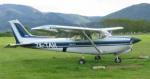
This is what ZK-CBG looked like in November 1979, I will attempt to do other repaints of her life too.
Expect to see a lot more screenies of this baby in the coming weeks, what a gem.
Now Deane, about the 240-, 260- and 300hp models......
Deane one quick q - how can you make the ballast effect look like super? And can you modify the super effect so it falls a little slower? It seems to be a very heavy type of fertiliser whenever I'm out sowing
This is what ZK-CBG looked like in November 1979, I will attempt to do other repaints of her life too.
Expect to see a lot more screenies of this baby in the coming weeks, what a gem.
Now Deane, about the 240-, 260- and 300hp models......
Deane one quick q - how can you make the ballast effect look like super? And can you modify the super effect so it falls a little slower? It seems to be a very heavy type of fertiliser whenever I'm out sowing
Last edited by K5054NZ on Mon Mar 01, 2010 10:32 am, edited 1 time in total.
-
K5054NZ - Senior Member
- Joined: Sun Jul 30, 2006 4:53 pm
- Posts: 1043
- Location: NZOM
by deaneb » Mon Mar 01, 2010 3:03 pm
Zac - in FSX the effect used is caller FX_WaterBallastDrain.fx . So you can rename the current one called FX_Topdressing.fx to FX_WaterBallastDrain.fx
The issue of how quick it sinks should be relatively easy. From memory its controlled by the temp parameter in the effect file - I suggest you look at reading the FSX SDK to get the background of what does what. I spent quite a bit of time getting the effect to this point, but have never been completely happy, so more tweaks needed. I also want to make the initial part exiting the hopper more dense.
The issue of how quick it sinks should be relatively easy. From memory its controlled by the temp parameter in the effect file - I suggest you look at reading the FSX SDK to get the background of what does what. I spent quite a bit of time getting the effect to this point, but have never been completely happy, so more tweaks needed. I also want to make the initial part exiting the hopper more dense.
-
deaneb - Senior Member
- Topic author
- Joined: Sat Aug 12, 2006 4:40 pm
- Posts: 1561
- Location: Blenheim
12 posts
• Page 1 of 1
Who is online
Users browsing this forum: No registered users and 5 guests