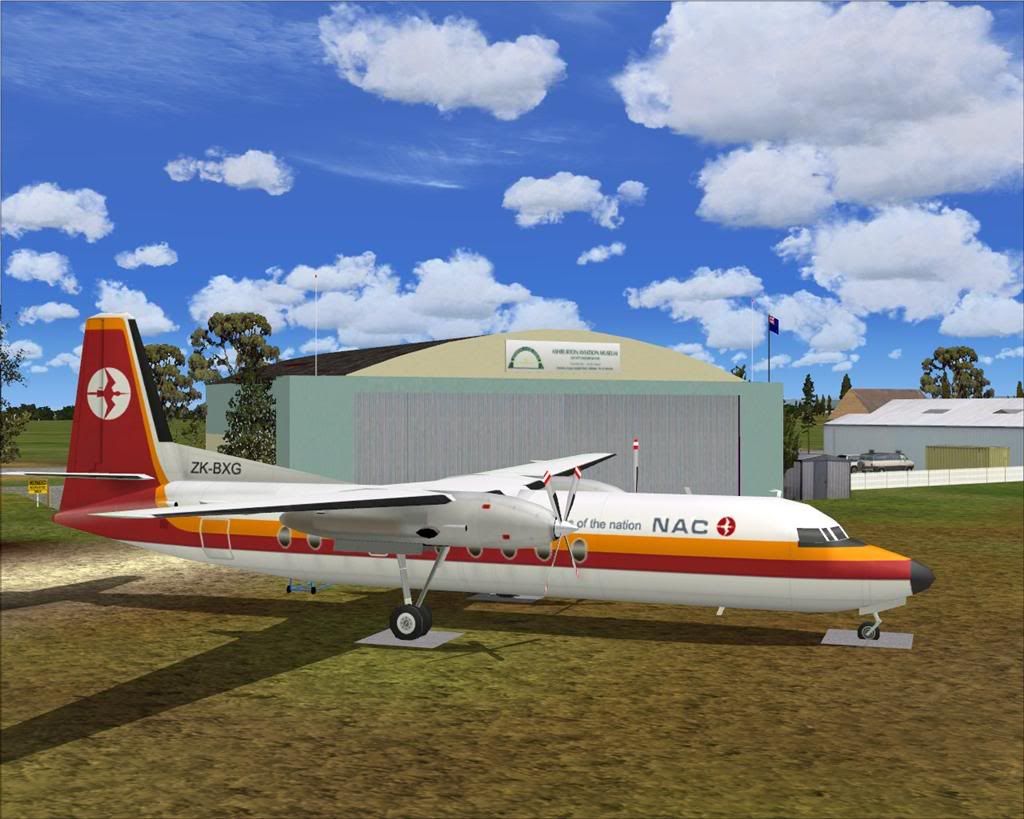
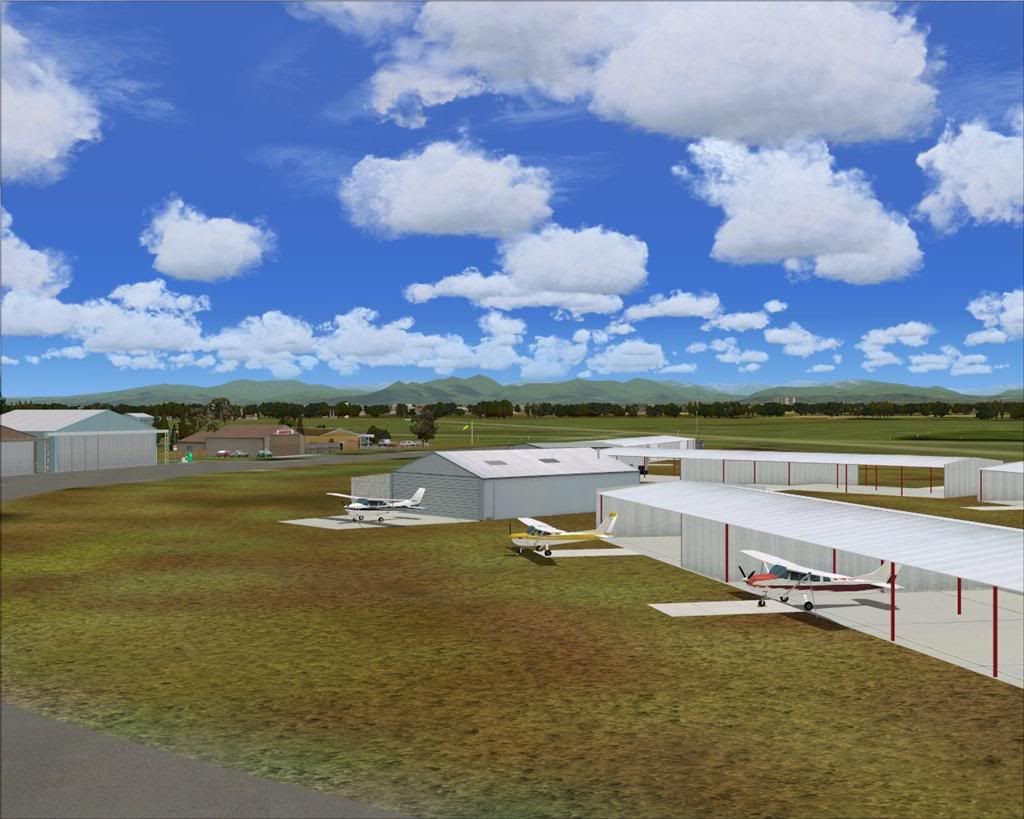
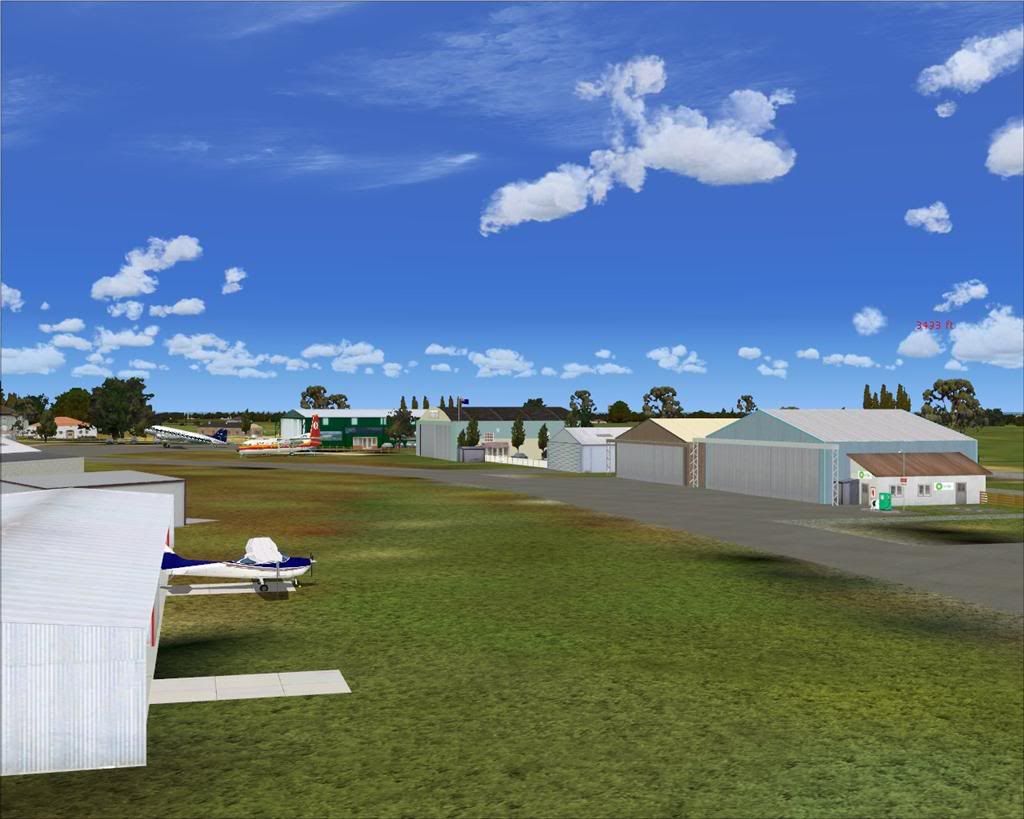
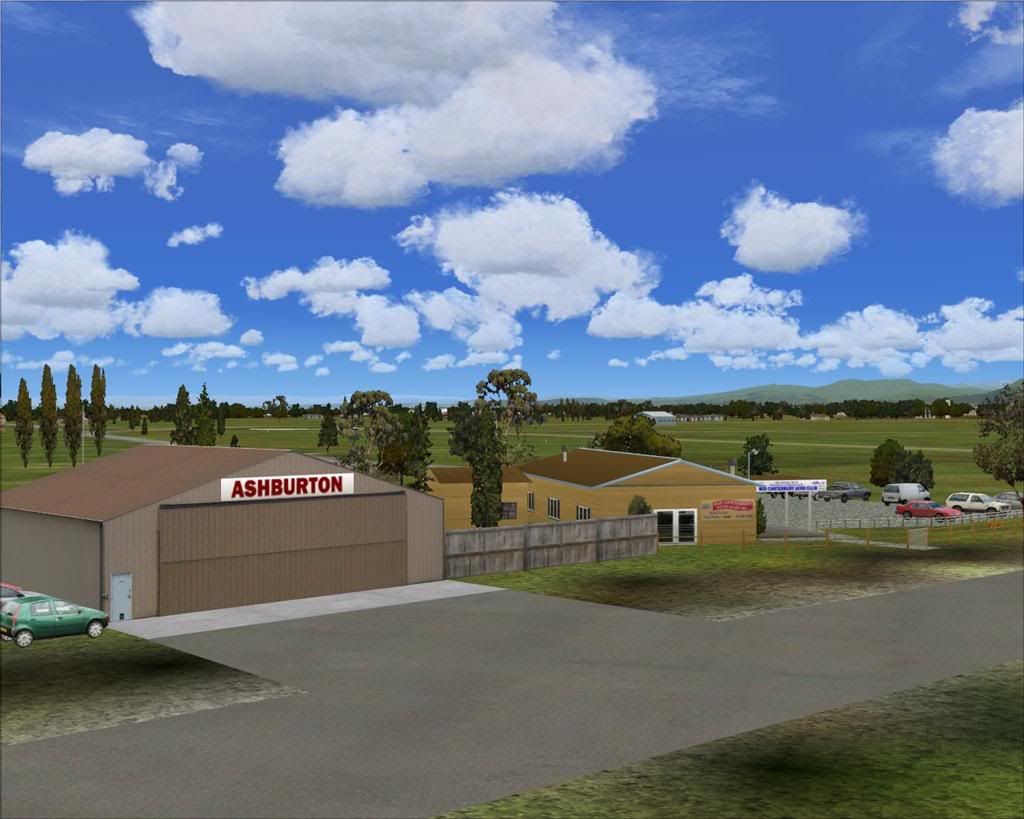
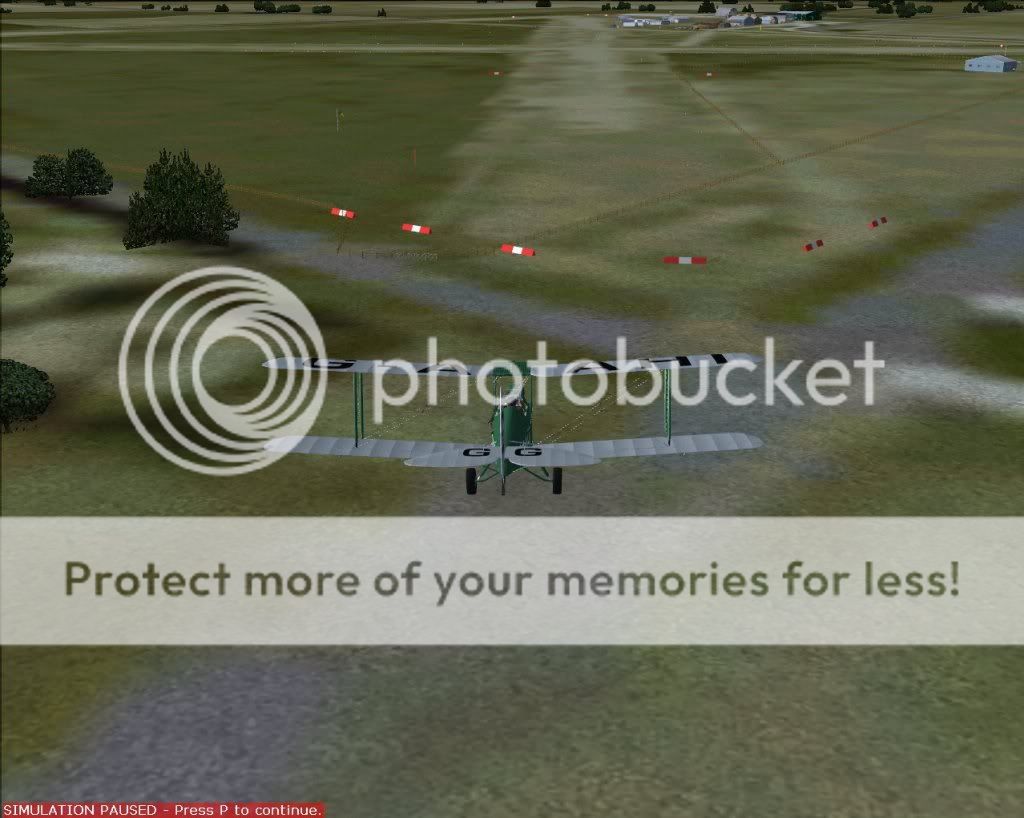
Ashburton Airport, New Zealand. NZAS.

Find everything related to the NZ Retro AI Project and Snowman's airport sceneries here, including downloads, previews and announcements

Postby Snowman » Fri Feb 05, 2010 1:16 am

Now available for download from my website,...................

Ashburton Airport, NZAS.

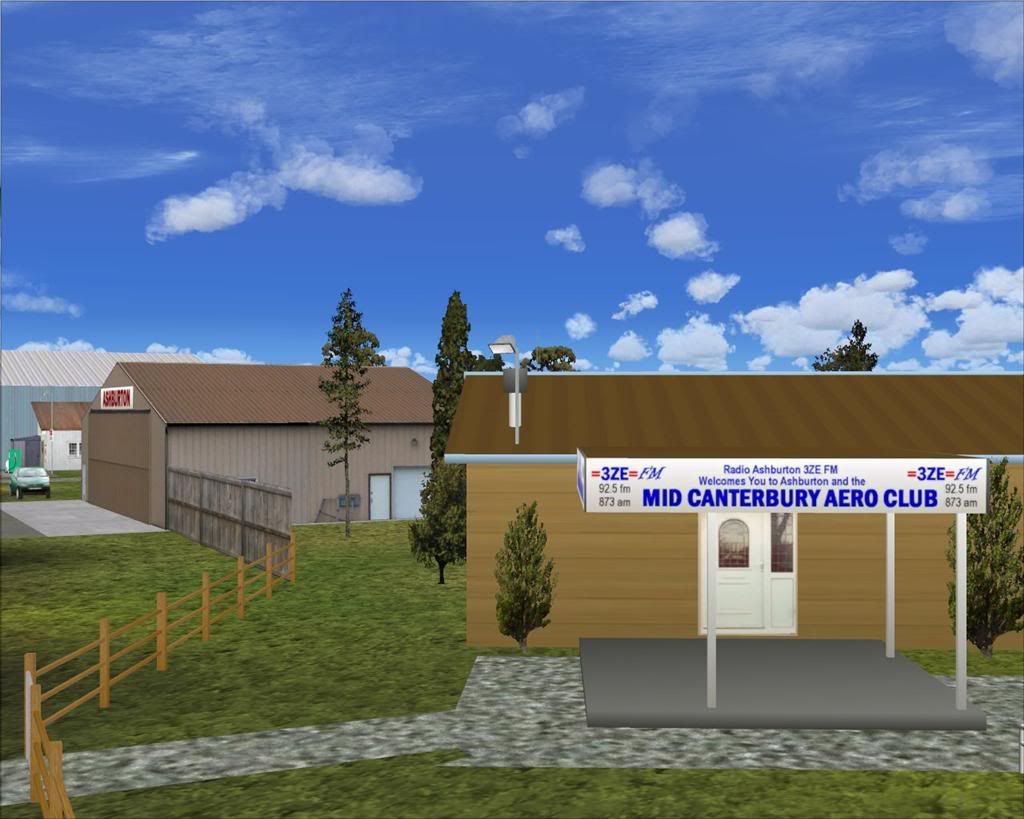
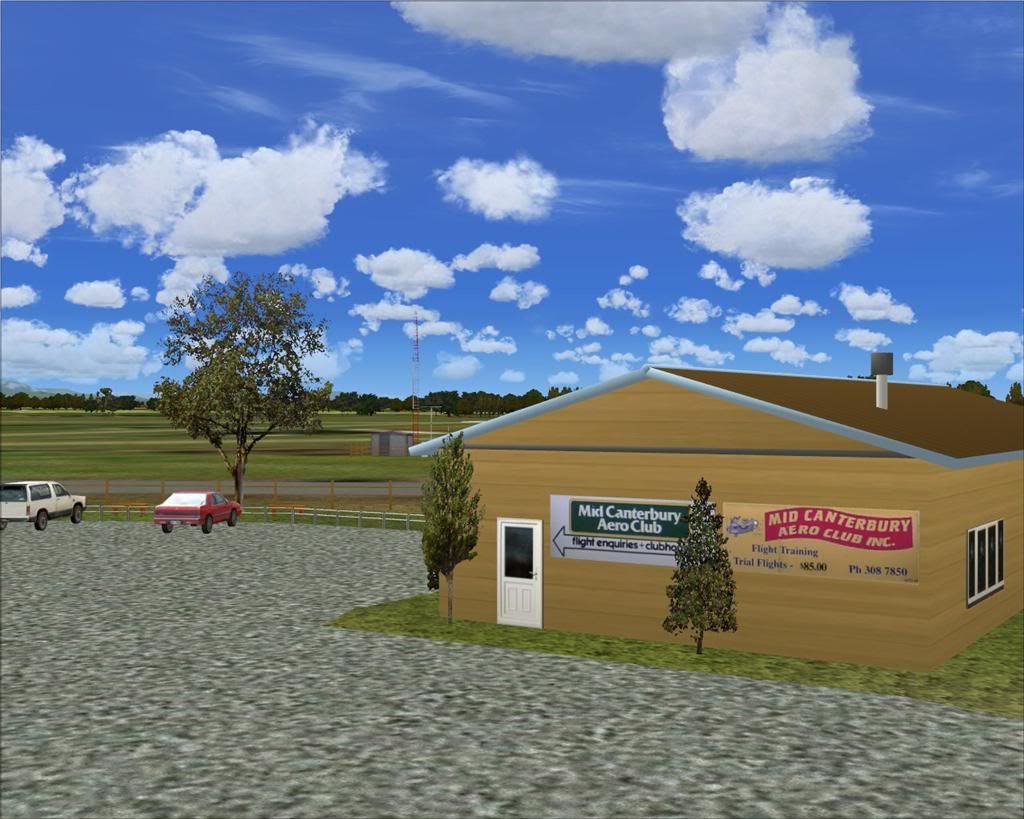
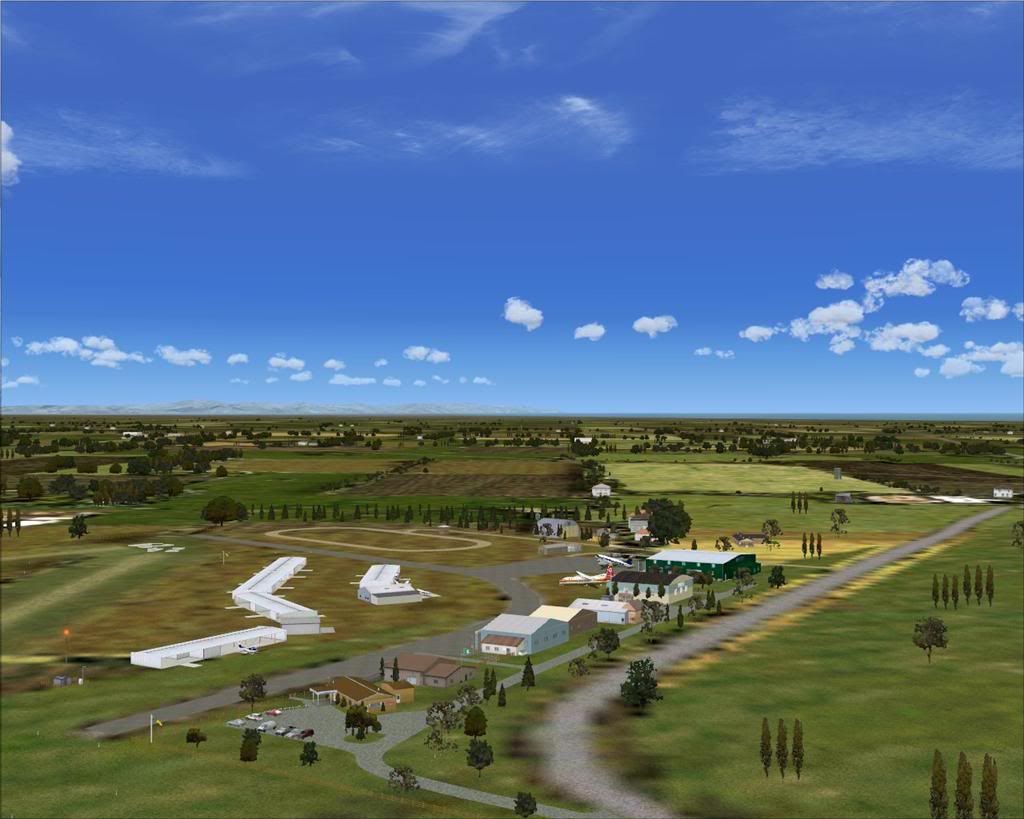
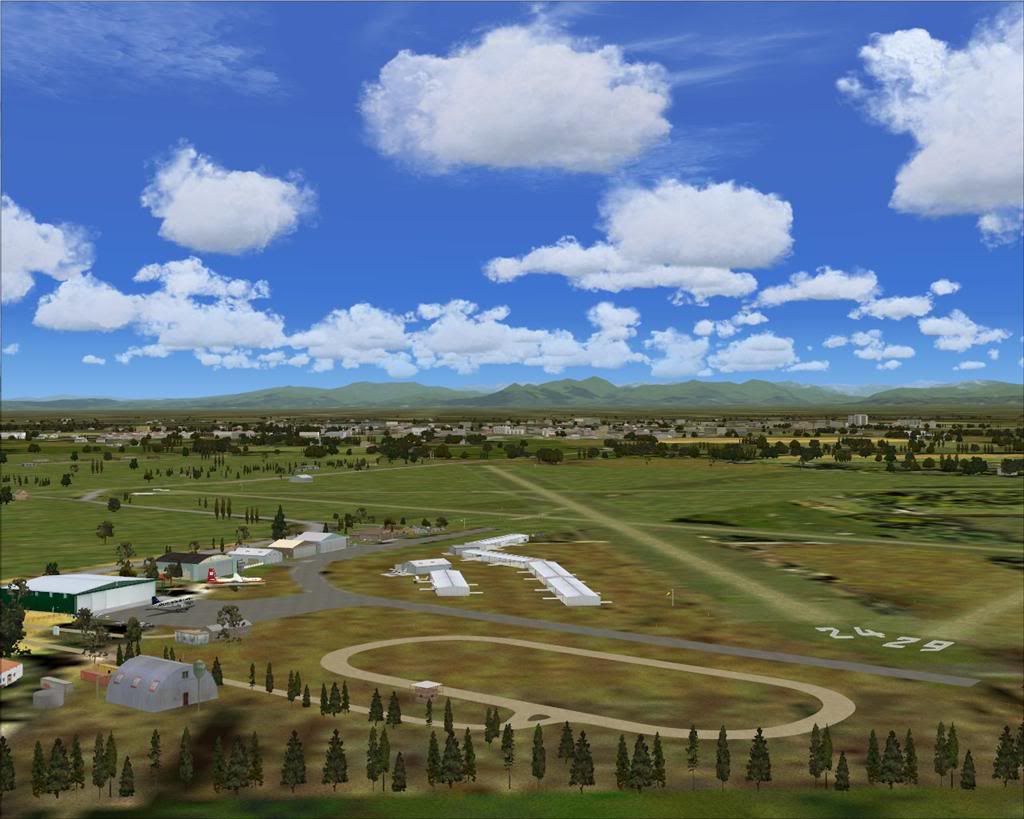
Welcome to Ashburton Airport, situated 2 nautical miles east of the town of Ashburton, in the Canterbury region on the east coast of
the South Island of New Zealand.
The airport is home to the Mid-Canterbury Aero Club, and many other aviation related businesses including the Southern DC3 Trust,
and the Ashburton Aviation Museum.

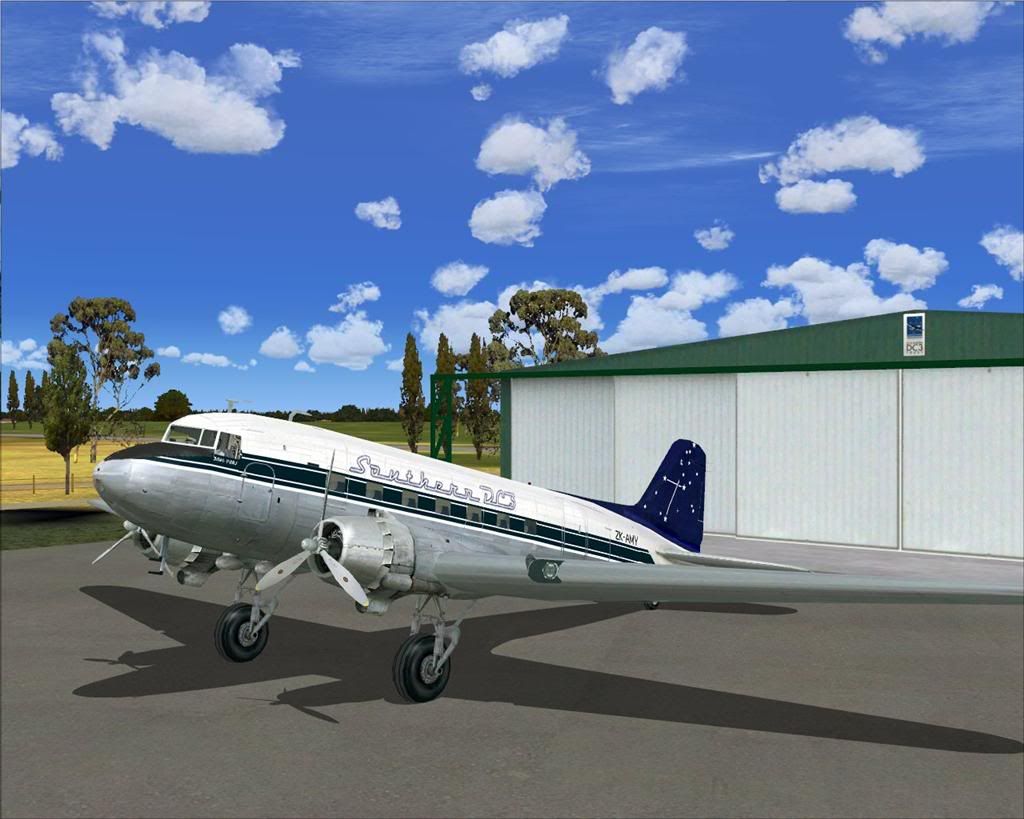
Scenery contains a number of custom items, and also includes AI in the form of the Southern DC3 Trust Douglas DC-3 ZK-AMY,
and the NAC Fokker F-27 Friendship ZK-BXG.
There is also a GA traffic file included for those that have the HTAI Cessnas Package (payware).

A few random pics..................


Lawrie. New_Zealand_etc.gif
Image

Image
User avatar
Snowman
NZFF Pro
 
Topic author
Joined: Wed Jul 26, 2006 3:52 pm
Posts: 2427
Location: Tauranga, NZ.

Postby Ian Warren » Fri Feb 05, 2010 1:47 am

Looks Good Lawrie , ive flown outta here couple times , i have installed FS9 only recent so no excuse to install
Image
User avatar
Ian Warren
NZFF Pro
 
Joined: Fri May 05, 2006 5:23 pm
Posts: 41187
Location: AREA 51

Postby Syncop8r » Fri Feb 05, 2010 2:07 pm

NICE Lawrie!
I think I can even see my van....
Syncop8r
Forum Addict
 
Joined: Sun Nov 11, 2007 11:28 pm
Posts: 206

Postby AlisterC » Fri Feb 05, 2010 10:42 pm

I've been down there a few times in cars and planes and that looks spot on. Well done! I'd recommend a visit to anyone who's close but not been there. The museum even has an ex RAF Harrier
Image
User avatar
AlisterC
NZFF Pro
 
Joined: Thu Jul 20, 2006 11:13 am
Posts: 2543
Location: Nelson, NZ

Postby Snowman » Sat Feb 06, 2010 1:33 pm

Thanks guys,.......... glad you like it.
Did my best with what information and objects etc i had available to me to use.

Lawrie. New_Zealand_etc.gif
Image

Image
User avatar
Snowman
NZFF Pro
 
Topic author
Joined: Wed Jul 26, 2006 3:52 pm
Posts: 2427
Location: Tauranga, NZ.

Postby cowpatz » Sun Jun 06, 2010 10:01 am

Damn developers.

Any idea how to shift this thing Lawrie?

Also in your read me notes you have a file required called "ag tree lib 11" should this be "ag tree lib 1.1" ?

Last edited by cowpatz on Sun Jun 06, 2010 10:02 am, edited 1 time in total.
Remember the 50-50-90 rule. Anytime you have a 50-50 chance of getting something right, there's a 90% probability you'll get it wrong!

Image
User avatar
cowpatz
NZFF Pro
 
Joined: Wed Mar 07, 2007 3:28 pm
Posts: 3739

Postby Snowman » Sun Jun 06, 2010 5:15 pm

cowpatz wrote:
QUOTE (cowpatz @ Jun 6 2010, 10:01 AM) <{POST_SNAPBACK}>
Damn developers.

Any idea how to shift this thing Lawrie?

Also in your read me notes you have a file required called "ag tree lib 11" should this be "ag tree lib 1.1" ?


Its an autogen building,.... not something ive placed there.
If you can take a "top-down" pic for me in slew mode showing its location, i can make an exclude file for you that will remove it.
PM me with your e-mail addy, and then i'll send the exclude file to you.

The name of the ag tree lib file varies from site to site. Some Flightsim sites its named 11, some its named 1.1. Same contents in the zip though.
If you downloaded my complete Static Objects Library from my website, you wont need to download and install the separate object files.

Lawrie. New_Zealand_etc.gif
Image

Image
User avatar
Snowman
NZFF Pro
 
Topic author
Joined: Wed Jul 26, 2006 3:52 pm
Posts: 2427
Location: Tauranga, NZ.

Postby cowpatz » Sun Jun 06, 2010 10:39 pm

Thanks Lawrie. I can create an exclude rectangle to get rid of the building but the trees on the runway are causing a few headaches. I run with my autogen on extremely dense.

Remember the 50-50-90 rule. Anytime you have a 50-50 chance of getting something right, there's a 90% probability you'll get it wrong!

Image
User avatar
cowpatz
NZFF Pro
 
Joined: Wed Mar 07, 2007 3:28 pm
Posts: 3739

Postby Snowman » Sun Jun 06, 2010 10:46 pm

cowpatz wrote:
QUOTE (cowpatz @ Jun 6 2010, 10:39 PM) <{POST_SNAPBACK}>
Thanks Lawrie. I can create an exclude rectangle to get rid of the building but the trees on the runway are causing a few headaches. I run with my autogen on extremely dense.


I have mine on Extremely Dense as well, in fact every slider and control in FS9 on my machine is maxed at 100%.
I havnt planted any trees on or anywhere near any runways, so they must be autogen trees.
An exclude BGL will remove them............

Lawrie. New_Zealand_etc.gif

Last edited by Snowman on Sun Jun 06, 2010 10:47 pm, edited 1 time in total.
Image

Image
User avatar
Snowman
NZFF Pro
 
Topic author
Joined: Wed Jul 26, 2006 3:52 pm
Posts: 2427
Location: Tauranga, NZ.

Postby Jamessx » Mon Jun 07, 2010 11:34 am

Hey There Where Could I Get That Southern DC3 Repaint ?

Cheers
Image
User avatar
Jamessx
Forum Addict
 
Joined: Wed Apr 07, 2010 4:50 pm
Posts: 196
Location: Hawkes Bay

Postby Snowman » Mon Jun 07, 2010 4:41 pm

Jamessx wrote:
QUOTE (Jamessx @ Jun 7 2010, 11:34 AM) <{POST_SNAPBACK}>
Hey There Where Could I Get That Southern DC3 Repaint ?

Cheers


It is included in the Ashburton Airport download zip file.
Its unavailable anywhere else, as it was done only for the AI in the scenery, and the paint is done to AI standards only, not really good
enough for a flyable model.

Lawrie. New_Zealand_etc.gif
Image

Image
User avatar
Snowman
NZFF Pro
 
Topic author
Joined: Wed Jul 26, 2006 3:52 pm
Posts: 2427
Location: Tauranga, NZ.

Postby cowpatz » Tue Jun 08, 2010 10:29 am

I have made a couple of BGL excludes and the problem is now fixed.
Remember the 50-50-90 rule. Anytime you have a 50-50 chance of getting something right, there's a 90% probability you'll get it wrong!

Image
User avatar
cowpatz
NZFF Pro
 
Joined: Wed Mar 07, 2007 3:28 pm
Posts: 3739

Postby Snowman » Tue Jun 08, 2010 3:23 pm

cowpatz wrote:
QUOTE (cowpatz @ Jun 8 2010, 10:29 AM) <{POST_SNAPBACK}>
I have made a couple of BGL excludes and the problem is now fixed.


SWEET !! Well done. smile.gif thumbup1.gif

Lawrie. New_Zealand_etc.gif
Image

Image
User avatar
Snowman
NZFF Pro
 
Topic author
Joined: Wed Jul 26, 2006 3:52 pm
Posts: 2427
Location: Tauranga, NZ.

Postby Syncop8r » Tue Jun 29, 2010 11:18 pm


I seem to be missing your runway textures, among other things... there's something funny happening with that fence in the corner of Runway 06 too.
Might have to try a reinstall.
Last edited by Syncop8r on Tue Jun 29, 2010 11:24 pm, edited 1 time in total.
Syncop8r
Forum Addict
 
Joined: Sun Nov 11, 2007 11:28 pm
Posts: 206

Postby Snowman » Wed Jun 30, 2010 3:19 pm

Syncop8r wrote:
QUOTE (Syncop8r @ Jun 29 2010, 11:18 PM) <{POST_SNAPBACK}>
I seem to be missing your runway textures, among other things... there's something funny happening with that fence in the corner of Runway 06 too.
Might have to try a reinstall.


Going by your pic, you have either the Methven , Rakaia, or Temuka Photoreals installed, or all three.
The scenery was not designed to fit them. It was designed to fit the NZ Topo by Christian Stock.
There are a couple of BGL files in one of them ( i cant remember which) that contain objects for Ashburton that need to be removed ( such as the oversized markers in the foreground of your pic).
The runway textures you are seeing are courtesy of the photoreal. To see the runways as ive laid them out, you will have to disable the photoreal scenery in the sim.

Lawrie. New_Zealand_etc.gif
Last edited by Snowman on Wed Jun 30, 2010 3:21 pm, edited 1 time in total.
Image

Image
User avatar
Snowman
NZFF Pro
 
Topic author
Joined: Wed Jul 26, 2006 3:52 pm
Posts: 2427
Location: Tauranga, NZ.

Postby Syncop8r » Thu Jul 01, 2010 10:41 am

Yup that was it. I thought it would be ok as they were lower priority in the Scenery library. I also have Christian's NZ topo.
I disabled Methven and Rakaia (I thought I had Temuka too but it wasn't there) and that fixed it.

I generally prefer seeing photoreal though, especially when I know the area.
Maybe there's a way I can remove those objects.
Syncop8r
Forum Addict
 
Joined: Sun Nov 11, 2007 11:28 pm
Posts: 206

Postby Snowman » Thu Jul 01, 2010 5:27 pm

Syncop8r wrote:
QUOTE (Syncop8r @ Jul 1 2010, 10:41 AM) <{POST_SNAPBACK}>
Yup that was it. I thought it would be ok as they were lower priority in the Scenery library. I also have Christian's NZ topo.
I disabled Methven and Rakaia (I thought I had Temuka too but it wasn't there) and that fixed it.

I generally prefer seeing photoreal though, especially when I know the area.
Maybe there's a way I can remove those objects.


You can remove them, have a look in the "Scenery" folder of the photoreals for any BGL file with NZAS, or Ashburton, or Ash as part of its name.
Thats how i did it a long time ago, but i cant remember the exact filenames as i dont have the photoreal installed anymore for around Ashburton.

Lawrie. New_Zealand_etc.gif
Image

Image
User avatar
Snowman
NZFF Pro
 
Topic author
Joined: Wed Jul 26, 2006 3:52 pm
Posts: 2427
Location: Tauranga, NZ.

Postby Syncop8r » Fri Jul 02, 2010 12:16 am

I have narrowed it down to Rakaia:

Rakaia > Scenery > ASHB_EX1.BGL
Rakaia > Scenery > Ashburton Flatten.bgl
Rakaia > Scenery > ASHBURTON.BGL
Rakaia > Scenery > RAKAIA.BGL
Rakaia > Scenery > RakJohn2.bgl
Rakaia > Scenery > Seafield.bgl

With Rakaia enabled I get the photoreal but the also big red boards and blue markers outside the fence.
Problem is if I use the photoreal I'll lose all your driveways and paths as well as your runways won't I?
Last edited by Syncop8r on Fri Jul 02, 2010 12:17 am, edited 1 time in total.
Syncop8r
Forum Addict
 
Joined: Sun Nov 11, 2007 11:28 pm
Posts: 206

Postby Snowman » Fri Jul 02, 2010 1:06 am

Syncop8r wrote:
QUOTE (Syncop8r @ Jul 2 2010, 12:16 AM) <{POST_SNAPBACK}>
I have narrowed it down to Rakaia:

Rakaia > Scenery > ASHB_EX1.BGL
Rakaia > Scenery > Ashburton Flatten.bgl
Rakaia > Scenery > ASHBURTON.BGL
Rakaia > Scenery > RAKAIA.BGL
Rakaia > Scenery > RakJohn2.bgl
Rakaia > Scenery > Seafield.bgl

With Rakaia enabled I get the photoreal but the also big red boards and blue markers outside the fence.
Problem is if I use the photoreal I'll lose all your driveways and paths as well as your runways won't I?


Yes, those filenames are familar. Youre on the right track.
Yes, if you use the photoreal, i think you will lose any runways, taxiways, roads, paths etc from my scenery.

Lawrie. New_Zealand_etc.gif
Image

Image
User avatar
Snowman
NZFF Pro
 
Topic author
Joined: Wed Jul 26, 2006 3:52 pm
Posts: 2427
Location: Tauranga, NZ.

Postby Ian Warren » Fri Jul 02, 2010 3:54 am

Come on Lawrie , Time to retire the old FS9 Design .. Treat yourself , buy a FSX PC and get ready to relax and really cruz ... the entire country , arr the hassle no more smile.gif

'JEEPERs' SOUND MORE LIKE evil ' DARK HELMUT'
Last edited by Ian Warren on Fri Jul 02, 2010 3:55 am, edited 1 time in total.
Image
User avatar
Ian Warren
NZFF Pro
 
Joined: Fri May 05, 2006 5:23 pm
Posts: 41187
Location: AREA 51

Next

Return to South Pacific FlightSim Scenery

Who is online

Users browsing this forum: No registered users and 2 guests