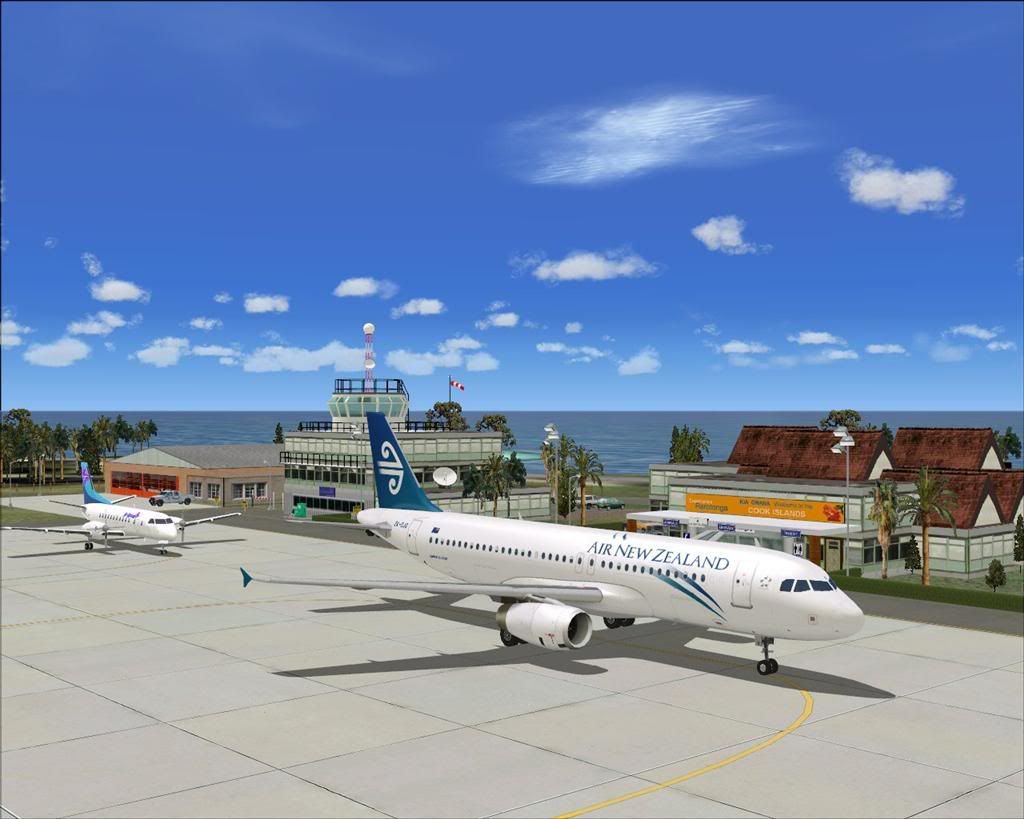
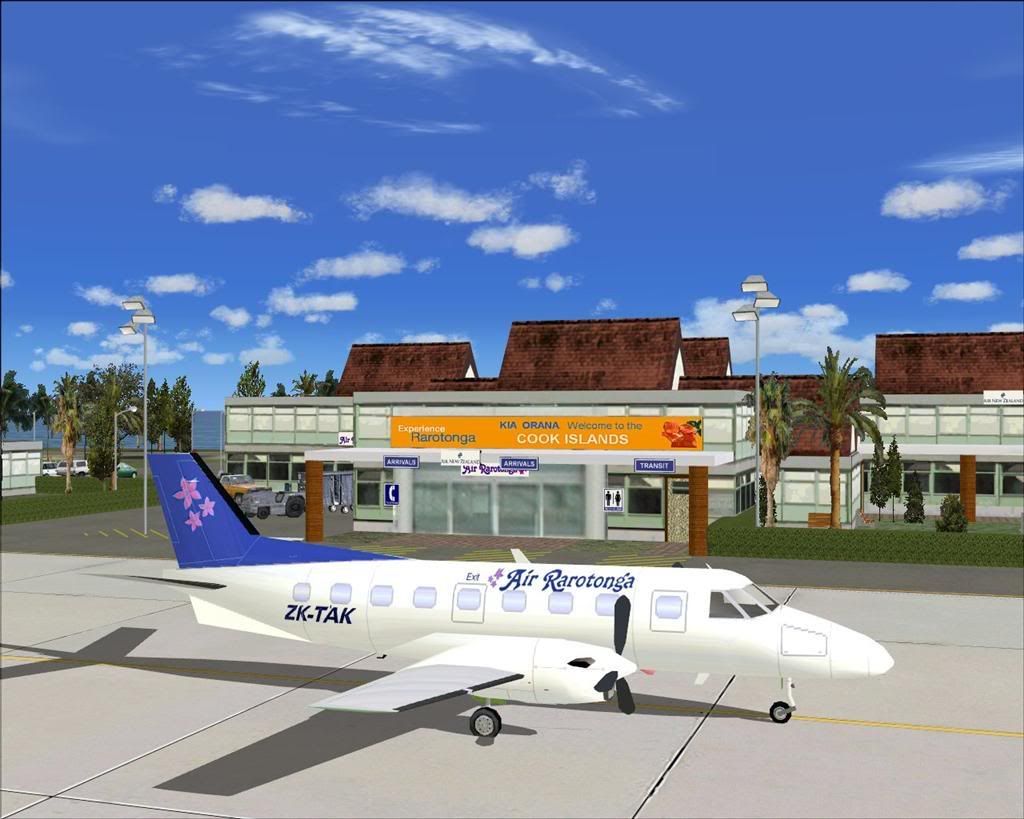
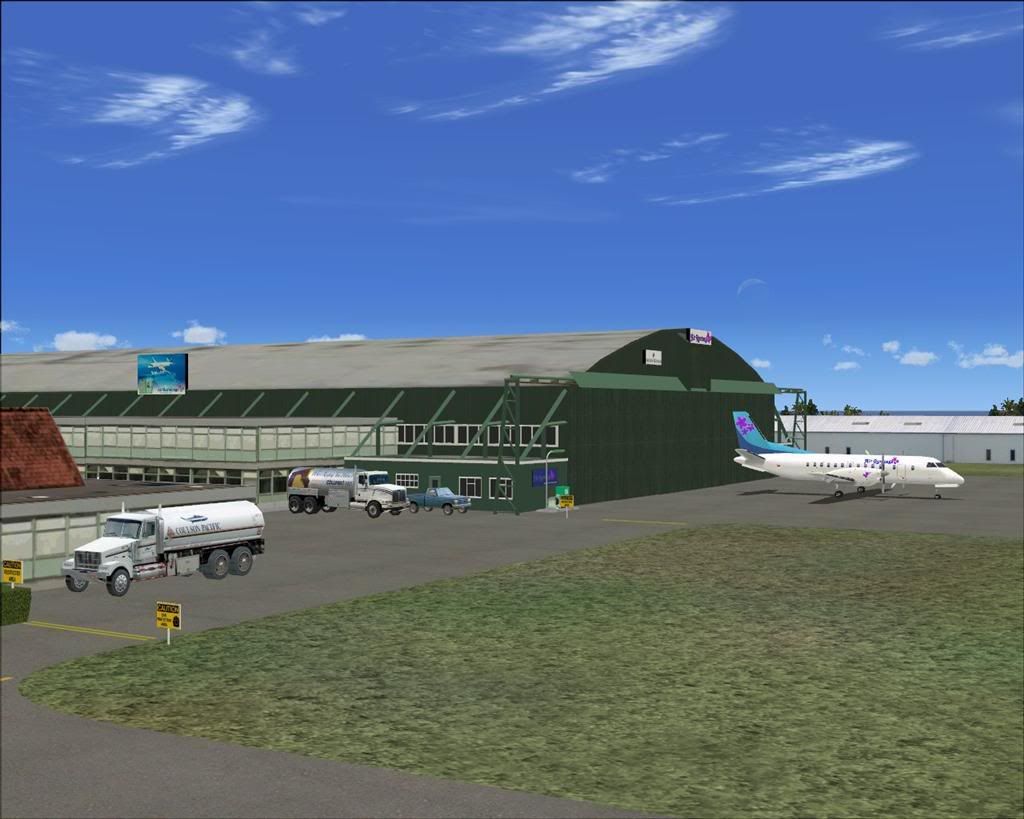
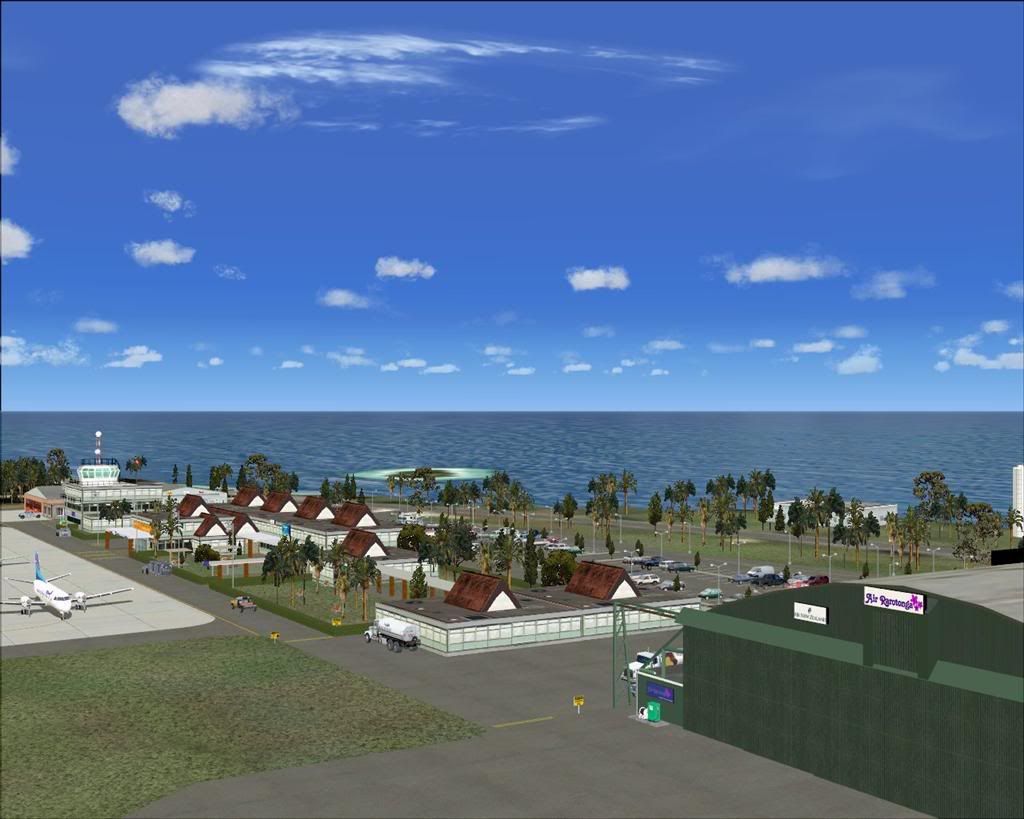
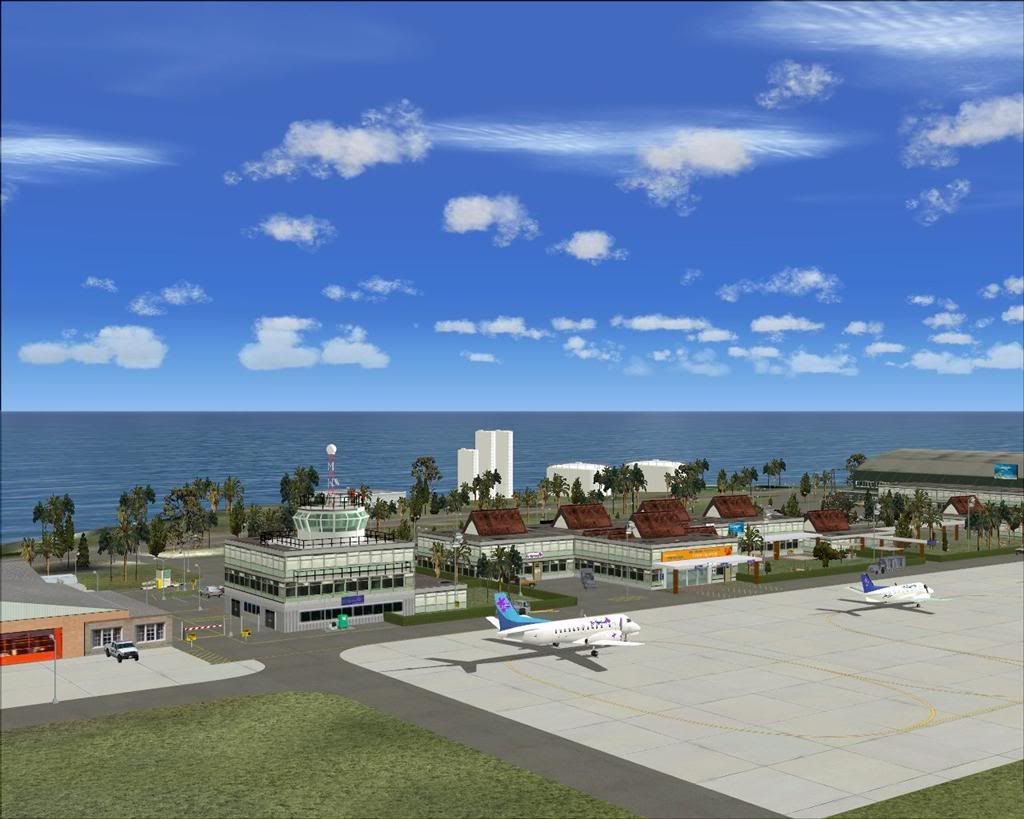
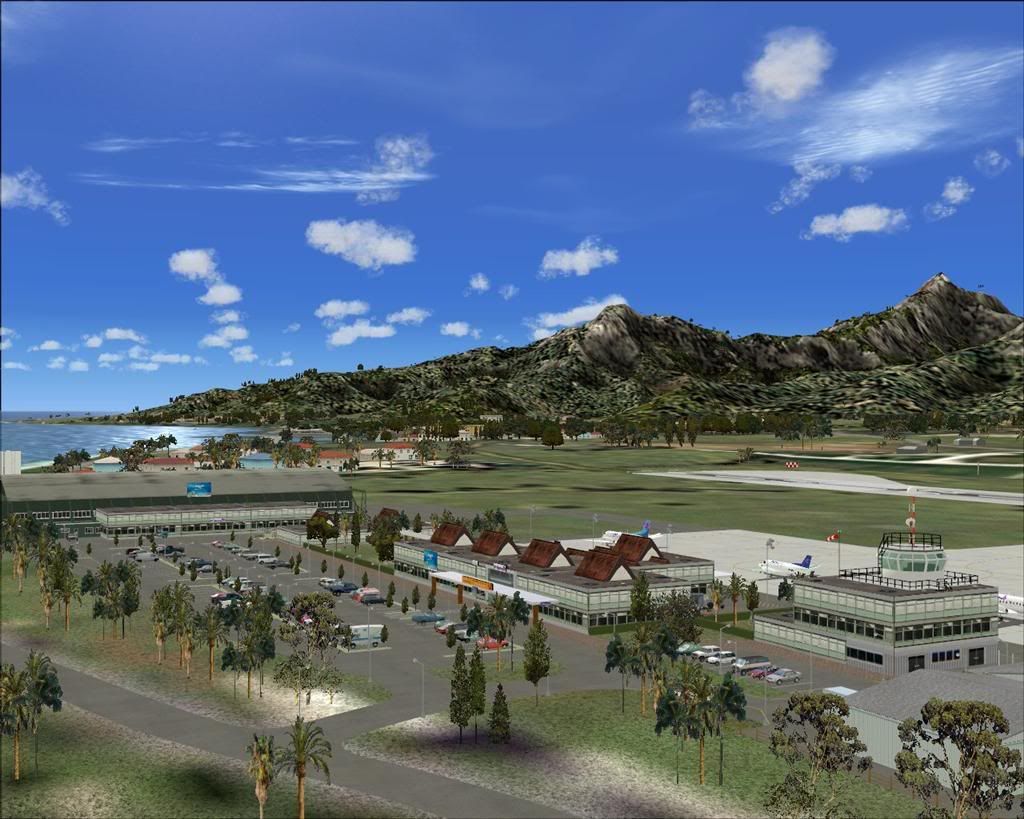
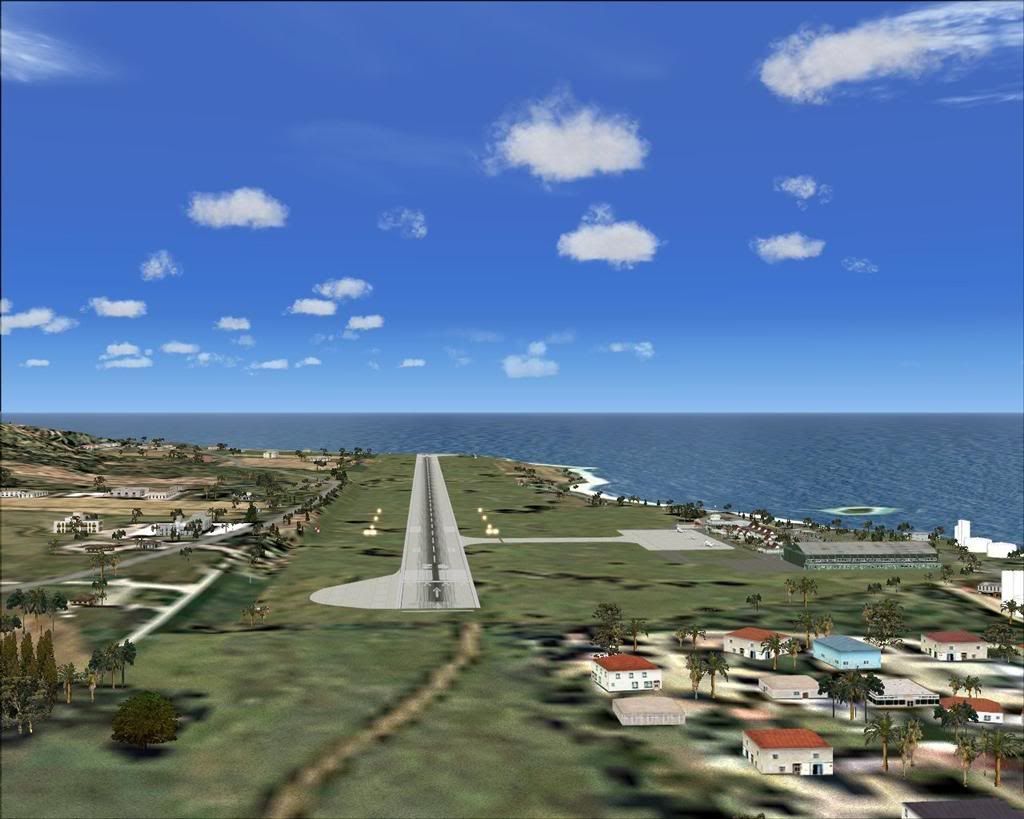
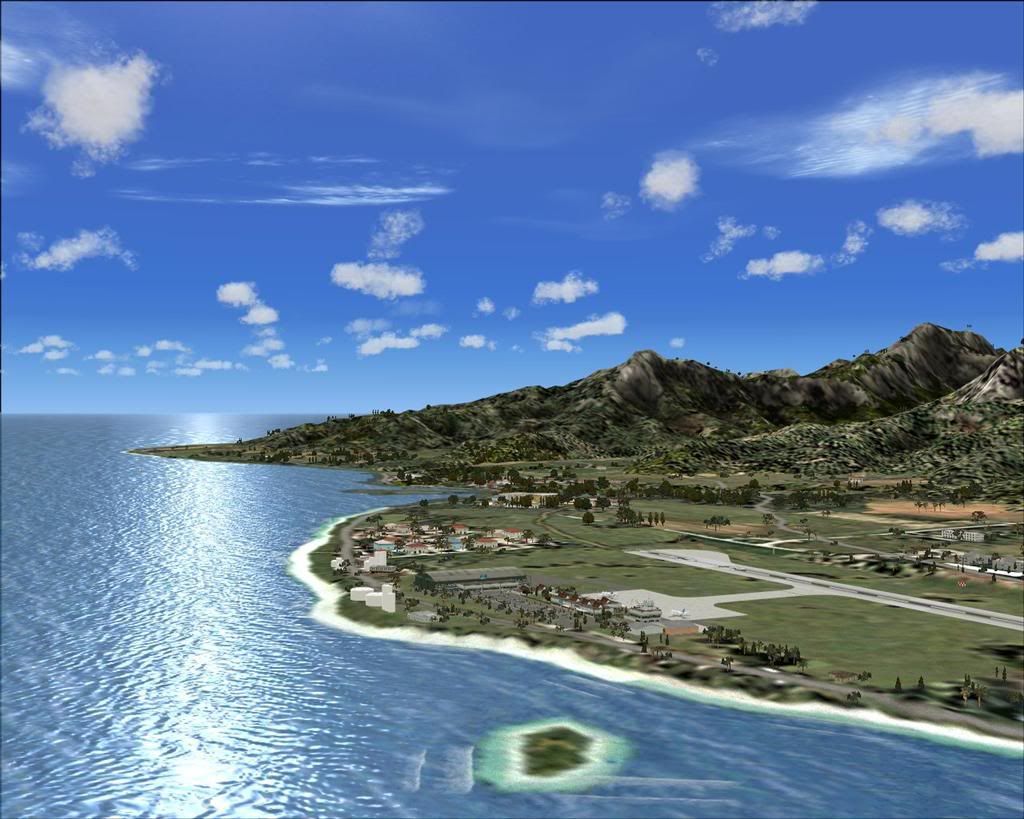
Rarotonga International Airport. NCRG.

Find everything related to the NZ Retro AI Project and Snowman's airport sceneries here, including downloads, previews and announcements

Postby Snowman » Fri Jan 23, 2009 2:53 am

Welcome to Rarotonga, in the beautiful Pacific Island paradise of the Cook Islands.
This scenery is designed and built to fit the RBE / Sim Pilot Experience "Cook Islands Scenery" (payware), by Christian Stock.
It has not been tested in the freeware Cook Islands Mesh that is available, or in FS9 default.
Scenery contains some custom items.


Lawrie. New_Zealand_etc.gif
Image

Image
User avatar
Snowman
NZFF Pro
 
Topic author
Joined: Wed Jul 26, 2006 3:52 pm
Posts: 2427
Location: Tauranga, NZ.

Postby Christian » Fri Jan 23, 2009 11:35 am

Awesome Lawrie - I've been waiting for this!
Breathtakingly gorgeous FS landscapes for New Zealand.
Visit Sim Pilot Experience now:
http://www.simpilotexperience.com
Follow me on twitter:
http://www.twitter.com/ChristianStock
User avatar
Christian
Forum Addict
 
Joined: Sun Apr 30, 2006 12:03 pm
Posts: 426
Location: melbourne

Postby Michael » Fri Jan 23, 2009 11:38 am

Wow thats nice. They need do an FSX one now.
Michael
Member
 
Joined: Fri Feb 01, 2008 10:28 am
Posts: 114

Postby jetscream » Fri Jan 23, 2009 12:50 pm

thumbup1.gif Great scenery
I've waited awhile for a scenery for rarotonga smile.gif
jetscream
 

Postby Snowman » Fri Jan 23, 2009 1:49 pm

Christian wrote:
QUOTE (Christian @ Jan 23 2009, 12:35 PM) <{POST_SNAPBACK}>
Awesome Lawrie - I've been waiting for this!


Hi Christian.

Well, your beautiful efforts with your Cooks Mesh and Topo package was absolutley SCREAMING out for airports to fit into it.
Im also doing a few others nearby Rarotonga in the Southern Cooks,...........

NCAI Aitutaki Airport
NCAT Atiu Airport
NCMK Mauke Airport
NCMG Mangaia Airport
NCMA Mitiaro Airport

Not sure at this stage whether i'll be doing any of the ones in the Northern Cooks ,............... yet.

Be intersting to see if anyone tries to install Rarotonga in the the FS9 Default,................ the coastlines are all wrong in default.
Airport might end up on the water, or too far inland...............

Lawrie. New_Zealand_etc.gif
Image

Image
User avatar
Snowman
NZFF Pro
 
Topic author
Joined: Wed Jul 26, 2006 3:52 pm
Posts: 2427
Location: Tauranga, NZ.

Postby Christian » Fri Jan 23, 2009 4:43 pm

Wow, looking forward to it!
Breathtakingly gorgeous FS landscapes for New Zealand.
Visit Sim Pilot Experience now:
http://www.simpilotexperience.com
Follow me on twitter:
http://www.twitter.com/ChristianStock
User avatar
Christian
Forum Addict
 
Joined: Sun Apr 30, 2006 12:03 pm
Posts: 426
Location: melbourne

Postby Snowman » Fri Jan 23, 2009 10:27 pm

Christian wrote:
QUOTE (Christian @ Jan 23 2009, 05:43 PM) <{POST_SNAPBACK}>
Wow, looking forward to it!


Are you still running FS9 ??........... as well as FSX ....

Lawrie. New_Zealand_etc.gif
Image

Image
User avatar
Snowman
NZFF Pro
 
Topic author
Joined: Wed Jul 26, 2006 3:52 pm
Posts: 2427
Location: Tauranga, NZ.

Postby Bazza » Sat Jan 24, 2009 6:09 pm

Hi Lawrie,

I D/L'd it straight into my default Cook Islands but haven't had time to really look for problems - will do that tomorrow. At the moment
the only issue I have noticed is that the runway "peels" away in front of the moving plane. Look back from 500 feet and the runways there in all its glory but on landing it disappears as I approach. The buildings etc seem to be where they should be but as stated, I'll have a decent look tomorrow - got a house
full of guests at the mo. cheers.............
Image
User avatar
Bazza
Sim-holic
 
Joined: Sat Jul 15, 2006 1:44 pm
Posts: 983
Location: Tauranga

Postby Bazza » Sun Jan 25, 2009 12:12 pm

Further to my previous..........

As stated, the only problem seems to be the runway - all the rest seems to be first class. I am missing a few textures on some of the parked trucks etc
but this is a small matter, I'm obviously short of a file somewhere.

Just for your info Lawrie re the default FS9 aspect. Not a biggie for me, I don't go there very often, just wanted to see if it would work.
Image
User avatar
Bazza
Sim-holic
 
Joined: Sat Jul 15, 2006 1:44 pm
Posts: 983
Location: Tauranga

Postby Snowman » Sun Jan 25, 2009 3:18 pm

Bazza wrote:
QUOTE (Bazza @ Jan 25 2009, 01:12 PM) <{POST_SNAPBACK}>
Further to my previous..........

As stated, the only problem seems to be the runway - all the rest seems to be first class. I am missing a few textures on some of the parked trucks etc
but this is a small matter, I'm obviously short of a file somewhere.

Just for your info Lawrie re the default FS9 aspect. Not a biggie for me, I don't go there very often, just wanted to see if it would work.


Hiya Barry.

Thanks for taking a look at it in default. I figure the runway dissapearing under the grass textures will be due to the different elevation levels between the default, and Christian's Cook Islands Mesh and Topo package.
Nice to know it does appear in the default though,............

Lawrie. New_Zealand_etc.gif
Last edited by Snowman on Sun Jan 25, 2009 3:19 pm, edited 1 time in total.
Image

Image
User avatar
Snowman
NZFF Pro
 
Topic author
Joined: Wed Jul 26, 2006 3:52 pm
Posts: 2427
Location: Tauranga, NZ.

Postby nalbers » Wed Mar 11, 2009 7:43 pm

Snowman wrote:
QUOTE (Snowman @ Jan 25 2009, 04:18 AM) <{POST_SNAPBACK}>
Hiya Barry.

Thanks for taking a look at it in default. I figure the runway dissapearing under the grass textures will be due to the different elevation levels between the default, and Christian's Cook Islands Mesh and Topo package.
Nice to know it does appear in the default though,............

Lawrie. New_Zealand_etc.gif


Hi Lawrie,

Just tried out this airport against the Christian Stock's freeware FS2002 mesh from AVSIM (40 m) (in FS9). It looks good, though I also get the "peeling runway" effect.

I'm also obviously missing a building, since I have some signs hanging in this air. I was so sure I had downloaded and installed all the objects to my Static Object Library too... Looking at your screenshots it would appear I'm missing the big green hanger, any idea what object set that one is in?

As far as the runway is concerned, is this something that can be solved with a modified AFCAD or flatten definition?

Thanks for the wonderful scenery,
Niels
Last edited by nalbers on Wed Mar 11, 2009 7:46 pm, edited 1 time in total.
Niels Albers: Flying unskillfully with MS Flight simulator since version 1...
Image

David Gunson on Soviet ATC: "They have a super system there. When you want to fly from say Moscow to Leningrad, you are give three things: A height, a route and a speed. If you deviate from any of these three things you are joined by two MIG's on each wing and you land at the nearest available airfield. The passengers continue by coach, and the crew are never seen again. ... It's a super system, they don't get repetitive faults...
nalbers
Member
 
Joined: Thu Apr 03, 2008 2:26 am
Posts: 59
Location: Driebergen, The Netherlands

Postby Christian » Wed Mar 11, 2009 9:05 pm

nalbers wrote:
QUOTE (nalbers @ Mar 16 2009, 08:43 AM) <{POST_SNAPBACK}>
Hi Lawrie,

Just tried out this airport against the Christian Stock's freeware FS2002 mesh from AVSIM (40 m) (in FS9). It looks good, though I also get the "peeling runway" effect.

I'm also obviously missing a building, since I have some signs hanging in this air. I was so sure I had downloaded and installed all the objects to my Static Object Library too... Looking at your screenshots it would appear I'm missing the big green hanger, any idea what object set that one is in?

As far as the runway is concerned, is this something that can be solved with a modified AFCAD or flatten definition?

Thanks for the wonderful scenery,
Niels


The old 40m mesh is a bit offset to the real thing, so that may interfere with the airport a bit. I recall that some people have problems with the Rarotonga runway if they have another Rarotonga airport installed.

Christian
Breathtakingly gorgeous FS landscapes for New Zealand.
Visit Sim Pilot Experience now:
http://www.simpilotexperience.com
Follow me on twitter:
http://www.twitter.com/ChristianStock
User avatar
Christian
Forum Addict
 
Joined: Sun Apr 30, 2006 12:03 pm
Posts: 426
Location: melbourne

Postby Snowman » Thu Mar 12, 2009 2:09 pm

nalbers wrote:
QUOTE (nalbers @ Mar 11 2009, 08:43 PM) <{POST_SNAPBACK}>
Hi Lawrie,

Just tried out this airport against the Christian Stock's freeware FS2002 mesh from AVSIM (40 m) (in FS9). It looks good, though I also get the "peeling runway" effect.

I'm also obviously missing a building, since I have some signs hanging in this air. I was so sure I had downloaded and installed all the objects to my Static Object Library too... Looking at your screenshots it would appear I'm missing the big green hanger, any idea what object set that one is in?

As far as the runway is concerned, is this something that can be solved with a modified AFCAD or flatten definition?

Thanks for the wonderful scenery,
Niels


Hi there Niels.

The big green hanger is from the set named " fs9rafhangers.zip " , by Ted Andrews.
Dont forget to install the texture set " fs2004_raf_building_textures.zip " , AFTER the other sets, and say YES to overwrite.

You could make up new flattens for the scenery yourself to match the elevation levels of the 40m mesh, but you would also need to alter the elevation in the AFCAD to match as well. That should (theoretically) solve the problem of the "peeling" runway for you, but i dont know how the airport will look in the 40m mesh, as i never tested it in that.
When i used to use the freeware 40m mesh, i used to use the Rarotonga Airport scenery by Tim Clayton ( rarotonga.zip) from Avsim.
It used to sit in the 40 mesh ok, but wont sit in the 20m RBE Cook Islands Scenery,......... some of the airport is out in the water in the RBE 20m and topo.
Hence the reason for me to build a new Rarotonga.

Lawrie. New_Zealand_etc.gif
Last edited by Snowman on Thu Mar 12, 2009 2:11 pm, edited 1 time in total.
Image

Image
User avatar
Snowman
NZFF Pro
 
Topic author
Joined: Wed Jul 26, 2006 3:52 pm
Posts: 2427
Location: Tauranga, NZ.

Postby nalbers » Thu Mar 12, 2009 7:38 pm

Snowman wrote:
QUOTE (Snowman @ Mar 12 2009, 03:09 AM) <{POST_SNAPBACK}>
Hi there Niels.

The big green hanger is from the set named " fs9rafhangers.zip " , by Ted Andrews.
Dont forget to install the texture set " fs2004_raf_building_textures.zip " , AFTER the other sets, and say YES to overwrite.

You could make up new flattens for the scenery yourself to match the elevation levels of the 40m mesh, but you would also need to alter the elevation in the AFCAD to match as well. That should (theoretically) solve the problem of the "peeling" runway for you, but i dont know how the airport will look in the 40m mesh, as i never tested it in that.
When i used to use the freeware 40m mesh, i used to use the Rarotonga Airport scenery by Tim Clayton ( rarotonga.zip) from Avsim.
It used to sit in the 40 mesh ok, but wont sit in the 20m RBE Cook Islands Scenery,......... some of the airport is out in the water in the RBE 20m and topo.
Hence the reason for me to build a new Rarotonga.

Lawrie. New_Zealand_etc.gif


Thanks for the tip Lawrie! My birthday is coming up in April, so I'll definitely be shelling out some of my gift money for the RBE Cook Islands mesh. I can wait that long before flying out to Rarotonga, it's not on my itinerary for a while yet (I'm making a round the world tour in a Cessna Citation X together with my 9 year old son, we're currently descending into Athens at the moment...).

I did have another question about the scenery objects you use. I was flying into your Omarama scenery last night, and I got a very heavy framerate hit (but no blurries) when I had the airport in sight (from 25 fsp locked to 4 fps!) I've already patched the textures that cause blurries, the ez scenery ones from Sydney Schwartz, which helped a similar problem at Hokitika. Do you have any other possible candidates? I've noticed that some sets seem to be sharing different versions of the same texture files, so it might be the order in which I copied the various object libraries into my Static Object Library folder.

Any suggestions will be gratefully received, since I'm pretty sure it's not what you were intending or have experienced yourself when creating the sceneries.

Thanks,
Niels
Niels Albers: Flying unskillfully with MS Flight simulator since version 1...
Image

David Gunson on Soviet ATC: "They have a super system there. When you want to fly from say Moscow to Leningrad, you are give three things: A height, a route and a speed. If you deviate from any of these three things you are joined by two MIG's on each wing and you land at the nearest available airfield. The passengers continue by coach, and the crew are never seen again. ... It's a super system, they don't get repetitive faults...
nalbers
Member
 
Joined: Thu Apr 03, 2008 2:26 am
Posts: 59
Location: Driebergen, The Netherlands

Postby Snowman » Fri Mar 13, 2009 1:43 pm

nalbers wrote:
QUOTE (nalbers @ Mar 12 2009, 08:38 PM) <{POST_SNAPBACK}>
Thanks for the tip Lawrie! My birthday is coming up in April, so I'll definitely be shelling out some of my gift money for the RBE Cook Islands mesh. I can wait that long before flying out to Rarotonga, it's not on my itinerary for a while yet (I'm making a round the world tour in a Cessna Citation X together with my 9 year old son, we're currently descending into Athens at the moment...).

I did have another question about the scenery objects you use. I was flying into your Omarama scenery last night, and I got a very heavy framerate hit (but no blurries) when I had the airport in sight (from 25 fsp locked to 4 fps!) I've already patched the textures that cause blurries, the ez scenery ones from Sydney Schwartz, which helped a similar problem at Hokitika. Do you have any other possible candidates? I've noticed that some sets seem to be sharing different versions of the same texture files, so it might be the order in which I copied the various object libraries into my Static Object Library folder.

Any suggestions will be gratefully received, since I'm pretty sure it's not what you were intending or have experienced yourself when creating the sceneries.

Thanks,
Niels


Im doing a whole set of airports for the Cook Islands, as well as Rarotonga. There are several of my others on Avsim as well.

With reference to the object textures, as long as you had all the Sidney Schwartz Libraries installed BEFORE you added the "non-blurry" updated textures, all should be fine.
As for the fps hit,......... well, the Omarama scenery has a LOT of objects in it, which may slow down older or slower machines.
Its not just the airfield in the scenery, ...... but ive added the entire town of Omarama as well !!
You could try removing the following .bgl files from Omarama's "Scenery" folder, and see if that helps improve fps.........

NZOA_GldrTrlr.bgl (Glider Trailers)
NZOA_CpkVeh.bgl (Static Cars)
NZOA_BdyFce.bgl (Airfield Boundary Fence)

You could also try removing any .bgl file with "Tre" in the filename. These are trees, and there are a LOT of them added to the scenery.
The scenery wont look too good without the trees. FS9 is pretty bare of agn trees there, and in real life there are a LOT around the area.

Lawrie. New_Zealand_etc.gif
Image

Image
User avatar
Snowman
NZFF Pro
 
Topic author
Joined: Wed Jul 26, 2006 3:52 pm
Posts: 2427
Location: Tauranga, NZ.

Postby towerguy » Fri Mar 13, 2009 9:03 pm

will try to get some photos for you in may as I'm booked in for 9 days - 5 days at Muri beach "little polynesian resort" and then 4 days at the "pacific resort" on aitutaki - for our 20th wedding anniversary.

can't really afford it - but ain't overdrafts wonderful!

cheers
CPU- i7 4790K @4.0Gb Cooler- Noctua NH-D15 M/B- Z97 ProGamer P/S- 750W RAM- 16Gb
Graphics- Nvidia GTX970 16Gb Drives- 2x 120Gb SSD Samsung 850EVO, 1x 2Tb HD, 1x DVD-RW
Sound- on M/B Logitec 5.1 surround sound system OS- Win 10 pro , all wrapped in a black Corsair case Display - Panasonic UHD 4k 50" Flatscreen TV.( 3840x2160 Res)
User avatar
towerguy
Sim-holic
 
Joined: Mon Aug 07, 2006 4:27 pm
Posts: 886

Postby Snowman » Fri Mar 13, 2009 11:17 pm

towerguy wrote:
QUOTE (towerguy @ Mar 13 2009, 10:03 PM) <{POST_SNAPBACK}>
will try to get some photos for you in may as I'm booked in for 9 days - 5 days at Muri beach "little polynesian resort" and then 4 days at the "pacific resort" on aitutaki - for our 20th wedding anniversary.

can't really afford it - but ain't overdrafts wonderful!

cheers


All donations greatfully accepted.............. smile.gif
Only problem with ODs and Credit Cards,................ The damned bank expects you to pay it all back,.......... greedy beggars laugh.gif

Lawrie. New_Zealand_etc.gif
Image

Image
User avatar
Snowman
NZFF Pro
 
Topic author
Joined: Wed Jul 26, 2006 3:52 pm
Posts: 2427
Location: Tauranga, NZ.


Return to South Pacific FlightSim Scenery

Who is online

Users browsing this forum: No registered users and 1 guest