Seasprite Rotor
23 posts
• Page 1 of 2 • 1, 2
 by creator2003 » Mon Sep 15, 2008 8:40 am
Looks good charl ,i would like to look into this rotor thing as it would help when porting aircraft to X to have good rota textures like the ones above ,i have some where some dynamics and new rota textures for this aircraft done by a guy who helped with justflights sc300 ill have a look and see if i can find the messages from my mail box sometime and see what i can find extra for this rota
-

creator2003 - NZFF Pro
- Joined: Fri Jun 16, 2006 12:08 am
- Posts: 4633
- Location: Cant U C im LOCO
by Menemeth » Mon Sep 15, 2008 2:39 pm
Charl wrote:QUOTE (Charl @ Sep 15 2008, 03:04 PM) <{POST_SNAPBACK}>It needs work on the alpha channel - I'm hoping Menemeth might still be around to repeat the NH90 exercise he did before.
Whose Seasprite are you referring too (AlphaSim)?
- Menemeth
by creator2003 » Mon Sep 15, 2008 2:58 pm
Referring to the Freeware one by the looks of those shots and so was i ,i see most porting of the rotors being hard to X with a alpha channel as the model when exporting out would be different in X when it comes to handling a alpha channel ,also why i wouldnt try changing the dx3 dx1 to a dds texture ,because the mdl wouldnt have those settings for the flightsimX material.
-
creator2003 - NZFF Pro
- Joined: Fri Jun 16, 2006 12:08 am
- Posts: 4633
- Location: Cant U C im LOCO
by Menemeth » Mon Sep 15, 2008 3:15 pm
If you mean Nigel Booth & Adrian Brausch's version, it doesn't need any rotor texture enhancement. In fact, I wish the NH-90 had that rotor texture quality as their Seasprite. That's the only reason I reworked the NH90. There's nothing broke, nor wrong with the Seasprite, so I won't be touching that one at all.
- Menemeth
by Charl » Mon Sep 15, 2008 3:32 pm
Menemeth wrote:QUOTE (Menemeth @ Sep 15 2008, 03:15 PM) <{POST_SNAPBACK}>If you mean Nigel Booth & Adrian Brausch's version, it doesn't need any rotor texture enhancement. In fact, I wish the NH-90 had that rotor texture quality as their Seasprite. That's the only reason I reworked the NH90. There's nothing broke, nor wrong with the Seasprite, so I won't be touching that one at all.There is already a fix for the ALPHA version, yes the NB/AB one is what I'm referring to.
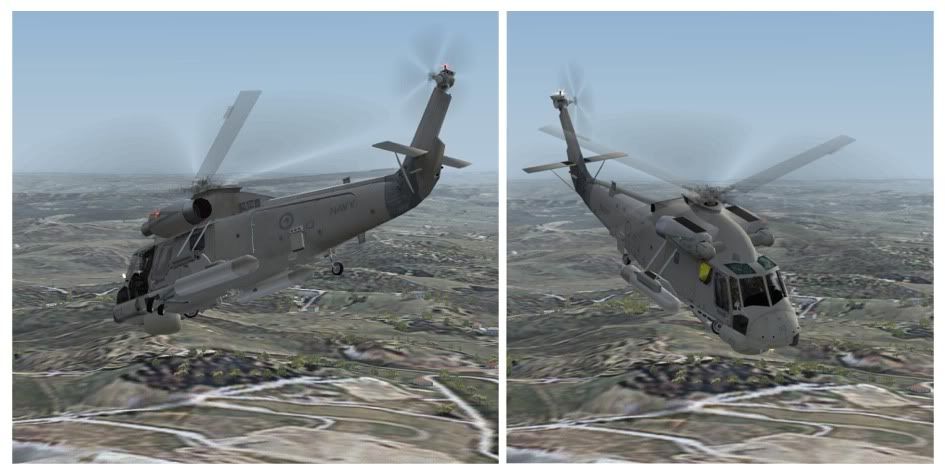
It comes out more in the screenshots: The transparent blade, with adjacent blur, and then a blank space.
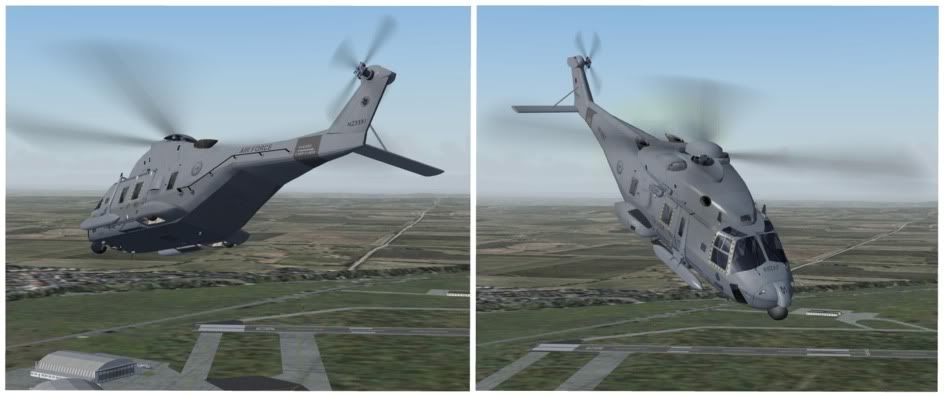
The fixed NH-90 is much more convincing:
-

Charl - NZFF Pro
- Topic author
- Joined: Mon May 01, 2006 8:28 am
- Posts: 9691
- Location: Auckland

by Menemeth » Tue Sep 16, 2008 12:13 am
It's not neccessary. This seems to be more of a personal preference for you, rather than realism, and I really don't have time for that. If someone's product is broke, we normally fix it. In this case, there's NOTHING broke in this Seasprite....I'm done with this!
- Menemeth
by Charl » Tue Sep 16, 2008 8:21 am
Yesterday, I was idly watching a powerline survey B206 chunter up and down, and looked closely at the rotor.
With the naked eye, it is just a blur, no blade is visible.
This holds true for any rotor, 2- 3- or 4-bladed.
If you photograph it, depending on shutter speed, you get three scenarios.
Generally you'd just see a blurred image
http://www.airliners.net/photo/Italy---Vig...nger/1397494/M/
You may with a faster shutter speed, see less blur and more blade, as in
http://www.airliners.net/photo/Bell-206L-4...nger/1394015/M/
and at the highest shutter speed, a frozen but solid blade.
Note the tips are still blurry due to their higher speed
http://www.airliners.net/photo/Taiwan---Ar...iowa/1271135/M/
You would not in any circumstances, with the naked eye or in a photograph, see a transparent frozen blade.
The seasprite screenshot above has a transparent, well-defined, blade visible, and so is not realistic.
It would be great to have just the blur for the rotor disk visible.
With the naked eye, it is just a blur, no blade is visible.
This holds true for any rotor, 2- 3- or 4-bladed.
If you photograph it, depending on shutter speed, you get three scenarios.
Generally you'd just see a blurred image
http://www.airliners.net/photo/Italy---Vig...nger/1397494/M/
You may with a faster shutter speed, see less blur and more blade, as in
http://www.airliners.net/photo/Bell-206L-4...nger/1394015/M/
and at the highest shutter speed, a frozen but solid blade.
Note the tips are still blurry due to their higher speed
http://www.airliners.net/photo/Taiwan---Ar...iowa/1271135/M/
You would not in any circumstances, with the naked eye or in a photograph, see a transparent frozen blade.
The seasprite screenshot above has a transparent, well-defined, blade visible, and so is not realistic.
It would be great to have just the blur for the rotor disk visible.
Last edited by Charl on Tue Sep 16, 2008 8:23 am, edited 1 time in total.
-
Charl - NZFF Pro
- Topic author
- Joined: Mon May 01, 2006 8:28 am
- Posts: 9691
- Location: Auckland
by Menemeth » Tue Sep 16, 2008 11:42 am
Charl wrote:QUOTE (Charl @ Sep 15 2008, 05:46 PM) <{POST_SNAPBACK}>That sure was quick, many thanks.
I am still wondering if it might be possible to lose the blade entirely, and replace with a motion blur...
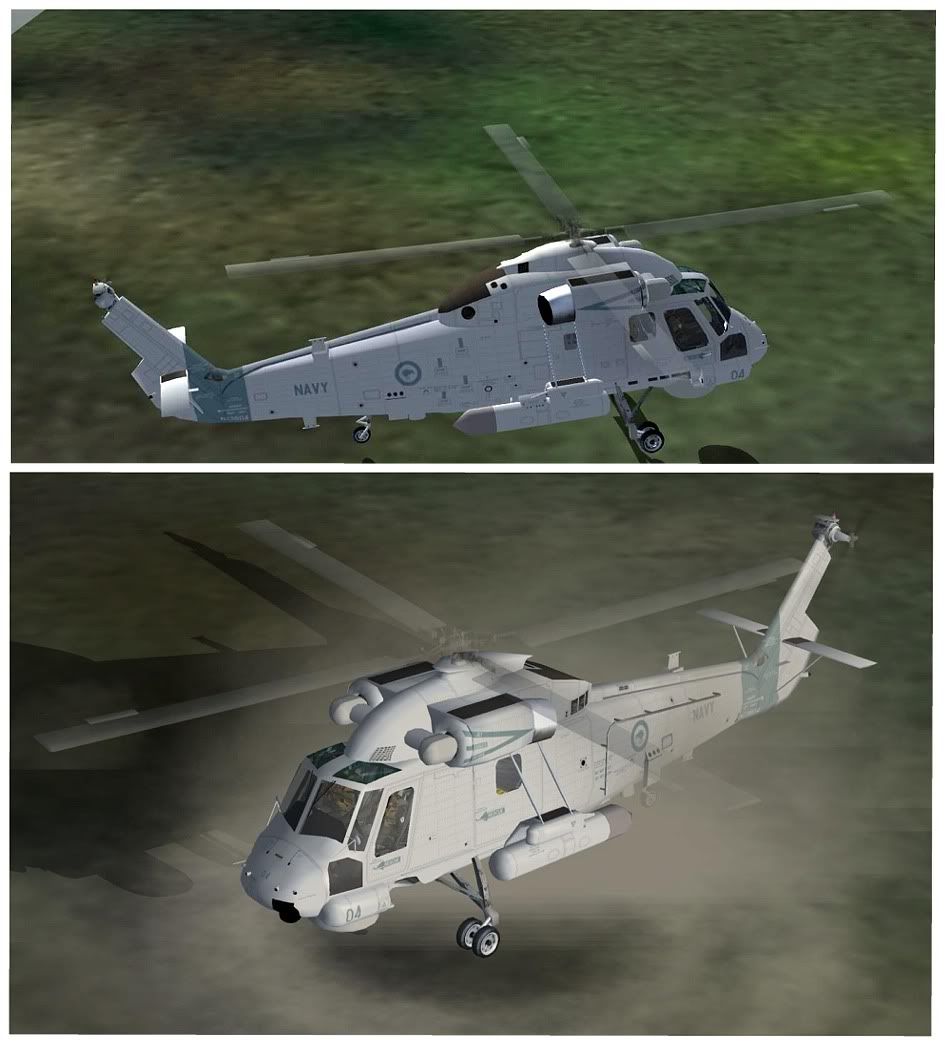
Unfortunately there's no way to remove the main blades... those blades are part of the 3D model, a transparency mask was compiled with the model so when the 3D blades start to spin they go semi-transparent... the blade blur textures I uploaded are the exact same textures I made for the NH90, I just renamed the files to that required of the SH-2 SeaSprite... the only thing I can do is to darken the alpha channel for the blade blur I made which will make it more visible, but the 3D blades will still show of course.
- Menemeth
by Menemeth » Tue Sep 16, 2008 2:40 pm
Okay! Here's another one re-done. I also did a brief YouTube video so you can see the results - http://www.youtube.com/watch?v=teaO2JNjkbA ... There's NO more I can do to this, so you'll have to settle for this one, or revert back to the old one's.

DOWNLOAD
DOWNLOAD
- Menemeth
by Charl » Tue Sep 16, 2008 6:06 pm
Menemeth wrote:QUOTE (Menemeth @ Sep 16 2008, 11:42 AM) <{POST_SNAPBACK}>Unfortunately there's no way to remove the main blades... those blades are part of the 3D model, a transparency mask was compiled with the model ...Yes I guessed it would be part of the model compilation, nothing to be done about that then...thank you for your efforts.
-
Charl - NZFF Pro
- Topic author
- Joined: Mon May 01, 2006 8:28 am
- Posts: 9691
- Location: Auckland
by Menemeth » Thu Sep 18, 2008 8:18 am
Charl wrote:QUOTE (Charl @ Sep 16 2008, 07:06 PM) <{POST_SNAPBACK}>Yes I guessed it would be part of the model compilation, nothing to be done about that then...thank you for your efforts.
Well, have you or anyone tried the latest ones i've posted 2 threads above this one!? You folks bugged for this cr@p, and you say nothing at all!!!

- Menemeth
by Charl » Thu Sep 18, 2008 11:39 am
Menemeth wrote:QUOTE (Menemeth @ Sep 16 2008, 11:42 AM) <{POST_SNAPBACK}>Unfortunately there's no way to remove the main blades...the 3D blades will still show of course.You said it yourself...
Perhaps Adrian or Nije could take a look at the model, then?
-
Charl - NZFF Pro
- Topic author
- Joined: Mon May 01, 2006 8:28 am
- Posts: 9691
- Location: Auckland


by Adrian Brausch » Sat Sep 20, 2008 9:27 am
I quite like the prop blur effects you use on your EC-135 models,..less an actual prop disk,more a prop blur in the shape of the blade. As you say its more personal preference. I considered dropping the transparent blades on the NH-90 alltogether but am undecided on it....something to mull over ...
As for the sprite, Nije will have to be asked nicely whether he might be willing to explore some different prop blur alternatives..
As for the sprite, Nije will have to be asked nicely whether he might be willing to explore some different prop blur alternatives..
Last edited by Adrian Brausch on Sat Sep 20, 2008 9:31 am, edited 1 time in total.
-

Adrian Brausch - Senior Member
- Joined: Tue May 15, 2007 11:39 am
- Posts: 1437
- Location: Auckland
by Menemeth » Sat Sep 20, 2008 12:54 pm
brausch wrote:QUOTE (brausch @ Sep 20 2008, 10:27 AM) <{POST_SNAPBACK}>I quite like the prop blur effects you use on your EC-135 models.
You like the prop blur effects I use on my EC-135? Are you mistakenly thinking i'm Nemeth? If so, I can assure you i'm not.

- Menemeth
23 posts
• Page 1 of 2 • 1, 2
Who is online
Users browsing this forum: No registered users and 7 guests