
i also have aproblem with nztg main seal runway can some1 help me too??


does this just a squarearound the plane??

100% ad-free
 by waka172rg » Wed Aug 27, 2008 5:12 pm


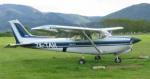
by Alex » Wed Aug 27, 2008 5:15 pm

by waka172rg » Wed Aug 27, 2008 6:29 pm
Alex wrote:QUOTE (Alex @ Aug 27 2008, 05:15 PM) <{POST_SNAPBACK}>Is this a problem at all airports or only one? Has it always been like this or is it recent?
Alex
Edit: Please don't use text language (some1), makes it much harder to read...
the grass is black in all airports i put a ground texture boost pack in then i have uninstalled it then it whent like that.
its just the main runway at nztg that has grass around the plane when around the seal runway.
by waka172rg » Wed Aug 27, 2008 9:04 pm
BK-117 wrote:QUOTE (BK-117 @ Aug 27 2008, 08:55 PM) <{POST_SNAPBACK}>could it be an afcad file maybe?
maybe i deleted tha file when i uninstalled? can i get them back?
by Alex » Wed Aug 27, 2008 10:07 pm
waka172rg wrote:QUOTE (waka172rg @ Aug 27 2008, 06:29 PM) <{POST_SNAPBACK}>i put a ground texture boost pack in then i have uninstalled it then it whent like that.
That sounds like the problem... I'd say that it has overwritten some of the original FS9 files, and then when you've uninstalled they haven't been replaced.BK-117 wrote:QUOTE (BK-117 @ Aug 27 2008, 09:31 PM) <{POST_SNAPBACK}>Which tauranga do you have?
Looks like RNZ Tauranga to me...
AlexLast edited by Alex on Wed Aug 27, 2008 10:09 pm, edited 1 time in total.
- Alex
- NZFF Pro
- Joined: Fri Jul 14, 2006 3:39 pm
- Posts: 3620
by creator2003 » Wed Aug 27, 2008 11:38 pm

by waka172rg » Thu Aug 28, 2008 10:34 am
creator2003 wrote:QUOTE (creator2003 @ Aug 28 2008, 12:38 AM) <{POST_SNAPBACK}>Have a look for any sign of grass runway texture files with .bak or browse the discs and find runway grass textures and drop them into the fs directory you should find all this located in the texture file folder of fs9 or X ,they will be named runway_ not sure in fs9 ..
sure thing yo should be able to find the ones on the disc
second problem looks like afcad or flatten ..
is that the fsx disc? i have heaps of runway files in the texture folder
there is no .bak there are grass.r8?
by creator2003 » Thu Aug 28, 2008 11:34 am
by waka172rg » Thu Aug 28, 2008 1:25 pm
creator2003 wrote:QUOTE (creator2003 @ Aug 28 2008, 11:34 AM) <{POST_SNAPBACK}>Well ive had a look at the fsx disc and couldnt find anything of use because they are zipped extraction files but i did notice if you stick in cd1 it asks you if you want to repair ? not sure what setup you have but if its pretty standard without acceleration this mite replace the textures ,but im unsure what it will do ,what was wrong with the texture booster pack anyway ,why did you uninstall ?
also you could try a system restore point before you removed the tex booster set ?
in the pics the photoreal ground polys are missing from tg runways and i wonder if you have removed something from that folder aswell ..there is no real esy answer to this that i know of apart from the above or if it was me id reinstall X and start again and never make the mistake again without backing up the files you are changing ...
if i reinstall will all may addons be safe?
by creator2003 » Thu Aug 28, 2008 1:42 pm
by waka172rg » Thu Aug 28, 2008 2:03 pm
creator2003 wrote:QUOTE (creator2003 @ Aug 28 2008, 01:42 PM) <{POST_SNAPBACK}>Addon scenery if you backed them up should be sweet ,i usually back up the aircraft folder "simobjects" gauges /effects/but then still that doesnt always work when it comes to some addons ,just wait also to see what others say about a reinstall i think trying to get any runway grass textures would be better than none and a reinstall ,so what about this addon booster pack why is it you cant just reinstall those ones, it would safer over all just to put up with those texture would it not ..
plus is this at every grass runway in fsx or just at this one ?
EDIT looking back through the posts here i see that its just this one so i would reinstall NZTG again and see if that fixes it because if its no where else its the realnz addon you have that is missing something now that a reinstall of the addon mite help ,also seeing your custom ground polys are gone from the runway this pushes me closer to thinking its just the addon tg that is missing some files now
no the black grass is all airports
by Ian Warren » Thu Aug 28, 2008 2:19 pm


by waka172rg » Thu Aug 28, 2008 3:12 pm
Ian Warren wrote:QUOTE (Ian Warren @ Aug 28 2008, 02:19 PM) <{POST_SNAPBACK}>Select and copy the the entire scenery,s texture folder - (ie NZTG) copy and paste into the main FSX texture folder , this prob could also occur with min RAM/low end graphic cards .
grass runway all fixed in all airports
seal runway still the same but its all good cheers lads!!
Users browsing this forum: No registered users and 23 guests


 can it be fixed?