Teh 'Transparencies'?

The place to ask for help or solve each others technical issues and discuss hardware

Postby Blabzillaweasel » Mon Mar 17, 2008 7:31 pm

First Things First! Long time no see.

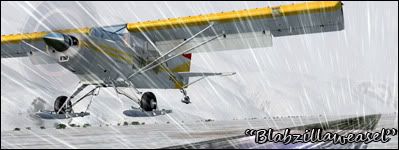
Hey guys, im having this really pain in the backside problem with FS9 my planes are all 'transparent' ive messed around with all the settings I would Claim Relevant and not had any luck maybe you guys would know? I've google'd it and some seem to have the same problem with AI but only at night; mine seems to be non-stop and i havent noticed any problems with my AI.


Cheers, Teh Blabzillaweasel
Last edited by Blabzillaweasel on Mon Mar 17, 2008 7:34 pm, edited 1 time in total.
Image
Blabzillaweasel
Member
 
Topic author
Joined: Wed Oct 31, 2007 4:18 pm
Posts: 124
Location: Hamilton, Waikato

Postby HardCorePawn » Tue Mar 18, 2008 8:43 am

Sounds like a driver issue... either that or you have somehow modified all the texture files to be transparent! :blink:

What video card and driver are you using? Do you have any other extras like nTune or nHancer or anything like that installed?
"Son, we are about the break the surly bonds of gravity, and punch the face of God." -- Homer Simpson

Image
User avatar
HardCorePawn
Senior Member
 
Joined: Fri Sep 01, 2006 4:18 pm
Posts: 1277
Location: 2500' above Godzone

Postby Blabzillaweasel » Tue Mar 18, 2008 3:20 pm

HardCorePawn wrote:
QUOTE (HardCorePawn @ Mar 18 2008, 08:43 AM) <{POST_SNAPBACK}>
What video card and driver are you using? Do you have any other extras like nTune or nHancer or anything like that installed?


Dont even know what nHancer/nTune are, im running latest driver and i have a SISm760GX 128 mb laptop card
FS used to be able to run without any transparency.

Another different graphical issue also happened to halo? They work for a few months then screwup somehow
Last edited by Blabzillaweasel on Tue Mar 18, 2008 3:21 pm, edited 1 time in total.
Image
Blabzillaweasel
Member
 
Topic author
Joined: Wed Oct 31, 2007 4:18 pm
Posts: 124
Location: Hamilton, Waikato

Postby HardCorePawn » Wed Mar 19, 2008 8:03 am

weird... some background reading suggests that this chipset is not DirectX9 hardware capable... only DX9 software...

I'm wondering if perhaps a Windows Automatic Update has screwed with your drivers and/or DirectX and is causing the chipset to do weird things? :unsure:

All I can suggest doing is to try:

- Uninstalling any drivers, then reinstalling the latest version from the laptop (or chipset) vendor... I have found "SiS UniVGA3 graphics driver" version 3.83, released 2007-10-15 on www.sis.com... note: this is for XP

- Failing that, try reinstalling FS9 to rule out any issues with the textures themselves...
"Son, we are about the break the surly bonds of gravity, and punch the face of God." -- Homer Simpson

Image
User avatar
HardCorePawn
Senior Member
 
Joined: Fri Sep 01, 2006 4:18 pm
Posts: 1277
Location: 2500' above Godzone

Postby Blabzillaweasel » Wed Mar 19, 2008 2:39 pm

Doesnt matter now, I set the aircraft quality to low with full virtual cockpit guages and it seems to have fixed it but otherwise; thanks for the help
Image
Blabzillaweasel
Member
 
Topic author
Joined: Wed Oct 31, 2007 4:18 pm
Posts: 124
Location: Hamilton, Waikato


Return to Technical Issues

Who is online

Users browsing this forum: No registered users and 9 guests
