Fletcher Turbine BETA

Read and report on flightsim developers progress of upcoming or completed products

Postby deaneb » Tue Jan 29, 2008 9:01 pm

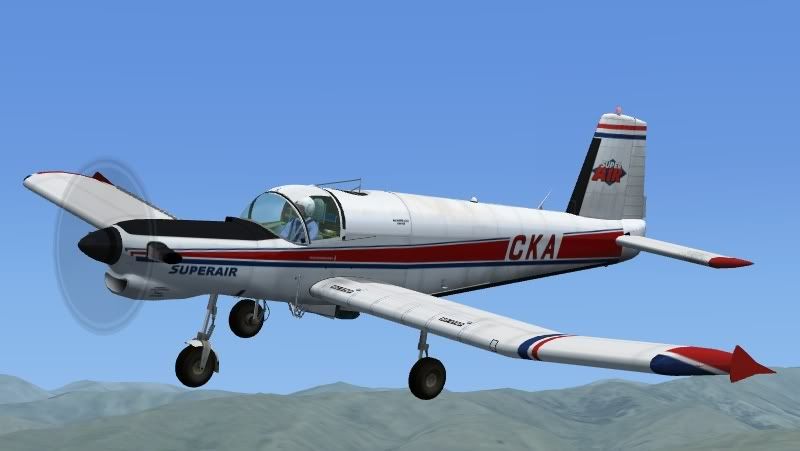
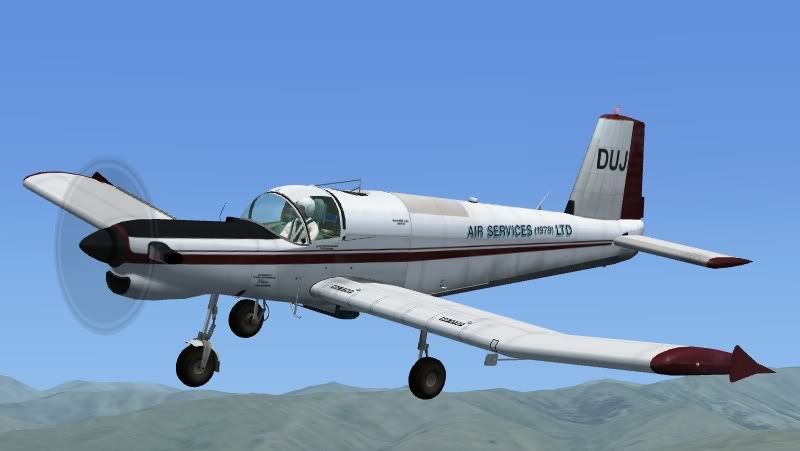
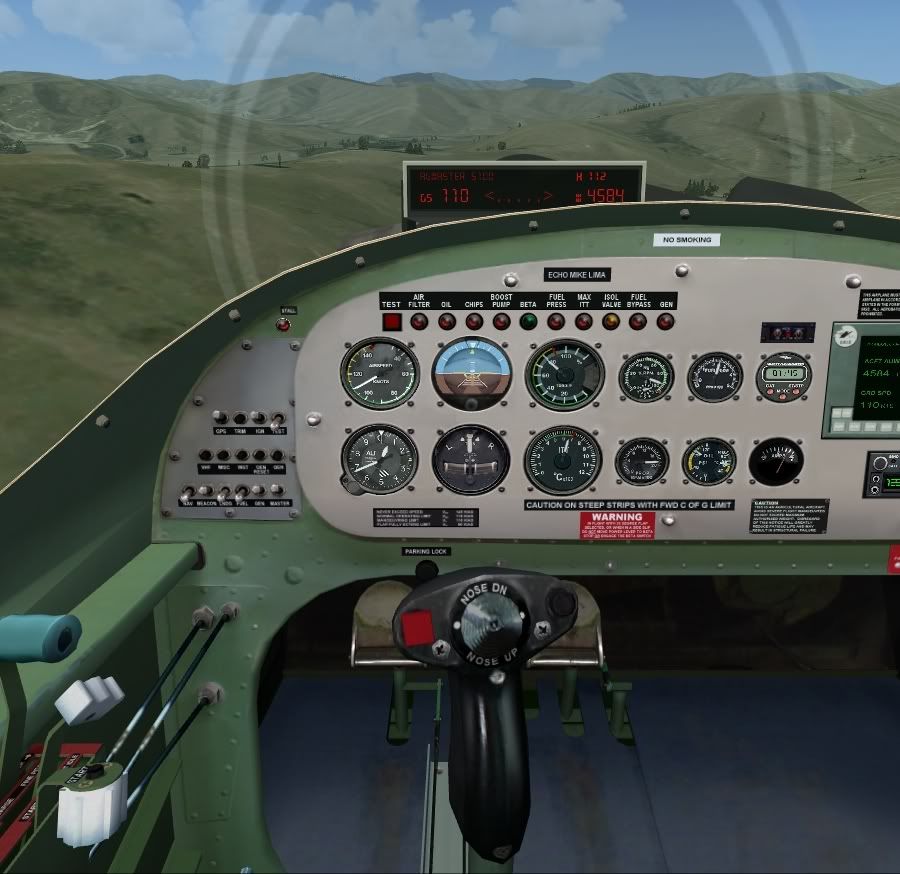
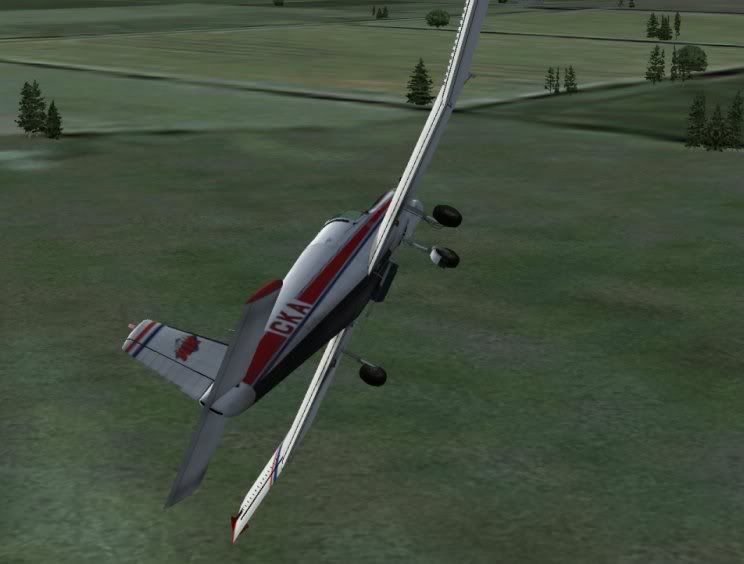
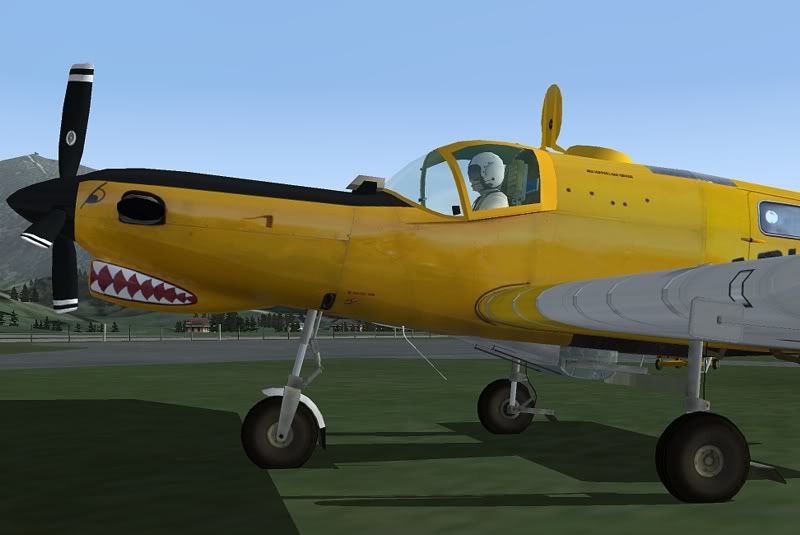
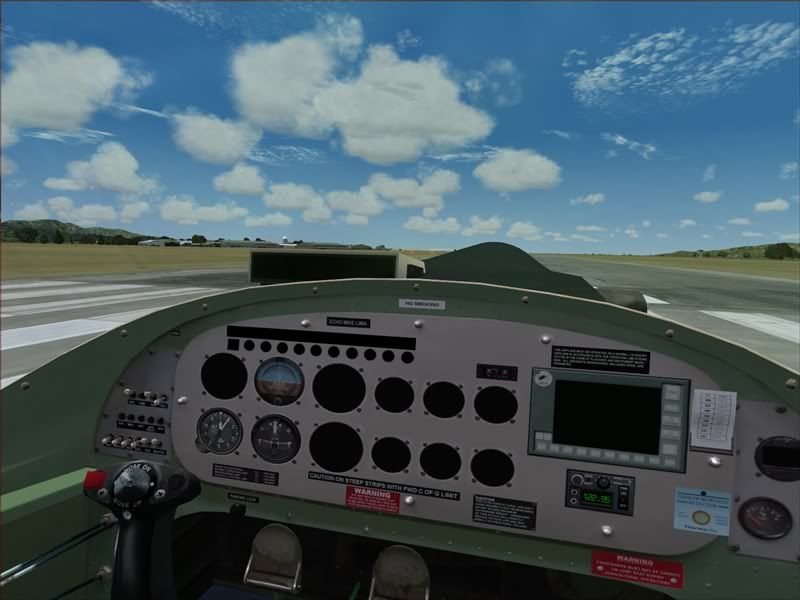
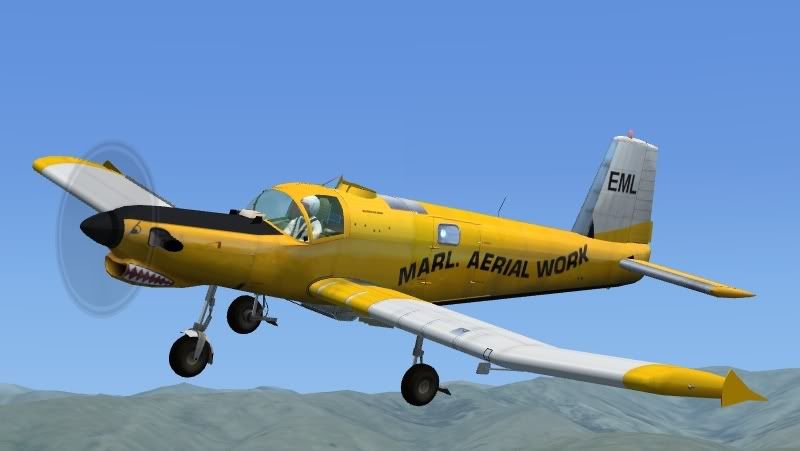
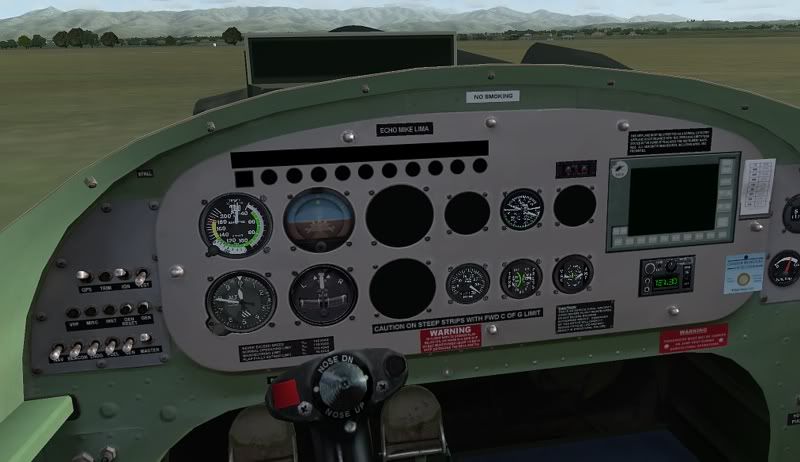
After a big break from FS design over the hot summer months, I've pulled out all stops and finished the Walter Turbine powered Fletcher. Before releasing the model onto AVSIM and FLIGHTSIM.com I need a few volunteers to trial this model. Note it is designed for FSX and is SP2/Acceleration compatible. It should work in FS2004, but some gauges won't work. I don't have FS2004 loaded anymore so I cannot support a FS2004 model I'm afraid. The zip file contains the three models pictured below and there are no installation instructions, so please only download if you know how to add an aircraft to FSX !!

Some additional notes
- add the sound folder from the default Cessna Caravan
- you will need to map akey for the control of the "ballast valve" to get the hopper weight to decrease whilst spreading
- the gps switch will make the lightbar display appear or disappear
- speedbrake key '/' will open and close hopper lid
- I have not included the todressing eefect, so you won't see a super trail unless you have my Earlier (400HP) Fletcher installed
- Othersise all other standard commands such as exit opening/close will work as per normal.

Post any feedback in this thread or email deaneb@ihug.co.nz

Download Here - 28 MB

I will be disabling this link late tonight Saturday 2 Feb as it was just a test Beta. 58 downloads to date is enough to get feedback from !! I need to finish a few items and then upload.

Screenshots below have been cropped but not re-sized


Last edited by deaneb on Sat Feb 02, 2008 10:12 am, edited 1 time in total.
Image
User avatar
deaneb
Senior Member
 
Topic author
Joined: Sat Aug 12, 2006 4:40 pm
Posts: 1561
Location: Blenheim

Postby Ian Warren » Tue Jan 29, 2008 9:23 pm

Deane D/loading now .. have bitta time here , have both sims 9/X running , sure all will be smack on the nose ! :thumbup:
Image
User avatar
Ian Warren
NZFF Pro
 
Joined: Fri May 05, 2006 5:23 pm
Posts: 41187
Location: AREA 51

Postby Naki » Tue Jan 29, 2008 10:21 pm

Wow awesome stuff Deane
User avatar
Naki
NZFF Pro
 
Joined: Sat Aug 05, 2006 10:03 pm
Posts: 7170
Location: Tauranga

Postby Q300 » Tue Jan 29, 2008 10:22 pm

Nice! works in FS9 >nzflag<
These Fletches are load's of fun to fly :plane:


Also never mind the slightly blury textures I took this on my c**p comp...
User avatar
Q300
Sim-holic
 
Joined: Wed Apr 25, 2007 4:41 pm
Posts: 699
Location: Auckland, ATM!

Postby Mattnz » Tue Jan 29, 2008 10:38 pm

Very nice, Deane :D

Downloading now...
Image
Mattnz
Sim-holic
 
Joined: Sun Feb 25, 2007 6:13 pm
Posts: 810
Location: Dunedin

Postby ardypilot » Tue Jan 29, 2008 10:47 pm


Another amazing Fletcher, very fun to fly in FS9!

I simply love yellow Marl Aerial Work paintjob with the teeth- hope someone can knock up some replacement gauges for the VC!
User avatar
ardypilot
NZFF Pro
 
Joined: Wed Apr 26, 2006 10:01 am
Posts: 6802
Location: Auckland

Postby benwynn » Tue Jan 29, 2008 10:52 pm

I just discovered the regular Fletcher- Ohh Yeah :wub:

Now This? Double :wub: :wub:

Would be nice though if somebody could replace some for FS2004. Damn FSX is taking over!! :D
User avatar
benwynn
Senior Member
 
Joined: Wed Apr 11, 2007 9:11 pm
Posts: 1433
Location: YBBN

Postby Ian Warren » Tue Jan 29, 2008 11:04 pm

Its a clean sweep hear so far , reverse,s pitch brilliant , sound set default probaly suits this model better than default , exceptional , I love it :) after watching Doco again about the Harding family and attitude towards the fletcher,s devolpment from your earlier FU24 to this model , this is the FSX first look :D
Image
User avatar
Ian Warren
NZFF Pro
 
Joined: Fri May 05, 2006 5:23 pm
Posts: 41187
Location: AREA 51

Postby creator2003 » Tue Jan 29, 2008 11:08 pm

Thanks works in sp2 ok have sent a email ..cheers nice job Deane :thumbup:
User avatar
creator2003
NZFF Pro
 
Joined: Fri Jun 16, 2006 12:08 am
Posts: 4633
Location: Cant U C im LOCO

Postby Ian Warren » Tue Jan 29, 2008 11:21 pm

Trolly wrote:
QUOTE (Trolly @ Jan 29 2008, 10:47 PM) <{POST_SNAPBACK}>

Another amazing Fletcher, very fun to fly in FS9!

I simply love yellow Marl Aerial Work paintjob with the teeth- hope someone can knock up some replacement gauges for the VC!

Andrew , just mentioned .. Crop dusters don't need Instruments ;) they do .. but old history doc mentions these two chaps heading south to Welly /paraparumu , mid flight - pulling all out what they did'nt need :) This in a DVD Robin Corn gave me , Tigers to Turbines , I broke it , liked the story so much , brought it again ... just a brilliant viewing , :thumbup:
But really puts Deane,s efforts into a Whole new side of New Zealand Aviation .
Image
User avatar
Ian Warren
NZFF Pro
 
Joined: Fri May 05, 2006 5:23 pm
Posts: 41187
Location: AREA 51

Postby Q300 » Wed Jan 30, 2008 9:04 am

Man this thing is just so cool!
Flying it again this morning, the flight dynamics are so awesome its realy fun to just 'throw' it round in the sky.
And also landing on grass strips is realy smooth like a cessna would bounce round all over the place and this just gentaly rocks up and down until coming to a stop...

Realy great work Deane!
User avatar
Q300
Sim-holic
 
Joined: Wed Apr 25, 2007 4:41 pm
Posts: 699
Location: Auckland, ATM!

Postby deaneb » Wed Jan 30, 2008 5:36 pm

benwynn wrote:
QUOTE (benwynn @ Jan 29 2008, 11:52 PM) <{POST_SNAPBACK}>
I just discovered the regular Fletcher- Ohh Yeah :wub:

Now This? Double :wub: :wub:

Would be nice though if somebody could replace some for FS2004. Damn FSX is taking over!! :D


If you can post a screenshot so I can see what gauges don't show, i might be able to patch in some FS2004 default gauges. They may not be as accurate looking as the FSX ones, some of which I custom made. But better than nothing.

Deane
Image
User avatar
deaneb
Senior Member
 
Topic author
Joined: Sat Aug 12, 2006 4:40 pm
Posts: 1561
Location: Blenheim

Postby benwynn » Wed Jan 30, 2008 6:43 pm

No worries Deane, Ill get onto that right away.
User avatar
benwynn
Senior Member
 
Joined: Wed Apr 11, 2007 9:11 pm
Posts: 1433
Location: YBBN

Postby ardypilot » Wed Jan 30, 2008 6:54 pm

QUOTE
If you can post a screenshot so I can see what gauges don't show, i might be able to patch in some FS2004 default gauges.[/quote]

I'd be happy to test the new gauged panel in fs2004 too.
Last edited by ardypilot on Wed Jan 30, 2008 6:55 pm, edited 1 time in total.
User avatar
ardypilot
NZFF Pro
 
Joined: Wed Apr 26, 2006 10:01 am
Posts: 6802
Location: Auckland

Postby deaneb » Wed Jan 30, 2008 7:03 pm

Interesting that the Airspeed indicator is not from the files I did, it has some how picked up the default 2004 Cessna gauge as well as some of the other engine instruments. Compare with my screenshot !!
I can only really patch the round instruments, the others are FSX coded only as I made them from scratch, so I am afraid a full on FS2004 version is impossible for me to achieve
Last edited by deaneb on Wed Jan 30, 2008 7:40 pm, edited 1 time in total.
Image
User avatar
deaneb
Senior Member
 
Topic author
Joined: Sat Aug 12, 2006 4:40 pm
Posts: 1561
Location: Blenheim

Postby benwynn » Wed Jan 30, 2008 7:45 pm


Bugger Andrew Beat me! haha :D

Would also be happy to test.
User avatar
benwynn
Senior Member
 
Joined: Wed Apr 11, 2007 9:11 pm
Posts: 1433
Location: YBBN

Postby deaneb » Wed Jan 30, 2008 7:58 pm

How come your panel is different again. Actually thats what I expected to see, I wonder why Andrew has got some extra gauges showing ??
Last edited by deaneb on Sun Feb 03, 2008 9:18 am, edited 1 time in total.
Image
User avatar
deaneb
Senior Member
 
Topic author
Joined: Sat Aug 12, 2006 4:40 pm
Posts: 1561
Location: Blenheim

Postby ardypilot » Wed Jan 30, 2008 8:04 pm

QUOTE
I wonder why Andrew has got some extra gauges showing ??[/quote]
Whoops, I thought I should mention that I copied the panel folder from your original Fletcher when I couldn't get the gauges to display first time.
User avatar
ardypilot
NZFF Pro
 
Joined: Wed Apr 26, 2006 10:01 am
Posts: 6802
Location: Auckland

Postby deaneb » Wed Jan 30, 2008 8:34 pm

Trolly wrote:
QUOTE (Trolly @ Jan 30 2008, 09:04 PM) <{POST_SNAPBACK}>
Whoops, I thought I should mention that I copied the panel folder from your original Fletcher when I couldn't get the gauges to display first time.


Good thinking
Image
User avatar
deaneb
Senior Member
 
Topic author
Joined: Sat Aug 12, 2006 4:40 pm
Posts: 1561
Location: Blenheim

Postby deaneb » Wed Jan 30, 2008 8:47 pm

Ok I re-loaded FS2004 on my PC and again it does not want to work for me so I cannot work with FS2004 any more. Heres what you guys can do:

Open the panel cfg file and look for lines where a gauge is not working -

gauge00=Fu24_Walter!itt, 1, 1, 510, 510

In this case this is a Inlet Turbine Temp gauge. If you open the default FS2004 Kingair panel cfg file you can find and copy a suitable gauge name from there to get:

gauge00=KingAir!Itt2, 1, 1, 510, 510

This way you should get the empty hole to fill with a default FS2004 Kingair gauge. The other numbers relate to the position of the gauge. Imagine there is a 512 x 512 pixel invisible square over the gauge position on the panel. The 512 x 512 size is identified in the lines above the gauge00= line). The gauge selected is then drawn starting 1 pixel from the left and 1 pixel down and is 510 x 510 pixels in size. If you alter these figures you will soon see what I mean !!

Between the Kingair, Cessna caravan ( and maybe the 182) you should find the gauges you need

Deane
Image
User avatar
deaneb
Senior Member
 
Topic author
Joined: Sat Aug 12, 2006 4:40 pm
Posts: 1561
Location: Blenheim

Next

Return to Announcements

Who is online

Users browsing this forum: No registered users and 7 guests