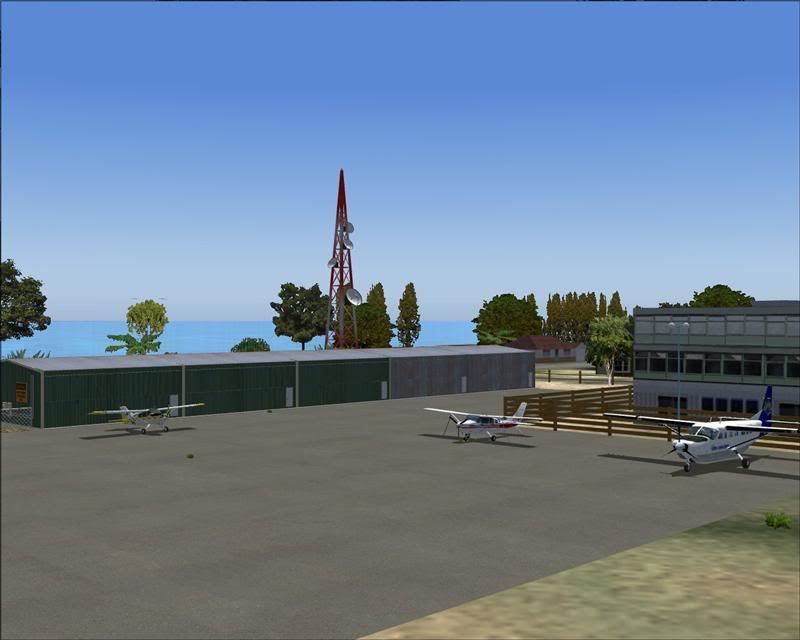
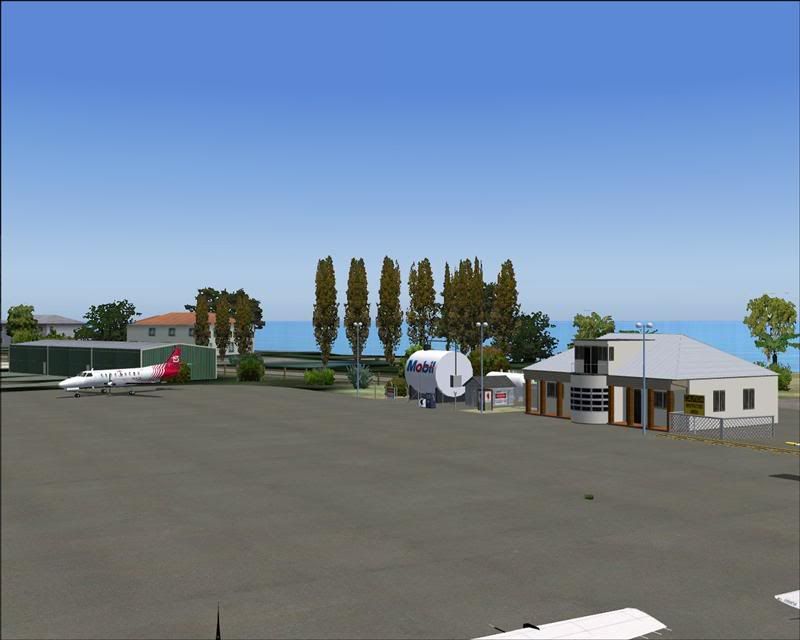
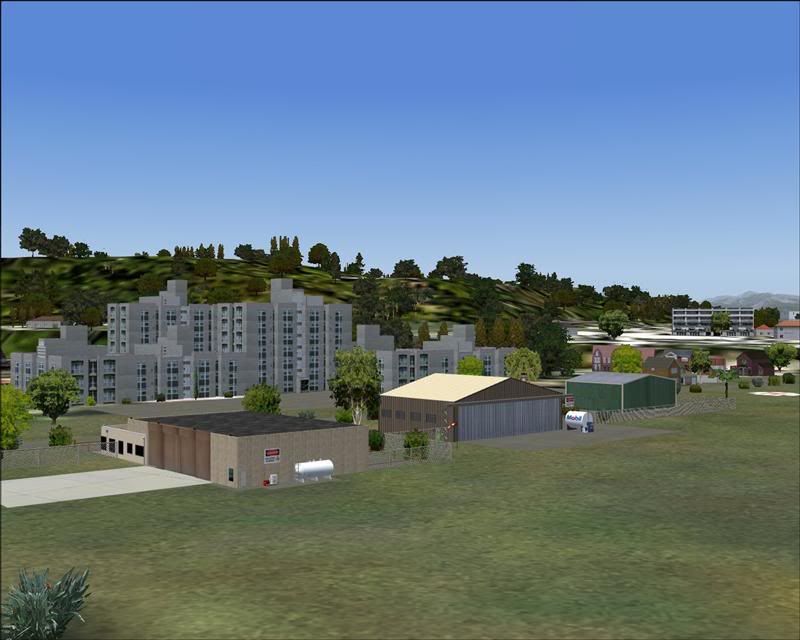
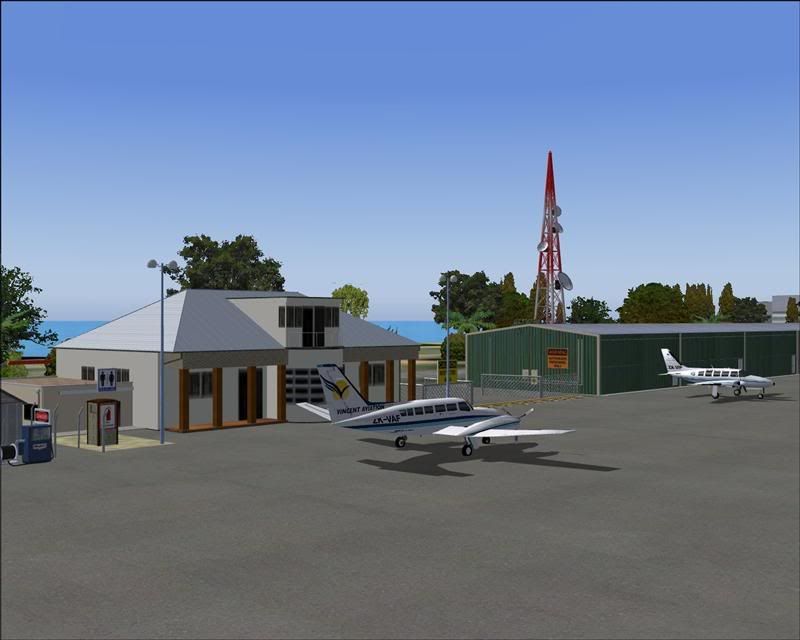
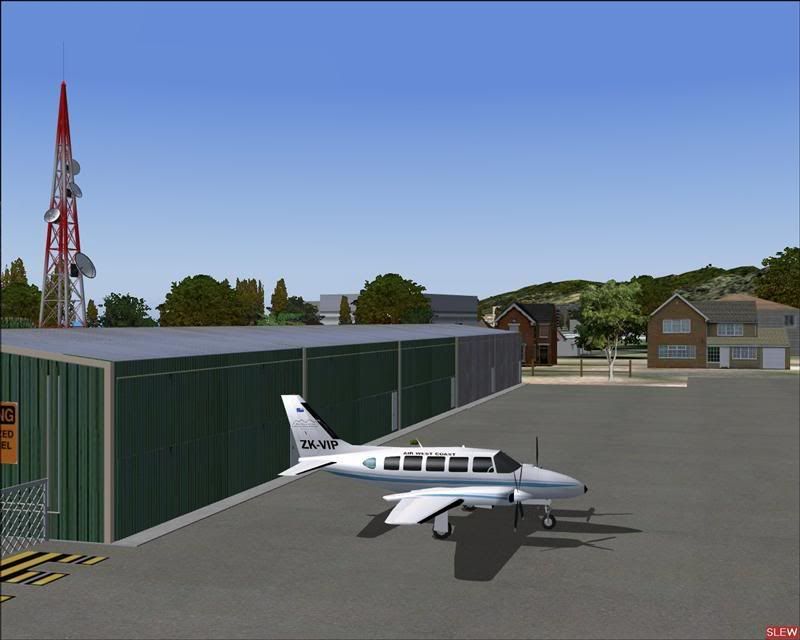
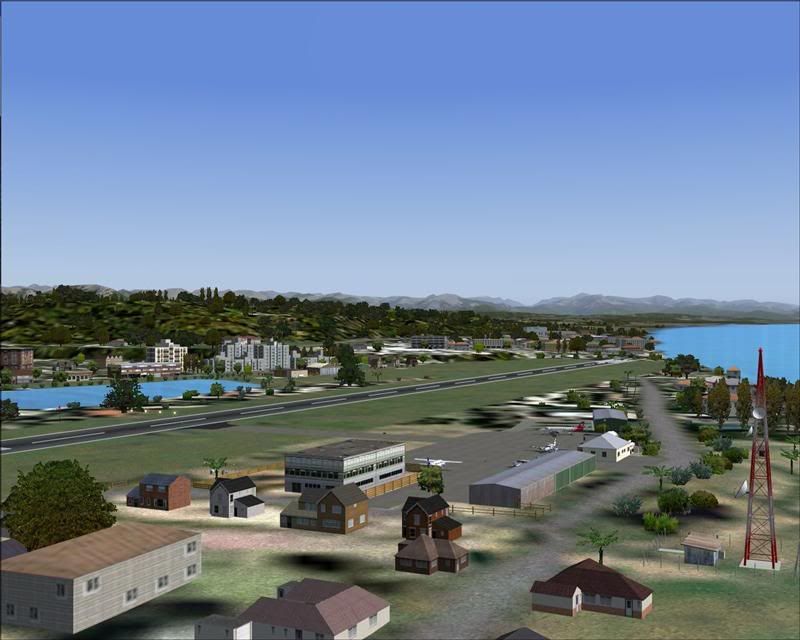
Greymouth Airport, NZGM

An area to discuss scenery addons for virtual NZ

Postby Snowman » Sat Oct 20, 2007 11:06 am

Just uploaded to Avsim, and should be available for download in the next few hours....................
Greymouth Airport , NZGM. Filename................. greymouth_airport_nzgm_2007.zip
Enter my name, Lawrie Roache, in the search field at Avsim.
Scenery requires Runway-12 and EZ Scenery items listed in the Install Instructions (if you dont already have them).
A few qick pics from the construction........................


Lawrie. New_Zealand_etc.gif
Last edited by Snowman on Sat Oct 20, 2007 11:19 am, edited 1 time in total.
Image

Image
User avatar
Snowman
NZFF Pro
 
Topic author
Joined: Wed Jul 26, 2006 3:52 pm
Posts: 2427
Location: Tauranga, NZ.

Postby kip » Sun Oct 21, 2007 1:08 am

sad.gif Hey Lawrie Roache help me out here with the runway12 and EZ scenery stuff because I did download "ALL" of them but am unsure of exactly where to put them as I downloaded the Napier and Napier port and when I went to Napier the scenery went all blurry within about a minute. Are "ALL" runway 12 stuff put into the add-on scenery files in the file library in flightsim? I just want this perfectly clear so I can extrapolate what my problem is. I have geographx 20m mesh/scenery package. Is there any known issues with other files that runway12 and EZ scenery maybe in conflict with? And EZ scenery goes into add-on scenery as a stand alone file too? As I write this im just goin on memory of where I think I put them. Your packages are great and I would love to use them but am apprehensive at this point until I sort my problem out. I have downloaded all of them and want to use them. If i put runway twelve in scenery library would it go under the red baron topo/mesh file for example? thumbup1.gif
Last edited by kip on Sun Oct 21, 2007 9:24 am, edited 1 time in total.
kip
Newbie
 
Joined: Thu Sep 06, 2007 10:51 am
Posts: 9

Postby captainherc » Sun Oct 21, 2007 6:52 am

Nice job. Greymouth never looked so good. I too have down loaded Runway 12 ready to install.Have the same questions about its locations. Also EZ Scenery, where do I find that as when put in to search on Avsim I get 3000+ matches. Any quick link available. Thanks.
User avatar
captainherc
Forum Addict
 
Joined: Sat Aug 18, 2007 9:50 pm
Posts: 352
Location: Whakatane

Postby Mattnz » Sun Oct 21, 2007 6:54 am

Very nice yet again, Lawrie, and all working fine this time thumbup1.gif
Image
Mattnz
Sim-holic
 
Joined: Sun Feb 25, 2007 6:13 pm
Posts: 810
Location: Dunedin

Postby Bazza » Sun Oct 21, 2007 12:39 pm

Thanks Lawrie, great stuff. I must have got my "stuff" together finally because this time it's all there.... clapping.gif

For Capt Herc and Kip, could I perhaps suggest you go through the threads for Kerikeri, Kaitaia etc. Myself and others had
the same queries as you have indicated and Lawrie has posted fairly fully on these points. There's a bit of work involved, in my
case it was mainly finding out what I already had that was being duplicated. Once you sort it out it's well worth it. Cheers..
Image
User avatar
Bazza
Sim-holic
 
Joined: Sat Jul 15, 2006 1:44 pm
Posts: 983
Location: Tauranga

Postby Snowman » Sun Oct 21, 2007 2:35 pm

captainherc wrote:
QUOTE (captainherc @ Oct 21 2007, 07:52 AM) <{POST_SNAPBACK}>
Nice job. Greymouth never looked so good. I too have down loaded Runway 12 ready to install.Have the same questions about its locations. Also EZ Scenery, where do I find that as when put in to search on Avsim I get 3000+ matches. Any quick link available. Thanks.


A link to the Runway-12 stuff is in the INSTALL NZGM Word Doco with the download.
Also there, is the link to the basic EZ Scenery AB library.
It also clearly states how to find the other EZ Scenery texture packs on Avsim, by entering the texture packs Authors name in the search field at Avsim, and selecting the catagory "FS2004 Scenery Design", then clicking on SEARCH !!
Other alternative is to search for "EZ Scenery", in the catagory "FS2004 Scenery Design", and it will bring up ALL the available EZ Scenery libraries.............................................

Lawrie. New_Zealand_etc.gif
Last edited by Snowman on Sun Oct 21, 2007 2:37 pm, edited 1 time in total.
Image

Image
User avatar
Snowman
NZFF Pro
 
Topic author
Joined: Wed Jul 26, 2006 3:52 pm
Posts: 2427
Location: Tauranga, NZ.

Postby Snowman » Sun Oct 21, 2007 2:52 pm

kip wrote:
QUOTE (kip @ Oct 21 2007, 02:08 AM) <{POST_SNAPBACK}>
sad.gif Hey Lawrie Roache help me out here with the runway12 and EZ scenery stuff because I did download "ALL" of them but am unsure of exactly where to put them as I downloaded the Napier and Napier port and when I went to Napier the scenery went all blurry within about a minute. Are "ALL" runway 12 stuff put into the add-on scenery files in the file library in flightsim? I just want this perfectly clear so I can extrapolate what my problem is. I have geographx 20m mesh/scenery package. Is there any known issues with other files that runway12 and EZ scenery maybe in conflict with? And EZ scenery goes into add-on scenery as a stand alone file too? As I write this im just goin on memory of where I think I put them. Your packages are great and I would love to use them but am apprehensive at this point until I sort my problem out. I have downloaded all of them and want to use them. If i put runway twelve in scenery library would it go under the red baron topo/mesh file for example? thumbup1.gif


Inside the "Addon Scenery" folder, create a folder called "Static Objects Library" . Inside that Static Objects Library folder, you need a folder named "Scenery, and a folder named "Texture".
For the Runway-12 and EZ Scenery texture sets, unzip them to a temporary folder, and move ALL files ending with the file extensions .txt and .xml and .bgl into the "Scenery" folder in the Static Objects Library.
Move all the files ending with the extension .bmp into the "Texture" folder inside the Static Objects Library.
To make the Static Objects Library availabale, you must activate it in the sim, the same as you would any other addon scenery, and keep the objects library at position number 1 in the list.
The Red Baron NZ20 mesh MUST be BELOW (a higher number) any NZ addon in the addon scenery list in FS.
Therer are NO extra EZ Scenery textures required for NZNR Napier Airport, they are all custom textures, included with the download, but the Runway-12 library is needed for various other objects in the scenery.
Problems may occur with the occasional untextured building in some sceneries, if you have the same textures in another texture folder somwhere else (double ups of the same textures).

Lawrie,


Bazza and MattNZ,................ happy to hear all is good with yours smile.gif smile.gif

Lawrie. New_Zealand_etc.gif
Image

Image
User avatar
Snowman
NZFF Pro
 
Topic author
Joined: Wed Jul 26, 2006 3:52 pm
Posts: 2427
Location: Tauranga, NZ.

Postby peebee » Tue Oct 23, 2007 12:20 am

Snowman wrote:
QUOTE (Snowman @ Oct 24 2007, 11:06 PM) <{POST_SNAPBACK}>
Just uploaded to Avsim, and should be available for download in the next few hours....................
Greymouth Airport , NZGM. Filename................. greymouth_airport_nzgm_2007.zip
Enter my name, Lawrie Roache, in the search field at Avsim.
Scenery requires Runway-12 and EZ Scenery items listed in the Install Instructions (if you dont already have them).
A few qick pics from the construction........................


Lawrie. New_Zealand_etc.gif


Hi Lawrie,

Fantastic bit of scenery, will make flying to Grey a real pleasure, thanks a lot
peebee
 

Postby Snowman » Tue Oct 23, 2007 4:46 pm

Sorry guys, i made an ommission in the list of ez textures required for the scenery.
See this post for the missing set....................

http://nzff.org/forum/viewtopic.php?t=4887

Lawrie. New_Zealand_etc.gif
Image

Image
User avatar
Snowman
NZFF Pro
 
Topic author
Joined: Wed Jul 26, 2006 3:52 pm
Posts: 2427
Location: Tauranga, NZ.

Postby Ian Warren » Tue Oct 23, 2007 4:51 pm

Great work Lawrie , thumbup1.gif good to see the gaps filled , long been needed! New_Zealand_etc.gif
Image
User avatar
Ian Warren
NZFF Pro
 
Joined: Fri May 05, 2006 5:23 pm
Posts: 41187
Location: AREA 51

Postby Snowman » Wed Oct 24, 2007 2:29 pm

Ian Warren wrote:
QUOTE (Ian Warren @ Oct 23 2007, 05:51 PM) <{POST_SNAPBACK}>
Great work Lawrie , thumbup1.gif good to see the gaps filled , long been needed! New_Zealand_etc.gif


Thanks "Wingman",........................ just trying to my bit to give something back to the FS community (and fill gaps in our beautiful little country).
I do the best i can with the few simple meagre tools i have available.............................

Lawrie. New_Zealand_etc.gif
Image

Image
User avatar
Snowman
NZFF Pro
 
Topic author
Joined: Wed Jul 26, 2006 3:52 pm
Posts: 2427
Location: Tauranga, NZ.


Return to Scenery

Who is online

Users browsing this forum: No registered users and 1 guest