Google Earth Flight Simulator

A single forum dedicated to all other non Microsoft flight simulation games

Postby Mattnz » Sun Sep 02, 2007 1:20 pm

Just seen this advertised on the Airliners.net forums, in the latest version of Google Earth (4.2), there is a flight simulator included.

It's no MSFS, but it's not all that bad.

In Google Earth, just press ctrl + alt + A. There are only 2 aircraft to choose from, but you can't see the outside of them anyway (I don't think)

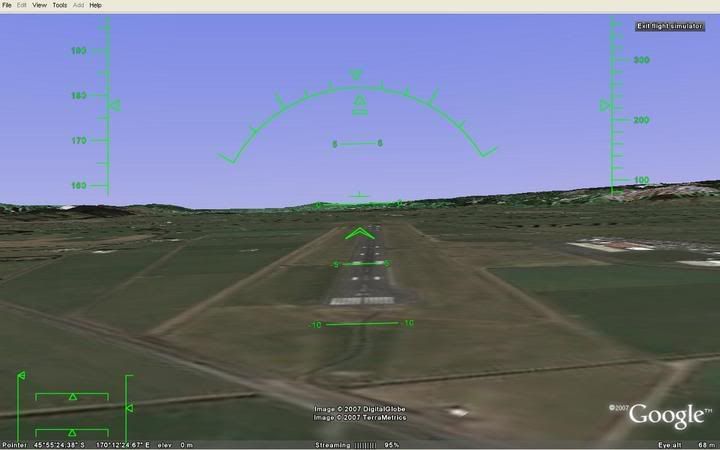
Here's a view of NZDN; it would look great with 3D buildings biggrin.gif


And you can use a joystick as well smile.gif

Image
Mattnz
Sim-holic
 
Topic author
Joined: Sun Feb 25, 2007 6:13 pm
Posts: 810
Location: Dunedin

Postby Kelburn » Sun Sep 02, 2007 3:18 pm

which google earth version?
Image

Isn't it evident?? Boeing are my favourite aircraft.

P.S. that's is my real birthday but I wish to keep my real age secret to keep you all pondering.
Kelburn
NZFF Pro
 
Joined: Sat Oct 14, 2006 10:59 am
Posts: 2193
Location: On a reverse 'hole'

Postby Kelburn » Sun Sep 02, 2007 3:34 pm

got it working. But my joystick won't work
Image

Isn't it evident?? Boeing are my favourite aircraft.

P.S. that's is my real birthday but I wish to keep my real age secret to keep you all pondering.
Kelburn
NZFF Pro
 
Joined: Sat Oct 14, 2006 10:59 am
Posts: 2193
Location: On a reverse 'hole'

Postby toprob » Mon Sep 03, 2007 7:53 pm

Yes, it is an amazing thing, like flying in FSX with 1m/px scenery except I get a steady 24FPS:)
I tried to record a flight in FRAPs, but it drops from 24FPS to 3 when I try to record.
Another interesting thing in GE is the 3D models starting to appear. There's a local company in Christchurch working on the city using the free Google modeller (Sketchup) and they're starting to make some progress:
User avatar
toprob
NZFF Pro
 
Joined: Sat Apr 29, 2006 4:56 pm
Posts: 6711
Location: Upper Hutt

Postby squirrel350 » Mon Sep 03, 2007 9:06 pm

Could this be the future for Flight Sim Users eh would be bl00dy cool if it was.

SQ350
Senior Crewman Scott, A-TEAM RESCUE HELICOPTER CREW.

Helicopter Pilots Get It Up Quicker.

Image
squirrel350
Forum Addict
 
Joined: Sun Nov 26, 2006 4:28 pm
Posts: 395
Location: Waikato, NZ

Postby scon » Mon Sep 03, 2007 9:08 pm

drool.gif

Shame my Saitek X52 doesn't work with it sad.gif
scon
Sim-holic
 
Joined: Mon Oct 16, 2006 7:16 pm
Posts: 963
Location: NZ

Postby Charl » Tue Sep 04, 2007 12:56 pm

Boys 'n girls, I have seen the future, and it may very well not be with Microsoft.
At work, away from your flightsim?
No problem, fire up GE and you're in.
Control shortcuts are on line


Works fine with a joystick.
Today I have looped de loop over NZWN over lunch.
User avatar
Charl
NZFF Pro
 
Joined: Mon May 01, 2006 8:28 am
Posts: 9691
Location: Auckland

Postby Kelburn » Tue Sep 04, 2007 5:07 pm

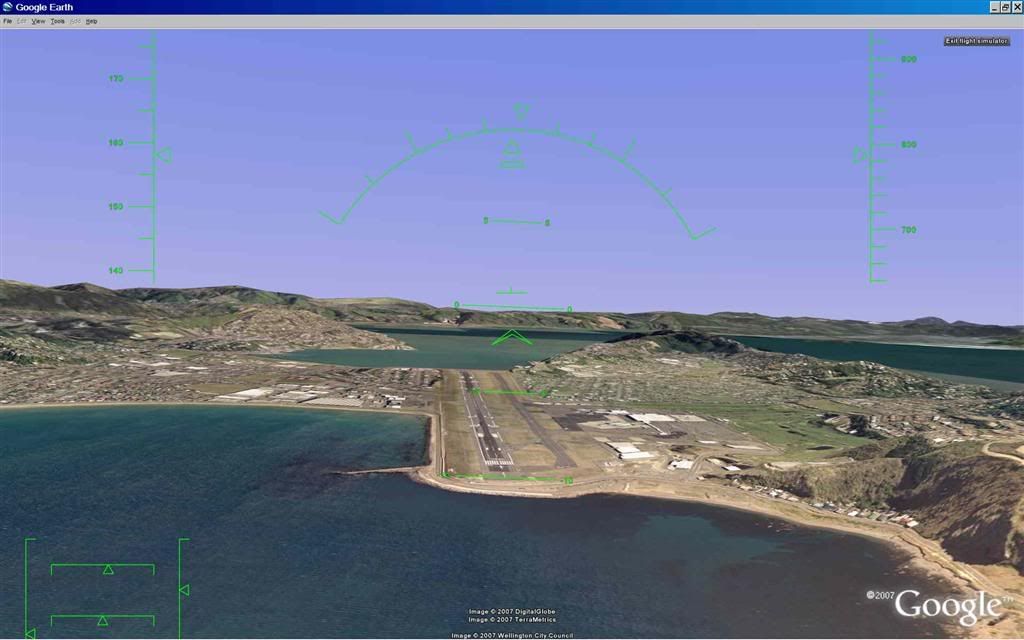
the only problem with NZWN is the runway is elevated and bumpy at the runway 16 threshold.
Image

Isn't it evident?? Boeing are my favourite aircraft.

P.S. that's is my real birthday but I wish to keep my real age secret to keep you all pondering.
Kelburn
NZFF Pro
 
Joined: Sat Oct 14, 2006 10:59 am
Posts: 2193
Location: On a reverse 'hole'

Postby Charl » Tue Sep 04, 2007 6:19 pm

It's a raw DTM.
Just imagine if someone smoothed it and put down some photoreal buildings, as seen earlier in this thread.
I can't wait for runways that do the up and down thing, I had hoped MS would make that a feature of FSX.
User avatar
Charl
NZFF Pro
 
Joined: Mon May 01, 2006 8:28 am
Posts: 9691
Location: Auckland

Postby squirrel350 » Tue Sep 04, 2007 10:10 pm

LOL I had a go tonight and had a fun bumpy ride along R16 at WN made the take-off quicker hahahaha would be cool to see them develop a full blown Flight Sim.

SQ350
Senior Crewman Scott, A-TEAM RESCUE HELICOPTER CREW.

Helicopter Pilots Get It Up Quicker.

Image
squirrel350
Forum Addict
 
Joined: Sun Nov 26, 2006 4:28 pm
Posts: 395
Location: Waikato, NZ

Postby ZKTOM » Thu Sep 06, 2007 8:12 pm

man that is superb! AWESOME!
ZKTOM(FS)-Qualified Flight Simmer

"If it ain't Boeing, It ain't going"
Image
ZKTOM
Forum Addict
 
Joined: Wed Mar 21, 2007 4:53 pm
Posts: 328
Location: Computer Room

Postby ZK-Brock » Tue Sep 11, 2007 5:48 pm

Kelburn, have you got your joystick working yet? Mine doesn't work with this.. sad.gif

On a side note, google earth is sweet! I recommend downloading the Red Baron entertainment airstrip map here, then finding the strips on google earth smile.gif I've got a few of the nelson ones already.
Last edited by ZK-Brock on Tue Sep 11, 2007 8:40 pm, edited 1 time in total.
ZK-Brock
NZFF Pro
 
Joined: Sun Jul 23, 2006 3:35 pm
Posts: 2035


Return to Other Flight Simulator Games

Who is online

Users browsing this forum: No registered users and 4 guests