Graphic issues

The place to ask for help or solve each others technical issues and discuss hardware

Postby creator2003 » Tue Aug 21, 2007 9:25 pm

Ive now got one of these newer cards 8600gts 256mb ddr3 PCIexpress ive put the lastest drivers in 162.00 something and most programs display ok but there are some that just have issues
like 3d max ,flightsim at the begining page all the antilasing is jagged etc ...ive tryed overriding the setting 4x and 8x but it never does it for me ,it just always displays like cr@p ..
when flightsim is running its fine unless i open fspilot up over the top of the fs page then the fsim displays like ive got no antilasing on then close the fspilot window and it comes back smooth with great flps ,in max when i set a camera up in the room it warps everything and is jagged like the pics below but when i render a shot it displays sweet ,
any ideas ??or is this just new tech gone cr@p again ..


now i meet all system specs i have 2gig of ram psu is fine ive contacted tech support etc .. and they couldnt tell me anything i havent done yet or didnt know to do ...
this card screems along good when im in fs but its all the other things im doing withit aswell that really gets to me how am i suppose to model in a warped world dry.gif
any help would be great
mike
ps and im just using XP
Last edited by creator2003 on Wed Aug 22, 2007 1:07 am, edited 1 time in total.
User avatar
creator2003
NZFF Pro
 
Topic author
Joined: Fri Jun 16, 2006 12:08 am
Posts: 4633
Location: Cant U C im LOCO

Postby Alex » Wed Aug 22, 2007 6:50 pm

On some other problems, people have found they also have problems similar to the ones you've described - on the IVAO forums. They can't seem to find a common factor other than that they have an 8 series Nvidia Graphics card.

Alex
Alex
NZFF Pro
 
Joined: Fri Jul 14, 2006 3:39 pm
Posts: 3620

Postby creator2003 » Wed Aug 22, 2007 9:18 pm

I suppose its drivers then this is no good for work so ill be trashing it soon if the problem still goes on i just can handle that sort of performance issues when my life depends on what i build ,this is cr@p ,ok if you are a gamer all the time because it works ok well seemy ok in fs and on other games i have but with 3dmax its cr@p ,in gmax its ok ..???
im going to have to install max 9.1 and see if i can work in that one just all my plugins dont work properly in the newer ones ,all because of crappy tech ,this reminds me of fsx angry.gif there are beta drivers out 163 but ill have to get those when im back on broadband
Last edited by creator2003 on Wed Aug 22, 2007 9:19 pm, edited 1 time in total.
User avatar
creator2003
NZFF Pro
 
Topic author
Joined: Fri Jun 16, 2006 12:08 am
Posts: 4633
Location: Cant U C im LOCO

Postby creator2003 » Thu Aug 23, 2007 2:22 pm

Well HCP came to my rescue today with a idea that i didnt config my drivers within max properly ,,,me stupid went to my custom setting within max and set the drivers up within max and then it worked without the warped world so that problem is ok now but it still has antilasing problem and i put this down to the drivers still they are cr@p but like anything new we are always going to have problems with there software just wish they would realease the card when the have these things sorted and not putting people through this headache ...
im really getting sick of this type of stuff if i put out scenery ,at lest i admit that its not the best at the moment or im like half finshed etc... not that "this is the greatest thing ever "sell acouple million cards and let everyone wonder why its not working like it said it would ...are they really doing us any good with there half pie attempts to realease stuff quicker with problems /8000 cards with dx10 /vista /fsx all problems right from the day they put it on the shelf ,and they knew it ,its criminal thats for sure angry.gif but do we have a chiose not really unless we want to be left behind ,they should be paying us seeing thats its the freeware guy that always sorts out there bugger ups ...not the guy who sits there and realeases it because he wants to get payed and know fullheartedly that its plaged with big problems ,money money money thats all they care about

SO A HUGE thanks to HCP thumbup1.gif
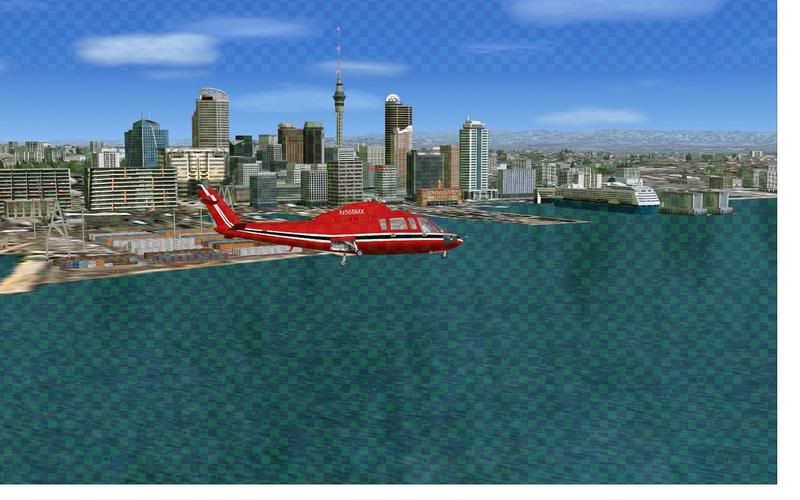
just a quick pic of the after photo
Last edited by creator2003 on Thu Aug 23, 2007 2:32 pm, edited 1 time in total.
User avatar
creator2003
NZFF Pro
 
Topic author
Joined: Fri Jun 16, 2006 12:08 am
Posts: 4633
Location: Cant U C im LOCO

Postby Alex » Thu Aug 23, 2007 7:12 pm

Good stuff, glad you got it sorted Mike. thumbup1.gif

Alex
Alex
NZFF Pro
 
Joined: Fri Jul 14, 2006 3:39 pm
Posts: 3620

Postby creator2003 » Thu Sep 06, 2007 10:01 pm

Still having issues now and again with this card the puter has only been on for 3 days and when ive gone multi screens for the tv connection and swap it back again the double moniters stay as a setting in the properties and dont revert backwards to just the one as a option ,weird "and yes i took the Svideo cable out before restarting twice ,then fired up the sim to get a screen ive seen once before when ive done the same thing for watching on tv ..

looks like it has the overheat bug but the card is always only running 50-60 max ever and when this was taken it was at 50 so it wasent over heating
anyone got any ideas before it disapares again for awhile as the fix is to turn my pc over for 30min and unplug everything before the next restart like last time . dry.gif
but not really that cool when i was just about to go multiplay ..
User avatar
creator2003
NZFF Pro
 
Topic author
Joined: Fri Jun 16, 2006 12:08 am
Posts: 4633
Location: Cant U C im LOCO

Postby frostynz » Fri Sep 07, 2007 10:46 am

Just a thought here, I found video quality deteorating the longer I flew for a while, the problem was fixed by altering the virtual memory that Windows assigns for the amount of RAM you have. With only 2 GB of RAM a lot of resource will be taken up by the O/S as well as allowing for the RAM on your video card. What is your VM set at?

Regards Dave
frostynz
Member
 
Joined: Sun Aug 26, 2007 11:51 pm
Posts: 104
Location: Auckland

Postby creator2003 » Fri Sep 07, 2007 11:15 am

Thanks dave ive got a memOptimizer that is freeing that space and it still runs at 25 solid when this happens ,its always has happened after the double tv thing when ive force tv dection so i think it has something to do with that ,plus the force tv thing is stuck on and wont just detected one display when ive taken and changed the settings back to just one display ..
the ntune driver manager is just clashing the normal properties of the card and gets real confusing ..i think i will look for some more drivers i seen that the 163 beta ones are out there somewhere .. dry.gif
User avatar
creator2003
NZFF Pro
 
Topic author
Joined: Fri Jun 16, 2006 12:08 am
Posts: 4633
Location: Cant U C im LOCO

Postby frostynz » Fri Sep 07, 2007 11:31 am

I actually got to the point where I started deleting various 'utility' programmes such as nTune as it just seems to be a breeding ground for conflicts. I presume you have done a registry cleanup to get rid of any previous driver conflicts?
frostynz
Member
 
Joined: Sun Aug 26, 2007 11:51 pm
Posts: 104
Location: Auckland

Postby HardCorePawn » Fri Sep 07, 2007 11:51 am

it will be because the TV out is causing issues...

I have always found TV-Out to be problematic... like having to make sure the display is hooked up (and comp reset) before it will recognise it and allow the TV-Out to work etc... its not like a computer monitor where you can just plug/unplug and reconfigure on the fly...

So it does not surprise me that you are having issues when you try to switch from a monitor to TV and back again...
"Son, we are about the break the surly bonds of gravity, and punch the face of God." -- Homer Simpson

Image
User avatar
HardCorePawn
Senior Member
 
Joined: Fri Sep 01, 2006 4:18 pm
Posts: 1277
Location: 2500' above Godzone

Postby creator2003 » Sat Sep 08, 2007 3:23 pm

Well i got hold of the beta 163.44 drivers and just before i install the ntune control panel ,is there something else out there that will do the same job ,or is that tha only control panel for the 8600gts avalible or newer cards ???
User avatar
creator2003
NZFF Pro
 
Topic author
Joined: Fri Jun 16, 2006 12:08 am
Posts: 4633
Location: Cant U C im LOCO


Return to Technical Issues

Who is online

Users browsing this forum: No registered users and 7 guests