Marlborough
52 posts
• Page 2 of 3 • 1, 2, 3
 by toprob » Tue Jun 19, 2007 5:14 pm
That would be the norm -- AGNs don't exist for every tile. It makes sense that it checks each tile for a corresponding AGN, but I would imagine that this takes less time than to load and display an AGN file.
-

toprob - NZFF Pro
- Joined: Sat Apr 29, 2006 4:56 pm
- Posts: 6741
- Location: Upper Hutt
by toprob » Tue Jun 19, 2007 5:21 pm
Trolly wrote: Wow- I just took a flight from Omaka to Picton and am very impressed with the detail of the airports in this addon!
However, when looking towards Woodbourne and randomly at other times in the Sounds, I get stutters down to 5fps- I am yet to defrag, but are there any .BGL's that I can remove to increase FPS on my low end system?
Cheers
First thing to check is antivirus and file indexing, both of which will check each and every file (of which there are many in FS9) the first time through.
Do you use high or low display settings? The truth is they may need to be lowered on your system. Marlborough has by far the most texture load of any scenery, mainly because of the proximity of Woodbourne to Omaka.
I would be disinclined to remove anything in the meantime, although lowering the scenery complexity to normal may help around the Sounds, as there are boats

One thing I'd like to suggest -- would you be willing to test a version with smaller textures? It's something I've considered, and may make it perform better. Let me know.
It would involve me reducing the size of the existing building textures.
-
toprob - NZFF Pro
- Joined: Sat Apr 29, 2006 4:56 pm
- Posts: 6741
- Location: Upper Hutt
by ardypilot » Tue Jun 19, 2007 11:44 pm
Hmmm, weird things going on for me today!
I just took a flight from Wellington to Woodbourne in my PMDG 1900D. I use the 2D panel version to maximise FPS (no VC model variant). First time I loaded up at NZWN, my sim was running extremely slow, not getting higher than 1.7FPS, and this was after a defrag, with no other programs running in the background. I had even disabled my internet connection, shut down all my firewall and anti-virus software and ended the explorer.exe process... plus I had moved my FS9 scenery display sliders down!
Anyway, I went to the ALT menu, switched to NZWB and took a quick circuit flight around there instead. FPS were fine, not random laggy glitches. I then switched back to NZWN via the ALT menu and everything was fine. I had a wonderful flight across the straight and made a perfect approach into runway 24 at Blenhiem. I can't believe how realistic the runway and airport ground and building textures are- I already can confidently say that Woodbourne is my favourite airport out of the entire REAL NZ series, you have done a great job
I took heaps of screenies along the way, only to shut down FS and realise that I had ended my screenie capturing software while disabling all my background apps to start with, and I only had a single shot saved on my clipboard
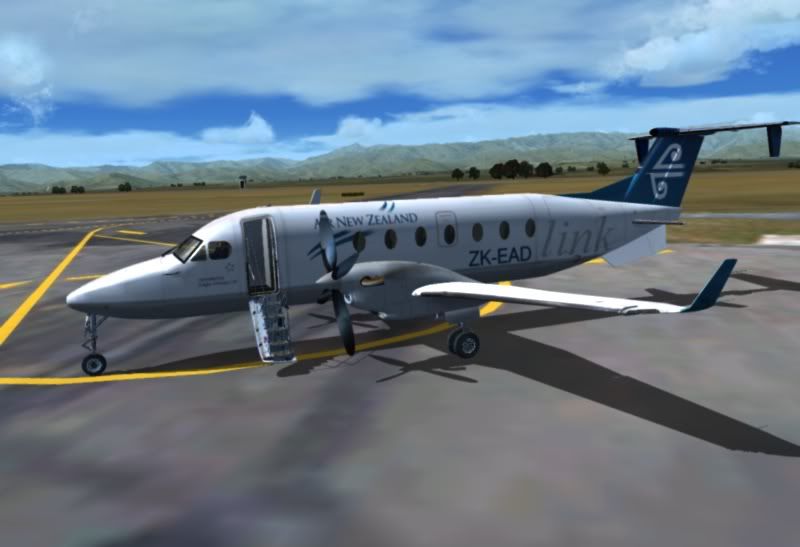
Ah well, at least I have another excuse to fly the route again. I'm happy to test the smaller textures Robin.
I just took a flight from Wellington to Woodbourne in my PMDG 1900D. I use the 2D panel version to maximise FPS (no VC model variant). First time I loaded up at NZWN, my sim was running extremely slow, not getting higher than 1.7FPS, and this was after a defrag, with no other programs running in the background. I had even disabled my internet connection, shut down all my firewall and anti-virus software and ended the explorer.exe process... plus I had moved my FS9 scenery display sliders down!
Anyway, I went to the ALT menu, switched to NZWB and took a quick circuit flight around there instead. FPS were fine, not random laggy glitches. I then switched back to NZWN via the ALT menu and everything was fine. I had a wonderful flight across the straight and made a perfect approach into runway 24 at Blenhiem. I can't believe how realistic the runway and airport ground and building textures are- I already can confidently say that Woodbourne is my favourite airport out of the entire REAL NZ series, you have done a great job
I took heaps of screenies along the way, only to shut down FS and realise that I had ended my screenie capturing software while disabling all my background apps to start with, and I only had a single shot saved on my clipboard
Ah well, at least I have another excuse to fly the route again. I'm happy to test the smaller textures Robin.
-

ardypilot - NZFF Pro
- Joined: Wed Apr 26, 2006 10:01 am
- Posts: 6802
- Location: Auckland
by ZK-LGD » Wed Jun 20, 2007 2:24 pm
Couple of AFCAD mods uploaded at www.nzfs.org.nz for Woodbourne and Picton to fit GNZLAP.
Errrr ... I'm logged in, but no "new" AFCADs are showing up in the GNZLAP folder (been looking for 2-3 days now).
Regards,
Dorian
Dorian
-

ZK-LGD - Sim-holic
- Joined: Fri Apr 28, 2006 3:34 pm
- Posts: 742
- Location: Springfield, Canterbury
by Snowman » Wed Jun 20, 2007 4:45 pm
"Real" Woodbourne Inhabitants.......................
It just wouldn't be a "real" Woodbourne without these old girls that featured so prominently in everyday life at Woodbourne for such a very long time..............
The Safe Air Limited Bristol's and Argosy's...............
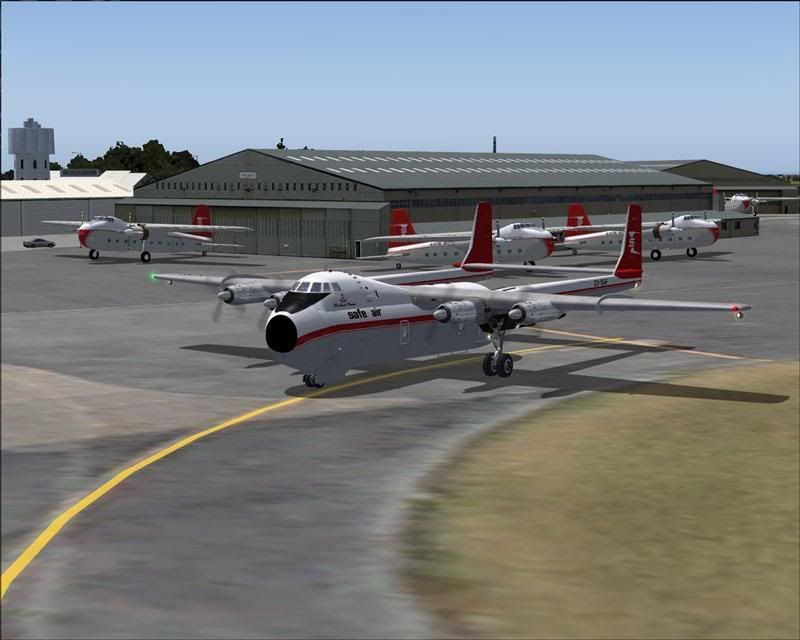
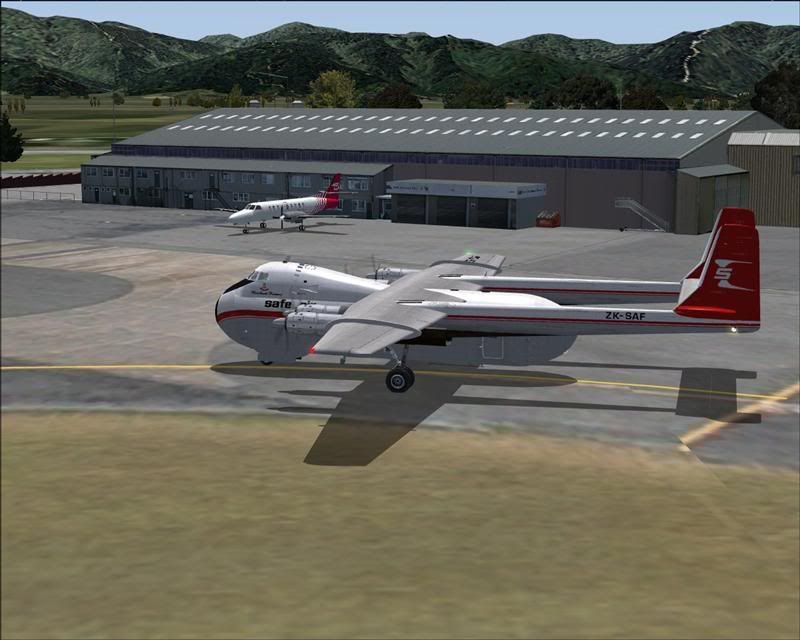
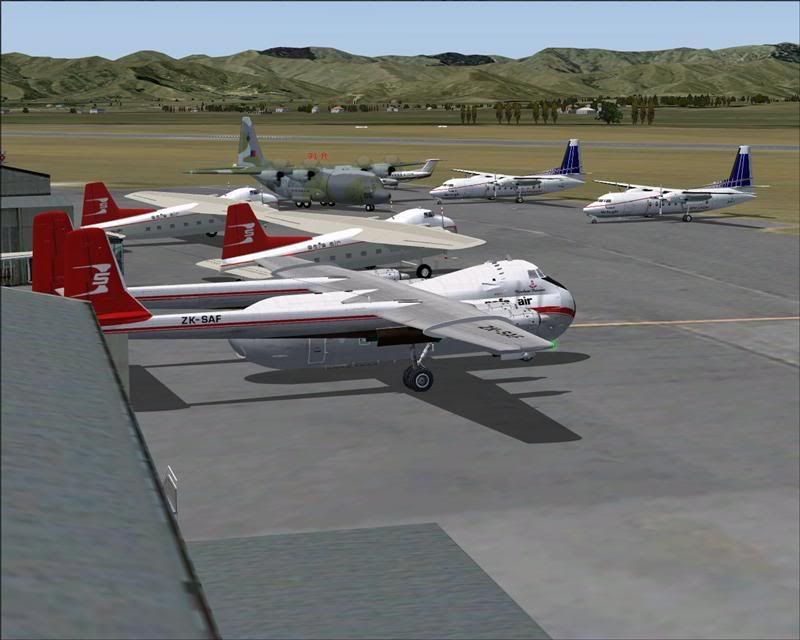
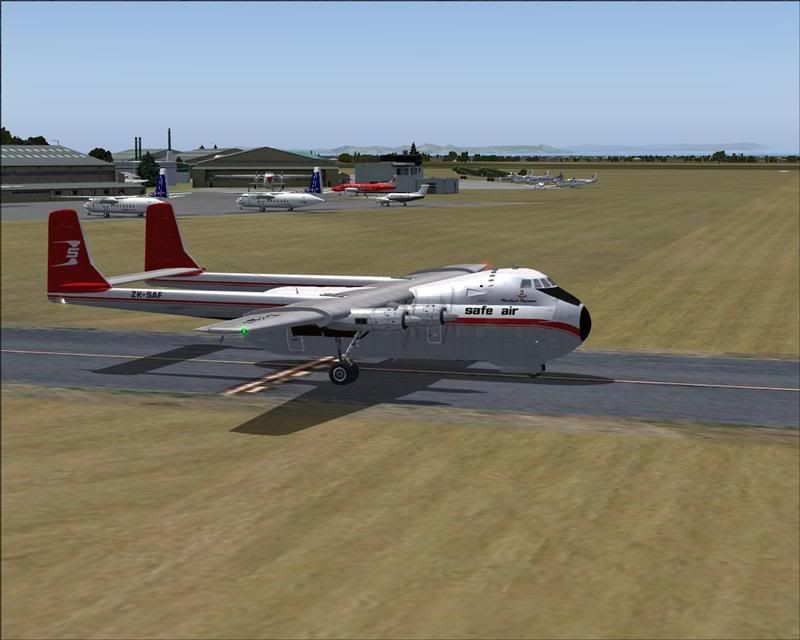
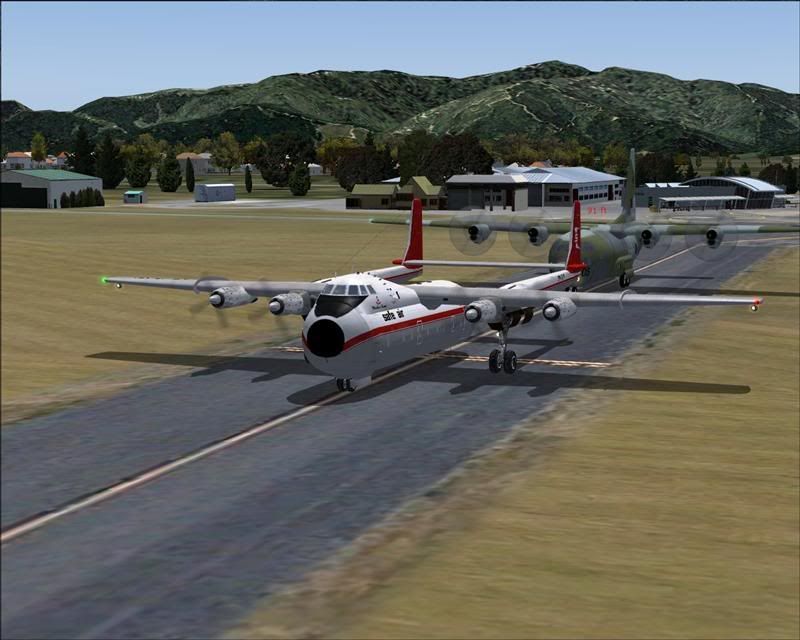
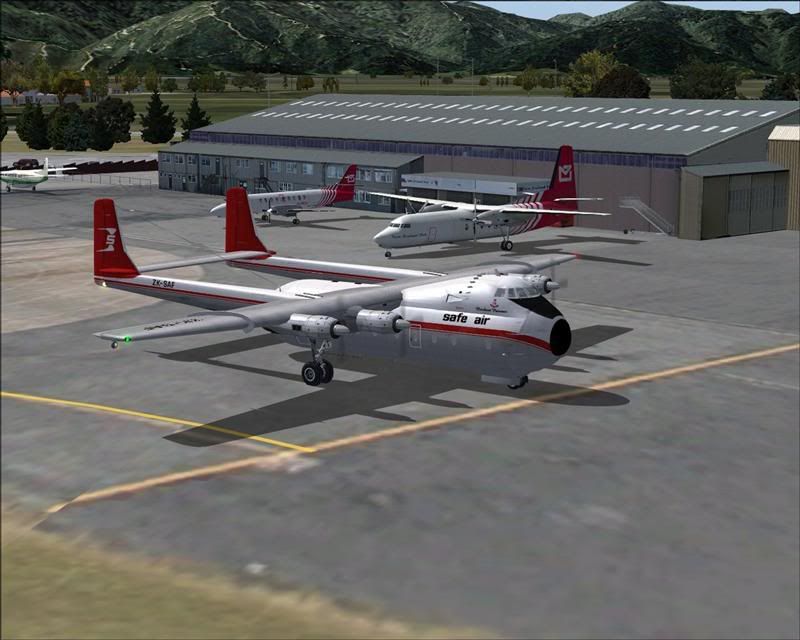
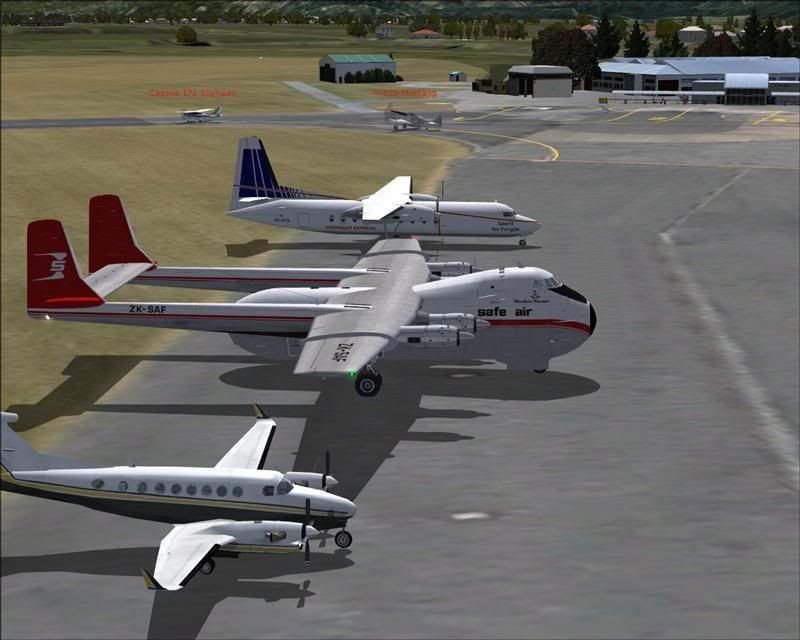
I have very fond memories of Woodbourne from my younger days, with the sights and smells of Safe Air Bristols, NAC Fokker F-27s and NAC DC-3s.
Lawrie.
It just wouldn't be a "real" Woodbourne without these old girls that featured so prominently in everyday life at Woodbourne for such a very long time..............
The Safe Air Limited Bristol's and Argosy's...............
I have very fond memories of Woodbourne from my younger days, with the sights and smells of Safe Air Bristols, NAC Fokker F-27s and NAC DC-3s.
Lawrie.


-

Snowman - NZFF Pro
- Joined: Wed Jul 26, 2006 3:52 pm
- Posts: 2427
- Location: Tauranga, NZ.
by Ian Warren » Wed Jun 20, 2007 5:51 pm
As usall Lawrie ....ripper screenies I think we need a good Bristol ! don't we 
I think we need a good Bristol ! don't we 
-

Ian Warren - NZFF Pro
- Joined: Fri May 05, 2006 5:23 pm
- Posts: 41187
- Location: AREA 51
by Charl » Wed Jun 20, 2007 6:35 pm
ZK-LGD wrote:Couple of AFCAD mods uploaded at www.nzfs.org.nz for Woodbourne and Picton to fit GNZLAP.
Errrr ... I'm logged in, but no "new" AFCADs are showing up in the GNZLAP folder (been looking for 2-3 days now).
Mmm drilling down through "GNZLAP Files" to "Downloads" should have you seeing this:

If not, Alex is the man driving the show around here, I just do what I'm told!
-

Charl - NZFF Pro
- Topic author
- Joined: Mon May 01, 2006 8:28 am
- Posts: 9801
- Location: Auckland
by Naki » Wed Jun 20, 2007 10:37 pm
Here are a few quick snaps of Omaka and Picton
Flying in from Woodbourne coming into land at Omaka for the first time - got carried away with the scenery and bounced big time.
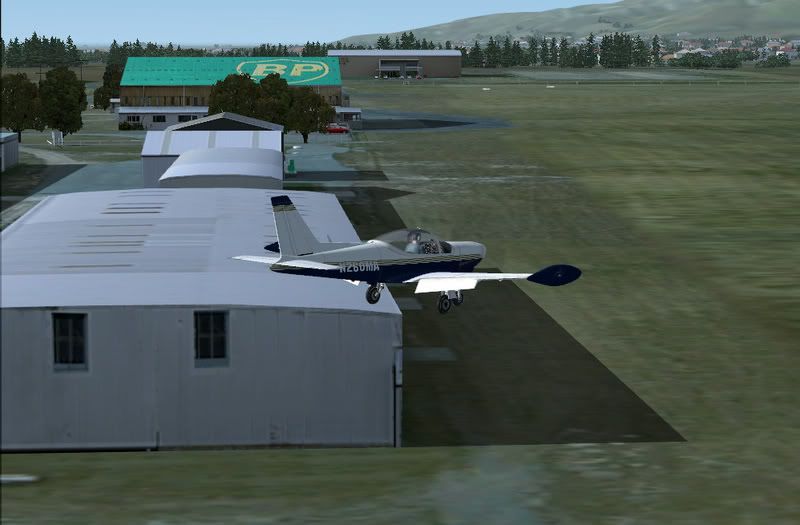
ahhh the home of vintage aircraft and fine wine (I'm moving to Omaka!)
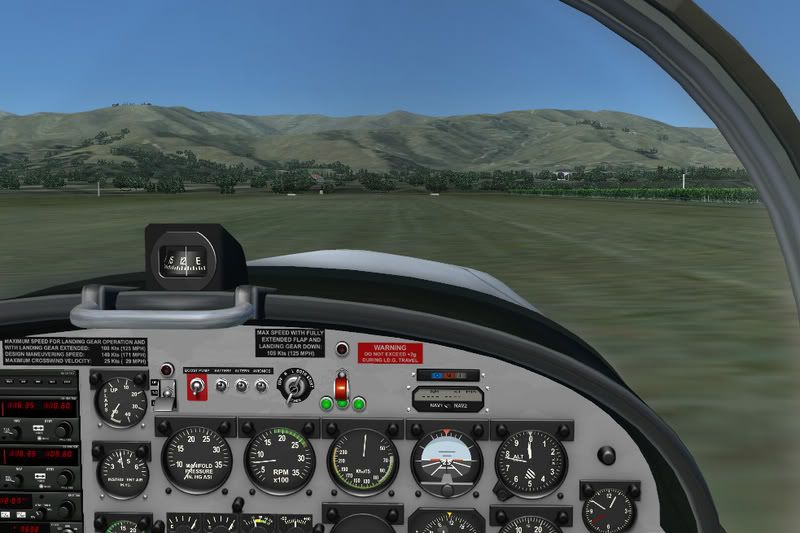
I have to say Omaka is now my favourite FS airport (never been there in RL though) - I just love grass runways and the little details around the place like windmills, vineyards, winerys etc just complete the picture. Robin, you have excelled yourself this time. Need more AI traffic though - plenty at Picton & Woodbourne. Charl?
A couple of shots at Picton - didn't realise how close all these airports are.


I'll do some decent shots when I find the time.
Flying in from Woodbourne coming into land at Omaka for the first time - got carried away with the scenery and bounced big time.
ahhh the home of vintage aircraft and fine wine (I'm moving to Omaka!)
I have to say Omaka is now my favourite FS airport (never been there in RL though) - I just love grass runways and the little details around the place like windmills, vineyards, winerys etc just complete the picture. Robin, you have excelled yourself this time. Need more AI traffic though - plenty at Picton & Woodbourne. Charl?
A couple of shots at Picton - didn't realise how close all these airports are.
I'll do some decent shots when I find the time.
Last edited by Naki on Wed Jun 20, 2007 11:15 pm, edited 1 time in total.
-

Naki - NZFF Pro
- Joined: Sat Aug 05, 2006 10:03 pm
- Posts: 7175
- Location: Tauranga
by Ian Warren » Wed Jun 20, 2007 11:06 pm
Great shots Paul  I have reinstalled all , .. ummm HELLs .. ... MALBOURGH SCENERY is all plus , Think we need to showcase this and all others buy REALNZ .. thought get a Co-Op going to plaster just really how Wicked Special this scenery is !
I have reinstalled all , .. ummm HELLs .. ... MALBOURGH SCENERY is all plus , Think we need to showcase this and all others buy REALNZ .. thought get a Co-Op going to plaster just really how Wicked Special this scenery is ! -
Ian Warren - NZFF Pro
- Joined: Fri May 05, 2006 5:23 pm
- Posts: 41187
- Location: AREA 51
by Pato » Thu Jun 21, 2007 4:45 pm
Charl, I have just installed Marlborough and read your comments about AFCAD's. I have installed them both for NZWB and NZPN. As I really don't know much about this what should I see differently at those airports?. Cheers.
CPU: Intel Core i5 760 @ 2.8GHz. Motherboard: Asus P7P55 LX. RAM: Kingston Hyper X 8GB 1600mhz DDR3 Non ECC. SSD: Samsung 250GB. HDD: WD !TB.
GRAPHICS: Asus GTX460, Direct CU 1GB GDDR5 256bit video graphics card. PSU: Cooler Master eXtreme Power Plus 650W. CASE: Cooler Master Gladiator.
GRAPHICS: Asus GTX460, Direct CU 1GB GDDR5 256bit video graphics card. PSU: Cooler Master eXtreme Power Plus 650W. CASE: Cooler Master Gladiator.
-

Pato - Forum Addict
- Joined: Sat Nov 18, 2006 1:41 pm
- Posts: 469
- Location: Kapiti Coast
by Charl » Thu Jun 21, 2007 5:23 pm
Robin can correct me - you need to copy the AFCADs both to "\Flight Simulator 9\Scenery\World\scenery" as wll as "Flight Simulator 9\Addon Scenery\scenery" because I think the Marlborough installer puts some in there.
There's a bit more parking for all the AI, and some hold-short nodes and stuff to make them behave.
There's a bit more parking for all the AI, and some hold-short nodes and stuff to make them behave.
-
Charl - NZFF Pro
- Topic author
- Joined: Mon May 01, 2006 8:28 am
- Posts: 9801
- Location: Auckland
by toprob » Thu Jun 21, 2007 5:27 pm
Charl wrote: Robin can correct me - you need to copy the AFCADs both to "\Flight Simulator 9\Scenery\World\scenery" as wll as "Flight Simulator 9\Addon Scenery\scenery" because I think the Marlborough installer puts some in there.
There's a bit more parking for all the AI, and some hold-short nodes and stuff to make them behave.
You normally don't need to replace the copy in Scenery\World\scenery, as this simply pre-loads the altered AFCAD elevation for correct AI use. Provided the elevation doesn't change -- and it shouldn't for Real NZ, otherwise the flattens won't match the AFCAD -- then this can just be left as is.
-
toprob - NZFF Pro
- Joined: Sat Apr 29, 2006 4:56 pm
- Posts: 6741
- Location: Upper Hutt
by Pato » Thu Jun 21, 2007 5:28 pm
Charl wrote: Robin can correct me - you need to copy the AFCADs both to "\Flight Simulator 9\Scenery\World\scenery" as wll as "Flight Simulator 9\Addon Scenery\scenery" because I think the Marlborough installer puts some in there.
There's a bit more parking for all the AI, and some hold-short nodes and stuff to make them behave.
OIC. I just replaced them in the addon scenery. Thanks for your help.
CPU: Intel Core i5 760 @ 2.8GHz. Motherboard: Asus P7P55 LX. RAM: Kingston Hyper X 8GB 1600mhz DDR3 Non ECC. SSD: Samsung 250GB. HDD: WD !TB.
GRAPHICS: Asus GTX460, Direct CU 1GB GDDR5 256bit video graphics card. PSU: Cooler Master eXtreme Power Plus 650W. CASE: Cooler Master Gladiator.
GRAPHICS: Asus GTX460, Direct CU 1GB GDDR5 256bit video graphics card. PSU: Cooler Master eXtreme Power Plus 650W. CASE: Cooler Master Gladiator.
-
Pato - Forum Addict
- Joined: Sat Nov 18, 2006 1:41 pm
- Posts: 469
- Location: Kapiti Coast
by K5054NZ » Thu Jun 21, 2007 8:13 pm
Naki wrote:
ahhh the home of vintage aircraft and fine wine (I'm moving to Omaka!)
I have to say Omaka is now my favourite FS airport (never been there in RL though) - I just love grass runways and the little details around the place like windmills, vineyards, winerys etc just complete the picture. Robin, you have excelled yourself this time. Need more AI traffic though - plenty at Picton & Woodbourne. Charl?
Oh...my....goodness....to quote "Red Vs Blue": "it's more beautiful than I ever imagined!"
Paul, thank you! MORE MORE MORE!!! Honestly, you can barely tell the difference between these screenies and the real thing. Beautiful. Hows about we get Robin nominated for the New Years' Honours List?
Re the AI, thats a grand idea! Thing is, we need to get a Nanchang to flit around in!
Seriously though, a Super Cub and Tomahawk would pretty accurately reflect the real Omaka, and glider ops on Sundays would be nifty.Keep the screenies coming, guys! Woo! It's just like being there!
-

K5054NZ - Senior Member
- Joined: Sun Jul 30, 2006 4:53 pm
- Posts: 1063
- Location: NZOM


52 posts
• Page 2 of 3 • 1, 2, 3
Return to Godzone 'Real New Zealand' Scenery Support
Who is online
Users browsing this forum: No registered users and 16 guests