Msxml Installing Error

A forum specifically to discuss the latest and greatest of all flight simulators

Postby Jimmy » Wed Jan 31, 2007 10:59 pm

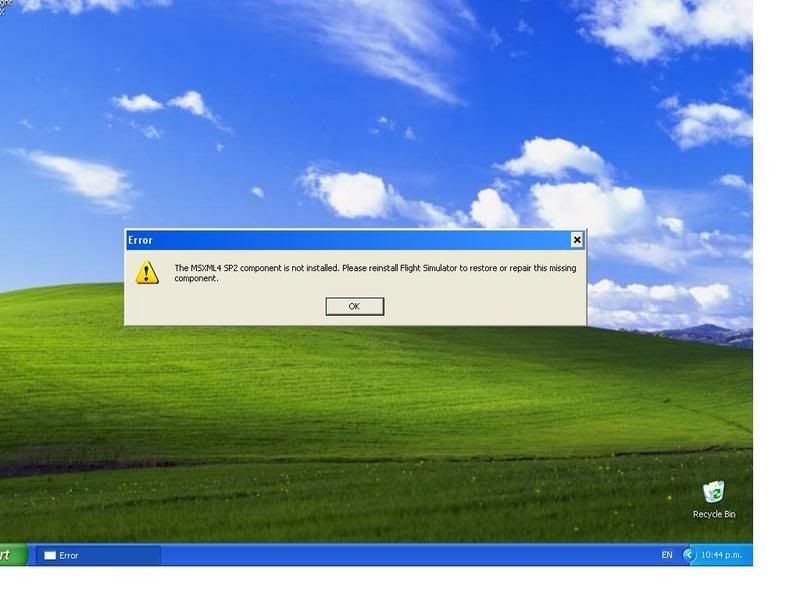
Well I after my windows reinstall and getting better fps in fs9 I thought I may as well reinstall fs10. Didn't go all nice and well thow, waited half an hour for it to install and once the installer had finished I got this message:

user posted image

So I tried the repair, another 20mins, so I uninstalled, 15mins then reinstalled all over again. Only to be having files happily copy over get too 100percent then get this message again! The message also comes up whenever I click the fsx icon to try and start it up.

So i;m woundering if I haven't got something installed on my fresh new win xp (sp2 pro) that it requires.

"MSXML 4.0" is showing as a installed program on the add/remove list, so is microsoft visual and of course fsx, (btw what are these two ather programs that get installed for?)

Please someone help me with this, im dieing to try fsx with my nice clean system and harddrives :drool:

Thanks
James
Jimmy
 

Postby ZK-MAT » Wed Jan 31, 2007 11:16 pm

Perhaps you need Service Pack Two for MSXML, just in case you have version one I guess

Alternatively, a quick Google found this from Microsoft

:D
User avatar
ZK-MAT
Senior Member
 
Joined: Sun Apr 30, 2006 11:41 pm
Posts: 1690
Location: Papamoa

Postby Jimmy » Thu Feb 01, 2007 11:24 am

Thanks mate! I installed that file (only 5mb d/l yay) and fsx started up, I activated and all working now. I hope that error didn't make the instaleler skip any important steps thow.. It works thow so thats great :D


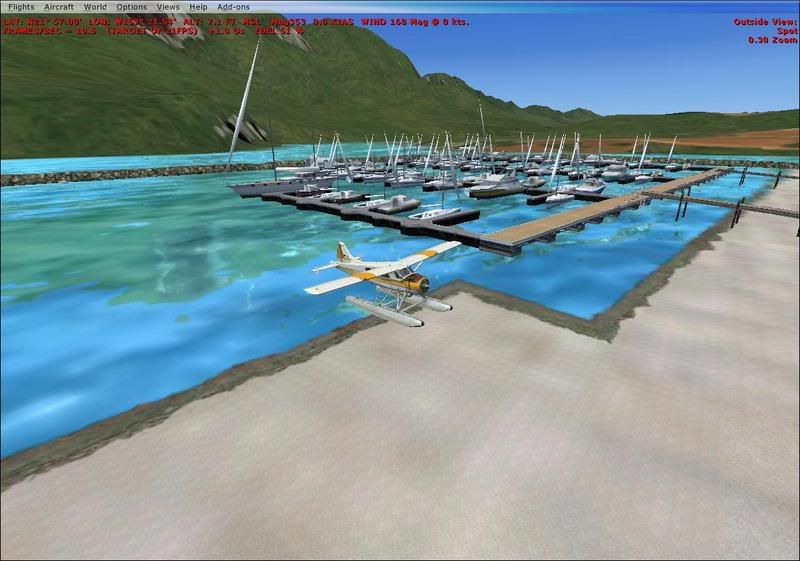
I now have anothor question about my fsx, before doing the reinstall of windows the water looked like this: (max water settings):
user posted image

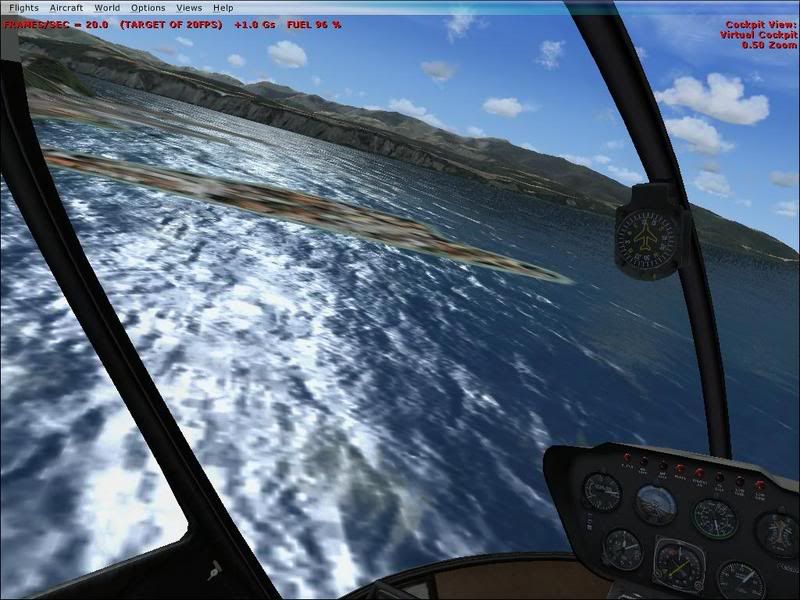
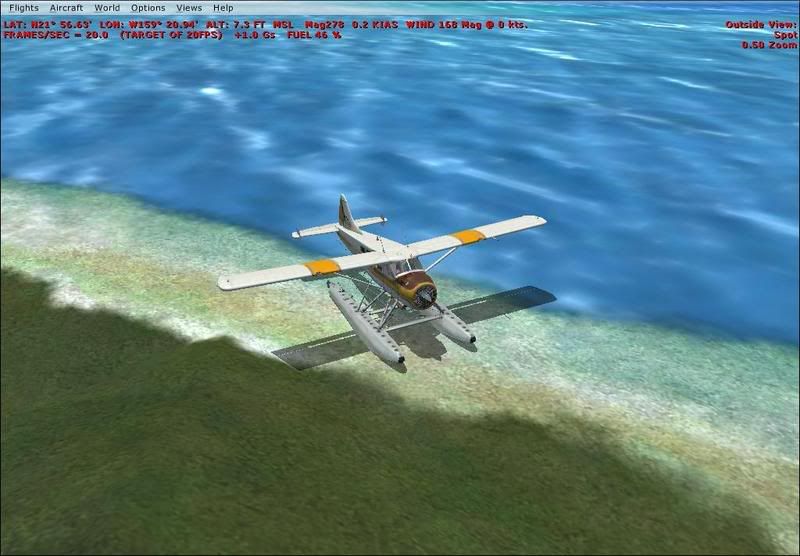
I now have excacly the same drivers installed for my 7600GS and prety much the same display settings in fsx and on my graphics card (I haven't touched my gfx cards settings but they how I had them anyway so there shoudl be no change) Yet this is what the water looks like now:
user posted image
user posted image


Its hard to tell from these screenshots but it certainly seems less detailed and all pixelated, not very nice looking.

any advice or help with this water apreciated
James
Jimmy
 

Postby ZK-Brock » Thu Feb 01, 2007 11:53 am

Hmm, maybe you need to change a setting in the GFX card options (whatever nvidia uses, I mean the equivalent to ATIs catalyst control center)
ZK-Brock
NZFF Pro
 
Joined: Sun Jul 23, 2006 3:35 pm
Posts: 2035

Postby ardypilot » Thu Feb 01, 2007 10:20 pm

Try changing your global texture resolution in the Display-> Graphics menu to a higher setting.
User avatar
ardypilot
NZFF Pro
 
Joined: Wed Apr 26, 2006 10:01 am
Posts: 6802
Location: Auckland

Postby Jimmy » Mon Feb 26, 2007 3:30 pm

I'm still getting this water, after much fidiling with settings it just wont come right, I was prety happy with fsx before I did the xp reinstall, (it was fs9 being the problem), not that im particuly wroied about the way water looks its just that if thats not right then what else isn't?!?

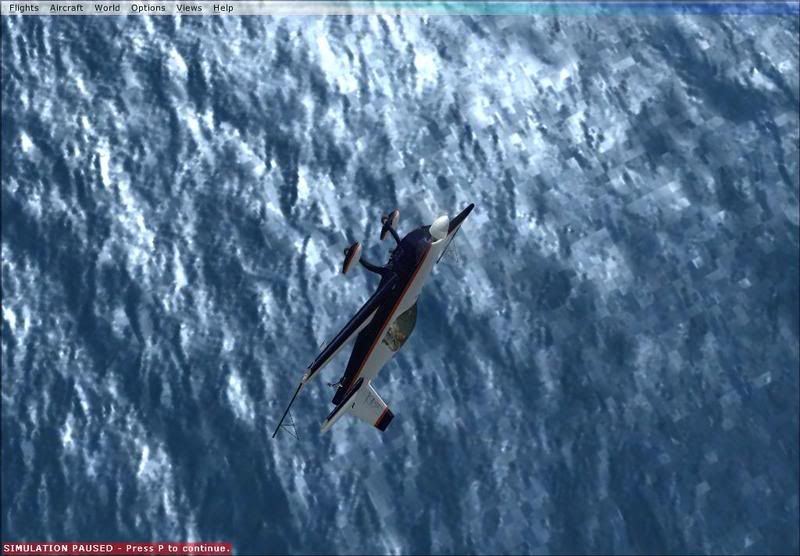
Heres a good picture showing what it looks like:

user posted image

Thanks
James
Jimmy


Return to All Flight Simulators

Who is online

Users browsing this forum: No registered users and 10 guests