What Is Causing This?

The place to ask for help or solve each others technical issues and discuss hardware

Postby brownbox » Mon Jan 29, 2007 9:48 pm

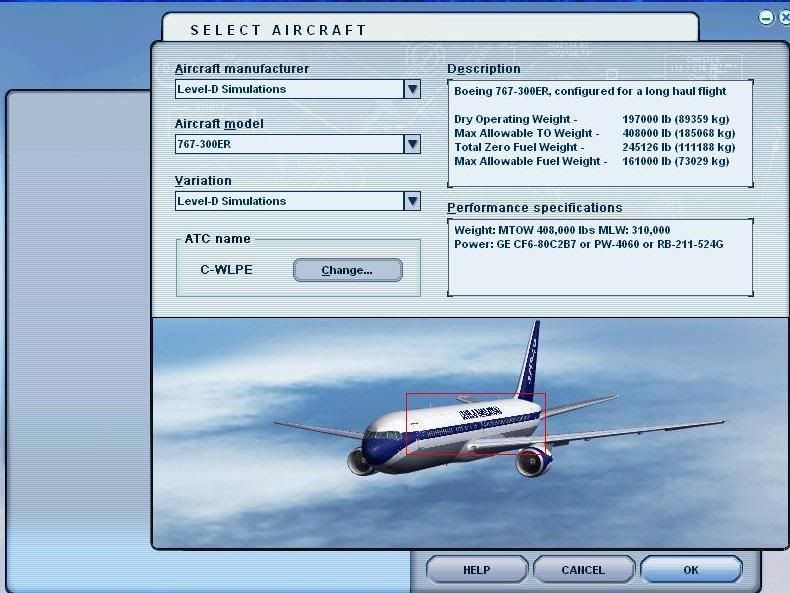
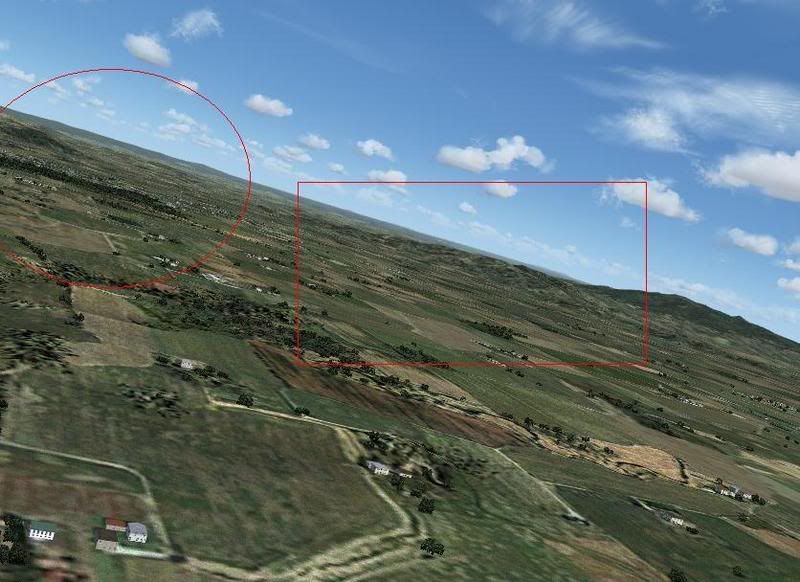
Look at the shots
user posted image
user posted image

These unclear spots are driving me crazy. Whats it caused by? I have MiPMapping set to 8, AA set to 4x, and AF set to 8x.

Cheers
BB
Desktop:Core 2 Duo E4300 1.8@ 3.0Ghz@ 1.36v. 4Gb Supertalent DDR2-800 2.1v@ 5-5-5-15. Asus P5N-E SLI Pencil Modded. Corsair TX 650. 512MB Palit Geforce 8800GT. 2x200GB IDE+640GB SATAII. Windows Vista Ultimate X86. Samsung SH-S222A
Phone:Nokia N900 Vodafone
Car: 1993 Mitsubishi Mirage Asti Z. Steel Blue Pearl

1996 Toyota Curren 2.0L 5 Spd Manual Silver. 205/50/R16 on Enkei K-95. Lowered on Jamex Superlows. Remote locking. Remote boot release. Cruise control
1996 Mitsubishi GTO MR

Image
User avatar
brownbox
Senior Member
 
Topic author
Joined: Thu Apr 27, 2006 10:55 pm
Posts: 1318

Postby Alex » Mon Jan 29, 2007 9:50 pm

I'm sorry, I can't really see very well what you mean, it looks like the image is compressed just a wee bit too much, and its hard to see the difference between the bits inside and outside the red lines... ;)

Alex
Alex
NZFF Pro
 
Joined: Fri Jul 14, 2006 3:39 pm
Posts: 3620

Postby brownbox » Mon Jan 29, 2007 10:03 pm

ok forget about the red lines. Its not compressed or anything, thats really what my flight sim looks like. :o I only used the boxes to show examples ;) Its almost as if its pixelised kind of.... I dunno :(
Desktop:Core 2 Duo E4300 1.8@ 3.0Ghz@ 1.36v. 4Gb Supertalent DDR2-800 2.1v@ 5-5-5-15. Asus P5N-E SLI Pencil Modded. Corsair TX 650. 512MB Palit Geforce 8800GT. 2x200GB IDE+640GB SATAII. Windows Vista Ultimate X86. Samsung SH-S222A
Phone:Nokia N900 Vodafone
Car: 1993 Mitsubishi Mirage Asti Z. Steel Blue Pearl

1996 Toyota Curren 2.0L 5 Spd Manual Silver. 205/50/R16 on Enkei K-95. Lowered on Jamex Superlows. Remote locking. Remote boot release. Cruise control
1996 Mitsubishi GTO MR

Image
User avatar
brownbox
Senior Member
 
Topic author
Joined: Thu Apr 27, 2006 10:55 pm
Posts: 1318

Postby Jimmy » Mon Jan 29, 2007 10:09 pm

What did you use to upload the photos? Somethings like photoshop will automaticly compress the image if its too large.
Jimmy
 

Postby ZK-MAT » Mon Jan 29, 2007 10:10 pm

My pick is it's AF set too high, and mip mapping is trying too hard to render everything.

In simple terms, AA makes lines blend together (ie removes jaggies), AF sharpens things a bit. Try a lower AF setting. Mip mapping is designed to give the 'illusion of distance'. Knock it back a bit - to 6 or 5.


Edit: Take a look here

It's not a bad resource.
Last edited by ZK-MAT on Mon Jan 29, 2007 10:12 pm, edited 1 time in total.
User avatar
ZK-MAT
Senior Member
 
Joined: Sun Apr 30, 2006 11:41 pm
Posts: 1690
Location: Papamoa

Postby creator2003 » Mon Jan 29, 2007 10:30 pm

have ya got mip mapping set on the card or auto in the sim ?
Last edited by creator2003 on Mon Jan 29, 2007 10:31 pm, edited 1 time in total.
creator2003
 

Postby brownbox » Mon Jan 29, 2007 10:35 pm

i didnt even know the card had a mip mapping setting :blink:

ATI control panel was better than Nvidias in my oppionion :)
Desktop:Core 2 Duo E4300 1.8@ 3.0Ghz@ 1.36v. 4Gb Supertalent DDR2-800 2.1v@ 5-5-5-15. Asus P5N-E SLI Pencil Modded. Corsair TX 650. 512MB Palit Geforce 8800GT. 2x200GB IDE+640GB SATAII. Windows Vista Ultimate X86. Samsung SH-S222A
Phone:Nokia N900 Vodafone
Car: 1993 Mitsubishi Mirage Asti Z. Steel Blue Pearl

1996 Toyota Curren 2.0L 5 Spd Manual Silver. 205/50/R16 on Enkei K-95. Lowered on Jamex Superlows. Remote locking. Remote boot release. Cruise control
1996 Mitsubishi GTO MR

Image
User avatar
brownbox
Senior Member
 
Topic author
Joined: Thu Apr 27, 2006 10:55 pm
Posts: 1318


Return to Technical Issues

Who is online

Users browsing this forum: No registered users and 9 guests
