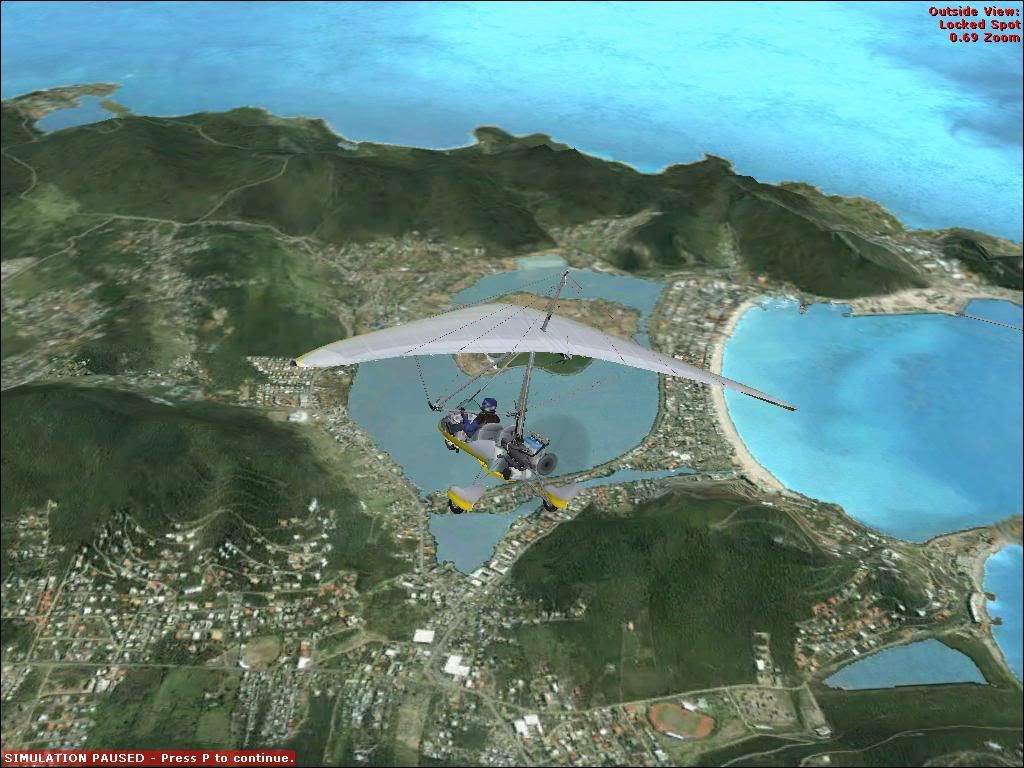
FSX on my p3 1ghz!!!!!!!!!!

A forum specifically to discuss the latest and greatest of all flight simulators

Postby Jimmy » Sat Aug 12, 2006 3:45 pm

It works! :P

I was givin a cd with the fsx demo on it by a guy how got it with his fast internet so I thort id at least see if itl even start.

well it did and im enjoying flyng around with a not so great 10fps but it isnt that bad as I can see cars driving along and hear wind and see all sorts of wounderful things :lol:

user posted image

I flew the landing in a crj-700 flight and found the atc to be very nice to and Its quite neat haveing a co-pilot too. Its a great improvment over fs9 with things like , slow to 180 winds at etc.. A great experiance even thow the frames were low.

I recomend getting this demo even if your pc isnt "highend". Im haveing fun cashing cars on my low low low end pc lol :D

Happy fsx'ing :P
James
Jimmy
 

Postby Zöltuger » Sat Aug 12, 2006 4:02 pm

10fps would be unplayable for me... glad to see you're enjoying it.
i still don't have the demo either
Zöltuger
 

Postby Jimmy » Sat Aug 12, 2006 4:32 pm

i found the frames were locked at 10 :o
so im now enjoying listen to and watching the birds at a nice 20fps ! :D
Jimmy
 

Postby deaneb » Sat Aug 12, 2006 5:18 pm

I can't get any co-pilott voice in the second mission ?? Any ideas. I turned the text on and get the text messages.

Deane
Image
User avatar
deaneb
Senior Member
 
Joined: Sat Aug 12, 2006 4:40 pm
Posts: 1561
Location: Blenheim

Postby Jimmy » Sat Aug 12, 2006 5:38 pm

Hi deaneb,Have you got the sound on I dont know what it could be other than that.
All I did was click on that mission as soon as I started it (the "how far will the display the sliders goto the left" test came later lol)

I was hopeing that this version would allow us to still hear anyvoices like the atc with the sound off as haveing the sound of improves performance but can't hear any voices :huh:

James
Jimmy
 

Postby Bandit » Sat Aug 12, 2006 9:00 pm

Hi Jimmy,

What sort of Graphics card are you running?

I also have a P3 1Ghz machine so was wondering how us low speckers would get on with FSX. I'm using a Geforce MX400 64mb. Which runs FS9 OK so would be interested to know.

I hope to upgrade to a new machine in the near future but the bills seem to keep getting in the way.
Testers are born to fiddle. What does this button do? Oh! Never mind.....
User avatar
Bandit
Forum Addict
 
Joined: Fri Jul 21, 2006 10:08 pm
Posts: 423
Location: Palmerston North

Postby ardypilot » Sat Aug 12, 2006 9:57 pm

Cool! Good for you Jimmy :D

Any chance you could burn a copy of that demo onto CD for me, and send it up to Auckland?

I'll pay you whatever you think's fair if you agree.

Cheers
User avatar
ardypilot
NZFF Pro
 
Joined: Wed Apr 26, 2006 10:01 am
Posts: 6802
Location: Auckland

Postby Jimmy » Sun Aug 13, 2006 8:43 am

Hi guys, Im useing a geforce fx5600.(I used to have the same card as you bandit :) )
But I plan to have saved enought to get a p4 2.4ghz buy the time fsx comes out. :D

Oh and I only have 256mb ram aswell so its even more surprissing.
althought there were alto of stuters but its still worth it as its a great fun experiance.
Jimmy
 

Postby AlisterC » Sun Aug 13, 2006 10:33 am

Well done Jimmy! I have a 2600 athlon, gforce 5700 256mb gfx, 1gb of ram, and the demo wouldn't even run (black screen and crashed after the menus)
You've done well!
Image
User avatar
AlisterC
NZFF Pro
 
Joined: Thu Jul 20, 2006 11:13 am
Posts: 2543
Location: Nelson, NZ

Postby Zöltuger » Sun Aug 13, 2006 10:59 am

i presume you have directx 9c installed? and the latest nvidia drivers?
Zöltuger
 

Postby ZK-MAT » Sun Aug 13, 2006 11:36 am

Mine runs fine with standard settings but if I amp up the sliders and adjust the AA (on my card or within FS) I get lock-ups. It doesn't seem to like the second monitor as in that goes black, even with AA off on the card and in FS.

As it's a demo I'm going to wait for the full version, I'm quite worried that I'll mess up my current FS9 by messing about with FX10, which at present is working as good as it's ever done.

I've uninstalled it for now.
User avatar
ZK-MAT
Senior Member
 
Joined: Sun Apr 30, 2006 11:41 pm
Posts: 1690
Location: Papamoa

Postby Jimmy » Sun Aug 13, 2006 3:02 pm

Wow you can't get it to work Alister! :o

I wasn't going to try the Demo before I got a better pc but I was given a disc with it on it so I thort id at least give it a go. When i click "load now" it does go back to the desktop but then shows me the loading bar after about half a minute.

Is anyone else haveong trouble with the VC windows being all misted up and you can't see out them sometimes, other times I can see out them but most of the time not? (Like a very heavy tint, good ifr practice apart from trying that landing becomes a whole lot more trikylol :lol: )

This fsx demo almost runs better than my fs9 in terms of visual vs performance.

James
Jimmy
 

Postby towerguy » Tue Oct 24, 2006 4:28 pm

I tried it but it crashed or locked the system - after I had upgraded to the latest nvidia drivers. Now I have just reformatted my entire system and am in the process of reloading everything but I have found that any of the nvidia drivers after the 77.77 series don"t seem to agree with my system.

athlon 64x2 3800+
asus a8n-sli
1Gb pc3200 400Mhz ram
MSI nx7800gt video card + 2 19" crt screens
520w power
and Zalman watercooler

all that and it still sucked a kumara!? :blink:

think I'll be stayng FS9 for a while.
CPU- i7 4790K @4.0Gb Cooler- Noctua NH-D15 M/B- Z97 ProGamer P/S- 750W RAM- 16Gb
Graphics- Nvidia GTX970 16Gb Drives- 2x 120Gb SSD Samsung 850EVO, 1x 2Tb HD, 1x DVD-RW
Sound- on M/B Logitec 5.1 surround sound system OS- Win 10 pro , all wrapped in a black Corsair case Display - Panasonic UHD 4k 50" Flatscreen TV.( 3840x2160 Res)
User avatar
towerguy
Sim-holic
 
Joined: Mon Aug 07, 2006 4:27 pm
Posts: 886

Postby gokanru » Wed Oct 25, 2006 11:07 pm

Hi Towerguy,

Just wondering about that memory that you are using with that processor.Are you using just a 1 gb stick or 2 512MB sticks,and it looks like you may be using a dual core processor.I'm just curious
gokanru
 

Postby ZK-Brock » Thu Oct 26, 2006 6:56 am

Hey jimmy. That copilot that you speak of was just a recording, things like that will only be available in missions from what I've heard.
ZK-Brock
NZFF Pro
 
Joined: Sun Jul 23, 2006 3:35 pm
Posts: 2035

Postby towerguy » Thu Oct 26, 2006 8:03 am

Hi Gokanru

yep its a athlon 64x2 dual core 3800+

with twin sticks of 512mb ram ( hopefully another 2 at xmas :rolleyes: )
CPU- i7 4790K @4.0Gb Cooler- Noctua NH-D15 M/B- Z97 ProGamer P/S- 750W RAM- 16Gb
Graphics- Nvidia GTX970 16Gb Drives- 2x 120Gb SSD Samsung 850EVO, 1x 2Tb HD, 1x DVD-RW
Sound- on M/B Logitec 5.1 surround sound system OS- Win 10 pro , all wrapped in a black Corsair case Display - Panasonic UHD 4k 50" Flatscreen TV.( 3840x2160 Res)
User avatar
towerguy
Sim-holic
 
Joined: Mon Aug 07, 2006 4:27 pm
Posts: 886

Postby Jimmy » Thu Oct 26, 2006 11:50 am

Hey jimmy. That copilot that you speak of was just a recording, things like that will only be available in missions from what I've heard.


yeah I know, :P A bit like how the fs9 lessons work I suppose, I also noticed that in the mission the ATC was also better with things like "slow to 170knots" and "cleared to land wind xxx at xx". Even thow its just in missions I hear theres quite a few of them :D
Jimmy
 

Postby gokanru » Fri Oct 27, 2006 5:53 pm

Ok Towerguy,does that particular mother board handle DDR2 ram,it seems that if it does then that is what I would go for.I know its a little more expensive but a couple of sticks at 800Mb might just be what you need,or if you want to go lower then at least 667.I would expect that what you have should should literally fly in,seems otherwise at the moment.What is the model number of the asus board that you have
gokanru
 

Postby towerguy » Sun Oct 29, 2006 8:42 am

no it is ddr - there is a new generation of boards and AMD cpu coming out to handle DDR2 but thats just not in the budget now. - I have just finished reformatting system and reloading everything and got the demo working - I have to get some time to fiddle with all the settings now to see where I can take this thing - I am still not sold on FSX as it seems I will have to REbuy fsuipc and dreamfleet gear and having only just got them I really need to get some use out of them.
CPU- i7 4790K @4.0Gb Cooler- Noctua NH-D15 M/B- Z97 ProGamer P/S- 750W RAM- 16Gb
Graphics- Nvidia GTX970 16Gb Drives- 2x 120Gb SSD Samsung 850EVO, 1x 2Tb HD, 1x DVD-RW
Sound- on M/B Logitec 5.1 surround sound system OS- Win 10 pro , all wrapped in a black Corsair case Display - Panasonic UHD 4k 50" Flatscreen TV.( 3840x2160 Res)
User avatar
towerguy
Sim-holic
 
Joined: Mon Aug 07, 2006 4:27 pm
Posts: 886


Return to All Flight Simulators

Who is online

Users browsing this forum: No registered users and 1 guest