Real World Weather

Share your simulated flights around NZ here. The place to post your flight reports, flight plan instructions and progress on tours

Postby Charl » Sun Oct 01, 2006 3:17 pm

Usually I fly with a weather theme, Koorby Clouds is a good one for good-looking screenshots.
But today Auckland is having a little weather, so I thought: wonder if that's any good in the sim.
So I pressed "Real World Weather" and got a download from Jeppeson.
None more surprised than me when I lined up at NZNE to find it absolutely bucketing down, pretty much the way it looks out of the window.
I suspect this is IFR but my SIA 260 is a sturdy little aircraft and what's simming about after all?
What a ride!
The turbulence is unlike anything I've experienced - in the Realair model there is latency so you begin to feel a little motion sick after a bit of this.
And ragged clouds with intermittent heavy rain, and amazingly realistic thunder.
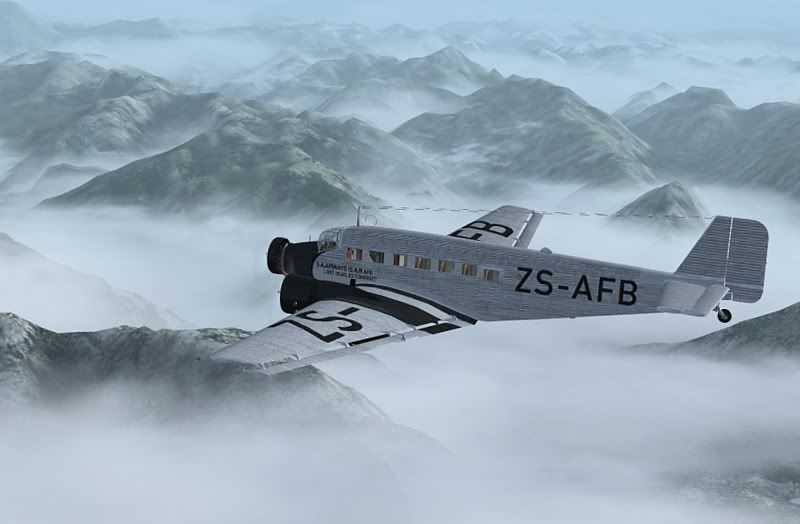
As I got closer to the Coromandel I took a screenshot, but like sunsets you don't get the real feel of the situation. This is really evil weather.
user posted image
It was only when I paused the sim to answer the phone and the "realistic" thunder carried on, that I realised this was in and out of the sim.
What an experience! After all these years MS FS can still come up with something that blows your socks off. :o
Last edited by Charl on Mon Oct 02, 2006 4:03 pm, edited 1 time in total.
User avatar
Charl
NZFF Pro
 
Topic author
Joined: Mon May 01, 2006 8:28 am
Posts: 9691
Location: Auckland

Postby Jimmy » Sun Oct 01, 2006 5:17 pm

Yup its certainly better then "fair weather" or any of the other themes.

I ofthen find that the real weather kills the fps cos theres so many clouds around sometimes.

btw, thats a great screen shot, when I first saw it I thort it was real! (seriosly). :lol:
Jimmy
 

Postby ZK-MAT » Sun Oct 01, 2006 5:39 pm

I use Active Sky. It has its own cloud graphics with awesome themes, and actually runs smoother on my PC than the default.

I recommend it :D
User avatar
ZK-MAT
Senior Member
 
Joined: Sun Apr 30, 2006 11:41 pm
Posts: 1690
Location: Papamoa

Postby ardypilot » Sun Oct 01, 2006 6:16 pm

Wow, they had 30ml's of rain fall today at NZAA, that must have made for some interesting real life landings :o

I was out today, but if I was home I sure would have liked to try a bit of real world weather like you did Charl- great screenie!

BTW Jimmy, I don't think the Jeppeson theme would have killed FPS today, as it would have properly set your visibility to like 5nm giving your PC a bit of a break from loading far-off textures.
User avatar
ardypilot
NZFF Pro
 
Joined: Wed Apr 26, 2006 10:01 am
Posts: 6802
Location: Auckland

Postby towerguy » Tue Oct 03, 2006 2:48 am

vis was down to 1500m at times in rain and aircraft landing on 05r were visible only as they rolled out past A8- A9 , nice little bit of wind if yu want to try it out -
010magnetic 21-28kts giving xwind about 18kts cloud patches sct 800ft and vis 1500-2500m - I was on tower at the time and it certainly held the attention.

I don't know if you can set up a wet runway in fs2004 though?
CPU- i7 4790K @4.0Gb Cooler- Noctua NH-D15 M/B- Z97 ProGamer P/S- 750W RAM- 16Gb
Graphics- Nvidia GTX970 16Gb Drives- 2x 120Gb SSD Samsung 850EVO, 1x 2Tb HD, 1x DVD-RW
Sound- on M/B Logitec 5.1 surround sound system OS- Win 10 pro , all wrapped in a black Corsair case Display - Panasonic UHD 4k 50" Flatscreen TV.( 3840x2160 Res)
User avatar
towerguy
Sim-holic
 
Joined: Mon Aug 07, 2006 4:27 pm
Posts: 886

Postby Alex » Tue Oct 03, 2006 11:52 am

towerguy wrote: I don't know if you can set up a wet runway in fs2004 though?

Nope, not in FS9, but that is implemented in FS10.

Alex
Alex
NZFF Pro
 
Joined: Fri Jul 14, 2006 3:39 pm
Posts: 3620

Postby creator2003 » Tue Oct 03, 2006 6:05 pm

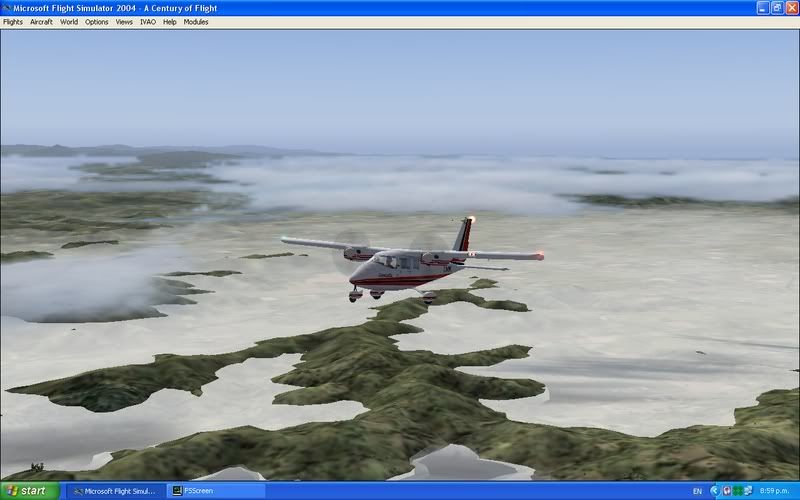
did a flight down to nzch last night m/p flps were great real weather even better the last 3 nights have been pretty bad this is over milford sound i think,, and the cloud was like amazing
user posted image
this ones coming near nzox
user posted image
all the time having the movie recorded going aswell not even a frame hit
real weather if your computer can stand it is the way to go
I don't know if you can set up a wet runway in fs2004 though

Nope, not in FS9, but that is implemented in FS10

awesome i havent read anything about that wet tarmac cool!!
Last edited by creator2003 on Tue Oct 03, 2006 6:07 pm, edited 1 time in total.
creator2003
 

Postby Jimmy » Tue Oct 03, 2006 8:25 pm

Yesterday I flew to ybbn, then thisafternoon I departed for nznv.

Both times it was misty at ybbn, in fact everytime Im there and use real weathr its low vis. hmmm

The thing that hits my fps is the clouds, even if I can only see white out the windsheild I still have 5-7fps, this is cos its not just low vis out my window its a cloud, so fs is trying to make this really detailed 3d cloud for me. Its not the real weather thats bad for performance its the fact that the real weather places a lot of realistic clouds in the sky and fs just has a hard time building them all.

Does anyone else have this problem:

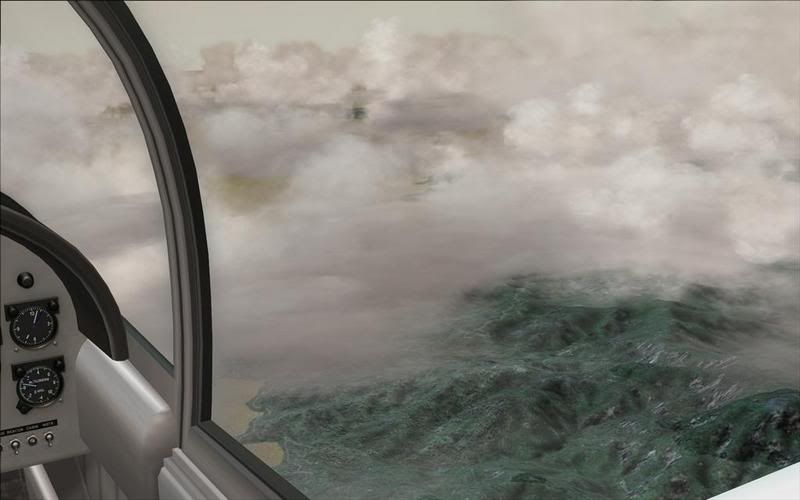
user posted image

If i descend enuf itll become very low vis like being in a cloud/mist. It seems a bit strange that I can see the ground, seing threw something that is impossible to see threw when your in it, doesn't really make sense. Not only is it unrealistic it also looks very bad!

I can see in your shots natas that the cloud inbetween your hills actuly looks like cloud, it looks very nice indeed (what scebery is that btw? 75m mesh?) ,as you can see in the screenie Iv taken my sim look snoting like that. Does anyone else experiance this? Anyway I can fix it?
Last edited by Jimmy on Tue Oct 03, 2006 8:28 pm, edited 1 time in total.
Jimmy
 

Postby Alex » Tue Oct 03, 2006 8:48 pm

Jimmy wrote: ...It seems a bit strange that I can see the ground, seing threw something that is impossible to see threw when your in it, doesn't really make sense.  Not only is it unrealistic it also looks very bad!

Not quite unrealistic. I have read somewhere from the IVAO forums that it is real, and does happen - unfortunately I've forgotten the name of it :ph43r: . Anyway, because the cloud layer is so close to the ground, and can see the ground because there is only say 200ft between the top of the cloud layer and the ground. But when you are in it and trying to look ahead, there could be up around five nautical miles of cloud between you and the end of the cloud. ;)

Alex
Last edited by Alex on Tue Oct 03, 2006 8:49 pm, edited 1 time in total.
Alex
NZFF Pro
 
Joined: Fri Jul 14, 2006 3:39 pm
Posts: 3620

Postby creator2003 » Wed Oct 04, 2006 10:09 am

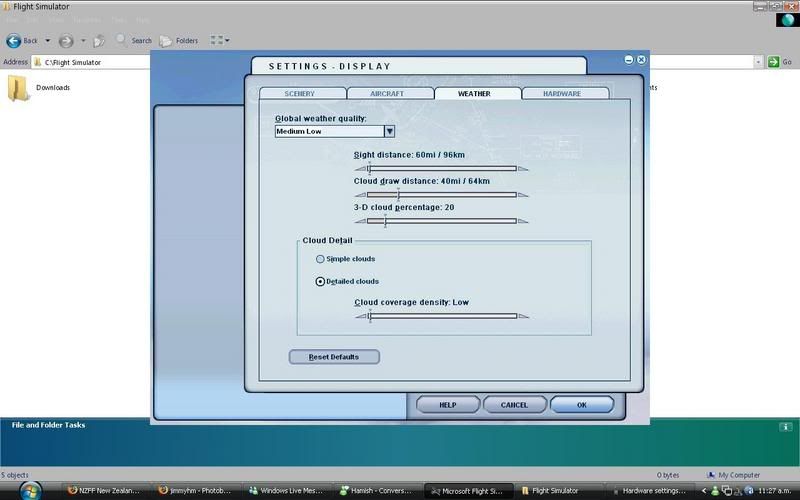
jimmy im only using 75 meter and rbe free landclass this is just the only combo ive ever been happy with ,,now my weather realworld static is the way ive been going and only been updating at airports ,also rate of change none!! 3d clouds i have set 70%to 80% the other two sliders above cloud distance50/80miles and sight distance 90/144miles or right to the left ,the slider right at the bottom all the way right or back 1 to high settings ,but mostly max for my system
other settings mipmap 4 lighting 3 all the others to what your system can handle water off as it always looks blue green to me anyway ,,i have many addon waters and i think birdseye textures work good in my system also do you have anti aliasing set to none in sim and switch on on the card itself ?,,also i run with triliner filtering

what graphic drivers are you using ? new or older ones ,,if i was you id be using older ones well id try many and find one that works sweet on my system

hope this helps ,
creator2003
 

Postby Jimmy » Wed Oct 04, 2006 10:57 am

Hmm okay, I have the 75m mesh and RBE landclass to but I ain't look a thing like that.

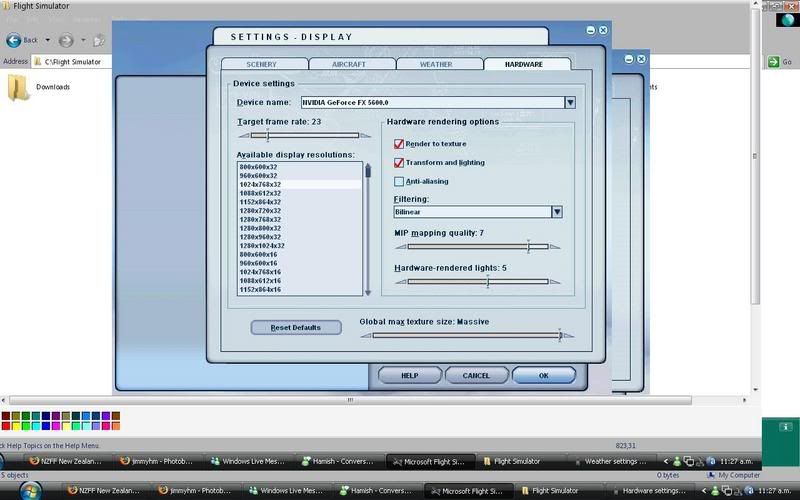
Heres my graphics settings:
user posted image
user posted image

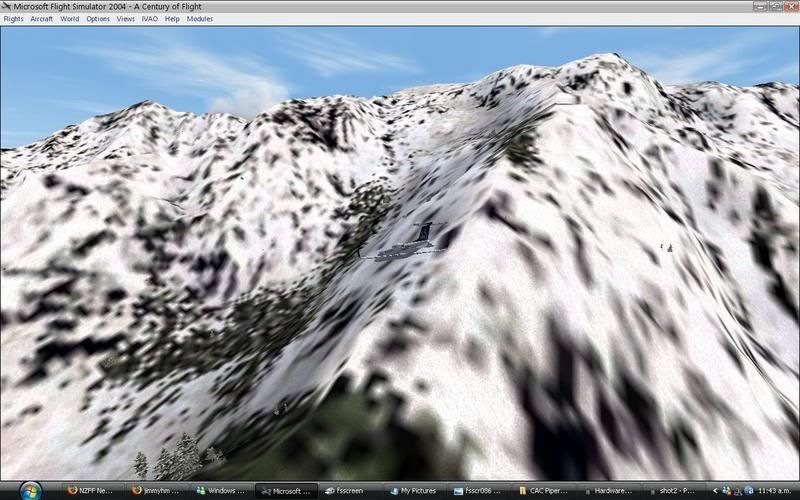
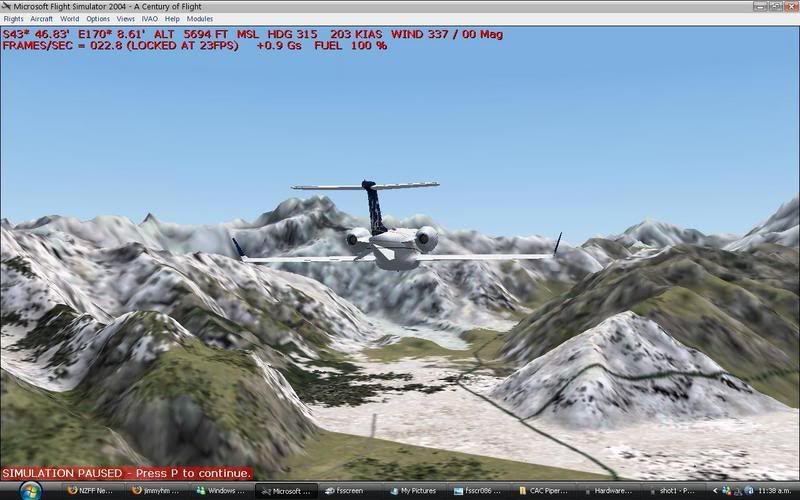
I set the mipping lighting filtering and cloud settings to how you say you have them and I have no anti aliasing set in the sim and have the card settings to "application controled". and heres what my sim looked like around nzmc after it:

user posted image
user posted image
user posted image


Im relucktent to set anti aliasing cos it really bad on fps.

I was descneding into invergargill yesterday in a A320 with real weather and it looked horrible, the hills never loaded and stuted and just looked terrible...

I downloaded my graphics driver in early august.


because the cloud layer is so close to the ground, and can see the ground because there is only say 200ft between the top of the cloud layer and the ground. But when you are in it and trying to look ahead, there could be up around five nautical miles of cloud between you and the end of the cloud. wink.gif

Good point, I Don't think youd find clouds in real life that had a perfectly straight line running along the sides of mountains.... When I changed the weathr settings to yours natas it made no differance to this eathier
Jimmy
 

Postby Alex » Wed Oct 04, 2006 11:00 am

Jimmy wrote: Good point, I Don't think youd find clouds in real life that had a perfectly straight line running along the sides of mountains.... When I changed the weathr settings to yours natas it made no differance to this eathier

Yes, if you are upset about that I'd reccomend you go out and buy Flight Environment from Flight1 (www.flight1.com - only US$22.95), which will fix that and much more.

Alex
Alex
NZFF Pro
 
Joined: Fri Jul 14, 2006 3:39 pm
Posts: 3620

Postby ardypilot » Wed Oct 04, 2006 12:03 pm

1) put your 3D cloud percentage to 100%! I used this setting on your card on my 2.4ghz system with 768mb ram before, it will work fine.

2) Always fly full screen (alt+enter) for better performance and visual display.

3) Have anti-aliasing ticked in the video card, not the sim. It increases performance and visual quality.

This is what my real world clouds look like with the above settings I have mentioned:

300 feet:
user posted image

4000 feet:
user posted image

10000 feet:
user posted image

As you can see, I still have that semi transparent line along the hills. This is what would be there in real life. If you do not like this weather effect, there is an easy way to get rid of it.

Go to weather-> Realworld Weather (wait for it to load) -> click ok -> Go back into weather -> User Defined Weather -> Customize Weather-> Advanced weather-> Visibility tab-> In the 'Tops (MSL)' box, enter 99999. This is unrealistic in the real world, but may look more realistic in your sim.

BTW- super cool Windows XP theme, where did you get that :?:
Last edited by ardypilot on Wed Oct 04, 2006 12:09 pm, edited 1 time in total.
User avatar
ardypilot
NZFF Pro
 
Joined: Wed Apr 26, 2006 10:01 am
Posts: 6802
Location: Auckland

Postby Jimmy » Wed Oct 04, 2006 12:31 pm

Yeah okay, I turned anti-aliasing on on my graphics card to 4x but the fps were really bad so i turned it of again, well it was actuly more stuters that bad frmas lol maby both.

I think I will get flight enviroment, or maby win the screenie contest :drool: lol

How do you guys get your hills and stuff to load properly, they look so nice, mine are often just flat and strange looking:

user posted image
Jimmy
 

Postby creator2003 » Wed Oct 04, 2006 12:48 pm

anti-aliasing on on my graphics card to 4x or 8x thats what i do,, also the driver from august if i remember i have problems with as it was more designed to the new dual card and it made other programs that i have stop working altogether ,, try going back to a acouple more drivers ? but that is upto you default weather textures etc..are just fine and free my screen shots are default apart from rbe and 75meter
edit: (press V to reload textures )
Last edited by creator2003 on Wed Oct 04, 2006 12:49 pm, edited 1 time in total.
creator2003
 

Postby ardypilot » Wed Oct 04, 2006 1:14 pm

How do you guys get your hills and stuff to load properly, they look so nice, mine are often just flat and strange looking


1) Because you are moving fast in that A320, textures load best at 120kts and below.

2) Because of your display settings. Try experimenting with your 'Terrain Mesh Complexity' and other terrain sliders under the 'Scenery' tab.

Hope you get it sorted :thumbup:
User avatar
ardypilot
NZFF Pro
 
Joined: Wed Apr 26, 2006 10:01 am
Posts: 6802
Location: Auckland

Postby Jimmy » Wed Oct 04, 2006 2:39 pm

Because you are moving fast in that A320, textures load best at 120kts and below.

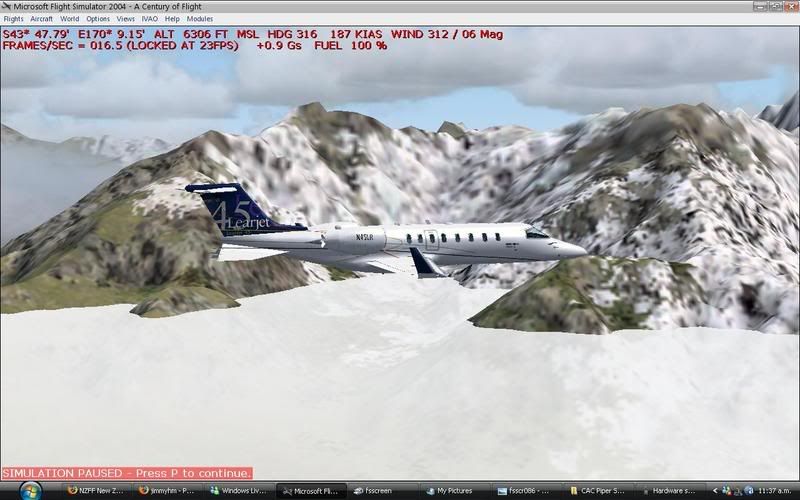
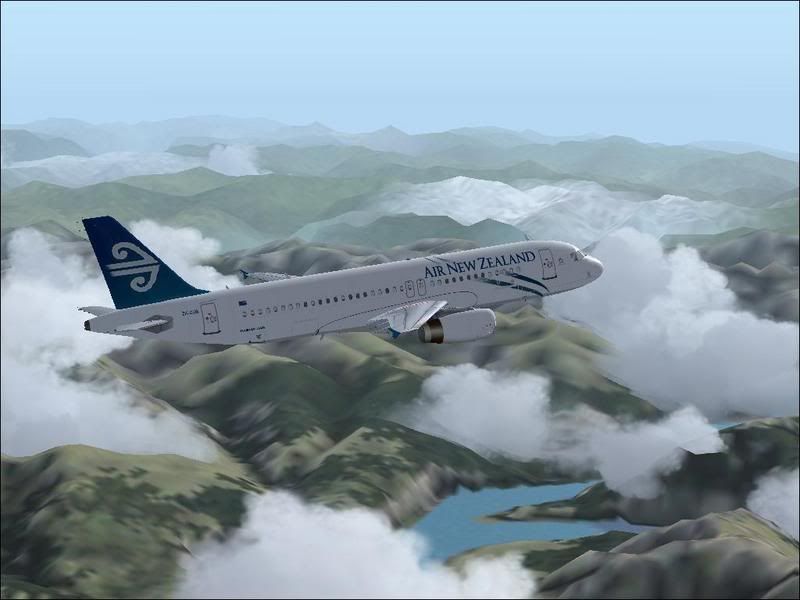
In your screenie your in a 732? And natas is in lear45! :plane: thayr just as fast.


Anyways these are just the problems that come with a new system, itll sort it self out :thumbup:

Thanks for all the advice.

Oh I have one final question! were can I get older graphics drivers for my 5600. thanks

James
Jimmy
 

Postby creator2003 » Wed Oct 04, 2006 2:50 pm

well ive got about 10 of them backed up but its going to be hard to send them to you on dial up at mo lets see if anyone else knows first as ive always had all my drivers saved somewhere just incase and never gone looking for them ,,if no one knowns ill work out sending them down too you
mike :rolleyes:
creator2003
 

Postby ardypilot » Sat Sep 08, 2007 2:32 am

Jimmy- I think I figured it out finally. Load a weather theme with only status clouds down at a low mountainside level and when flying above them, instead of seeing them cut into the hillsides, you will see this:

smile.gif
User avatar
ardypilot
NZFF Pro
 
Joined: Wed Apr 26, 2006 10:01 am
Posts: 6802
Location: Auckland

Postby VH-CC1 » Sat Sep 08, 2007 1:17 pm

Real World Weather At Its Best


Milford Sound
VH-CC1
 

Next

Return to Flights

Who is online

Users browsing this forum: No registered users and 5 guests