I joined earlier and all was fine. I left the session and went to rejoin and no go.
I click on join and it pauses for 30 sec's or so then gives a message about not being able to connect.
Peter

100% ad-free
 by Craig » Sat Sep 23, 2006 6:41 pm
Pedro wrote: Thanks Craig.
I joined earlier and all was fine. I left the session and went to rejoin and no go.
I click on join and it pauses for 30 sec's or so then gives a message about not being able to connect.
Peter
by Craig » Sat Sep 23, 2006 6:51 pm
Pedro wrote: I'm still unable to join the session. I will probably look in a little later and see what happens.
Is anyone else in the session with you?
by Pedro » Sun Sep 24, 2006 9:40 am
by Pedro » Sun Sep 24, 2006 12:27 pm
by Charl » Sun Sep 24, 2006 1:38 pm
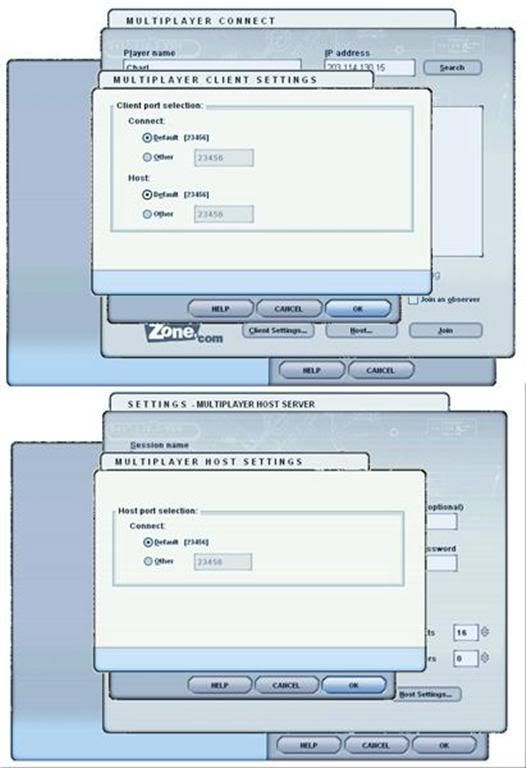

by ZK-MAT » Sun Sep 24, 2006 2:33 pm
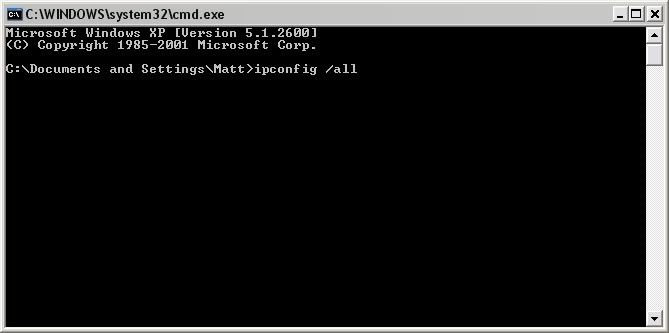
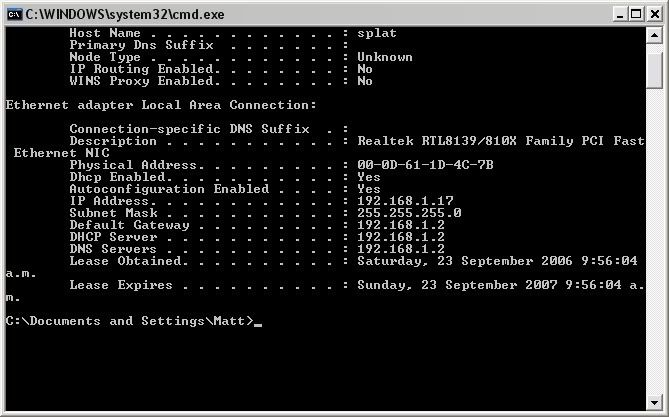
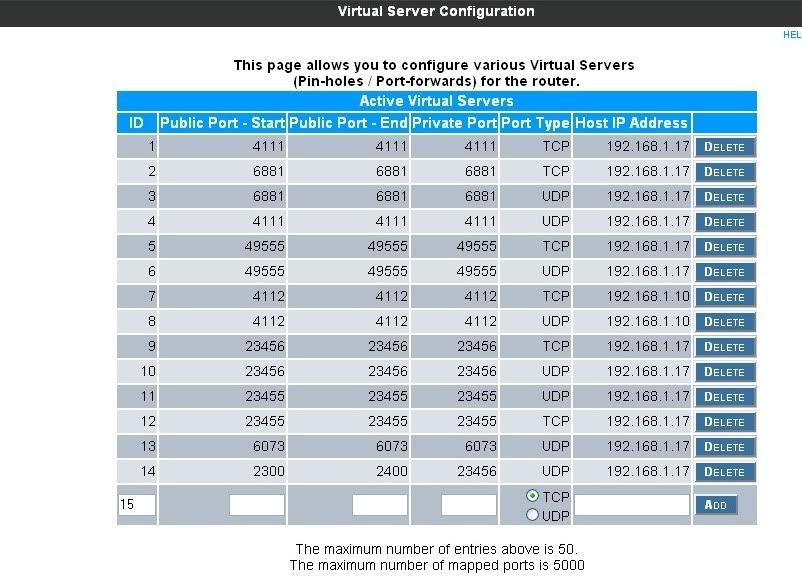

Users browsing this forum: No registered users and 30 guests
 ). While i was online Bardos, Natas, trolly and chris joined with no probs...