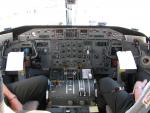
Majestic Dash 8 Issues

Discuss aircraft addons and repaints for Flight Simulator here

Postby Dash8captain » Mon Apr 15, 2013 9:29 pm

Well I went to Fly the Dash 8 today and when I click on the aircraft in the aircraft menu view it takes a while to select it,
and then it says it needs to close because it has encountered a problem!

It comes up with the problem file as being Dash8All.gau

So I reinstalled it but FSX still rejected it - why has this file suddenly become corrupt? and how can I fix it angry.gif angry.gif angry.gif
'All things are possible to him that believes'
User avatar
Dash8captain
Senior Member
 
Topic author
Joined: Fri Apr 08, 2011 10:24 am
Posts: 1643
Location: Nelson

Postby deeknow » Mon Apr 15, 2013 10:06 pm

Have you tried Googling this Terry? Seem to be a lot of mentions of possible clashes with FSUIPC.dll, have you updated that recently?
Deans repaints: http://www.deeknow.com/
X570 Mini-ITX m/b - Ryzen7 5700X3D (8c/16t) - RTX 2060-super - 32GB 3600MHz DDR4 - Win10 - P3Dv5.3
User avatar
deeknow
NZFF Pro
 
Joined: Tue Sep 18, 2007 10:15 pm
Posts: 4448
Location: NZHN

Postby Adrian Brausch » Mon Apr 15, 2013 10:55 pm

have you the latest updates bud ?,...Majestic Updates Page
User avatar
Adrian Brausch
Senior Member
 
Joined: Tue May 15, 2007 11:39 am
Posts: 1437
Location: Auckland

Postby Dash8captain » Tue Apr 16, 2013 6:09 am

Yes I do have the latest majestic updates will try the FSUIPC updates
'All things are possible to him that believes'
User avatar
Dash8captain
Senior Member
 
Topic author
Joined: Fri Apr 08, 2011 10:24 am
Posts: 1643
Location: Nelson

Postby Dash8captain » Wed Apr 17, 2013 6:29 pm

Well I got the latest version of FSUIPC for FSX and the Dash 8 still wont load onto the splash screen! - if I uninstall FSUIPC I can load the Dash 8 but it wont work properly and, If i take the Dash8All.gau file out of gauges folder it will also load but I have no gauges!

why is this doing this? its only just randomly started doing it - I tried deleting FSX.CFG and reinstalling the Majestic Dash 8

but still no go! angry.gif

please help!!
'All things are possible to him that believes'
User avatar
Dash8captain
Senior Member
 
Topic author
Joined: Fri Apr 08, 2011 10:24 am
Posts: 1643
Location: Nelson

Postby Timmo » Wed Apr 17, 2013 7:07 pm

I think your best bet would be to contact Majestic themselves?
Timmo
NZFF Pro
 
Joined: Wed Oct 25, 2006 6:28 pm
Posts: 2056
Location: Tauranga

Postby Dash8captain » Wed Apr 17, 2013 7:12 pm

hmmm.... maybe your right
'All things are possible to him that believes'
User avatar
Dash8captain
Senior Member
 
Topic author
Joined: Fri Apr 08, 2011 10:24 am
Posts: 1643
Location: Nelson

Postby Dash8captain » Sun Apr 21, 2013 9:01 pm

Well I contacted Majestic and they told me a lot of things to try but none fixed the problem.

So I put the old sound card back in and the dash 8 worked, but then the computer crashed and wouldn't go so I now have the new sound card back in and everything wors except the Majestic Dash 8.

Why will it not work with the new sound card? and what can I do to make it work?

(Majestic Software seem to think its driver issues - but the card is brand new and I installed the drivers that came with the card on the CD)
Last edited by Dash8captain on Sun Apr 21, 2013 9:02 pm, edited 1 time in total.
'All things are possible to him that believes'
User avatar
Dash8captain
Senior Member
 
Topic author
Joined: Fri Apr 08, 2011 10:24 am
Posts: 1643
Location: Nelson

Postby deeknow » Sun Apr 21, 2013 10:18 pm

Thats one thing with the Majestic, the sounds are routed directly to the sound card not via the Flightsim sound system, which is why clicking "Q" doesnt kill the prop sounds.
Have you checked for driver updates on the sound-card vendor website? Just because the card is new doesn't mean the drivers are up to date.
Deans repaints: http://www.deeknow.com/
X570 Mini-ITX m/b - Ryzen7 5700X3D (8c/16t) - RTX 2060-super - 32GB 3600MHz DDR4 - Win10 - P3Dv5.3
User avatar
deeknow
NZFF Pro
 
Joined: Tue Sep 18, 2007 10:15 pm
Posts: 4448
Location: NZHN

Postby Dash8captain » Mon Apr 22, 2013 12:55 pm

deeknow wrote:
QUOTE (deeknow @ Apr 21 2013,10:18 PM) <{POST_SNAPBACK}>
Thats one thing with the Majestic, the sounds are routed directly to the sound card not via the Flightsim sound system, which is why clicking "Q" doesnt kill the prop sounds.
Have you checked for driver updates on the sound-card vendor website? Just because the card is new doesn't mean the drivers are up to date.


Well I tried an update I found on Asus's website but that didn't make any difference what now?

nearly going to give up!
'All things are possible to him that believes'
User avatar
Dash8captain
Senior Member
 
Topic author
Joined: Fri Apr 08, 2011 10:24 am
Posts: 1643
Location: Nelson

Postby Ian Warren » Mon Apr 22, 2013 1:15 pm

Dash , i believe a lot has to do with your PC .. very start the mention from other was save the penny's rather to upgrade the entire package bit by bit .. today its he processor the carry's FSX .. last thing i said is now upgrade your Mobo .. i'm sure this is what is holding you up . sad.gif
Last edited by Ian Warren on Mon Apr 22, 2013 1:17 pm, edited 1 time in total.
Image
User avatar
Ian Warren
NZFF Pro
 
Joined: Fri May 05, 2006 5:23 pm
Posts: 41187
Location: AREA 51

Postby Adrian Brausch » Mon Apr 22, 2013 3:33 pm

system restore points to before problem ?
User avatar
Adrian Brausch
Senior Member
 
Joined: Tue May 15, 2007 11:39 am
Posts: 1437
Location: Auckland

Postby Dash8captain » Mon Apr 22, 2013 7:27 pm

Never mind now! ohmy.gif Iv got it going - the issue was I didn't select ''GX'' mode in the Asus Control Panel - this is what it does

DirectSound 3D Game Extensions mode to support EAX and
DirectSound 3D Hardware extensions for lots of DirectX/
DirectSound3D games on Windows 7 / Vista / XP.

So now it goes great!

I'm such a noob though! laugh.gif dry.gif
'All things are possible to him that believes'
User avatar
Dash8captain
Senior Member
 
Topic author
Joined: Fri Apr 08, 2011 10:24 am
Posts: 1643
Location: Nelson


Return to Aircraft

Who is online

Users browsing this forum: No registered users and 7 guests