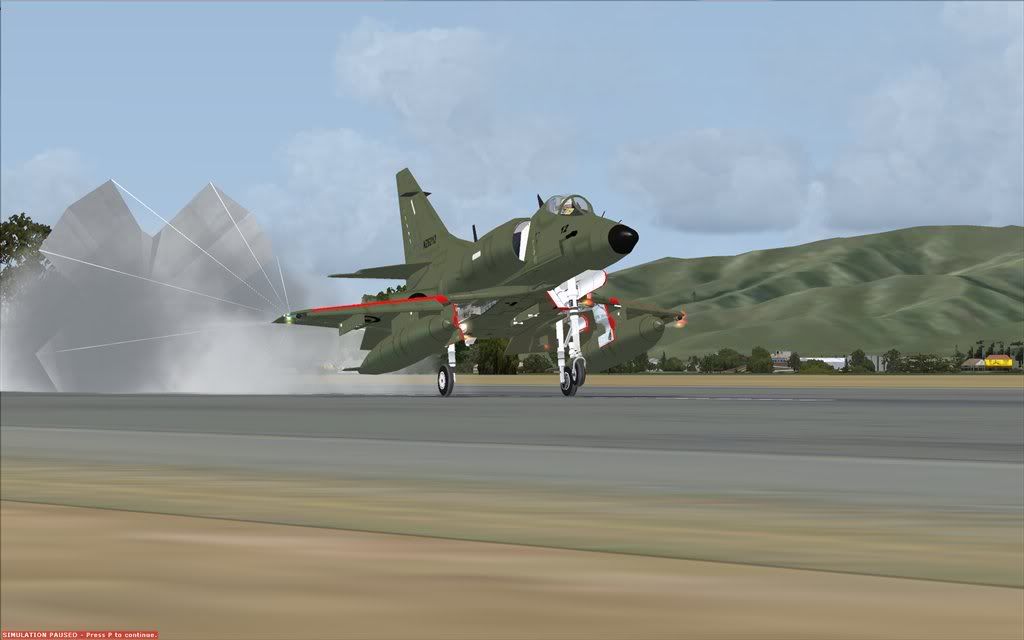
The New KAHU Panel...

Discuss aircraft addons and repaints for Flight Simulator here

Postby CDTDAN » Sun Nov 16, 2008 4:17 pm

An update from the previous panel released with my Abacus Skyhawk repaint...


Sorry about the lack of clarity... It uses an 'ALPHA' gauge from the SF8 F-86, which allows transparency in 2D panels, which gives cool features like reflection in the windows, MFD's, and a green-tinted front screen.

Unfortunately it cant be released until I have permission from the people who made the gauges. Can you let me now the rules on uploading gauges and/or how to contact the owners?

Click below to go to my website.
Image
CDTDAN
Forum Addict
 
Topic author
Joined: Sat Apr 12, 2008 8:52 pm
Posts: 171
Location: Christchurch!

Postby Ian Warren » Sun Nov 16, 2008 4:47 pm

CDTDAN , One smart fix up .. I dont have the Abacus A4 .. thats the best 2D panel ive seen .. mm wonder how'd she fit into a RAZBAM A4 smile.gif
Last edited by Ian Warren on Sun Nov 16, 2008 4:48 pm, edited 1 time in total.
Image
User avatar
Ian Warren
NZFF Pro
 
Joined: Fri May 05, 2006 5:23 pm
Posts: 41187
Location: AREA 51

Postby CDTDAN » Sun Nov 16, 2008 4:58 pm

Ian Warren wrote:
QUOTE (Ian Warren @ Nov 16 2008, 04:47 PM) <{POST_SNAPBACK}>
.. mm wonder how'd she fit into a RAZBAM A4 smile.gif


It fits perfectly. I've added the default RAZBAM VC gauges in my Panel.cfg, with an option between the Abacus one, or the RAZBAM one...
Click below to go to my website.
Image
CDTDAN
Forum Addict
 
Topic author
Joined: Sat Apr 12, 2008 8:52 pm
Posts: 171
Location: Christchurch!

Postby Ian Warren » Sun Nov 16, 2008 5:05 pm

guess id better reinstall the scooter
Image
User avatar
Ian Warren
NZFF Pro
 
Joined: Fri May 05, 2006 5:23 pm
Posts: 41187
Location: AREA 51

Postby CDTDAN » Sun Nov 16, 2008 5:10 pm

Ian Warren wrote:
QUOTE (Ian Warren @ Nov 16 2008, 05:05 PM) <{POST_SNAPBACK}>
guess id better reinstall the scooter


Great plane to fly.. I'm also working on fixing up the VC's in both models by changing textures and gauges. Thanks for the comment BTW.. feedback appreciated. smile.gif
Click below to go to my website.
Image
CDTDAN
Forum Addict
 
Topic author
Joined: Sat Apr 12, 2008 8:52 pm
Posts: 171
Location: Christchurch!

Postby Ian Warren » Sun Nov 16, 2008 5:21 pm

Gives a nudge if you need a tester .. I still have the A4 installed cool.gif
Image
User avatar
Ian Warren
NZFF Pro
 
Joined: Fri May 05, 2006 5:23 pm
Posts: 41187
Location: AREA 51

Postby Charl » Sun Nov 16, 2008 9:09 pm

It does look good...another RAZBAM user here, ready to give it a go! thumbup1.gif
User avatar
Charl
NZFF Pro
 
Joined: Mon May 01, 2006 8:28 am
Posts: 9691
Location: Auckland

Postby CDTDAN » Wed Nov 19, 2008 6:40 pm

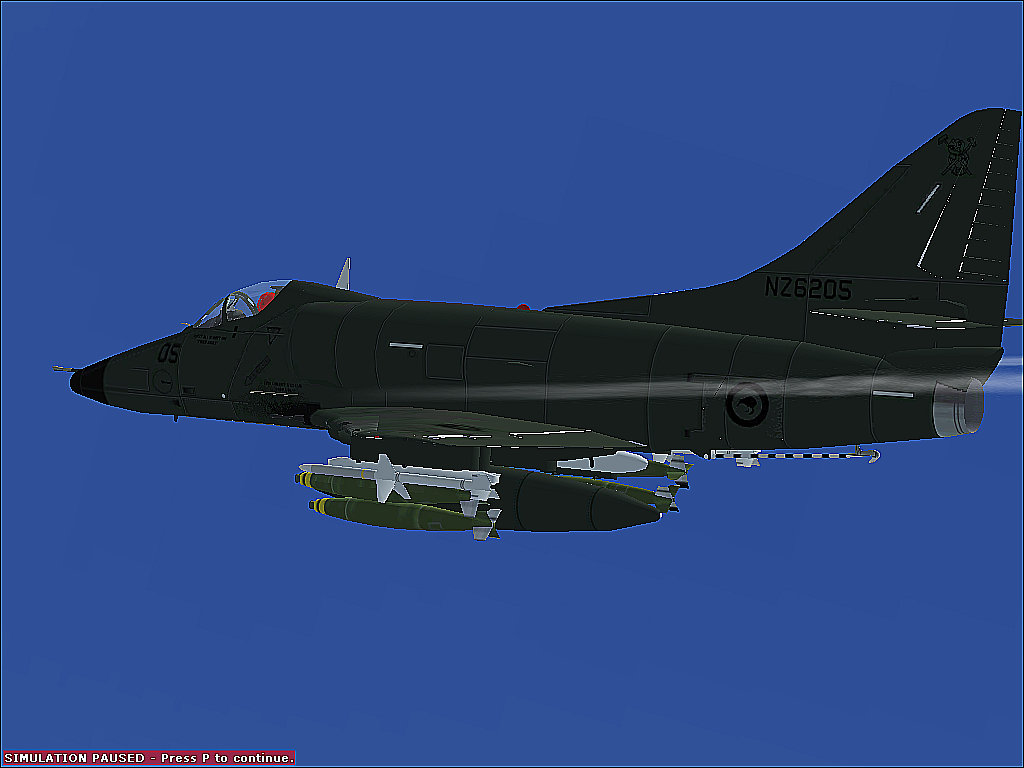
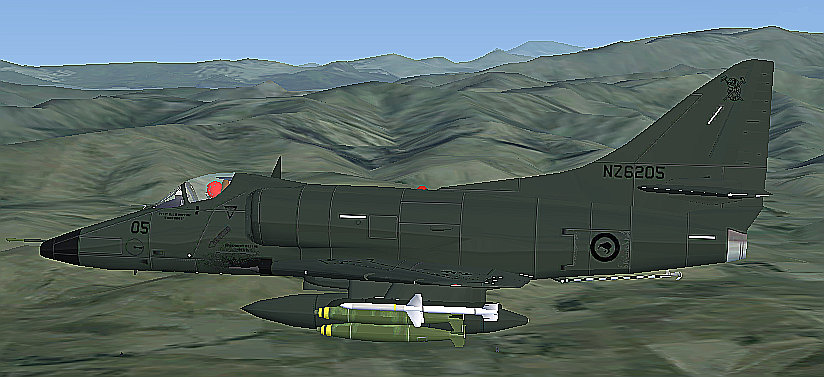
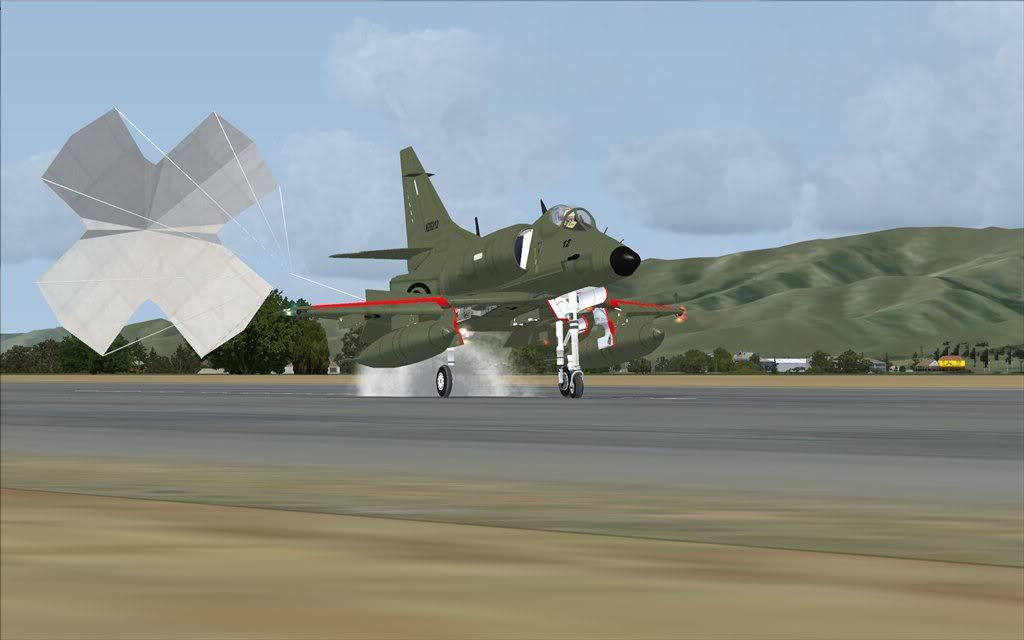
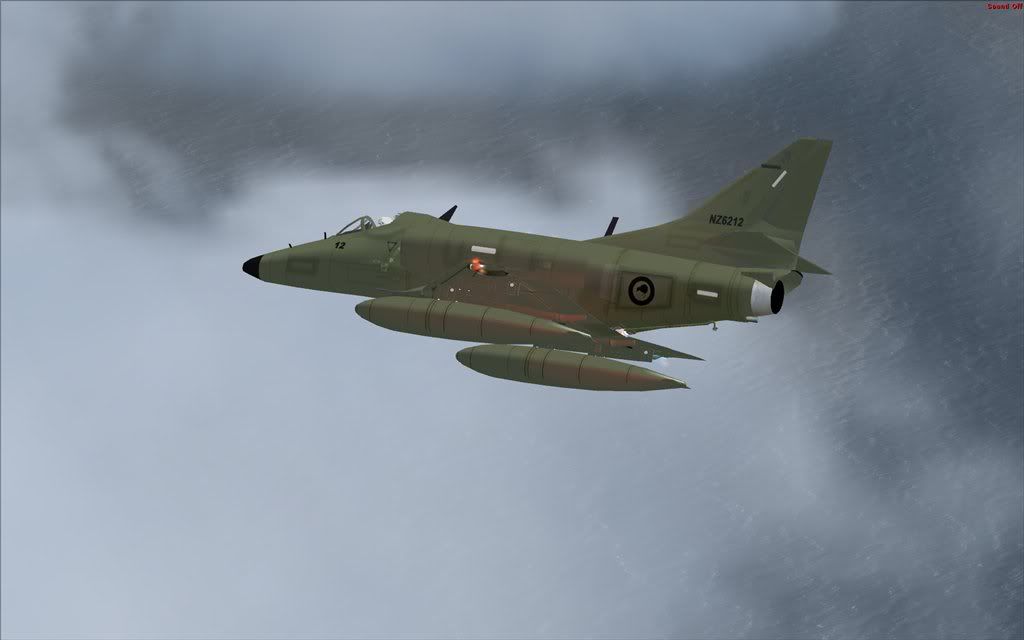
Heres the updated repaint...


Changed from NZ6209 to NZ6205... Don't ask me why.. Also updated the intake edges, but i'm yet to do that whole mip-maps thing along with the slight alpha trick here.
Click below to go to my website.
Image
CDTDAN
Forum Addict
 
Topic author
Joined: Sat Apr 12, 2008 8:52 pm
Posts: 171
Location: Christchurch!

Postby Kahu » Wed Nov 19, 2008 9:30 pm

Brilliant thumbup1.gif keep up the good work (another RAZBAM user)
Image
User avatar
Kahu
Sim-holic
 
Joined: Sat May 05, 2007 3:59 pm
Posts: 578
Location: Tauranga

Postby CDTDAN » Fri Nov 21, 2008 8:10 pm

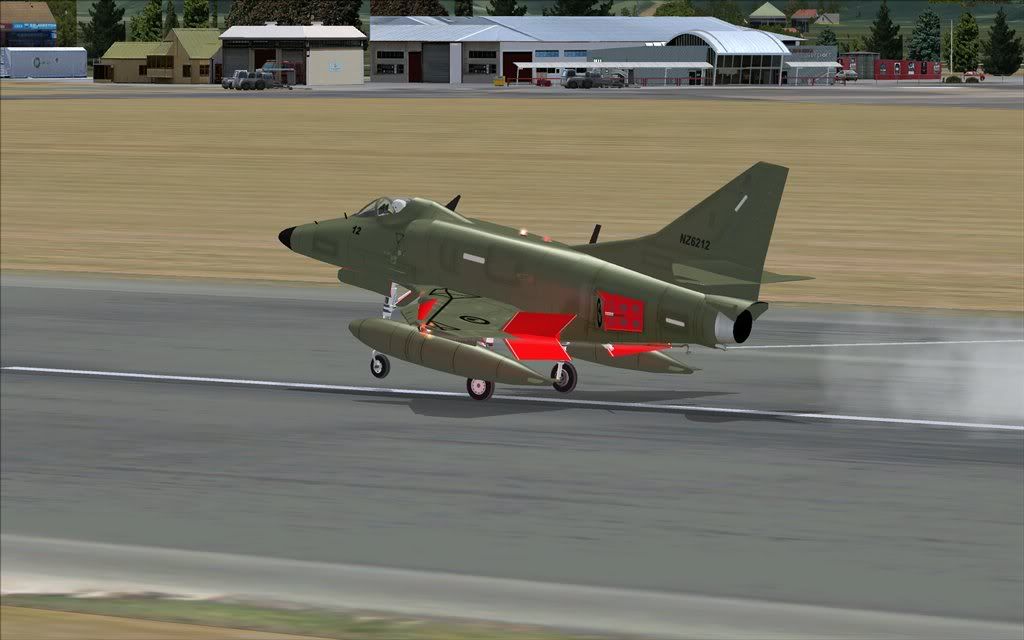
Another pic:


This time with the mip-map thing and the touch of alpha... (refections) smile.gif

Starting on the VC work now... biggrin.gif
Click below to go to my website.
Image
CDTDAN
Forum Addict
 
Topic author
Joined: Sat Apr 12, 2008 8:52 pm
Posts: 171
Location: Christchurch!

Postby Ian Warren » Fri Nov 21, 2008 10:03 pm

CDTDAN wrote:
QUOTE (CDTDAN @ Nov 21 2008, 09:10 PM) <{POST_SNAPBACK}>
This time with the mip-map thing and the touch of alpha... (refections) smile.gif
Starting on the VC work now... biggrin.gif

Looking good Dan , your running this in FS9 , should have asked earlier , the RAZBAM A4 work hokay in X as Waka showed
Image
User avatar
Ian Warren
NZFF Pro
 
Joined: Fri May 05, 2006 5:23 pm
Posts: 41187
Location: AREA 51

Postby CDTDAN » Sat Nov 22, 2008 7:01 am

Ian Warren wrote:
QUOTE (Ian Warren @ Nov 21 2008, 11:03 PM) <{POST_SNAPBACK}>
Looking good Dan , your running this in FS9 , should have asked earlier , the RAZBAM A4 work hokay in X as Waka showed


I'm using FSX. winkyy.gif But i want to get FS9 because alot of good addons only work in FS9...
Last edited by CDTDAN on Sat Nov 22, 2008 9:15 am, edited 1 time in total.
Click below to go to my website.
Image
CDTDAN
Forum Addict
 
Topic author
Joined: Sat Apr 12, 2008 8:52 pm
Posts: 171
Location: Christchurch!

Postby Ian Warren » Sat Nov 22, 2008 9:15 am

CDTDAN wrote:
QUOTE (CDTDAN @ Nov 22 2008, 08:01 AM) <{POST_SNAPBACK}>
I'm using FSX. winkyy.gif But i want to get FS9 because alot of good addons only work in FS9...
Installing now in X , im sure a lot of the Acceleration gauge will help you out
Image
User avatar
Ian Warren
NZFF Pro
 
Joined: Fri May 05, 2006 5:23 pm
Posts: 41187
Location: AREA 51

Postby CDTDAN » Sat Nov 22, 2008 7:16 pm

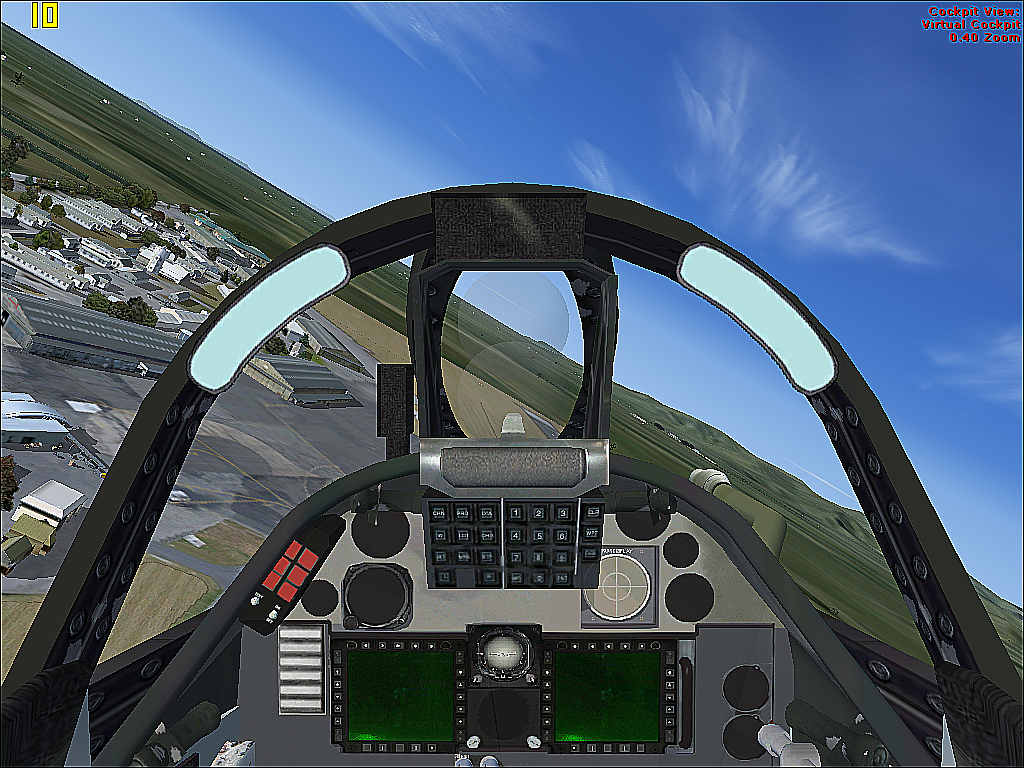
Heres the RAZBAM pit:


I've just added textures, no gauges, because the gauges aren't corresponding to the textures. I'd either need to have the source file, or guess the codes... sad.gif

e.g. Position... X: 549.. Y: 243??? Size... Length: 148.. Height: 274?????

This is only the start, I plan on putting better colours all around the cockpit, shadows in places like under the HUD control box, static gauges etc.(I can still put some gauges in like the HUD, AoA, and other gauges that don't interfere with the textures... It's still fun to fly though! biggrin.gif
Click below to go to my website.
Image
CDTDAN
Forum Addict
 
Topic author
Joined: Sat Apr 12, 2008 8:52 pm
Posts: 171
Location: Christchurch!

Postby Ian Warren » Sun Nov 23, 2008 12:27 am

CDTDAN


Bringing the A4 back up to speed smile.gif

plane.gif
Image
User avatar
Ian Warren
NZFF Pro
 
Joined: Fri May 05, 2006 5:23 pm
Posts: 41187
Location: AREA 51

Postby waka172rg » Sun Nov 23, 2008 1:01 am

CDTDAN wrote:
QUOTE (CDTDAN @ Nov 22 2008, 08:16 PM) <{POST_SNAPBACK}>
Heres the RAZBAM pit:


I've just added textures, no gauges, because the gauges aren't corresponding to the textures. I'd either need to have the source file, or guess the codes... sad.gif

e.g. Position... X: 549.. Y: 243??? Size... Length: 148.. Height: 274?????

This is only the start, I plan on putting better colours all around the cockpit, shadows in places like under the HUD control box, static gauges etc.(I can still put some gauges in like the HUD, AoA, and other gauges that don't interfere with the textures... It's still fun to fly though! biggrin.gif

nice bro when you realesing? we had a fang yesterday when u coming?
ImageImage
User avatar
waka172rg
Sim-holic
 
Joined: Wed Jan 23, 2008 2:45 pm
Posts: 796
Location: Motueka


Return to Aircraft

Who is online

Users browsing this forum: No registered users and 8 guests