Road texture
14 posts
• Page 1 of 1
 by Kelburn » Fri Nov 14, 2008 10:16 am
I was watching a video of a cockpit landing and was wonder could you get a replacement road texture for FS2004 for night that has moving lights on it?

Isn't it evident?? Boeing are my favourite aircraft.
P.S. that's is my real birthday but I wish to keep my real age secret to keep you all pondering.
- Kelburn
- NZFF Pro
- Topic author
- Joined: Sat Oct 14, 2006 10:59 am
- Posts: 2193
- Location: On a reverse 'hole'
by Ian Warren » Fri Nov 14, 2008 10:26 am
Yon could do that by using FSSC , making a scenery copy the roads , overlay , Wigram at night a good example .

-

Ian Warren - NZFF Pro
- Joined: Fri May 05, 2006 5:23 pm
- Posts: 41187
- Location: AREA 51
by Kelburn » Fri Nov 14, 2008 11:04 am
Hmmm. I though that might be the only way. How do they do it with Fly tampa?
Isn't it evident?? Boeing are my favourite aircraft.
P.S. that's is my real birthday but I wish to keep my real age secret to keep you all pondering.
- Kelburn
- NZFF Pro
- Topic author
- Joined: Sat Oct 14, 2006 10:59 am
- Posts: 2193
- Location: On a reverse 'hole'
by Ian Warren » Fri Nov 14, 2008 11:19 am
Fly tampa is a payware scenery package modeled and programmed exactly what you wanted , not sure if there is a addon that will get the roads showing headlights for the entire FS9 package .
-
Ian Warren - NZFF Pro
- Joined: Fri May 05, 2006 5:23 pm
- Posts: 41187
- Location: AREA 51
by Kelburn » Fri Nov 14, 2008 3:31 pm
I mean for around specific airports. How do they actually model their cars?
Isn't it evident?? Boeing are my favourite aircraft.
P.S. that's is my real birthday but I wish to keep my real age secret to keep you all pondering.
- Kelburn
- NZFF Pro
- Topic author
- Joined: Sat Oct 14, 2006 10:59 am
- Posts: 2193
- Location: On a reverse 'hole'
by Ian Warren » Fri Nov 14, 2008 5:00 pm
Pete did it in his Queenstown scenery in a racetrack pattern , its another part of designing into a area of scenery , i take it for granted in FSX and never toiled with it myself , you were first asking road textures with moving lights .
Last edited by Ian Warren on Fri Nov 14, 2008 5:01 pm, edited 1 time in total.
-
Ian Warren - NZFF Pro
- Joined: Fri May 05, 2006 5:23 pm
- Posts: 41187
- Location: AREA 51
by Kelburn » Sat Nov 15, 2008 10:19 am
Thats what i was thinking. Its a real pity its only FSX. Adds lots of realism.
Isn't it evident?? Boeing are my favourite aircraft.
P.S. that's is my real birthday but I wish to keep my real age secret to keep you all pondering.
- Kelburn
- NZFF Pro
- Topic author
- Joined: Sat Oct 14, 2006 10:59 am
- Posts: 2193
- Location: On a reverse 'hole'
by ardypilot » Mon Nov 17, 2008 9:45 am
QUOTE
you were first asking road textures with moving lights .[/quote]
VOZ has had this effect included in their scenery packs for ages- although just on the major motorways in the Aussie cites. Still very impressive though.
They've also modeled actual moving traffic that drive around certain airports such as Parafield, SA. More heavy on frame rates, but a little more realistic.
VOZ has had this effect included in their scenery packs for ages- although just on the major motorways in the Aussie cites. Still very impressive though.
They've also modeled actual moving traffic that drive around certain airports such as Parafield, SA. More heavy on frame rates, but a little more realistic.
-

ardypilot - NZFF Pro
- Joined: Wed Apr 26, 2006 10:01 am
- Posts: 6802
- Location: Auckland
by 5145 » Wed Nov 26, 2008 8:00 pm
Kelburn wrote:QUOTE (Kelburn @ Nov 14 2008, 11:16 AM) <{POST_SNAPBACK}>I was watching a video of a cockpit landing and was wonder could you get a replacement road texture for FS2004 for night that has moving lights on it?
Hi Kelburn
I did a search on a similiar request. I saw the best lights on the Jerusalem City Scenery for Flight Sim 2004. I'm currently trying to find out where to obtain these textures to use them on all my roads. Did you have any luck yet?
- 5145
by Kelburn » Thu Nov 27, 2008 4:49 pm
I only restarted on FS2004 today after external commitments.
I had given up before I tried really.
I had given up before I tried really.
Isn't it evident?? Boeing are my favourite aircraft.
P.S. that's is my real birthday but I wish to keep my real age secret to keep you all pondering.
- Kelburn
- NZFF Pro
- Topic author
- Joined: Sat Oct 14, 2006 10:59 am
- Posts: 2193
- Location: On a reverse 'hole'
by NZ255 » Tue Dec 02, 2008 9:05 am
I think it may be an actual model running around the road, or an effect. Which cannot (easily) be placed and configured for ever road in the world. I don't think its a texture you can just overwrite.
Last edited by NZ255 on Tue Dec 02, 2008 9:05 am, edited 1 time in total.
Nick
-

NZ255 - NZFF Pro
- Joined: Wed Jun 20, 2007 12:57 pm
- Posts: 2475
by Dan » Fri Dec 05, 2008 7:59 pm
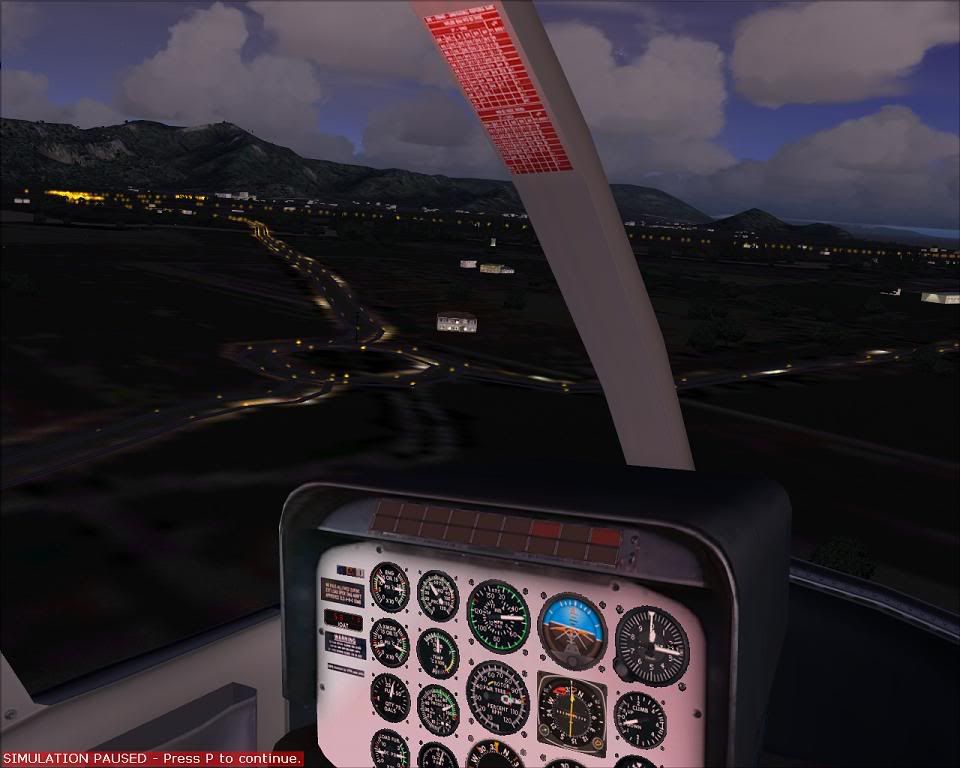
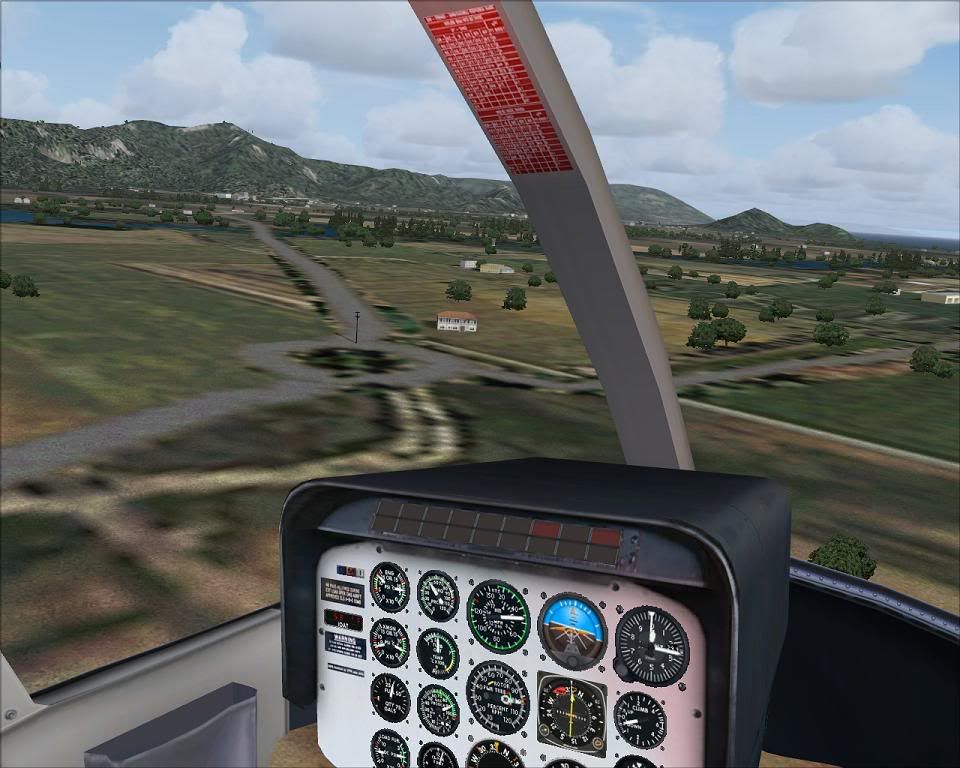
The roads with moving lights can be done quite neatly. There is a scenery for Cairns that does this - I'm assuming - using FSSC. During the day there are regular road textures and at night there are lights travelling along the left (correct) side of the road which impressed me. The lights do only move at motorway speeds though.
-

Dan - Member
- Joined: Tue Jul 25, 2006 7:07 pm
- Posts: 78
- Location: Waitakere
14 posts
• Page 1 of 1
Who is online
Users browsing this forum: No registered users and 5 guests