Page 1 of 1

PostPosted: Sun Jul 16, 2006 6:41 pm
by Jimmy
I am going to put a screenie in the VPA forums july screenshot contest but I cant decide what one of these two looks better , the first is the origanel and second is what a "auto balance" did (duh!)....
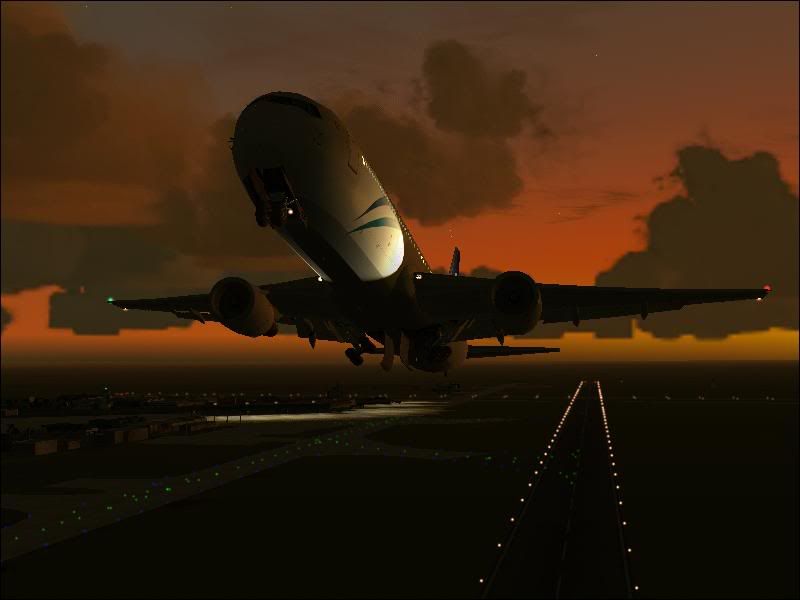
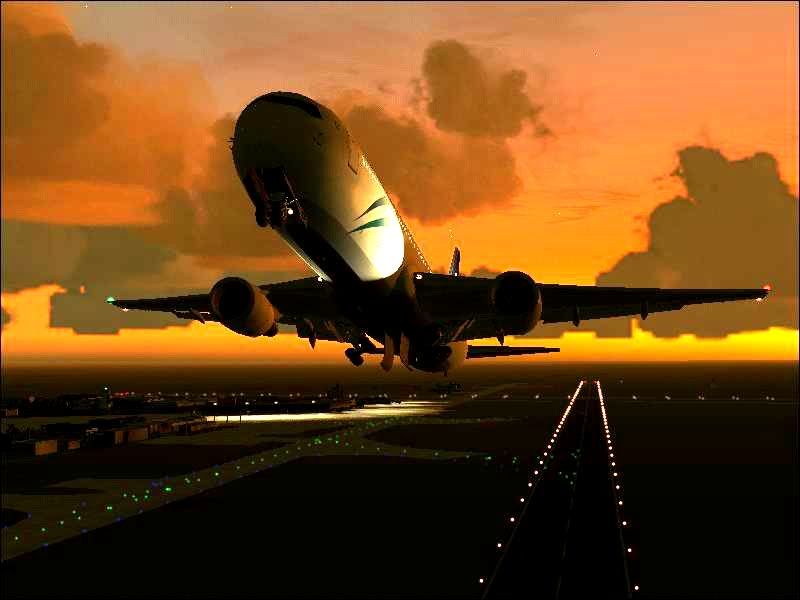
user posted image

user posted image

I suppose i'm allowed editing in this comp :lol:


What do you think? (do tell me if there both realy bad and I should forget the whole thing lol)

PostPosted: Sun Jul 16, 2006 6:52 pm
by Alex
Hi James,

I like the first one best. The rules also say ... "6. Screenshots may not be edited other than cropping"....

Good thing the first one is better eh :lol: .

What program are you using to take your screenshots? Your one is 30k and the maximum size is 200k, make it as detailed as possible. ;)

Alex

PS; you can find all the single screenshot comp rules here; http://www.virtualpilots.org/board/inde ... topic=4108

PostPosted: Sun Jul 16, 2006 8:19 pm
by ZK-MAT
Pic One is the best in my opinion. Two looks un-natural and edited. You'll have them jumping at ya if you put the edited one in the comp. :ph43r:

PostPosted: Sun Jul 16, 2006 11:30 pm
by Jimmy
Thanks guys , I didn;t no there was a rule! lol
O well it doesn't stop it from being my descktop picture for a day or two :D

I use the screen grab utility thats included with flight sim manager by ranainside....I have the "image quality" at 70percent then change the bmp's in jpeg's myself, it does this automaticly (saving the bitmaps as well) but the colour gos all funy.

PostPosted: Mon Jul 17, 2006 6:20 pm
by Alex
If you have photoshop - I'd open your .bmp's in there and the 'Save As' .jpg's and you can choose the level of detail, from 1 (very low) to 12 (very high). ;)

Alex

PostPosted: Mon Jul 17, 2006 9:56 pm
by creator2003
are your mipmaps up in the settings just looks like the wings in those pics are abit jaggered try 8 if they are not already oh and that is only if you are runing fs9 cant remember what the settings look like in 2002 but should be the same
but anyway my pick top one no1

PostPosted: Mon Jul 17, 2006 10:12 pm
by Jimmy
are your mipmaps up in the settings just looks like the wings in those pics are abit jaggered try 8


thats the "mipping quality" or somehting under display hardware?
I have that at abot 4-5 for performance reasons :(
Any higher and frames start on the downward slope ! (as they are already on ,iv had to take some action tonight as they were way below 20fps :blink: lol)

PostPosted: Mon Jul 17, 2006 10:27 pm
by creator2003
yeah mine are set at 6-7 but to take photo shots i slew (y)then crank every thing up for photo and the put things back the way they where for performance all weather does lots to that perfect sceen shot so just pause get that one of shot its worth the time and yes mipmaps in display setting s
hope this helps mike :)