God Zone

Post and comment on screen captures from the beautiful game here. Home of the monthly screenshot competition

Postby rick66 » Sat Nov 25, 2006 11:13 pm

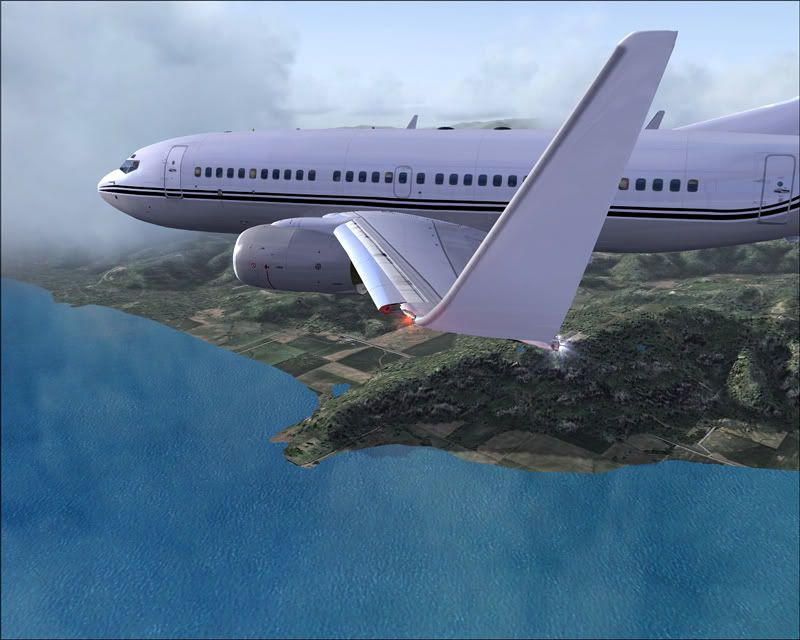
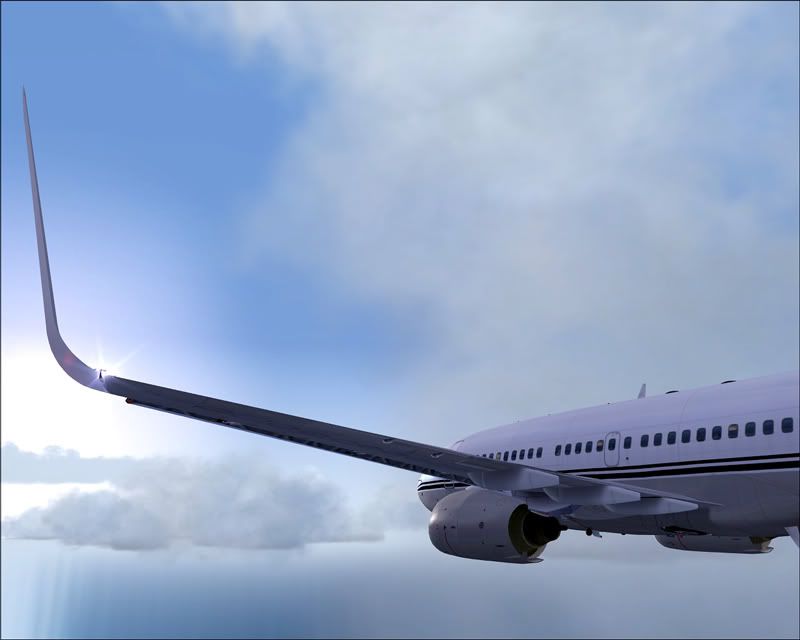
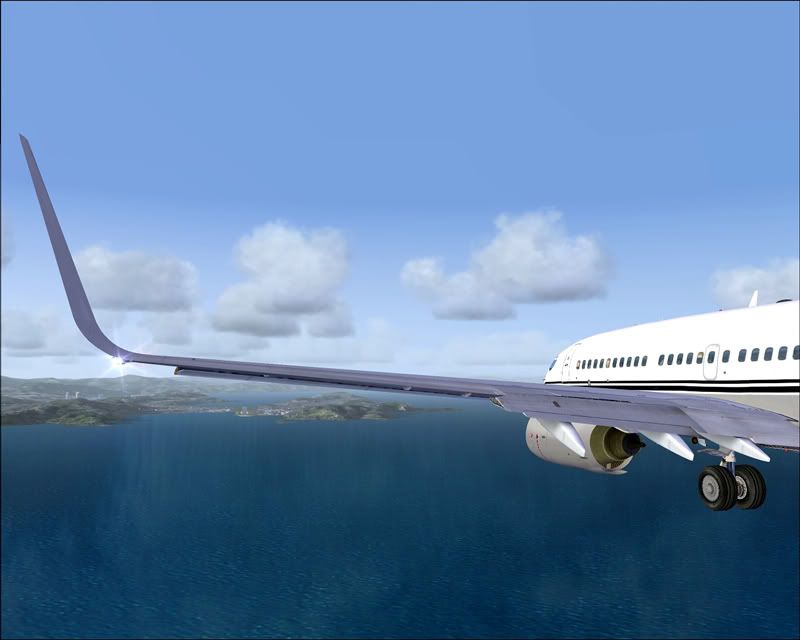
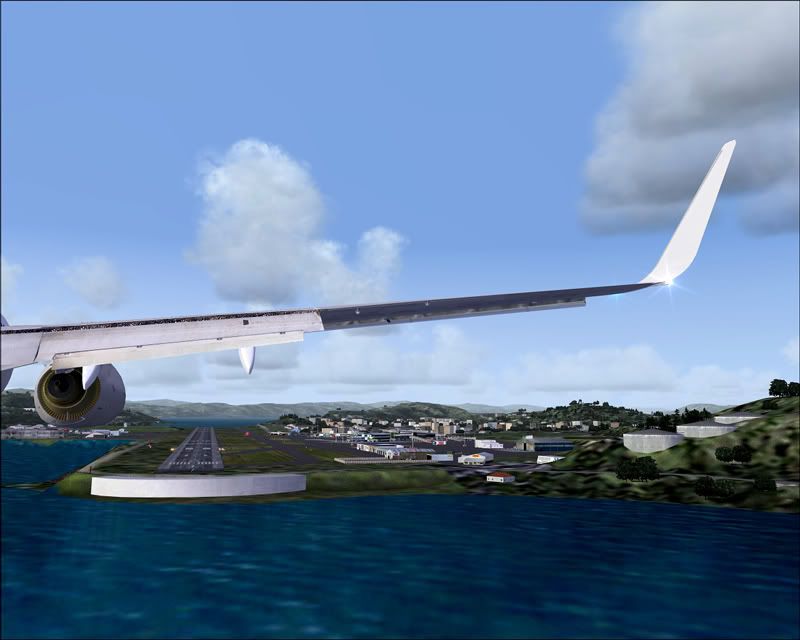
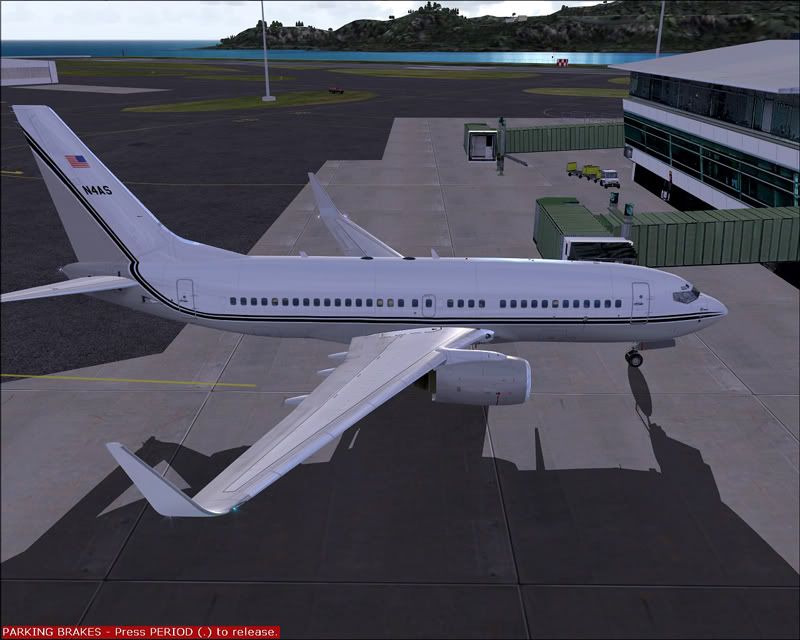
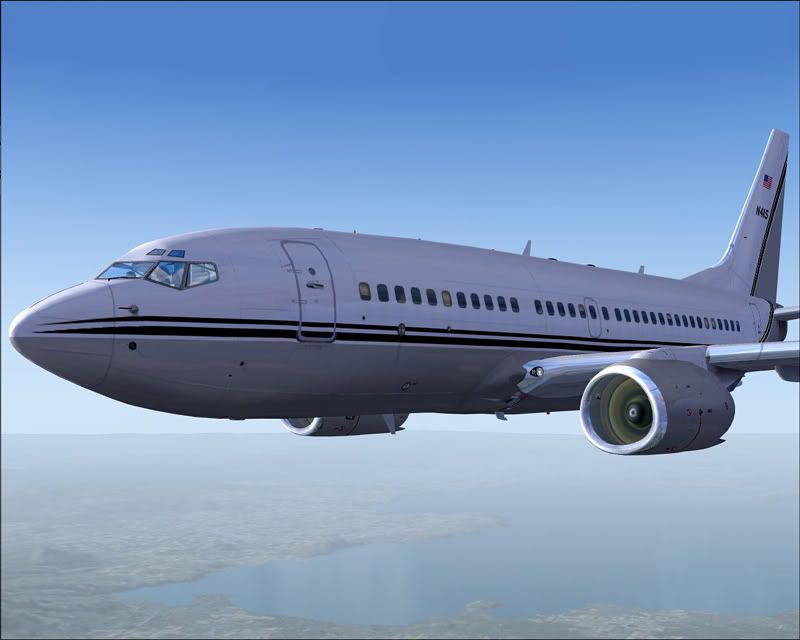
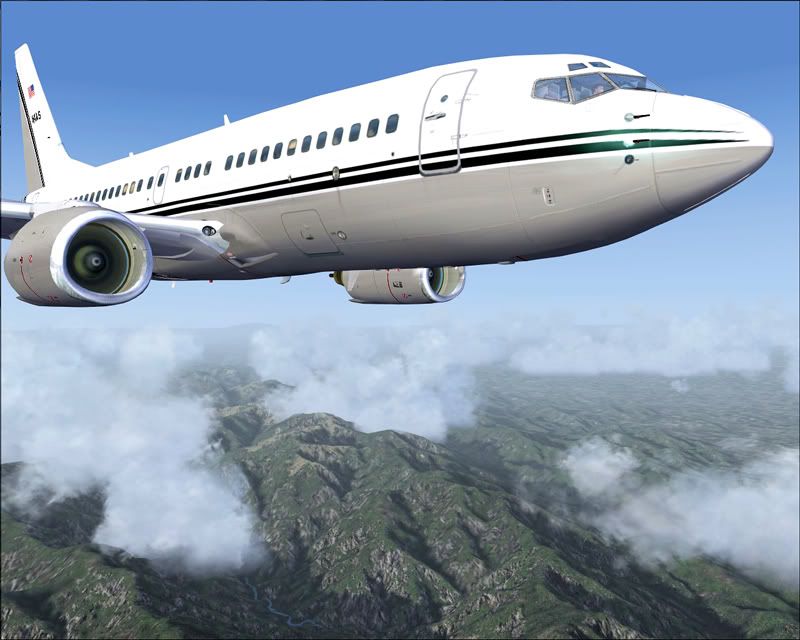
B) Have`nt posted for a while? here`s 8 shots of my BBJ PMDG 737-700 onroute to NZWN from USA to Oz with a descent over Lake Taupo via Lake Ferry for Rnwy 34ILS enjoy!
user posted image
user posted image
user posted image
user posted image
user posted image
user posted image
user posted image
user posted image
>nzflag<
Last edited by rick66 on Sat Nov 25, 2006 11:15 pm, edited 1 time in total.
Image
User avatar
rick66
Member
 
Topic author
Joined: Thu Apr 27, 2006 9:37 pm
Posts: 39

Postby ardypilot » Sat Nov 25, 2006 11:39 pm

God your graphics are jawdropping :drool: :drool: :drool:

I thought it must be FSX, but then realised you have REAL NZ Wellington running, absoulty increadble perfect graphics- each screenie could be mistaken for a photograph!
Simply excellent :clap:

So come on Rick, please enlighten us, what is your secret to getting these results (apart from your high spec system)? What water and display settings are you running there? What sort of FPS do you get with that PMDG 737?
User avatar
ardypilot
NZFF Pro
 
Joined: Wed Apr 26, 2006 10:01 am
Posts: 6802
Location: Auckland

Postby Zöltuger » Sat Nov 25, 2006 11:41 pm

top shelf shots there, jawdropping is definitely the right word to use!!
Zöltuger
 

Postby JonARNZ » Sun Nov 26, 2006 8:41 am

Note the dual high end GPU's, double the power at that end of the GFX card market will give you awesome results.
ARNZX flightsim.co.nz
Asus Sabretooth X79 MB | i73930K CPU | 8GB DDR3 1600 C7 Ram | GTX 560Ti DCII OC | Corsair H80 Water Cooling
User avatar
JonARNZ
Senior Member
 
Joined: Sat Oct 21, 2006 12:49 pm
Posts: 1523
Location: Auckland

Postby Charl » Sun Nov 26, 2006 8:46 am

3rd one down :clap: could become a poster.
Luvly
Last edited by Charl on Sun Nov 26, 2006 8:47 am, edited 1 time in total.
User avatar
Charl
NZFF Pro
 
Joined: Mon May 01, 2006 8:28 am
Posts: 9691
Location: Auckland

Postby Jimmy » Sun Nov 26, 2006 8:59 am

OO I am SOO jelous! :blink:

And you get steady fps? I am cruiseing at FL350 in a C17 and getting about 5Frames :(

Some very very nice photos there (i say photos cos they dont look like screenshots!)

James
Jimmy
 

Postby FlyingKiwi » Sun Nov 26, 2006 10:16 am

Would be interested to know your system specs as well, those are stunningly good graphics! :o
User avatar
FlyingKiwi
Senior Member
 
Joined: Mon May 29, 2006 4:17 pm
Posts: 1688
Location: Auckland

Postby ZK-Brock » Sun Nov 26, 2006 10:34 am

How'd you get those wing shots? Active camera?
ZK-Brock
NZFF Pro
 
Joined: Sun Jul 23, 2006 3:35 pm
Posts: 2035

Postby rick66 » Sun Nov 26, 2006 12:43 pm

>nzflag< Thanks Guys comments are greatly appreciated. Trolly me old mate i`ll rabble a few pointers off for you and the other NZFF members. i have strived to get a stutter free system for 3 yrs now and its a steep learning curve and most of you here could achieve something similar to my setup. The clarity you see is simply the graphics cards rendering with a few Fs9 cnfg tweaks which i will list for you! the water is by real Environment pro which i have removed from the batch file and permanently installed to Fs9 and voz textures as well. Sky textures are the Ground environment pro which are rendered accordingly to the active sky wx at the time, clouds are active sky wx influenced. all the usual things Christians Topo and Mesh. Fs9 cnfgs settings are as follows

[SOUND]
SOUND=1
SOUND_FADER1=0.340000
SOUND_FADER2=0.500000
SOUND_FADER3=0.400000
SOUND_FADER4=0.000000
SOUND_FADER5=0.640000
SOUND_FADER6=1.000000
SOUND_QUALITY=2
Channels=4
SamplesPerSec=44100
BitsPerSample=16
[DISPLAY.Device.NVIDIA GeForce 7800 GTX .0]
Mode=1280x1024x32
TriLinear=1
[DISPLAY]
UPPER_FRAMERATE_LIMIT=30
TEXTURE_BANDWIDTH_MULT=100
TextureMaxLoad=10
RUNWAY_LIGHTS_SURFACE_SCALAR=0.7
RUNWAY_LIGHTS_VASI_SCALAR=0.7
RUNWAY_LIGHTS_APPROACH_SCALAR=1.0
RUNWAY_LIGHTS_STROBE_SCALAR=1.0
[TERRAIN]
TERRAIN_ERROR_FACTOR=100.000000
TERRAIN_MIN_DEM_AREA=10.000000
TERRAIN_MAX_DEM_AREA=100.000000
TERRAIN_MAX_VERTEX_LEVEL=21
TERRAIN_TEXTURE_SIZE_EXP=8
TERRAIN_AUTOGEN_DENSITY=5
TERRAIN_USE_GRADIENT_MAP=1
TERRAIN_EXTENDED_TEXTURES=1
TERRAIN_DEFAULT_RADIUS=9.500000
TERRAIN_EXTENDED_RADIUS=9.000000
TERRAIN_EXTENDED_LEVELS=232

These settings will give you good fps for most middle range GPU`s and clear crisp stutter free rendering!
your frames should be locked at 25 to 30 fps mine are 30 because i have SLI which gives a bit more boost. the key here is not too enable your GPU settings and then double up in Fs9 with the same settings. this can be a real killer on your ram and give you some crap results. Fs9 performance settings will use your ram via your CPU to render in the same way the GPU uses its ram to render so basically the cpu will transpose the FS9 performance slider settings with filters to the GPU and the card will then render again to its own settings so be aware of this. Now lets talk system specs, Ram is the key 2GiG DDR2 is my baseline for fs9 because the cpu initializes the rendering and not the GPU so you need MEM. My CPU is not top of the range. Intel P4 540 3200 2 yrs old now and my Fs9 looked like fs1 till i got 2 gig of ram.

user posted image
user posted image
user posted image
user posted image
the other point i would like to make is the killing process of ancillary programs, while running fs9 shut down your virus scanner both inside your security program and also from the task manager or use a program like end it all, or fs auto start, virus scanners hog your ram so when fs9 searches for a texture or mesh, topo bgls, your virus scanner scans them and this gives you stutters which will result in low FPS, anyway i`ve rammbled enough for now hope this helps some of you? Rick ps the wing shots taken are from dbs walk and follow i don`t use active camera it sucks. active camera runs in the background and gives you micro stutters!


:thumbup:
Last edited by rick66 on Sun Nov 26, 2006 2:39 pm, edited 1 time in total.
Image
User avatar
rick66
Member
 
Topic author
Joined: Thu Apr 27, 2006 9:37 pm
Posts: 39

Postby bigal » Sun Nov 26, 2006 2:28 pm

Excellent shots.The best that i have seen so far. :clap:
bigal
Newbie
 
Joined: Wed Jul 12, 2006 9:53 pm
Posts: 4
Location: Brisbane

Postby Jimmy » Sun Nov 26, 2006 2:54 pm

my Fs9 looked like fs1 till i got 2 gig of ram.


So its all in the RAM ae? I have 768mb, when I get anothor 256mb how mch better will fs perform?

Rick ps the wing shots taken are from dbs walk and follow i don`t use active camera it sucks. active camera runs in the background and gives you micro stutters!

whats walk and follow? Is it free?

James
Jimmy
 

Postby rick66 » Sun Nov 26, 2006 4:54 pm

Jimmy wrote:whats walk and follow?  Is it free?


James its a payware utility, the link is Walk and follow :thumbup:
Last edited by rick66 on Sun Nov 26, 2006 10:31 pm, edited 1 time in total.
Image
User avatar
rick66
Member
 
Topic author
Joined: Thu Apr 27, 2006 9:37 pm
Posts: 39


Return to Screenshots

Who is online

Users browsing this forum: No registered users and 17 guests