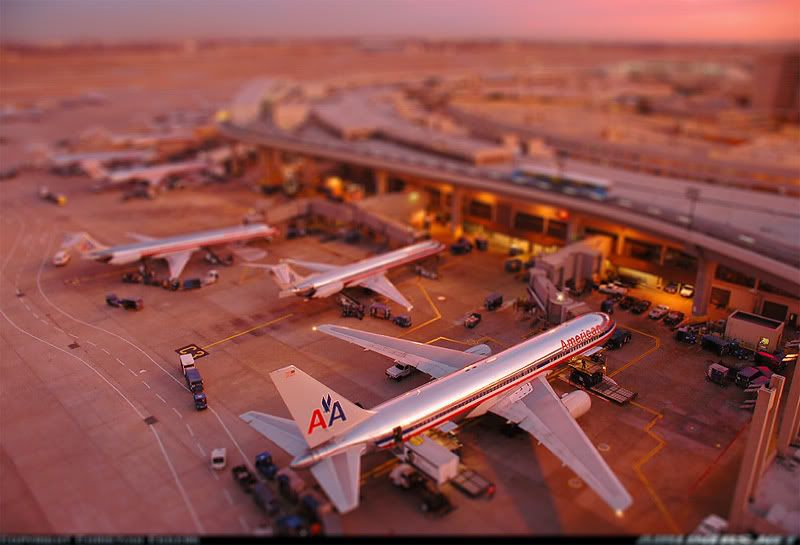
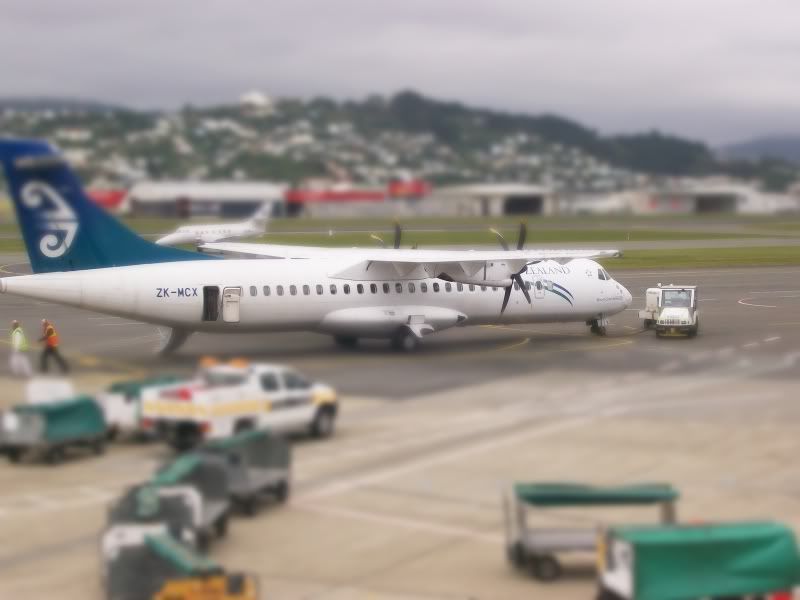
I learnt to do this today:
100% ad-free
 by Kelburn » Thu Nov 27, 2008 4:26 pm

by waka172rg » Thu Nov 27, 2008 4:49 pm


by Kelburn » Thu Nov 27, 2008 4:54 pm
by deeknow » Thu Nov 27, 2008 5:03 pm
Kelburn wrote:QUOTE (Kelburn @ Nov 27 2008, 05:54 PM) <{POST_SNAPBACK}>It's called Tilt Shift. To create a fake model effect (although this didn't quite work. I'm yet to find a photo that I can properly do it on)
Nice one K, it's such a cool effect aye? Love that model-railway kinda look. Check these tilt-shift aircraft pics out on flickr, there are thousands of examples:
http://flickr.com/search/?q=tiltshift+airport
EDIT: ps - if anyone is thinkin of trying their hand at a little painting or doing something arty-farty definately take a look at GIMP. I've always been put off photoshop coz the interface looked so complex, so many menus, terminology, and GIMP is just as complex really but the wonderfull thing is its FREE!!!
Go on, dive in, go thru the tutorials, read a few howtos, just like learning to fly there seems like a lot to learn at first but chip away at it one step at a time and before you know it your as happy as larry. Thanx for starting the thread Kelburn, wonder how many other gimp tips we'll get coming in...
http://www.gimp.org/Last edited by deeknow on Thu Nov 27, 2008 5:26 pm, edited 1 time in total.Deans repaints: http://www.deeknow.com/
X570 Mini-ITX m/b - Ryzen7 5700X3D (8c/16t) - RTX 2060-super - 32GB 3600MHz DDR4 - Win10 - P3Dv5.3

by Kelburn » Thu Nov 27, 2008 9:15 pm
by NZ255 » Thu Nov 27, 2008 9:30 pm
Kelburn wrote:QUOTE (Kelburn @ Nov 27 2008, 10:15 PM) <{POST_SNAPBACK}>I do like the last one. We should have a competition to see who can make their picture look most like a model!!!
Where did you get that original pic from?Nick

by Kelburn » Fri Nov 28, 2008 9:27 am
Users browsing this forum: No registered users and 37 guests