 Posted: Wed Feb 07, 2007 8:29 am
Before now, I had Vista on my computer dual booting with XP. I never really did much with Vista cause its so slow, and doesnt play many games etc...
Well, I started playing around with it last night, and I found its not actually that bad. Its much like a big mean dog. At the start you are scared of it, and think its stupid and you avoid it, but once you get to know it, you see its not that bad (kind of ). So, I started playing around with it, shutting down unnecesary programes running, disabling un needed services, and installing Nvidias latest 100.54 Forceware drivers. Mannnnnn does it fly. I tested it on the following games:
Need For Speed Most Wanted
Corel Paintshop Pro
GTR2
Flatout 2
Sim City 4
FS9 (not tested yet, but will do in a few minutes)
In all the games, I noticed slightly better and slightly worse performance than XP. I think that is not bad at all considering a few things...
1. Windows XP is over 4 years old. I was running it fully up to date with service packs, updates, and modded video card drivers.
2. Windows Vista is still in its very early stages. There have been hardly any updates, and even video drivers are now only starting to leave the beta stage.
3. I still had all the eye candy tunred on. Aero glass, sidebar, etc.
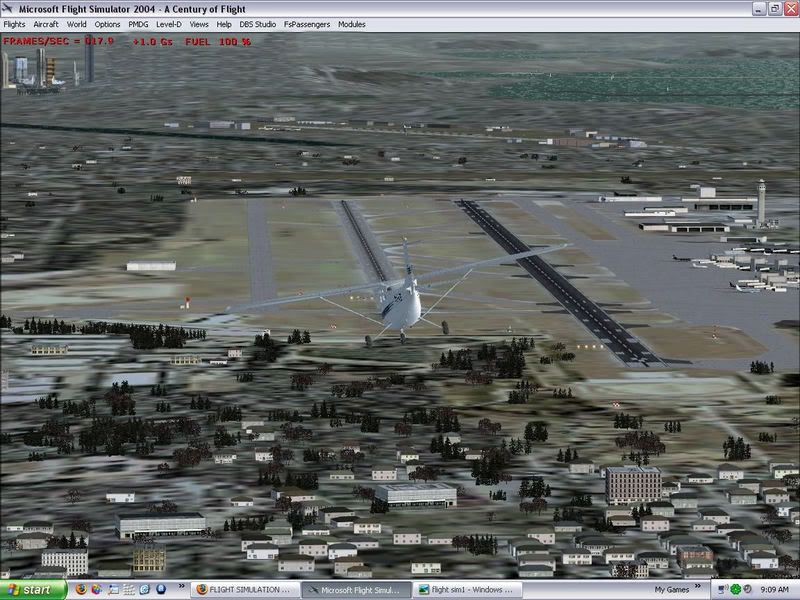
Heres two shots taken from Seattle, from FS9. Same weather, time of day, graphics settings, addons, etc.
XP screenshot. Ive always had bad FPS in this area. Not sure why :
Here is the screenshot from Vista. As you can see there is a dramatic improvement :
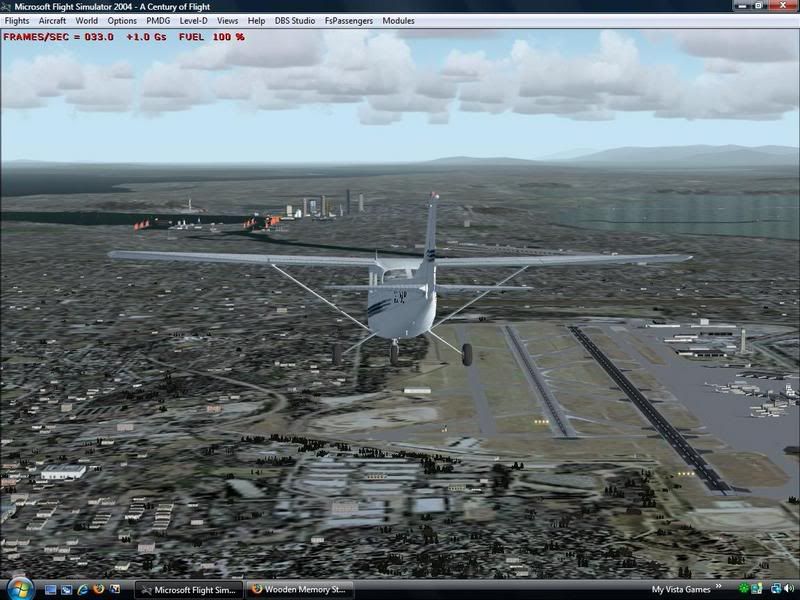
I noticed a general increase in performance throughout the sim world, and a massive improvement at busy airports where the computer usually slows right down.
Well, I started playing around with it last night, and I found its not actually that bad. Its much like a big mean dog. At the start you are scared of it, and think its stupid and you avoid it, but once you get to know it, you see its not that bad (kind of
). So, I started playing around with it, shutting down unnecesary programes running, disabling un needed services, and installing Nvidias latest 100.54 Forceware drivers. Mannnnnn does it fly. I tested it on the following games:Need For Speed Most Wanted
Corel Paintshop Pro
GTR2
Flatout 2
Sim City 4
FS9 (not tested yet, but will do in a few minutes)
In all the games, I noticed slightly better and slightly worse performance than XP. I think that is not bad at all considering a few things...
1. Windows XP is over 4 years old. I was running it fully up to date with service packs, updates, and modded video card drivers.
2. Windows Vista is still in its very early stages. There have been hardly any updates, and even video drivers are now only starting to leave the beta stage.
3. I still had all the eye candy tunred on. Aero glass, sidebar, etc.
Heres two shots taken from Seattle, from FS9. Same weather, time of day, graphics settings, addons, etc.
XP screenshot. Ive always had bad FPS in this area. Not sure why :
Here is the screenshot from Vista. As you can see there is a dramatic improvement :
I noticed a general increase in performance throughout the sim world, and a massive improvement at busy airports where the computer usually slows right down.


