 Posted: Mon Jun 13, 2011 8:40 pm
After Sundayflyer's post in the other thread, I thought I'd post a screenshot of my version of the internet. It may be common knowledge to you and me, but perhaps not everyone knows that you can have a better internet experience without advertising!
Both Firefox and Chrome have "extensions" available that you can 'install' into your browser, and they allow all sorts of things. One of my favourites is Adblock. I woudn't be without it now!
Here are a couple of shots in operation..
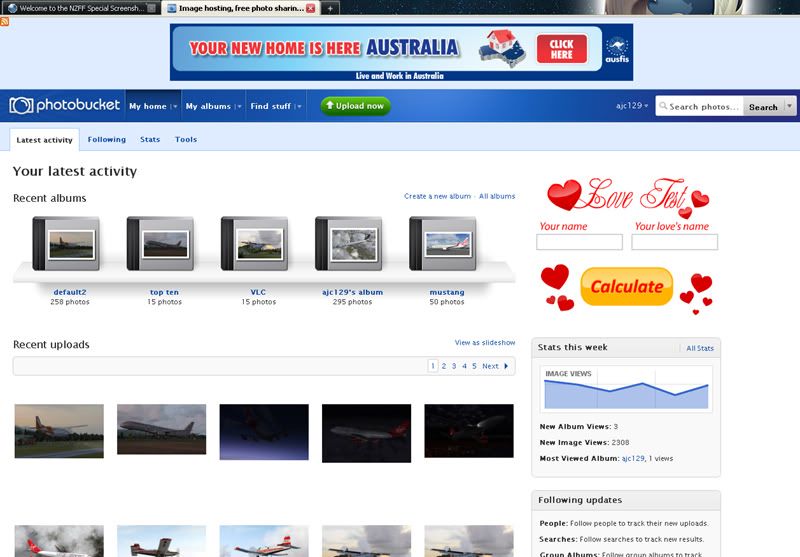
1.. The default view of the internet, as you'd see without it installed, or as you'd see with internet explorer
2.. And my view with Adblock turned on.
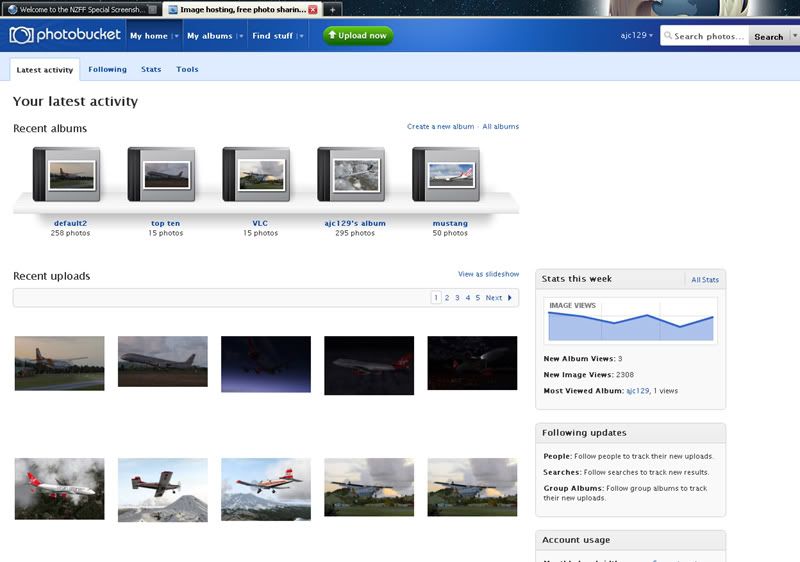
Note how much tidier that is? Plus, I have the added benefit that the page loads faster, and i'm not wasting my monthly bandwidth downloading a flashy ad that I'll never visit anyway. Plus I don't have these animated ads distracting my attention from what I am doing. The internet is a much nicer place without them! And it's all so simple. If you come across an ad during your browsing that doesn't happen to be blocked, or an image on a website you'd rather not see, just right click, add a filter, and you'll never see it again. Or, do you have a site that you actually WANT to see their ads? Set adblock to be disabled permanently on that site. It's that simple.

Sorry if you know all this, but then, if I can help one person out get rid of these ads, my job here is done!
Enjoy
Quick link to the firefox version: https://addons.mozilla.org/en-us/firefo ... lock-plus/
Both Firefox and Chrome have "extensions" available that you can 'install' into your browser, and they allow all sorts of things. One of my favourites is Adblock. I woudn't be without it now!
Here are a couple of shots in operation..
1.. The default view of the internet, as you'd see without it installed, or as you'd see with internet explorer
2.. And my view with Adblock turned on.
Note how much tidier that is? Plus, I have the added benefit that the page loads faster, and i'm not wasting my monthly bandwidth downloading a flashy ad that I'll never visit anyway. Plus I don't have these animated ads distracting my attention from what I am doing. The internet is a much nicer place without them! And it's all so simple. If you come across an ad during your browsing that doesn't happen to be blocked, or an image on a website you'd rather not see, just right click, add a filter, and you'll never see it again. Or, do you have a site that you actually WANT to see their ads? Set adblock to be disabled permanently on that site. It's that simple.
Sorry if you know all this, but then, if I can help one person out get rid of these ads, my job here is done!
Enjoy
Quick link to the firefox version: https://addons.mozilla.org/en-us/firefo ... lock-plus/