 Posted: Mon Sep 01, 2008 8:46 pm
Gidday guys- Ive just been playing around a bit more with my Scenery finder map and added a few new features that may be of interest.
The map can be found here: http://www.nzff.org/maps/
1) Ive done a spruce up of the map interface
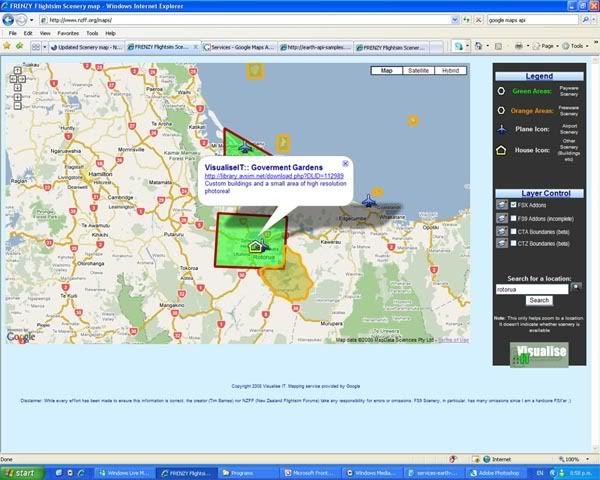
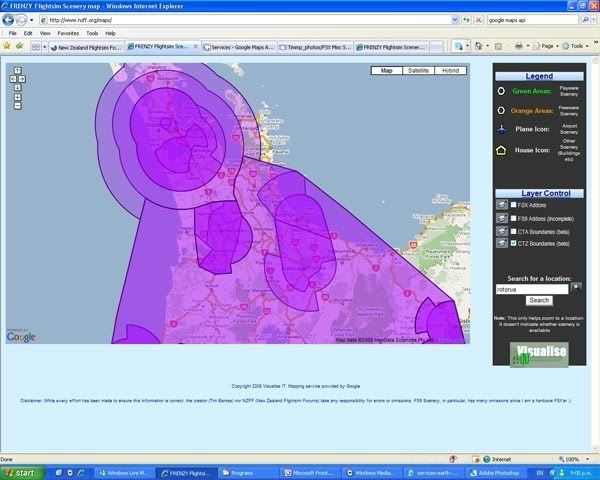
2) Ive got about halfway through adding the airspace boundaries of New Zealand from the VNC charts. At this stage I have only digitised the Control Areas and Control Zones. It is a little tricky to display these as polygon areas because they have to be considered in three dimensions.....anyway, you should be able to click on the polygon overlay and be presented with a pop-up containing:
The colours of the boundaries/areas match the colours on the VNC charts. The boundaries match fairly closely
Disclaimer: I hope it goes without saying but, these cannot of course be used for real-world flying. The boundaries may not be accurate and I can't take any responsibility for errors or omissions. It is a work in progress and I'll be adding the South Island boundaries and other information in the future.
3) So, if airspace boundaries need to be viewed in three dimensions, why not do that? Google has just released a plugin which allows you to experience FULL THREE DIMENSIONAL mapping and display within your web browser without the need for Google Earth! This is cool!
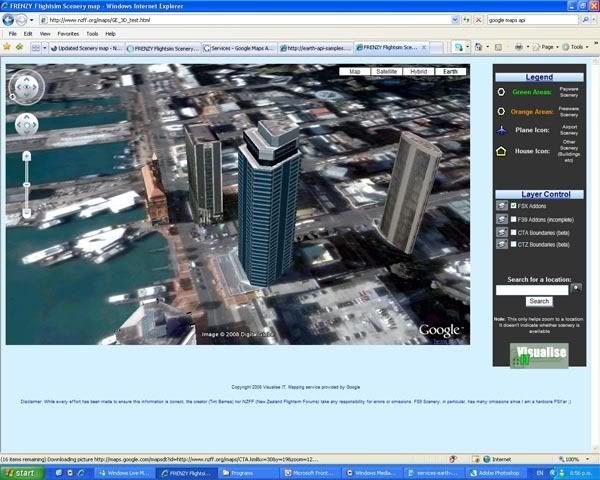
As a beta preview, I've created a map using this new functionality and placed it here. There is a new button at the top right of the map called 'Earth'. Clicking this the first time will prompt install of the plugin (this may take a while to load). Then you will be able to view the map in three dimensions- Im still working out how to invoke the display of 3D polygons so at the moment only the markers work. Like the 2D map, clicking on the marker will bring up a link to download the scenery from Avsim.
Hope you enjoy it- Let me know of any obvious problems.
The map can be found here: http://www.nzff.org/maps/
1) Ive done a spruce up of the map interface
- The overlay layers no longer load by default. A small check box is shown in order to turn the layer on or off. This should speed up the initial map load time.
- Added nice images/icons and formatted things in tables
- Changed the colour to better match the NZFF colour scheme
- Removed the overview map to help speed things up
2) Ive got about halfway through adding the airspace boundaries of New Zealand from the VNC charts. At this stage I have only digitised the Control Areas and Control Zones. It is a little tricky to display these as polygon areas because they have to be considered in three dimensions.....anyway, you should be able to click on the polygon overlay and be presented with a pop-up containing:
- The frequency of the controlling authority you need to talk to
- The lower and upper altitude of that piece of airspace
- The class of Airspace (i.e. C or D)
- Whether the Airspace has a requirement for a Transponder to be fitted
The colours of the boundaries/areas match the colours on the VNC charts. The boundaries match fairly closely
Disclaimer: I hope it goes without saying but, these cannot of course be used for real-world flying. The boundaries may not be accurate and I can't take any responsibility for errors or omissions. It is a work in progress and I'll be adding the South Island boundaries and other information in the future.
3) So, if airspace boundaries need to be viewed in three dimensions, why not do that? Google has just released a plugin which allows you to experience FULL THREE DIMENSIONAL mapping and display within your web browser without the need for Google Earth! This is cool!
As a beta preview, I've created a map using this new functionality and placed it here. There is a new button at the top right of the map called 'Earth'. Clicking this the first time will prompt install of the plugin (this may take a while to load). Then you will be able to view the map in three dimensions- Im still working out how to invoke the display of 3D polygons so at the moment only the markers work. Like the 2D map, clicking on the marker will bring up a link to download the scenery from Avsim.
Hope you enjoy it- Let me know of any obvious problems.

