Page 1 of 2

PostPosted: Thu Jan 06, 2011 9:57 pm
by deaneb
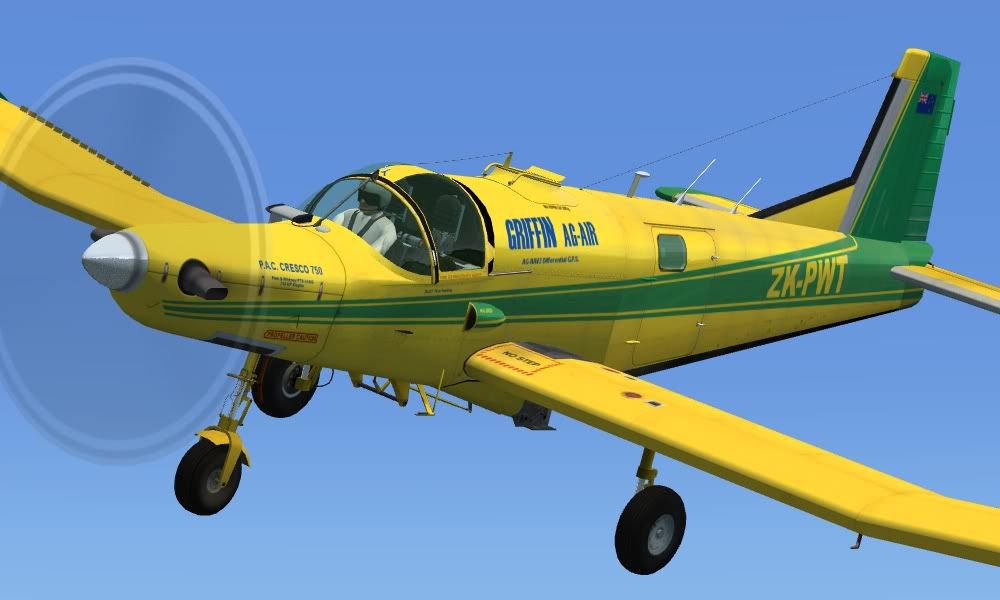
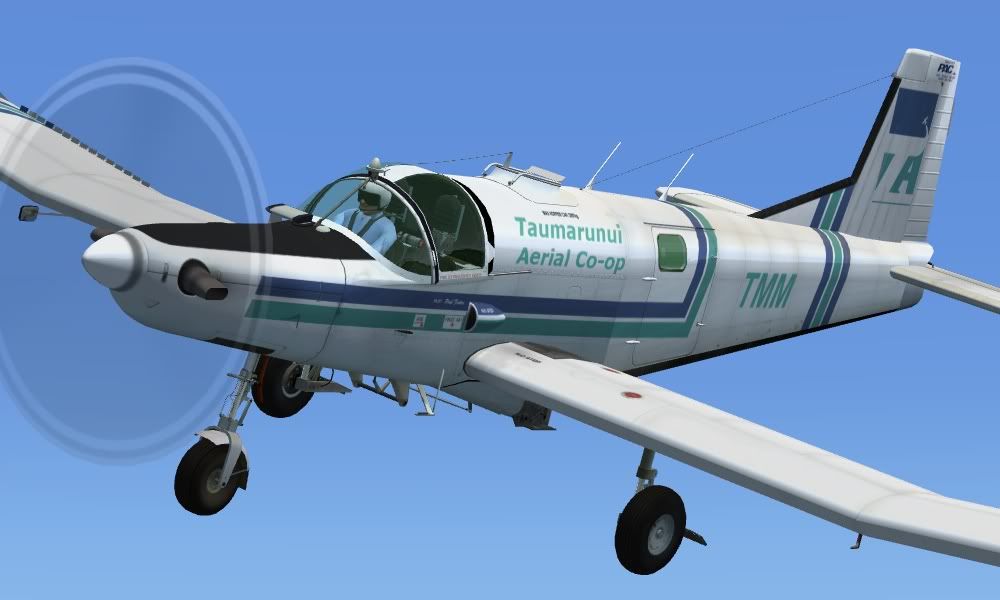
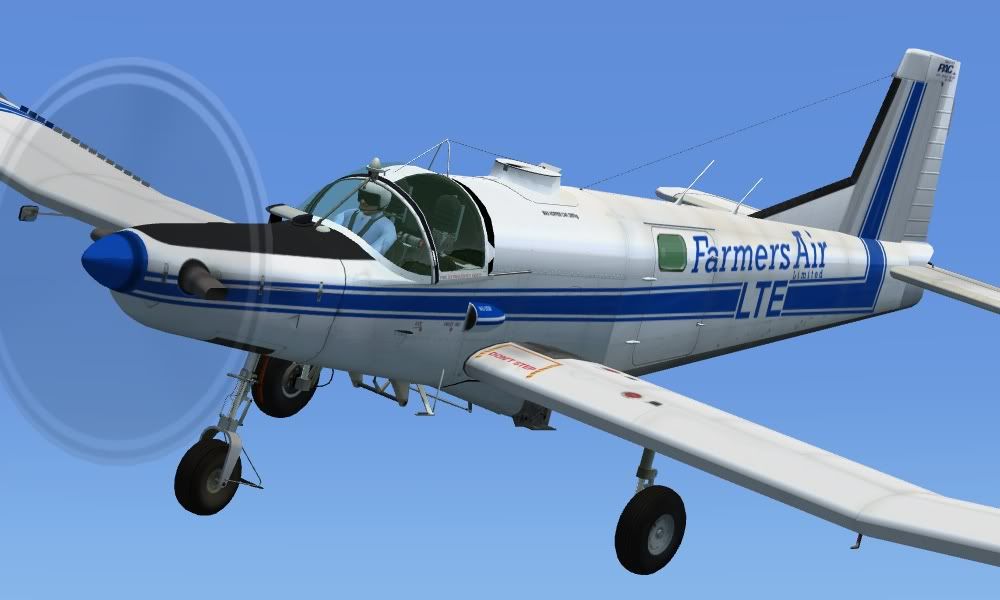
I had always intended to model the dual control Cresco, but thought that would take a little bit more time to modify from the first single control versions. It didn't take too long at all however! The dual control models are flown from the RH seat typically as the single engine control levers are positioned in the middle and this means the pilot is still flying with RH on stick and LH on throttle. There are numerous other subtle differences as well. I have done another 3 schemes. Hopefully I will have it all done by the weekend.........


PostPosted: Thu Jan 06, 2011 10:08 pm
by spongebob206
Thanks Dean

What shots
Awesome smile.gif

PostPosted: Thu Jan 06, 2011 10:52 pm
by madkudu
Woohoo thanks deane, looks awesome!

Just a question, do you make every model slightly different to match its real life counterpart?
Because just looking at the 3 different paints up there each one is slightly different, eg the first 2 have a different hoppers(?) than the other one, different wheel guards, differnt aerials, that thing above the pilots head...etc..?

Cheers,
Jimmy

PostPosted: Thu Jan 06, 2011 11:51 pm
by Adamski
I think Deane's on a roll! Metaphorically speaking, that is!! winkyy.gif

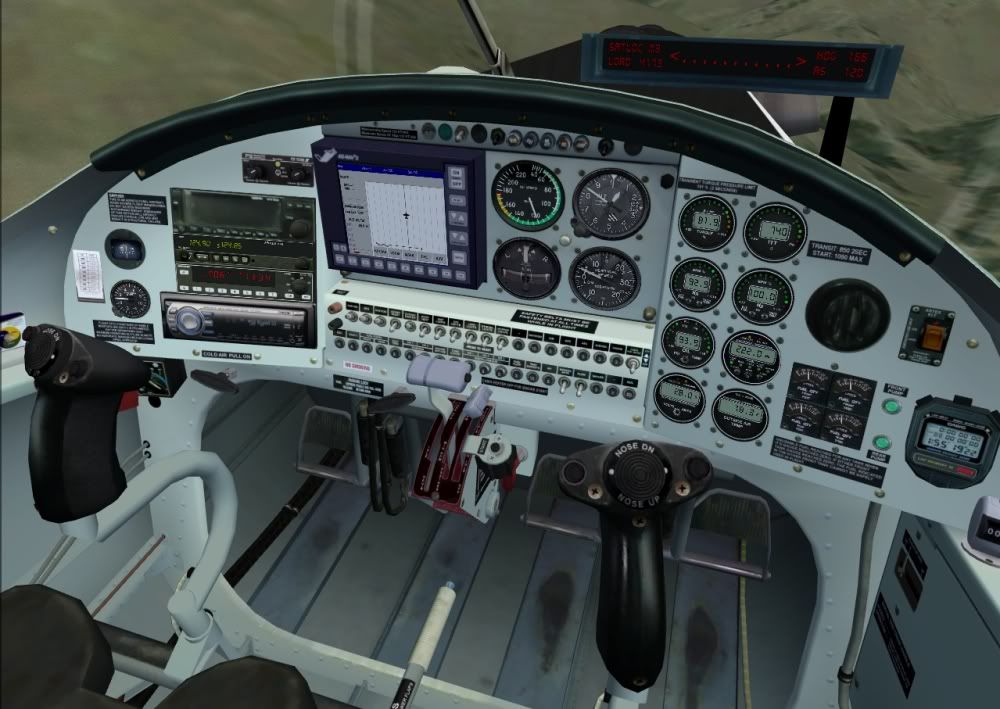
Just can't have enough of these incredible little planes. When's my cockpit CD player going to work then, eh? Blow the fancy GPS doodad ... I just want some decent muzak while I decorate the countryside! laugh.gif

Suggestions for suitable songs/tracks on a postcard please ...

PostPosted: Fri Jan 07, 2011 3:49 am
by happytraveller
If the original release is anything to go by, then these will also be stunners. The quality of the screenshots speak for themselves, Deane has done an excellent job with these.

Full marks and thanks to him!!

smooth landings.

PostPosted: Fri Jan 07, 2011 7:46 am
by scaber
Good work there Deane, looking forward to the release. Hey, Ian we will need another multiplay when this comes out so you can update the last lot of photos. Just a thought, will this allow a shareable cockpit?

PostPosted: Fri Jan 07, 2011 9:39 am
by deaneb
madkudu wrote:
QUOTE (madkudu @ Jan 6 2011, 11:52 PM) <{POST_SNAPBACK}>
Just a question, do you make every model slightly different to match its real life counterpart?
Because just looking at the 3 different paints up there each one is slightly different, eg the first 2 have a different hoppers(?) than the other one, different wheel guards, differnt aerials, that thing above the pilots head...etc..?


Yes Jimmy thats exactly what I have done. I get as many pictures as I can find of the aircraft in question and then try to match the detail. The only thing that really differs externally is what each operator uses for the GPS, mudguards, hopper lids and wing mirrors. I have not done them exact, but have got it as close as possible without going overboard. All this detail required modelling changes only and I could still use the existing textures without any alterations.

The cockpit I have treated differently. I have not yet seen two Cresco cockpits that have the same layout, even amongst a fleet from the same operator, so I have stuck with a generic layout. Additionally I had no pictures of the cockpits of these three particular aircraft. The other complexity if I was to change too many things is the cockpit textures would have to be redone for each model, something I wanted to avoid.

So a bit of give an take, but it works well. With those three additional schemes I've now got the bulk of the current Crescos schemes in the country covered.

PostPosted: Fri Jan 07, 2011 10:57 am
by Ian Warren
Again brilliant works Deane , and yes another multiplay needed . cool.gif

PostPosted: Fri Jan 07, 2011 2:22 pm
by Splitpin
Deane....what can i say...... notworthy.gif

PostPosted: Fri Jan 07, 2011 3:40 pm
by deaneb
Adamski wrote:
QUOTE (Adamski @ Jan 7 2011, 12:51 AM) <{POST_SNAPBACK}>
When's my cockpit CD player going to work then, eh? Blow the fancy GPS doodad ... I just want some decent muzak while I decorate the countryside! laugh.gif

Suggestions for suitable songs/tracks on a postcard please ...


I'll see what I can do with the CD player. I have a couple of tracks in mind too !!

PostPosted: Fri Jan 07, 2011 3:54 pm
by Adamski
deaneb wrote:
QUOTE (deaneb @ Jan 7 2011, 04:40 PM) <{POST_SNAPBACK}>
I'll see what I can do with the CD player. I have a couple of tracks in mind too !!

Wow - impressed - and I was only joking!

Dylan: "A hard rain"
Pearl Jam: "Cropduster"

laugh.gif

PostPosted: Fri Jan 07, 2011 9:01 pm
by Splitpin
Adamski wrote:
QUOTE (Adamski @ Jan 7 2011, 04:54 PM) <{POST_SNAPBACK}>
Wow - impressed - and I was only joking!

Dylan: "A hard rain"
Pearl Jam: "Cropduster"

laugh.gif


Adam....good songs....anything by Dylan is ok with me thumbup1.gif

PostPosted: Sat Jan 08, 2011 1:38 am
by Ian Warren
Marty .. Dylan tongue.gif Aaaa , Bbbb , Cccc , ya really want to here the end off that song tongue.gif

PostPosted: Sun Jan 09, 2011 9:07 am
by SeanTK
Hey Dean!

They look excellent!

Assuming you've seen this thread?
http://rnzaf.proboards.com/index.cgi?board...2303&page=3
(link goes to page three with some interesting liveries)

Also thought this was interesting. Probably the most IFR capable Cresco cockpit I've seen:
http://www.buy-ei.com/Pages/PanelPics/imag...o%20750_jpg.jpg


Finally, not to take anything away from your great work, but I created an alternative prop spin texture if you or anyone is interested. All it took was extracting the alpha channel from the prop spin of Eric Dantes' Twin Bonanza (three blades), and applying it to the Cresco prop spin texture.


PostPosted: Sun Jan 09, 2011 9:46 am
by rayclyde
Thank you Deane for such a wonderful aircraft. While I have experience (real and Fsim) with normally aspirated aircraft I have never been near a turbo. Should you have time could you please advise me of representative settings for Torque, Itt, Ng and Np settings for climb out, en route cruise, and approach/landing for this aircraft. "at work" settings would also be appreciated. This aircraft deserves to be flown properly. Once again thanks.

Clyde Williams
Levin

PostPosted: Sun Jan 09, 2011 9:47 am
by deaneb
Thanks Sean. Yes I have seen the pics in those links. I'm an active member of Wings Over New Zealand website. A worthwhile site for anybody interested in all things aviation in NZ

The IFR cockpit is either from one of the para planes, or possibly the utility version which does geophysical work in Australia. Its certainly not an ag model.

I was going through formatting the textures the day before yesterday and was thinking I needed to look at the prop texture to see if there was something better! I was lazy and used the same old texture I had since FS9 or earlier, so I might look at your idea and inclusde in final release.

Cheers

PostPosted: Sun Jan 09, 2011 9:52 am
by deaneb
rayclyde wrote:
QUOTE (rayclyde @ Jan 9 2011, 10:46 AM) <{POST_SNAPBACK}>
Thank you Deane for such a wonderful aircraft. While I have experience (real and Fsim) with normally aspirated aircraft I have never been near a turbo. Should you have time could you please advise me of representative settings for Torque, Itt, Ng and Np settings for climb out, en route cruise, and approach/landing for this aircraft. "at work" settings would also be appreciated. This aircraft deserves to be flown properly. Once again thanks.

Clyde Williams
Levin


Hi Clyde. Thanks for the comments. Sorry but I have no idea of any of the settings as I simply have not had time to access that kind of information. What I do know is that cruise is about 75% torque.

PostPosted: Sun Jan 09, 2011 9:53 am
by SeanTK
http://www.mediafire.com/file/53g4iqf3d8rte2z/prop.zip

Here's the prop file. Just overwrite the old one with this one in each texture folder, and you should be good to go if you want to try it out.

PostPosted: Wed Jan 12, 2011 5:55 pm
by deaneb
I played around with a new texture, but was have problems with getting the edge running true. What I found, is that no matter how hard you try, you can't get a 3 blade prop texture even. The secret was to take 1/3 of the disc and texture that (with a new texture) then duplicate that third to complete the disc. I have stuck with a prop texture that has a fairly continuous edge, as I don't like the "wagon wheel" effect too much. Also I know from experience, that from the cockpit, props look like a continuous disc at normal speed.

PostPosted: Wed Jan 12, 2011 8:44 pm
by Adamski
Deane, I think you just won the signature competition clapping.gif laugh.gif