Page 1 of 1

PostPosted: Tue Sep 12, 2006 12:35 pm
by Jimmy
so i'v been putting up with a noisy fan on my display card for the last few eeks , I realy haven't minded but taday I started my pc up and all I got was silence :o

not a good thing, i opend up my case and started it again ,I observed the fan on my card just sitting there not spining at all :huh:

So I shut down and spun and gave it a wee spin with my fingure :unsure: tried starting it aain and it still didn't move.

So I shut down and spun it the other way, its working again now but my heart beat is still threw the roof :huh:

So its spinning again making its normal noises, although isturbing I don't hear it when I start my jet up :P

I'm very scared my card will overheat :o what should I do? Can I control the fan ? or see what the temp is ?

Thanks a heap
James

PostPosted: Tue Sep 12, 2006 12:57 pm
by ZK-MAT
Ouch Jimmy!

First thing I would check is if your card has an external power source, either a molex connector (those big clear or white plastic ones that power things like the CD, HDD etc) or if there's two wires (usually red and black) going directly to your fan. If either are true, perhaps try plugging in another power source to them (if molex pull the CD one out and plug it in to your board or if thin wire version pull the red/black one off the video board and plug directly on your mother board where you should have a socket for case fans) and/or check the business end hasn't come from the fitting on your mobo or is loose.

If that doesn't solve things, then look at the fan itself It's probably shat itself, sounds to me it's on its way out and seizing up. They can be re-oiled usually, remove the sticker on the top and put a drop of light machine oil in the hole but it's not something I would do, personally.

They are cheap (less than $10). Is it attached using four screws? Unscrew it and get down to Dick Smith and get a small cooling fan that matches the holes and screw that on.

In any case I wouldn't run it without the fan - nasty things happen mate.

PostPosted: Tue Sep 12, 2006 1:10 pm
by Jimmy
hmm okay, I think ill get a replacement fan if they aint to pricy.
The fan has no sticker or somewere to put oil buit is atatched with four screw like thingys. It has two wires (red and black) that plug into the card itself. noother power supplys go to the card as theres no sockets for extra poer suplys.

PostPosted: Tue Sep 12, 2006 3:47 pm
by ardypilot
Sounds bad mate, maybe the card it too high spec for your system?

I never ever had any troubles with this card, and it ran quiet as a mouse on my ASUS 2.4ghz system. When I put my new 128mb card into my PC, the fan is also making a load noise, but I am learning to put up with it.

BTW, there is no molex connection on this card. I simply had it plugged into the AGP slot and it ran by itself.

Hope you get things sorted B)

PostPosted: Tue Sep 12, 2006 4:37 pm
by Jimmy
I don't think it is, my system is a 2.4 pentium 4 so even a little faster than your celeron hmm.

Could it have someting to do with the fan not getting enough power?
I'm guessing that as long as I can hear a noise its not going to overheat.
Oh hold on it just went all silent again :o , right off gos the power again for anothor look lol :lol:

PostPosted: Tue Sep 12, 2006 6:28 pm
by Jimmy
I opended up my p.c case again and pulled somedust out of the fan and gave it a few wee spins (is this the right thing to do?) The noise is back so it must be spining again :)

I took some photos:

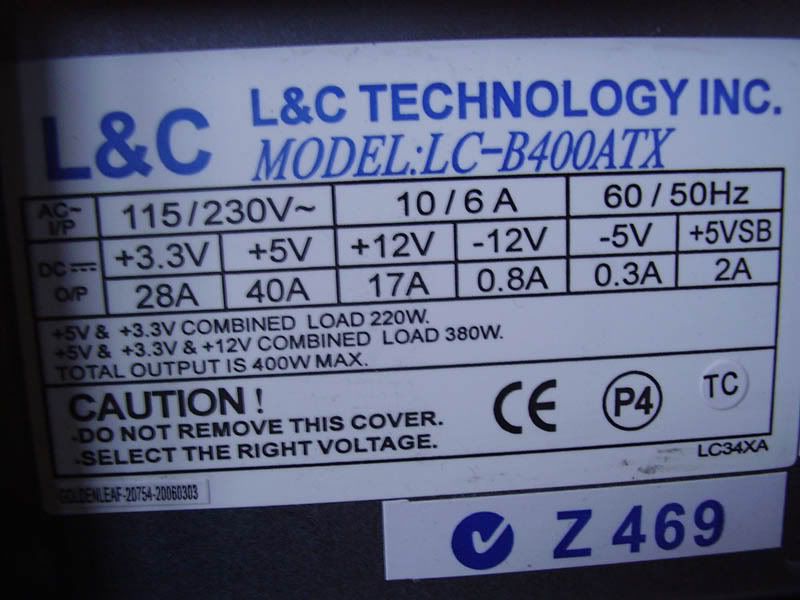
user posted image
The power supply, looks like 400w, is this good...

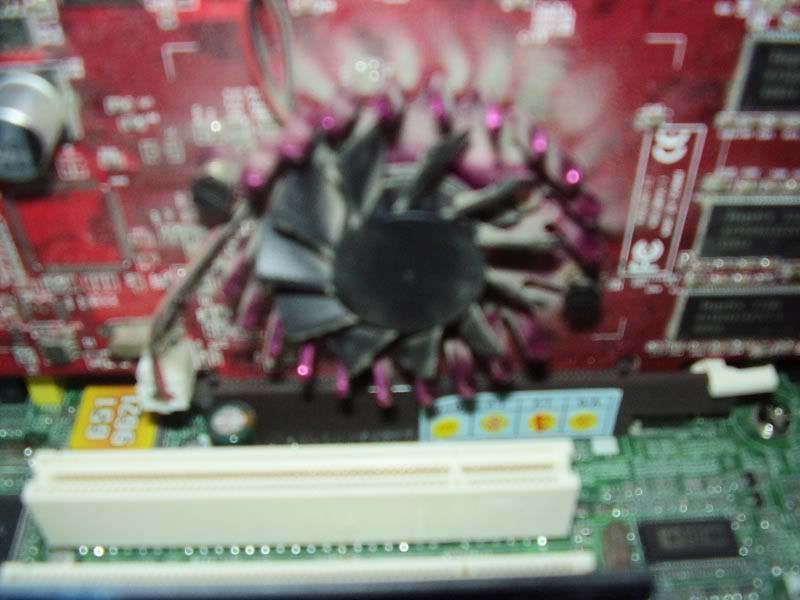
user posted image
the fan, you can see theres nowere to put oil , and it has too hang upside down in my case :lol:

Thanks
James

PostPosted: Tue Sep 12, 2006 6:33 pm
by Zenith
Hey this sounds familier <_<

Sounds like Jimmy got a dude card to me :(

PostPosted: Tue Sep 12, 2006 6:34 pm
by ZK-MAT
How is the fan attached? It may be a mission to get it off mate. I once replaced my Ti4200 fan using a CPU cooler type, but the Ti fan was screwed onto the heatsink so it was quite easy.

A clean up sounds like the first step though, there's a bit of dust there :D

PostPosted: Tue Sep 12, 2006 9:59 pm
by gokanru
Hi Jimmy,

Lets tackle the power supply first.A 2.4gb P4 will run on a 300watt power supply no sweat.With your 400watt supply it means you have plenty of overhead,and thats good,because the supply won't have too strain itself.The video card,if your graphics are displaying correctly,then your card is ok,and only the fan needs to be looked at.There is a set way to remove the cardfrom the computer.First off,turn off the computer and REMOVE THE POWER CABLE from the computer.The reason for this is that when the computer is turned off in the normal fashion,in otherwords,a normal shutdown,voltage is still on the motherboard,most computers have a switch at the back but pulling the power cable is the best way to go.

Give the computer a couple of minutes after you have done this,this gives the capacitors time to discharge.Undo the monitor monitor cable and remove the side cover from the computer.Undo the screw holding the video card,withdraw the card HOLDING IT BY ITS EDGES.DO NOT TOUCH ANY OF THE COMPONENTS.Static electricity will kill your card. Place the video card on an anti static mat,make sure that you do not place it on anything nylon or synthetic material.Some motherboards like Gigabyte already have an anti static mat and it pays to keep it for just such an occassion.remove fan and clean,or replace.Hope this helps you a little.

PostPosted: Tue Sep 12, 2006 10:14 pm
by brownbox
ahh yes... the fun you would only have with a computer :lol: