 Posted: Mon Oct 01, 2007 1:34 pm
Yesterday I downloaded the latest nVidia driver (162.18_forceware_winxp_international_whql.exe) for my old GeForce FX5600- uninstalled my old drivers, booted in safe made and ran Driver Cleaner Pro, then restarted and installed.
Now when I run FS9 I get loads of jaggie edges everywhere like anti-aliasing has been turned off. I have it unticked in the sim's graphic options and checked to 4x (which is what I had it set to before) on the nVidia toolbar setting menu:
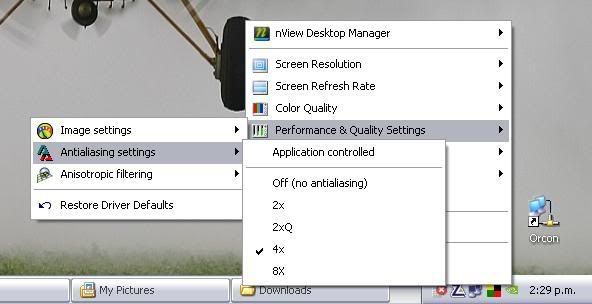
However, this doesn't seem to effect it. And when I try to go into the advanced settings, aka the Nvidia Control Panel, nothing happens when I click it.
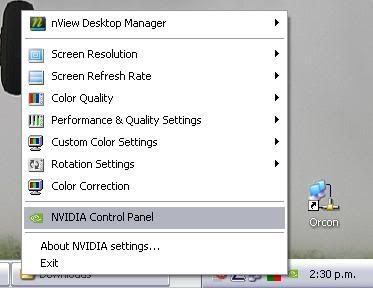
I've tried turning off ZoneAlarm and AVG but it makes no difference. I googled the problem to find a few other people who did not have the .Net framework installed, had the same problem. However, I already have the .Net framework installed (you need it for VOZ) so I am unsure on what to do next- can anyone here help?
Now when I run FS9 I get loads of jaggie edges everywhere like anti-aliasing has been turned off. I have it unticked in the sim's graphic options and checked to 4x (which is what I had it set to before) on the nVidia toolbar setting menu:
However, this doesn't seem to effect it. And when I try to go into the advanced settings, aka the Nvidia Control Panel, nothing happens when I click it.
I've tried turning off ZoneAlarm and AVG but it makes no difference. I googled the problem to find a few other people who did not have the .Net framework installed, had the same problem. However, I already have the .Net framework installed (you need it for VOZ) so I am unsure on what to do next- can anyone here help?
