Page 1 of 1

PostPosted: Fri Apr 27, 2007 11:32 pm
by victor_alpha_charlie
Evenin,

Whenever Firefox updates itself, it sets everything back to default.
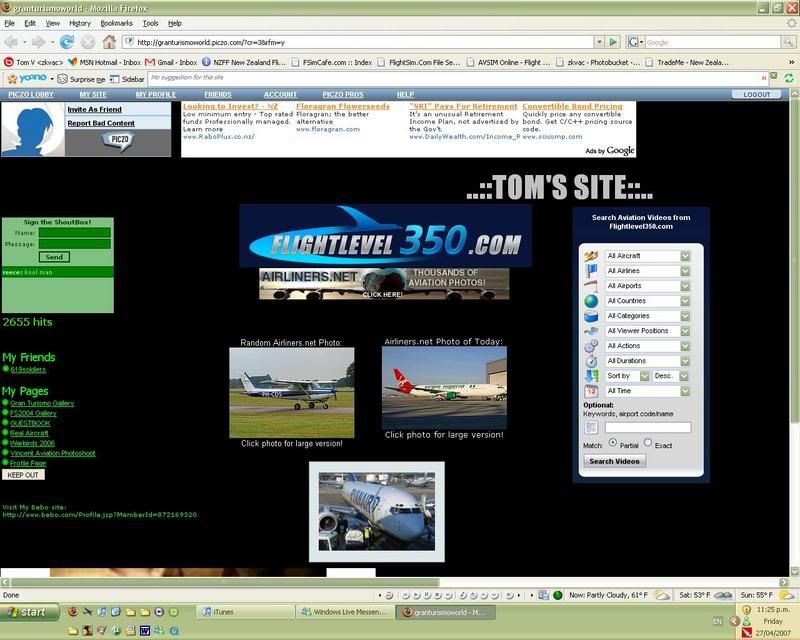
user posted image

It resets my homepage, my addons and all my saved websites, that can be seen just below the address bar. the pic above shows it setup how i like, which has just taken me 10 minutes after Firefox did another bloody update. i have around 50 saved sites so its not fun reorganizing after the orders been screwed up. is there any way i can stop this? Before i get on a plane and go and kill the people that made ff. (yes ok that won't happen :lol: )

And if anyon was wondering, that site is my personal one.. oo00oo..
Visit it here . Sign the guestbook!
Churr

PostPosted: Sat Apr 28, 2007 9:01 am
by brownbox
Ive had all sorts of crappy problems like this with firefox. FOr example, the one you name here, history not being recorded, auto complete not working, and auto scrolling swtiching itself off :angry:

Heres what I did

Go into c:/documents and settings/application data

Then copy the whole folder named mozilla into your desktop. Then uninstall firefox, delete your mozilla firefox directory, restart your computer, install it again, then copy your application data folder back into its original place

I think that made sence :unsure:

CHeers
BB

PostPosted: Sat Apr 28, 2007 11:41 am
by lowellyerex
I thought they'd finally fixed that Firefox issue - it used to pee me off too. Dare i say it, but I think IE 7 has caught up to Firefox, and is actually preferable in some respects (I still come across website functionality problems with Firefox - including the Airways IFIS site). I still use Firefox, mainly because it has all my usernames and non-critical passwords remembered, and because I like the "no script" plugin, especially with my kids using the computer. I also run my browsers from within "drop my rights", as I run XP with admin privileges. For info on this, see this article

I installed the latest version of Opera, and it looks pretty darn good, but I'm yet to give it a thorough workout.

PostPosted: Sat Apr 28, 2007 4:11 pm
by brownbox
The absolute reason i use firefox is because of the amazing adblocker. ;)

PostPosted: Sun Apr 29, 2007 2:30 pm
by jastheace
funny that, i don't have any problems what so ever when it updates itself i get a new tab saying it has been updated, and everything else is exactly where i left it

PostPosted: Sun Apr 29, 2007 4:27 pm
by Mattnz
It normally updates fine for me, but last time it screwed up. I'll try deleting the Application Data folder, and see if that will work.

Thanks,
Matt :)

PostPosted: Wed May 02, 2007 5:37 am
by johanfrc
I'm using FF without any problems. When I update I can still use all the remembered websites and passwords. So no problem here. I also use the Adblock Plus plugin and it great. haven't seen an ad for more then 2-3 months.

PostPosted: Wed May 02, 2007 9:20 am
by Bingobob
User Error springs to mind with this problem

PostPosted: Wed May 02, 2007 1:46 pm
by Timmo
I wasnt impressed to be honest, it was really slow to start up and didnt really do anything better than I.E. (at least for my use)

PostPosted: Wed May 02, 2007 3:56 pm
by creator2003
Try netscape browser it users firefox and explorer and is the one stop boss of browser options , ive never had things go back to default {firefox) unless i complete remove and reinstall