Page 1 of 1

PostPosted: Wed Aug 14, 2013 6:46 am
by lowglow
Well the time has come to up grade the old girl with a new Motherboard, CPU, Ram, Hard drive and Graphics card.
I am also changing from XP to Windows 7, my question being new to 7 is there anything I should know about installing FSX on this OP system, before I start
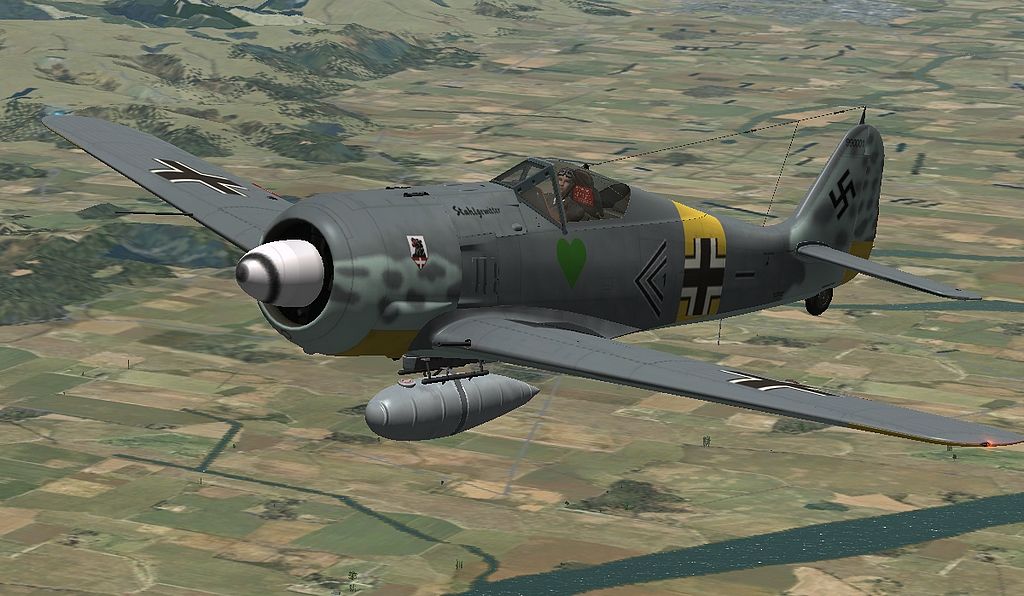


Just felt like throwing the screen shot in for no particular reason biggrin.gif

PostPosted: Wed Aug 14, 2013 6:56 am
by Ian Warren
Chris great screen , no issues at all , fits Flight Simulation XP like Win7 a leather flying glove onto a hand smile.gif ... I need a new PC now to be up with the in-crowd winkyy.gif

PostPosted: Wed Aug 14, 2013 9:14 am
by Charl
It is a nice shot...
Probably a smart time to upgrade to WIN 7 as XP support ceases at the end of the year.
My fear is that I will soldier on with XP SP3 (which BTW runs FS9 as if made for it) until WIN 8 is the required OS.
Then FS9 won't work any more, perish the thought.

Don't forget to keep your floppy disk drive lubricated, now...

PostPosted: Wed Aug 14, 2013 10:34 am
by Ian Warren
Charl wrote:
QUOTE (Charl @ Aug 14 2013,10:14 AM) <{POST_SNAPBACK}>
Don't forget to keep your floppy disk drive lubricated, now...

Don't Don't .. for cripes sake ... do not Lube your floppy ohmy.gif ...... Its real .... Attack on the dreaded 1.44lotta bites

PostPosted: Wed Aug 14, 2013 1:24 pm
by bjocque
3x Genius!!!

PostPosted: Wed Aug 14, 2013 2:21 pm
by Ian Warren
bjocque wrote:
QUOTE (bjocque @ Aug 14 2013,2:24 PM) <{POST_SNAPBACK}>
3x Genius!!!

and a Microfoot .. more lethal tongue.gif

PostPosted: Wed Aug 14, 2013 2:40 pm
by cowpatz
From my readings and experiences I would recommend that you use W7 64 bit (Home premium as the minimum not home basic) and that you install FSX in it's own folder on the drive and not in programs or Programs (x86). There is also a quirk when it comes to installing scenery.
I suggest you read here.

PostPosted: Wed Aug 14, 2013 8:39 pm
by lowglow
cowpatz wrote:
QUOTE (cowpatz @ Aug 14 2013,2:40 PM) <{POST_SNAPBACK}>
From my readings and experiences I would recommend that you use W7 64 bit (Home premium as the minimum not home basic) and that you install FSX in it's own folder on the drive and not in programs or Programs (x86). There is also a quirk when it comes to installing scenery.
I suggest you read here.

Sorry unable to view that page
QUOTE
The server is temporarily unable to service your request due to maintenance downtime or capacity problems. Please try again later.[/quote]Will try again latter from memory I think I have a problem with there site, was once a member as you have to be to view anything on that site, forgot my password and have not been able to retrieve it or have it reset, can't create a new account as it says my email address already has an account. I will try again later anyway

Ian with a bit of know how you can convert one of those mice into a foot controlled push to talk device for use on Team speak lol

PostPosted: Thu Aug 15, 2013 8:11 pm
by Ian Warren
lowglow wrote:
QUOTE (lowglow @ Aug 14 2013,9:39 PM) <{POST_SNAPBACK}>
Ian with a bit of know how you can convert one of those mice into a foot controlled push to talk device for use on Team speak lol

They are all operational mice ! .. given many away but be worth to keep that in mind now how you have approached it and proofed it has worked .. a seriously brilliant idea !

PostPosted: Fri Aug 16, 2013 12:19 am
by lowglow
All the bits are here Time tomorrow wops that's today to build a new PC

PostPosted: Fri Aug 16, 2013 7:40 pm
by lowglow
yay this is the first post anywhere on the internet from my new PC all up and running and all good. Now if only the shaking would stop!

PostPosted: Fri Aug 16, 2013 7:44 pm
by dbcunnz
lowglow wrote:
QUOTE (lowglow @ Aug 16 2013,7:40 PM) <{POST_SNAPBACK}>
yay this is the first post anywhere on the internet from my new PC all up and running and all good. Now if only the shaking would stop!

It's just all the new parts shaking into position winkyy.gif

PostPosted: Fri Aug 16, 2013 8:14 pm
by lowglow
dbcunnz wrote:
QUOTE (dbcunnz @ Aug 16 2013,7:44 PM) <{POST_SNAPBACK}>
It's just all the new parts shaking into position winkyy.gif

Yeah well I wish they wouldn't

PostPosted: Sat Aug 17, 2013 1:06 pm
by lowglow
cowpatz wrote:
QUOTE (cowpatz @ Aug 14 2013,2:40 PM) <{POST_SNAPBACK}>
From my readings and experiences I would recommend that you use W7 64 bit (Home premium as the minimum not home basic) and that you install FSX in it's own folder on the drive and not in programs or Programs (x86). There is also a quirk when it comes to installing scenery.
I suggest you read here.

Well after reading the post at Avsim I think I am more confused than ever. I haven't started to install FSX yet will cross that bridge when I get there

I see Rob has a topic about this pinned Here but unfortunately the video link doesn't seem to be active anymore.

PostPosted: Sat Aug 17, 2013 1:28 pm
by toprob
I do think that once you try it, it should all become clear. The fact that it doesn't seem to make much sense is because it doesn't make any sense, it just works that way.

There is a bit of confusion with this mainly because of the difference between single-click and double-click systems. Not all posted solutions take this into account. As long as you know how to select a folder using your particular preference, then you should be able to do this.

PostPosted: Sat Aug 17, 2013 1:39 pm
by lowglow
toprob wrote:
QUOTE (toprob @ Aug 17 2013,1:28 PM) <{POST_SNAPBACK}>
I do think that once you try it, it should all become clear. The fact that it doesn't seem to make much sense is because it doesn't make any sense, it just works that way.

There is a bit of confusion with this mainly because of the difference between single-click and double-click systems. Not all posted solutions take this into account. As long as you know how to select a folder using your particular preference, then you should be able to do this.


Yeah maybe the only trouble is I haven't actually found anywhere that even makes enough sense to attempt it.

Are we all in agreeance that FSX should be installed directly in the C: directory and not in the programs folder

PostPosted: Sat Aug 17, 2013 1:51 pm
by lowglow
I think it would be a good idea if someone who has the ability to create a video on this problem on youtube and add it to the pinned post thumbup1.gif