 Posted: Tue Dec 26, 2006 1:01 pm
Heres a rather bad picture of the inside of my case:
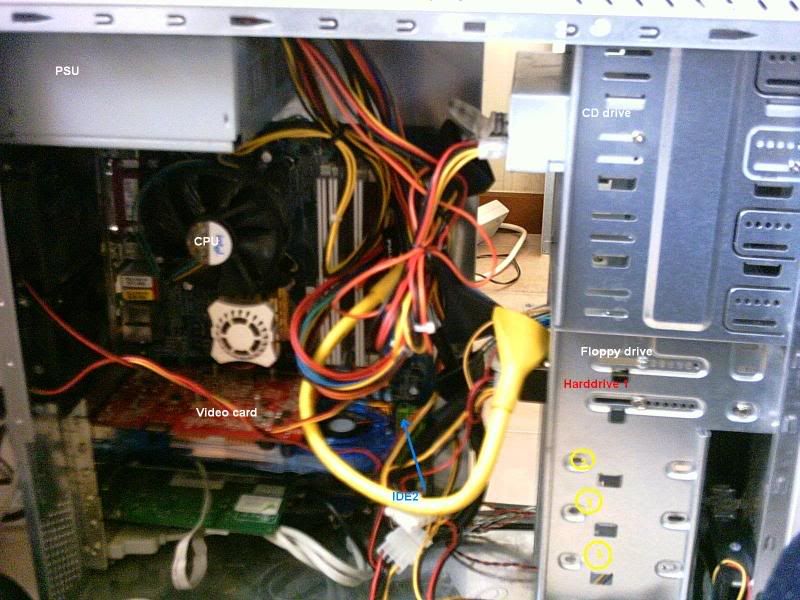
As you may see, I have one hard drive in my computer, in red
I have the plug on my mobo saying IDE2 by the blue arrow
I have an IDE plug, an IDE hdd, and a cable. Can someone please tell me where I should put my second hdd in the case? Im guessing its either the holes marked 1,2 and 3 (yello), but im not sure and I dont want something bad to happen
I did have a harddrive going before, but I never hooked it up to the computer, because i never got it working propperly, but now its going
As you may see, I have one hard drive in my computer, in red
I have the plug on my mobo saying IDE2 by the blue arrow
I have an IDE plug, an IDE hdd, and a cable. Can someone please tell me where I should put my second hdd in the case? Im guessing its either the holes marked 1,2 and 3 (yello), but im not sure and I dont want something bad to happen
I did have a harddrive going before, but I never hooked it up to the computer, because i never got it working propperly, but now its going
