
Posted:
Tue Apr 15, 2008 9:24 amby Charl
Looking at Robin's response in the When Photoreal Has To Go thread, I was immediately reminded of Wanaka.
I've always thought there was something lacking in the RealNZ scenery, and I think it just needs a little additional local texturing.
The generic photoreal is just too coarse within the airfield confines.
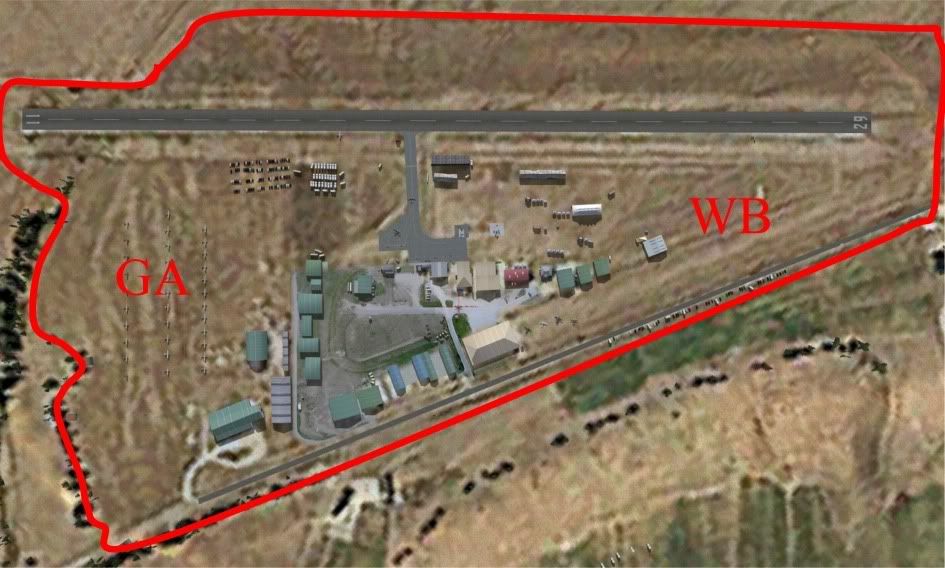
I imagine this would've been dictated by "texture budget" at the time, but computers have moved on...
I'm going to do a revamp of my earlier Wanaka AI package, and it would be great to have a revised scenery to put it into.
How about it Robin?
Don't know what your plans are for FSX, but I imagine the same tweak could be applied to FS9 too?
(There's a lot of military aircraft enthusiasts out there, and they are all wedded to FS9.)
Posted:
Tue Apr 15, 2008 10:54 amby toprob
I'll quickly cover the texture considerations for this type of scenery, I was meaning to do so in the other thread where you asked about ground textures.
I tend to use photo textures, as in flying overhead and taking an actual photo and sticking in on a polygon or three. That's where the texture load can get high. For these textures to work, they need to be high resolution, which for a small airfield means 20cm/pixel or higher. If you want to cover and area of one square kilometre, you'd need 5000x5000 pixels, which is about 25 extra large (1024x1024) textures. I try not to use more than 10 extra large textures for the entire project, and the buildings can account for eight of them.
But you are right, times change and especially with FSX we can assume more graphics space, and better organisation of textures. I've assumed this as well with Paraparaumu for FS2004, where I do cover the airport extents with a photographic poly, although only at half the resolution I'd like. Here I end up with 4 x 4 textures, although I've reduced the size of the less important ones, so it ends up about 12 textures.
With FSX, though, it makes sense to give up on the old ground polygons -- this is a 'hack' which works still despite MS's best efforts, and has some major limitations. Now, we can just use the very same technique which produces the large-scale ground textures, but make them higher resolution locally -- like Paraparaumu for FSX. (I'm aware that this is a simple answer, and that this technique still leaves us without a method of creating custom runways etc.)
Here's the point (finally!) -- you can, and maybe I should, use tiled textures over much of this, for instance I mentioned once before that you could have a handful of grass textures for variety, but I don't work well this way. My methods are firmly stuck in photography, and although there are a lot of times when I need to move away from this, it will always be my main focus. That's why I was trying to encourage a few folk to adopt the GMAX ground poly techniques for this very purpose. Someone else might be able to give it the work it deserves, and come up with a solution which would improve the appearance of every addon airport. But I've aware that people have an aversion to GMAX, dunno why.
I've not considered redoing Wanaka a priority (this was my only 'failure', in that sales did not cover the time it took to develop), but since Jon and friends at ARNZ did the missions for 'Across the Strait', I've been thinking that it would be great to have some warbird missions to go with a nice new FSX version. However I'd be inclined to do the ground textures using the new FSX methods, which wouldn't help FS2004.
Posted:
Tue Apr 15, 2008 9:02 pmby greaneyr
Something I've started to feel more and more strongly over lately is that, in the absence of hi-res copyright-free imagery available, I would rather hand-build an entire airport in photoshop using cloned textures than build it with AFCAD. That's how much I despise the 'generic' look and feel of an AFCAD airport, particularly in FS9. I know I've been quick to slag photoreal scenery in the past, mainly because of its perspective flaws, but I definitely think that for a flat surface it brings huge advantages over AFCAD. The beauty of being able to photoshop it is that you can add the correct pavement markings as well as do away with sudden changes in ground texture.
As Robin says, taking your own photos is the best way to get photoreal, but I seriously think that if there was simply no hi-res imagery available you could make something synthetically with photoshop that would EAT anything AFCAD could do. You'd base it on an actual image, and maybe even take the colour channel from that image as a base.
I dunno. It's something I've always felt MUST be possible but have never pushed it since I knew I had no way of using the end-product in any practical way.
I think there's definitely scope for using this to improve some of the lower res photoreal stuff that's out there. The question is, how good will FS9 let us go in terms of image quality?
Does anyone know how flytampa render their airport sceneries?
Posted:
Tue Apr 15, 2008 9:22 pmby Charl
Agreed AFCAD is extremely limited as a scenery tool - it was never designed for that in the first place, it's simply been abused.
But these things can be done.
Look what the freeware Zurich guys are up to.
They've done exactly what I'm talking about, plopped their hi-res FS9 airport into the coarse photoreal, together with a scattering of trees for effect.
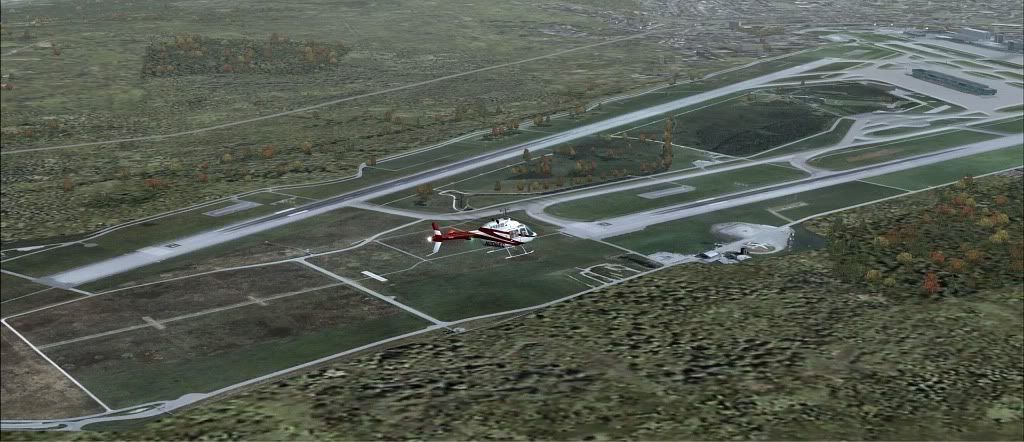
It's brilliant.
I wish someone would pop up and do the same for NZ FS9 freeware scenery.
Posted:
Tue Apr 15, 2008 10:20 pmby greaneyr
That's it Charl!
So often people think photoreal = entire areas. The area doesn't need the same res as the airport does. In fact, it almost emphasises the flat and spread out nature of an aerodrome boundary if it is done separately.