Page 1 of 1

Posted:
Sat Apr 14, 2007 6:23 pmby Kelburn
Once I get the permission etc sorted out i will try and upload to avsim.
This add-on will add-on a realistic GPS similar to that of the real thing. I've put in two to imitate Air New Zealand. I haven't tested it in FS9 but it should hopefully work, it just probably wouldn't be clickable in VC as it is a FS2002 gauge.
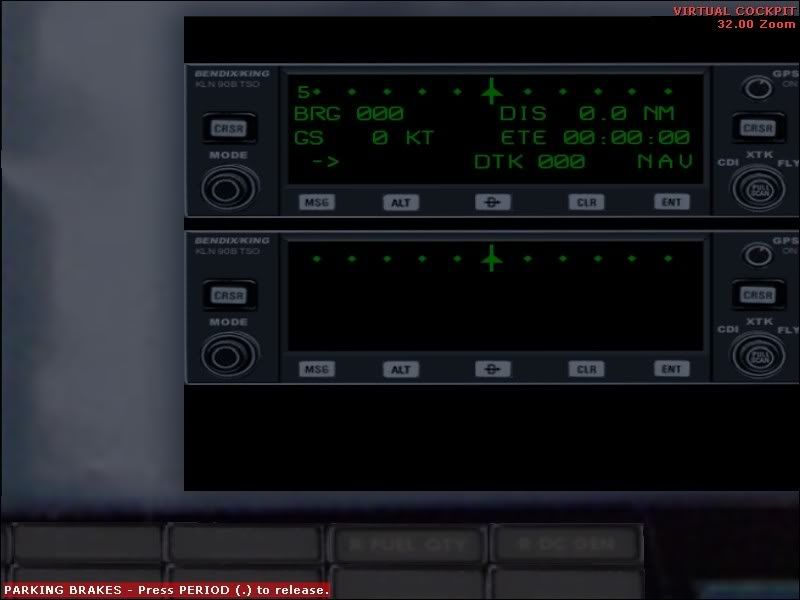
If this picture seems familiar click this
link!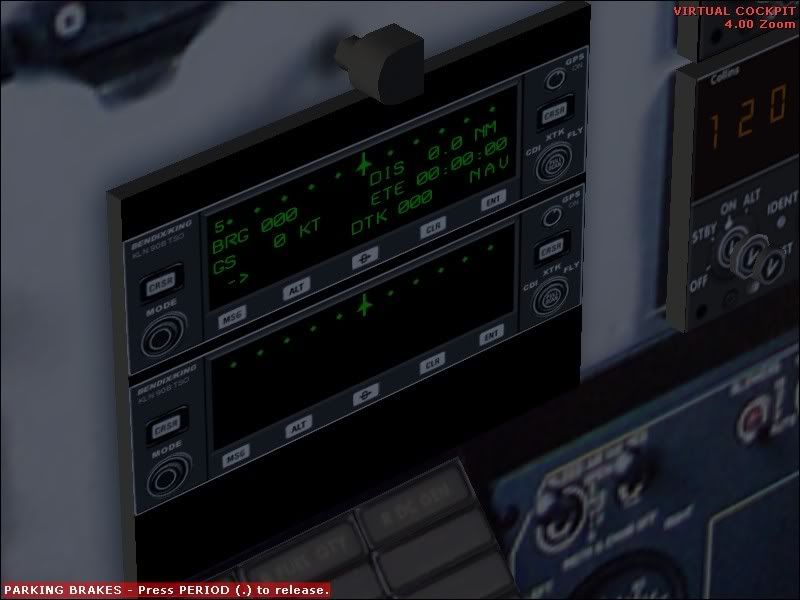
Enjoy. Will try to get in public as soon as possible
Posted:
Sat Apr 14, 2007 7:38 pmby Jimmy
Interesting, will it be clickable in the 2d panel, if you have put it in the 2d?
How functional is it? Can you do what you can do in the real thing with it?

James
Posted:
Sat Apr 14, 2007 7:49 pmby Kelburn
Yeah it comes as a pop-up window and is pretty functional. Not quite as functional as the real thing as it is simplified but does the job!
Posted:
Sat Apr 14, 2007 10:28 pmby JonARNZ
Sweet, do you think it will work in FSX?
Posted:
Sat Apr 14, 2007 10:53 pmby Alex
Wow, awesome stuff Kelburn, looking forward to release.

Alex
Posted:
Sun Apr 15, 2007 8:32 amby Kelburn
Sweet, do you think it will work in FSX?
I wouldn't have a clue. If you can make .gau files work in FSX well then it should work.
Posted:
Sun Apr 15, 2007 1:51 pmby J_Eden
Should work in FSX, I believe the issues arise with any gauge that is coded for FS98 or earlier. FS2002 shouldn't be a problem, but thats not to say you may have issues.
James
Posted:
Sun Apr 15, 2007 6:15 pmby JonARNZ
J_Eden wrote: Should work in FSX, I believe the issues arise with any gauge that is coded for FS98 or earlier. FS2002 shouldn't be a problem, but thats not to say you may have issues.
James
Hmm, well let us see. Roll on a release Kelburn...
Posted:
Sun Apr 15, 2007 6:25 pmby Kelburn
If the guy doesn't reply to my e-mail tomorrow I'll upload it without the gauge with a link to the gauge that will need to be downloaded and put into the gauges folder etc.
Posted:
Mon Apr 16, 2007 9:20 amby Kelburn
Am uploading now.
It says in the readme (the only file needed/included) that you need to download "kln90b13.zip"
Hopefully it works for you. Unfortunately the GPS is placed where the reality xp gauges are placed so you'll have to create anouther panel for reality xp e.g. panel.xp etc.
Anyway hopefully it'll be up by the end of the day.
It'll be under the name "PMDG_KLN90GPS.zip"
Posted:
Mon Apr 16, 2007 9:00 pmby Kelburn
Sorry about the wait. I stuffed up the upload so it should be up there tomorrow morning
Posted:
Mon Apr 16, 2007 9:02 pmby JonARNZ
All good, I don't have the reality XP gauges anyway so no worries.
Posted:
Tue Apr 17, 2007 12:22 pmby Kelburn
Sorry. It should hopefully be up soon. I hit another snag while trying to upload
Posted:
Tue Apr 17, 2007 12:38 pmby JonARNZ
All good, let us know when its up.
Posted:
Tue Apr 17, 2007 12:43 pmby Kelburn
It's just been uploaded.
b1900d_kln90gps.zip
Don't be fooled by the size.
Posted:
Tue Apr 17, 2007 7:07 pmby Kelburn
Just wondering, but has anyone downloaded it yet.
I want to know if it worked