Page 1 of 1

PostPosted: Thu Jun 06, 2013 4:38 pm
by CoochB
Here is a repaint for the Dodo JetRanger based on ZK-HGH as operated by Alpine Helicopters out of Queenstown in late 70's and early 80's before they became The Helicopter Line
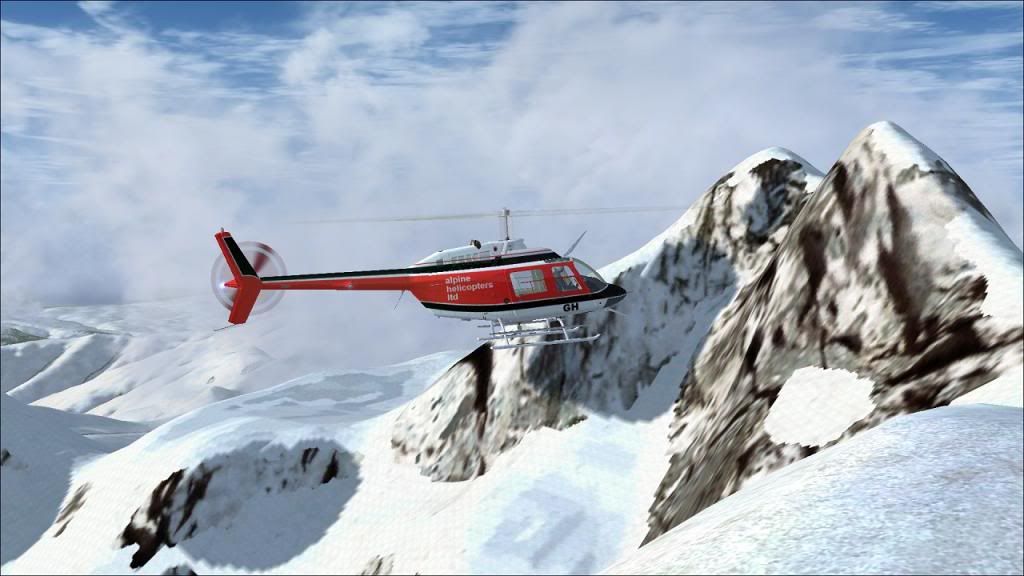
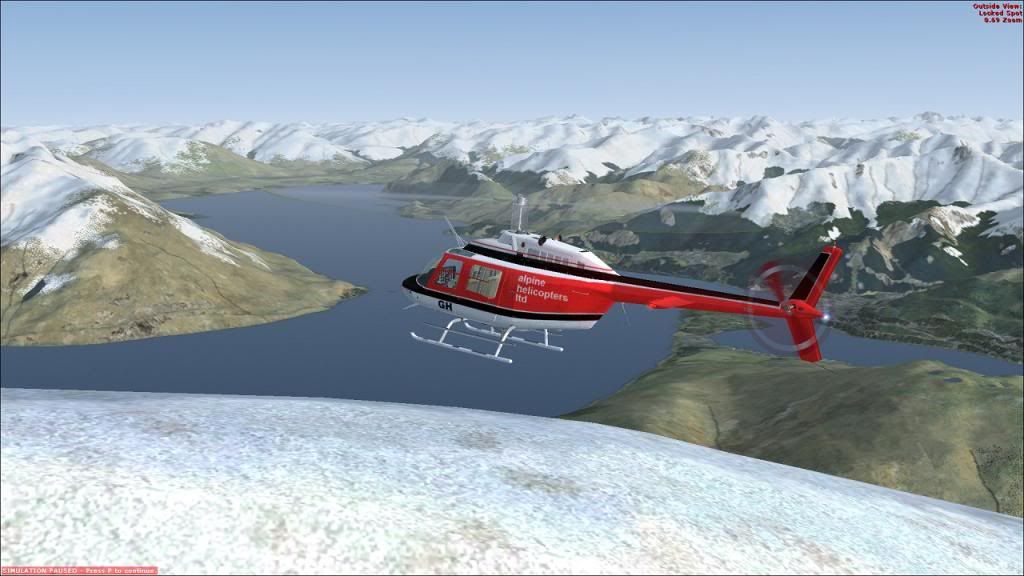
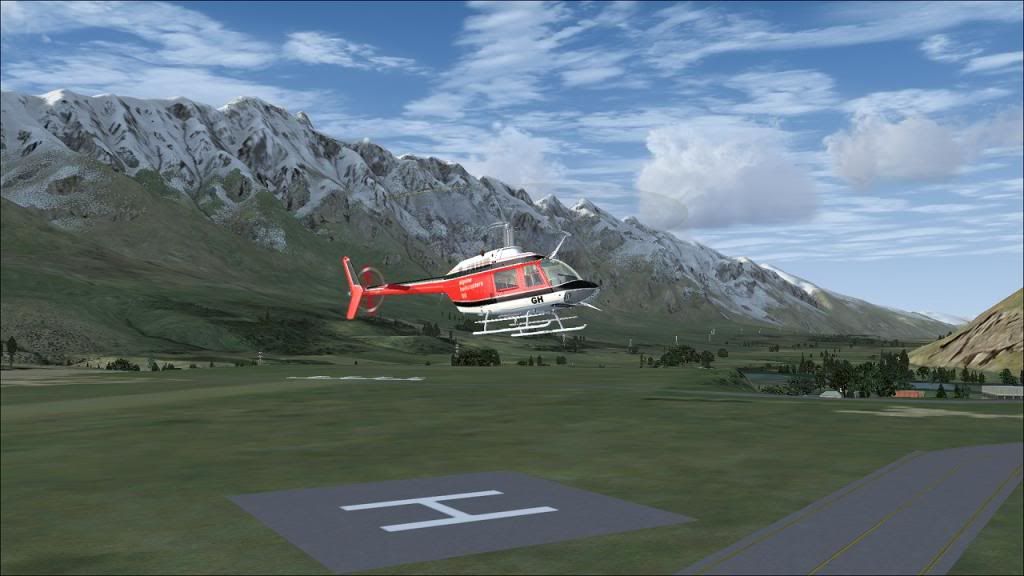


Before I upload this repaint anywhere I need some help
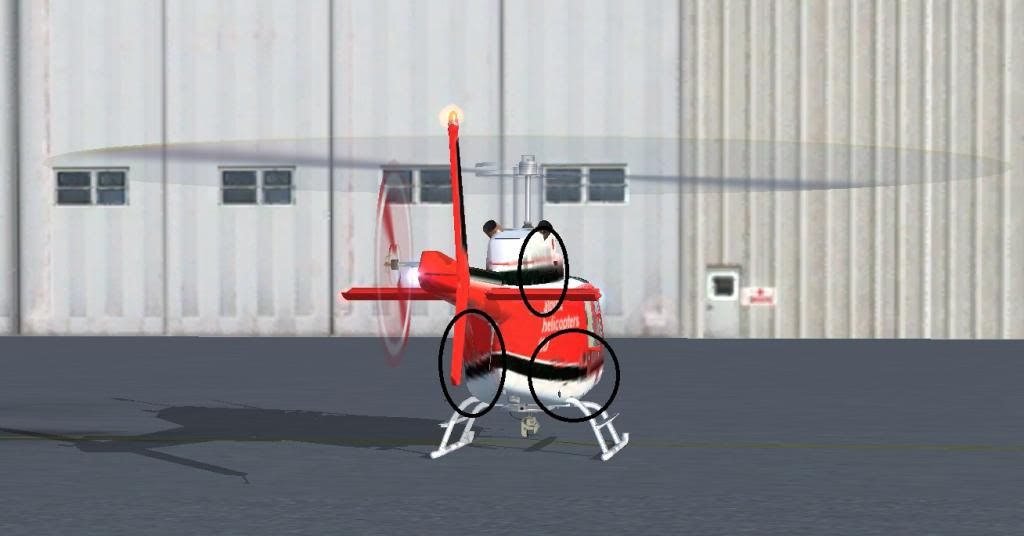


In the highlighted area you can see where my repaint is very pixilated and distorted at certain viewing angles. Contrast this with that following Heliswiss repaint at the same angle
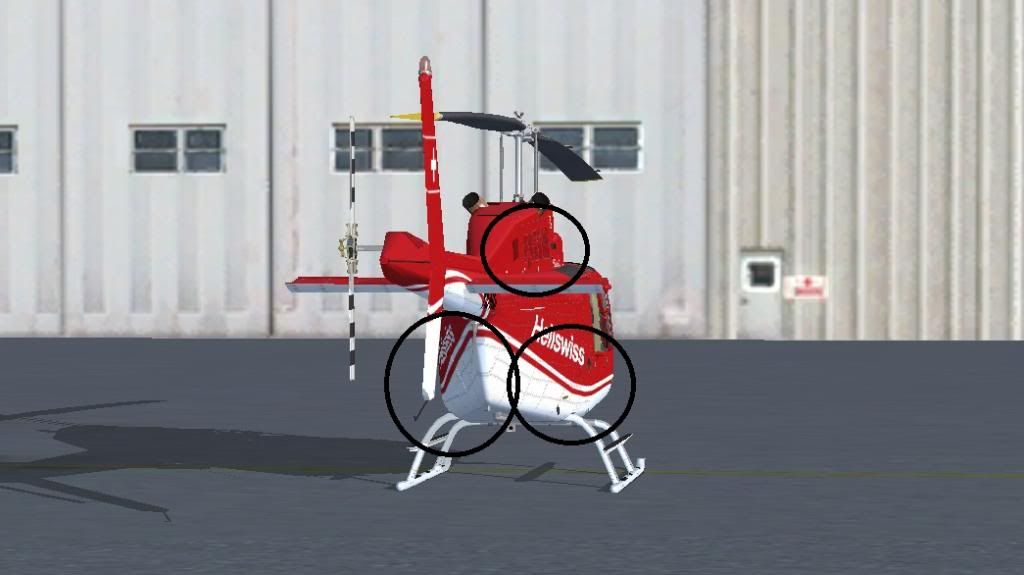


The Heliswiss repaint has stayed sharp

I Think it is to do with converting the texture from a .psp file to an extended bitmap image. I am using paint.net to edit the .psp files and then using DXTbmp to save it as a DXT5 extended bitmap file. I am using a Windows7 64 bit computer and I have even tried having FSX open while doing the conversion to make sure the colours are compatible, but this made no difference.

Can anyone help?

PostPosted: Thu Jun 06, 2013 4:53 pm
by Ian Warren
cool.gif Strangely HGH is on the cover of a "Wings" magazine from the period , least i'm very sure ..

I don't have the DODO sim Jet , I don't use - Paint.net , i wonder if you could show both templates , i guessing your Heliswiss is drawn in rather than painted hence the very box'y and pixel blend .

One thing that could fix it is just depends if you have a smooth tool and seriously very slowing hand paint one side then 'copy and paste' .

PostPosted: Thu Jun 06, 2013 5:33 pm
by NZ255
Are you making mip maps when saving in DXTbmp?

PostPosted: Thu Jun 06, 2013 5:37 pm
by jeansy
Open up your fsx.cfg and look for texture load max

What is the 4 digit value that is shown in the current version

PostPosted: Thu Jun 06, 2013 5:46 pm
by CoochB
jeansy wrote:
QUOTE (jeansy @ Jun 6 2013,5:37 PM) <{POST_SNAPBACK}>
Open up your fsx.cfg and look for texture load max

What is the 4 digit value that is shown in the current version


1024

NZ255 wrote:
QUOTE (NZ255 @ Jun 6 2013,5:33 PM) <{POST_SNAPBACK}>
Are you making mip maps when saving in DXTbmp?


I have no idea, the box to include mip maps is ticked. There are also a couple of drop down boxes for various options, don't know what these are for either

PostPosted: Thu Jun 06, 2013 6:07 pm
by CoochB
Ian Warren wrote:
QUOTE (Ian Warren @ Jun 6 2013,4:53 PM) <{POST_SNAPBACK}>
cool.gif Strangely HGH is on the cover of a "Wings" magazine from the period , least i'm very sure ..

I don't have the DODO sim Jet , I don't use - Paint.net , i wonder if you could show both templates , i guessing your Heliswiss is drawn in rather than painted hence the very box'y and pixel blend .

One thing that could fix it is just depends if you have a smooth tool and seriously very slowing hand paint one side then 'copy and paste' .


I am pretty sure it is happening when it is converted back to the extended bmp. I was playing around with another paint which someone else had done(for my own amusement only). I converted the texture to a bmp format I could edit. Added some letters directly to the textures and then reformatted to extended bmp. It does the same thing as my HGH repaint and the original unedited version stays sharp

PostPosted: Thu Jun 06, 2013 6:13 pm
by Ian Warren
Once completed your template save it n a seperate work folder , you then can play with all your different files .. normally i don't use 'extended.bmp'

PostPosted: Thu Jun 06, 2013 6:16 pm
by Splitpin
whathesaid.gif laugh.gif man , i still draw with crayons ..... you painter guys never cease to amaze me , well done.

PostPosted: Thu Jun 06, 2013 6:32 pm
by Ian Warren
Splitpin wrote:
QUOTE (Splitpin @ Jun 6 2013,7:16 PM) <{POST_SNAPBACK}>
whathesaid.gif laugh.gif man , i still draw with crayons .....

Marty ..... Crayons biggrin.gif , i keep thinking of "Ralph Wigham" tongue.gif , you like painting aircraft , next time ya here show ya what your looking for winkyy.gif

PostPosted: Thu Jun 06, 2013 8:28 pm
by Splitpin
Ian Warren wrote:
QUOTE (Ian Warren @ Jun 6 2013,6:32 PM) <{POST_SNAPBACK}>
Marty ..... Crayons biggrin.gif , i keep thinking of "Ralph Wigham" tongue.gif , you like painting aircraft , next time ya here show ya what your looking for winkyy.gif


Thanks Ian ..... i hope your patient ninja.gif Remember when i tried to paint the Airtruk ..... the aircraft took off without the paint unsure.gif

PostPosted: Thu Jun 06, 2013 9:01 pm
by Ian Warren
Splitpin wrote:
QUOTE (Splitpin @ Jun 6 2013,9:28 PM) <{POST_SNAPBACK}>
Thanks Ian ..... i hope your patient ninja.gif Remember when i tried to paint the Airtruk ..... the aircraft took off without the paint unsure.gif

unsure.gif ... rolleyes.gif Chalk and a howling Southerly don't match , you no - recall those days many years ago .... what its like teasing those school girls back the primers with the schools garden hose .. all that hopscotch .. throwing stones .. tongue.gif

PostPosted: Thu Jun 06, 2013 9:30 pm
by jeansy
change that field from 1024 to 2048 or even 4096 ,funny enough on some computers some paints end up that way and this is one of the fixes, i found that works

for now, dont worry about mip maps, leave it unticked, it draws to much memory in DXT format and in FSX

try changing that field and see what happens and let me know, i have to flash up fsx to double check the name of a setting which i will post shortly

failing that

Also go into your FSX graphics setting and under the tab called graphic the top right on that page under global theres a slider called global texture res. slide that to the right

then save and exit

if you have edited the cfg you will need to re open it again and check if its reverted back to 1024 as each time you change a setting in the option menu, there are several values that will revert back to default and this is one of them

PostPosted: Thu Jun 06, 2013 11:30 pm
by CoochB
I Have just had and email from a fellow Dodo repainter who has told be to use the DXTBmp tool with the Mip Map boxes un-checked as this effects the texture at a distance and this has worked.

Thank you all for your responses, Jeansy I will try your suggestion as well

PostPosted: Thu Jun 06, 2013 11:55 pm
by jeansy
CoochB wrote:
QUOTE (CoochB @ Jun 6 2013,9:30 PM) <{POST_SNAPBACK}>
I Have just had and email from a fellow Dodo repainter who has told be to use the DXTBmp tool with the Mip Map boxes un-checked as this effects the texture at a distance and this has worked.

Thank you all for your responses, Jeansy I will try your suggestion as well


Its just not the dodo you will have problems with mip mapping

Mip mapping was big fs2004 and earlier and the program your using was designed for those, best thing is to forget about mip mapping all together and ignore it

if you can try and get away from using bmpdxt or what ever its called, there are dds plugins now for most paint programs that are more fsx friendlier than the older ones