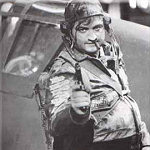
Watch Out Markus And Company....not

Discuss aircraft addons and repaints for Flight Simulator here

Postby Splitpin » Wed Feb 09, 2011 2:08 pm

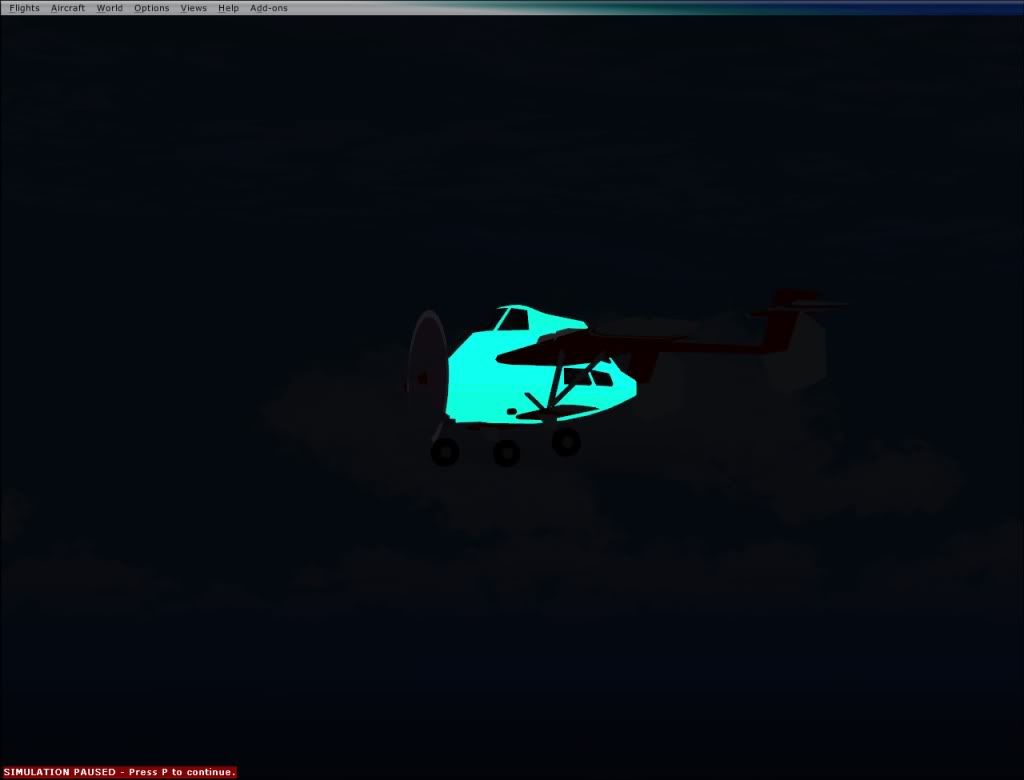
Charl put me onto FS repaint.......and Ive been playing. These shots are real bad, but i can see some late nights ahead learning all about this......

just a basic colour change
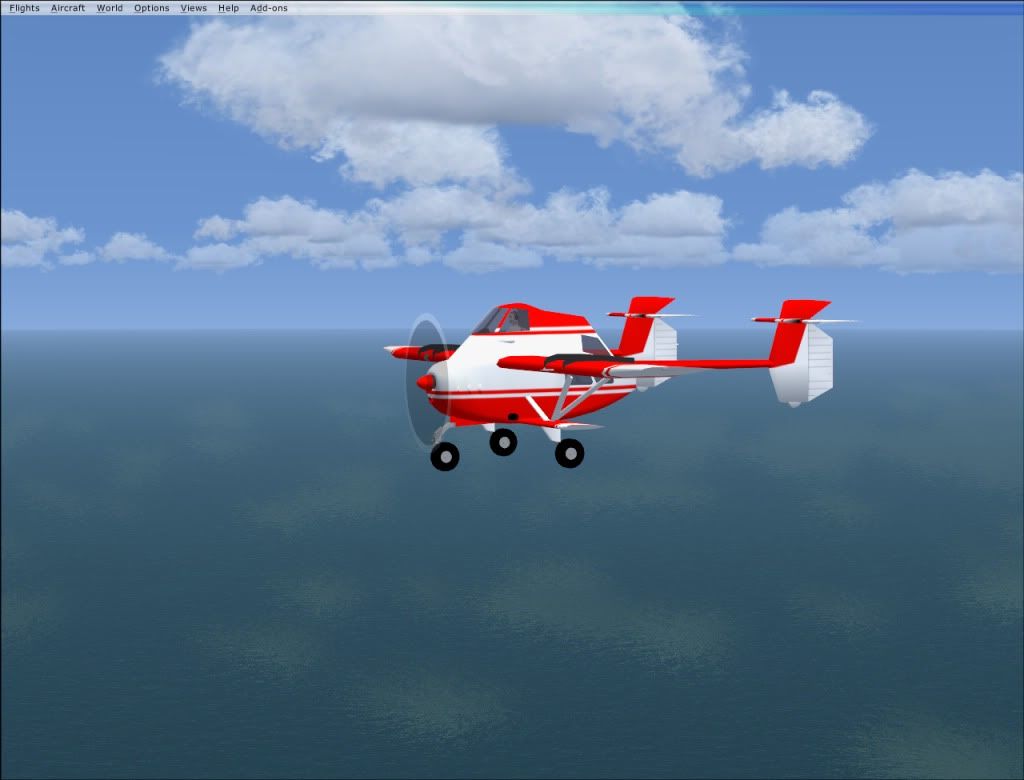


check out the awesome gradient effect on the back laugh.gif ...still dont know how i did that....or why
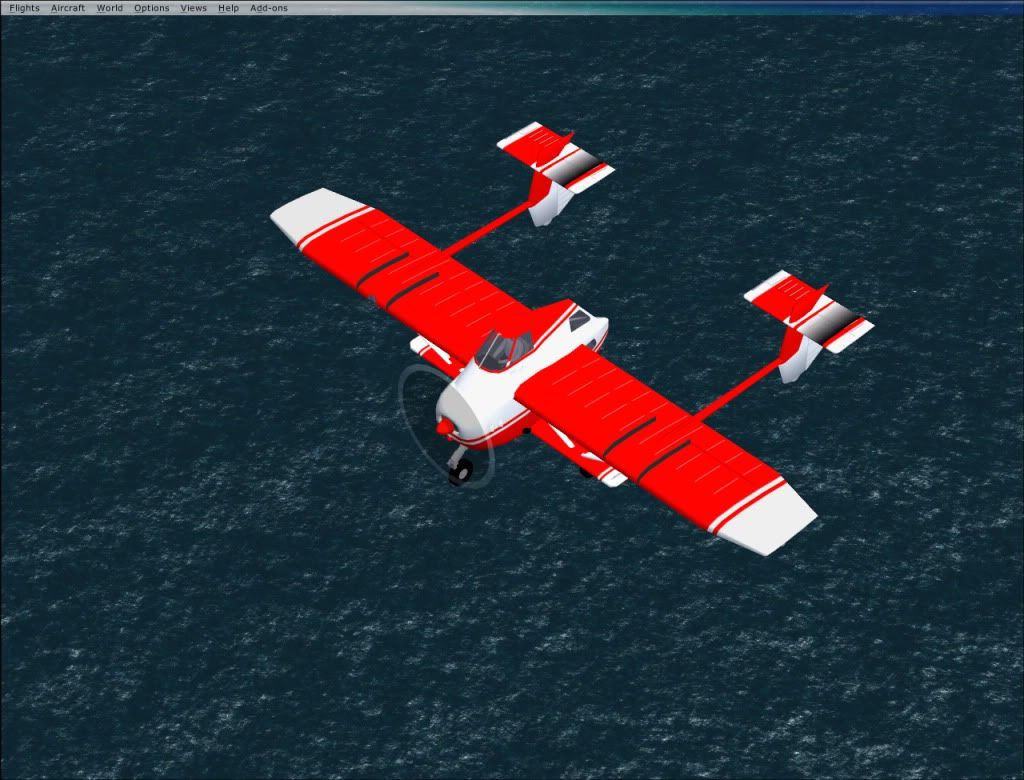


Its got a light.....
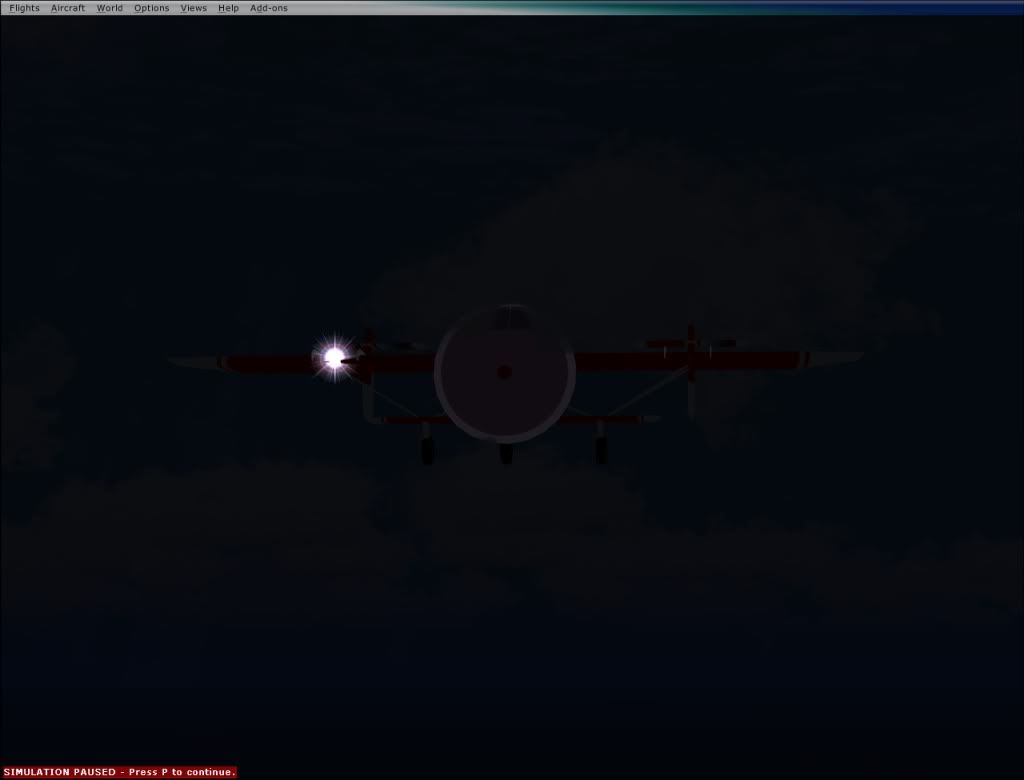


AND....it glows in the dark laugh.gif laugh.gif ...thats a real mystery ninja.gif


Im going to have fun with this....now my learning curve is straight....straight up unsure.gif

I guess the model is too simple to get in and detail things like the wheels , exhaust etc.......

Cheers Charl....this is going to be fun....stand by for lots of newbie questions all you repainters winkyy.gif
Last edited by Splitpin on Wed Feb 09, 2011 2:09 pm, edited 1 time in total.
User avatar
Splitpin
NZFF Pro
 
Topic author
Joined: Mon Aug 03, 2009 12:15 pm
Posts: 21332
Location: Christchurch NZ

Postby connor » Wed Feb 09, 2011 2:12 pm

aawwwww, how come his Airtruk is glow in the dark and mine just boring old blue? laugh.gif
connor
Senior Member
 
Joined: Sat Nov 27, 2010 11:01 am
Posts: 1616
Location: Christchurch

Postby Splitpin » Wed Feb 09, 2011 2:14 pm

connor wrote:
QUOTE (connor @ Feb 9 2011, 03:12 PM) <{POST_SNAPBACK}>
aawwwww, how come his Airtruk is glow in the dark and mine just boring old blue? laugh.gif

I dont know mate....i just turned the lights off and.....it glows laugh.gif
User avatar
Splitpin
NZFF Pro
 
Topic author
Joined: Mon Aug 03, 2009 12:15 pm
Posts: 21332
Location: Christchurch NZ

Postby leow5263 » Wed Feb 09, 2011 2:36 pm

So thats what Argosy freighter saw!
User avatar
leow5263
Forum Addict
 
Joined: Sat Mar 08, 2008 9:16 pm
Posts: 444
Location: Christchurch

Postby creator2003 » Wed Feb 09, 2011 2:38 pm

Cut and paste real world truk textures on to it to get the detail and fill in the parts the photo doesnt reach with what you have done already ,looking sweet but winkyy.gif
User avatar
creator2003
NZFF Pro
 
Joined: Fri Jun 16, 2006 12:08 am
Posts: 4633
Location: Cant U C im LOCO

Postby Charl » Wed Feb 09, 2011 4:18 pm

clapping.gif You do realise, you are stuck - forever - with having to admit that your very first repaint...was an Air Truk! clapping.gif
User avatar
Charl
NZFF Pro
 
Joined: Mon May 01, 2006 8:28 am
Posts: 9691
Location: Auckland

Postby Splitpin » Wed Feb 09, 2011 4:22 pm

Charl wrote:
QUOTE (Charl @ Feb 9 2011, 05:18 PM) <{POST_SNAPBACK}>
clapping.gif You do realise, you are stuck - forever - with having to admit that your very first repaint...was an Air Truk! clapping.gif

icon_redface.gif yes....but i did for luv winkyy.gif ,
User avatar
Splitpin
NZFF Pro
 
Topic author
Joined: Mon Aug 03, 2009 12:15 pm
Posts: 21332
Location: Christchurch NZ

Postby Splitpin » Wed Feb 09, 2011 6:35 pm

Splitpin wrote:
QUOTE (Splitpin @ Feb 9 2011, 05:22 PM) <{POST_SNAPBACK}>
icon_redface.gif yes....but i did it for luv winkyy.gif ,


Opps .....didnt mean to duplicate...please remove this if you can icon_redface.gif
Last edited by Splitpin on Wed Feb 09, 2011 6:43 pm, edited 1 time in total.
User avatar
Splitpin
NZFF Pro
 
Topic author
Joined: Mon Aug 03, 2009 12:15 pm
Posts: 21332
Location: Christchurch NZ

Postby connor » Wed Feb 09, 2011 6:59 pm

Splitpin wrote:
QUOTE (Splitpin @ Feb 9 2011, 05:22 PM) <{POST_SNAPBACK}>
icon_redface.gif yes....but i did for luv winkyy.gif ,

Wouldn't fret too much, mine was a Piper Cherokee blink.gif
connor
Senior Member
 
Joined: Sat Nov 27, 2010 11:01 am
Posts: 1616
Location: Christchurch

Postby Splitpin » Wed Feb 09, 2011 8:09 pm

creator2003 wrote:
QUOTE (creator2003 @ Feb 9 2011, 03:38 PM) <{POST_SNAPBACK}>
Cut and paste real world truk textures on to it to get the detail and fill in the parts the photo doesnt reach with what you have done already ,looking sweet but winkyy.gif

Thanks Mike...mate , that cut and paste stuff is easy for you too say....Im just getting used to the little paint pot thing dry.gif
User avatar
Splitpin
NZFF Pro
 
Topic author
Joined: Mon Aug 03, 2009 12:15 pm
Posts: 21332
Location: Christchurch NZ

Postby Olderndirt » Thu Feb 10, 2011 2:29 am

Splitpin wrote:
QUOTE (Splitpin @ Feb 9 2011, 12:09 AM) <{POST_SNAPBACK}>
Thanks Mike...mate , that cut and paste stuff is easy for you too say....Im just getting used to the little paint pot thing dry.gif
When you said FSRepaint, I'm assuming the software from Abacus. When you get it figured out, let me know. Had it for over a year and my library of planes show little or no textures to paint and most show up as a gray model on the screen. Absolutely zero support from Abacus.
Image
User avatar
Olderndirt
Senior Member
 
Joined: Wed Jan 05, 2011 2:36 pm
Posts: 1774
Location: Rochester, Washington USA

Postby Wildbillkelso » Thu Feb 10, 2011 4:15 am

I've said it before and I'll say it again:
This "aircraft" is ridiculous! tongue.gif

Charl wrote:
QUOTE (Charl @ Feb 9 2011, 04:18 PM) <{POST_SNAPBACK}>
clapping.gif You do realise, you are stuck - forever - with having to admit that your very first repaint...was an Air Truk! clapping.gif

Mine was a Sabre! cool.gif
Your turn now... laugh.gif

Cheers,
Markus.
Image
User avatar
Wildbillkelso
Forum Addict
 
Joined: Fri Feb 19, 2010 7:58 pm
Posts: 361
Location: Berlin, Germany

Postby Charl » Thu Feb 10, 2011 8:18 am

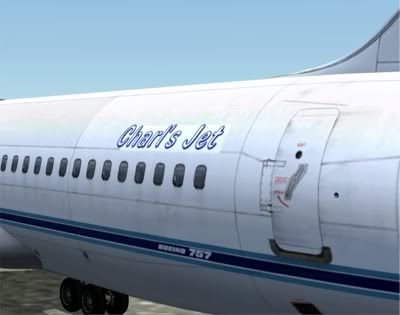
I don't muck about, my first repaint was the Captain Sim B757!
It has 70MB of textures in 112 texture sheets...

In truth, I only wanted to change the rego so I could use the plane anywhere in the world: a Middle East Exec scheme was chosen as the base paint.
Carefully, I rubbed out the text on the side of the plane and replaced it with a new, swashbuckling script.

I made the mistake of posting a brilliant (I thought) atmospheric screenshot at SImflight, which unfortunately included this plane.
Only one comment, much later: a huge ROFL about the registration...
Last edited by Charl on Thu Feb 10, 2011 8:19 am, edited 1 time in total.
User avatar
Charl
NZFF Pro
 
Joined: Mon May 01, 2006 8:28 am
Posts: 9691
Location: Auckland

Postby Ian Warren » Thu Feb 10, 2011 8:36 am

Charl and i can see for your service and company 'Charlies Angles' biggrin.gif
Image
User avatar
Ian Warren
NZFF Pro
 
Joined: Fri May 05, 2006 5:23 pm
Posts: 41187
Location: AREA 51

Postby Splitpin » Thu Feb 10, 2011 2:37 pm

Olderndirt wrote:
QUOTE (Olderndirt @ Feb 10 2011, 03:29 AM) <{POST_SNAPBACK}>
When you said FSRepaint, I'm assuming the software from Abacus. When you get it figured out, let me know. Had it for over a year and my library of planes show little or no textures to paint and most show up as a gray model on the screen. Absolutely zero support from Abacus.


Thats the one OD. Ive just started playing with it. I have learnt one thing....and thats how much i dont know.
My god it increases your respect for the guys who can paint ,build, ...whatever i took for granted in the past......its odd, because now Im looking at the aircraft, and "seeing" new stuff.....what a hobby....
User avatar
Splitpin
NZFF Pro
 
Topic author
Joined: Mon Aug 03, 2009 12:15 pm
Posts: 21332
Location: Christchurch NZ

Postby Splitpin » Thu Feb 10, 2011 2:57 pm

leow5263 wrote:
QUOTE (leow5263 @ Feb 9 2011, 03:36 PM) <{POST_SNAPBACK}>
So thats what Argosy freighter saw!

laugh.gif ....another mystery solved....just a glow in the dark Air***k
User avatar
Splitpin
NZFF Pro
 
Topic author
Joined: Mon Aug 03, 2009 12:15 pm
Posts: 21332
Location: Christchurch NZ

Postby Wildbillkelso » Fri Feb 11, 2011 2:21 am

Splitpin wrote:
QUOTE (Splitpin @ Feb 10 2011, 03:37 PM) <{POST_SNAPBACK}>
...it increases your respect for the guys who can paint ,build, ...whatever i took for granted in the past....


Can't judge upon FSRepaint (never really felt the need for it...), but it seems to me as if it makes things more complicated.
All I need is DXTBMP (to convert the textures) and PaintShopProX (to make pixels showing up in different colours).
I won't say it's always easy, but once you've sorted out how to basically use brushes and spraycans in your graphic editor, you're on the learning curve...

Cheers,
Markus.
Image
User avatar
Wildbillkelso
Forum Addict
 
Joined: Fri Feb 19, 2010 7:58 pm
Posts: 361
Location: Berlin, Germany

Postby Charl » Fri Feb 11, 2011 8:30 am

See if you need to move a cleat line one pixel up or down, then start the sim to have a look, then move it again...and your sim loads as slowly as mine...you will be there for a week.
FSRepaint allows a quick preview which solved many issues for me.
Also useful to find errant textures: I paint the whole sheet magenta to see if a part lights up.
If yes, successive halving quickly locates it.
In practice for me, DXTBMP can sit one side and look after the per sheet painting and alpha channel.
FSR sits on the other for quick previews of the output from the paint programme, sitting between the two.
User avatar
Charl
NZFF Pro
 
Joined: Mon May 01, 2006 8:28 am
Posts: 9691
Location: Auckland

Postby Splitpin » Fri Feb 11, 2011 4:38 pm

Great tips....thank you .....now i just need to de-code what you both said smile.gif
User avatar
Splitpin
NZFF Pro
 
Topic author
Joined: Mon Aug 03, 2009 12:15 pm
Posts: 21332
Location: Christchurch NZ

Postby happytraveller » Fri Feb 11, 2011 6:41 pm

What a beautiful aircraft!!!!

I never knew that humpback whales could fly. And such a lovely paint scheme!!

smooth landings.
happytraveller
Senior Member
 
Joined: Sun Jun 18, 2006 10:44 pm
Posts: 1109

Next

Return to Aircraft

Who is online

Users browsing this forum: No registered users and 19 guests