Thanks
100% ad-free
 by cowpatz » Mon Dec 08, 2008 9:45 am


by toprob » Mon Dec 08, 2008 10:00 am

by ronindanbo » Mon Dec 08, 2008 10:23 am

by toprob » Mon Dec 08, 2008 11:16 am
ronindanbo wrote:QUOTE (ronindanbo @ Dec 8 2008, 11:23 AM) <{POST_SNAPBACK}>I beleive this is FS9 Robin, ...
Oh yeah. I think the principle is the same, it's just that I haven't done any experiments with FS2004.
With FS2004, I used to layer the scenery from general to specific -- for example, anything which covered the country in general (such as mesh/landclass/topo) came first, more specific stuff -- photo scenery of a large area, for example -- came next, then specific airports sat on top.
by creator2003 » Mon Dec 08, 2008 11:41 am

by Charl » Mon Dec 08, 2008 4:24 pm
 entirely.
by cowpatz » Mon Dec 08, 2008 7:28 pm
by Snowman » Tue Dec 09, 2008 3:55 pm
Charl wrote:QUOTE (Charl @ Dec 8 2008, 05:24 PM) <{POST_SNAPBACK}>Looking at that list...it is almost EXACTLY inverted from what it should be!
It's that stupid "higher on the list" vs "priority on the list" description that no-one understands without a picture.
The General stuff goes at the bottom of the picture - Addon Scenery and the stock photoreals etc.
Your trees would go higher up the picture, then static objects, then custom sceneries.
Coolangatta belongs elsewhere
I find that i have to AGREE with Charl on this one.................
Addon Scenery folder for example, should be down the bottom of the list, but just ABOVE all the default sceneries and propellor objects etc.
Mesh should be BELOW (ie: a HIGHER number) any New Zealand Sceneries, and if you read the instructions for the 20m NZ mesh, it tells you that very same thing. Just like a house, the foundations hold it all up, well the mesh is the foundations for all the sceneries, and should be underneath them holding it all up.
Your Coolangatta scenery for example, should be BELOW (A HIGHER number) any NZ scenery, including the NZ mesh.
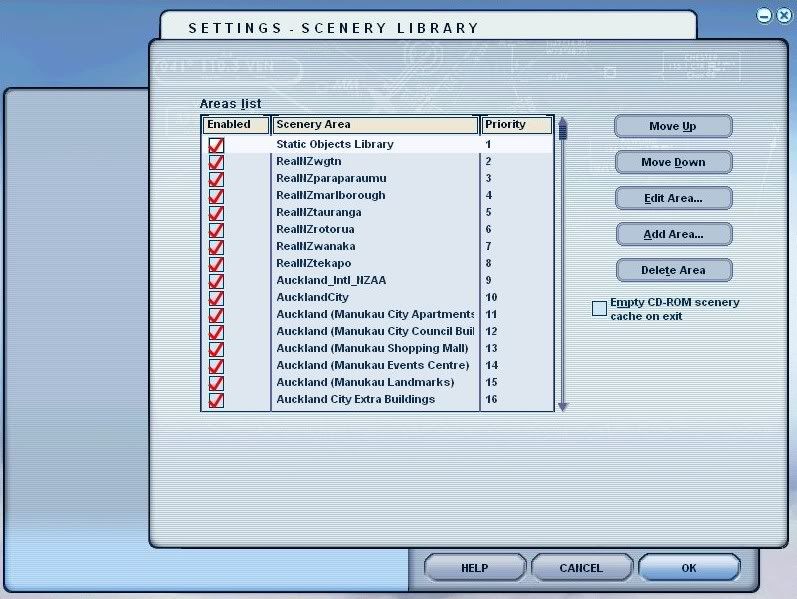
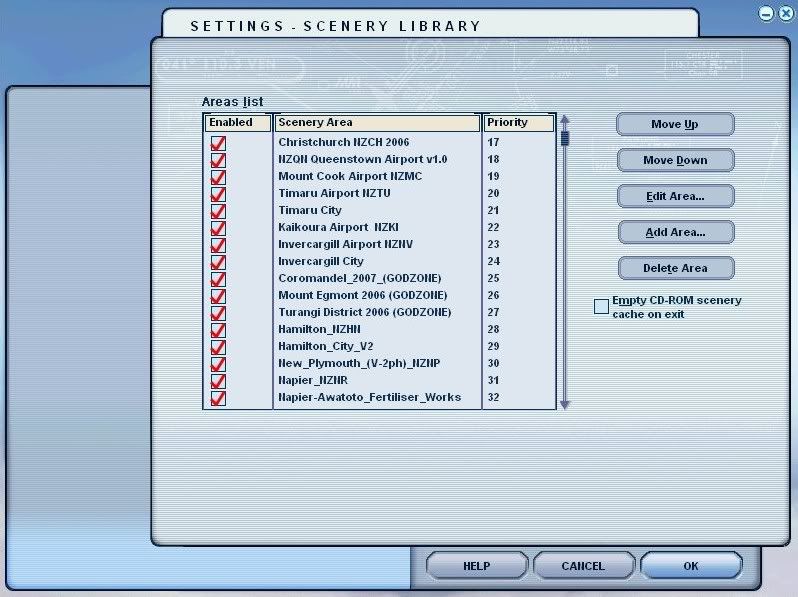
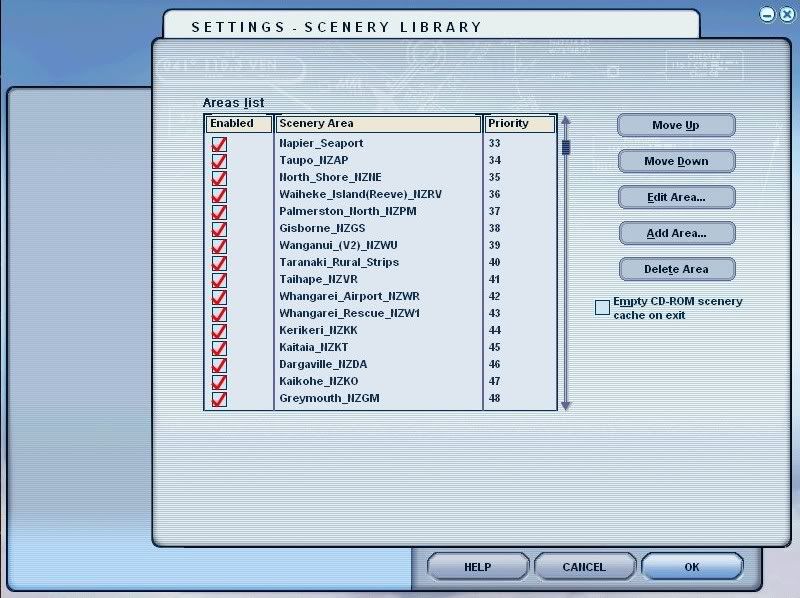
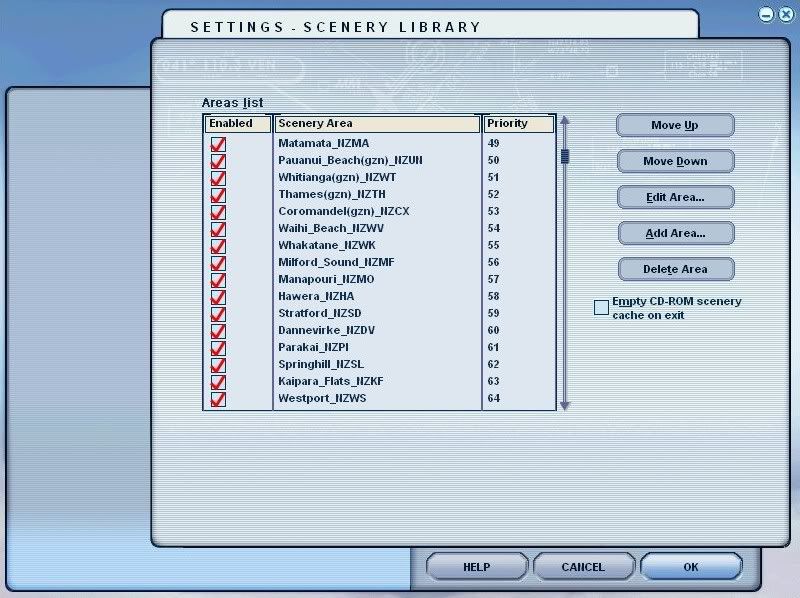
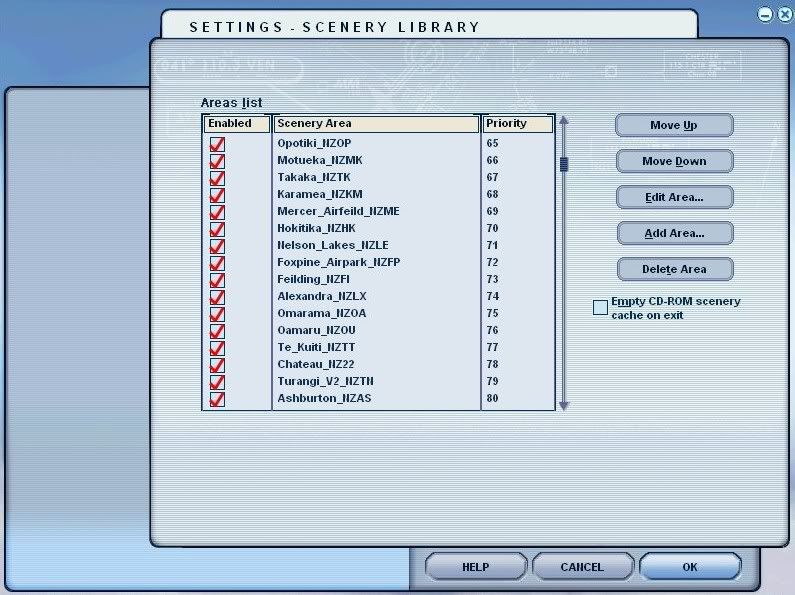
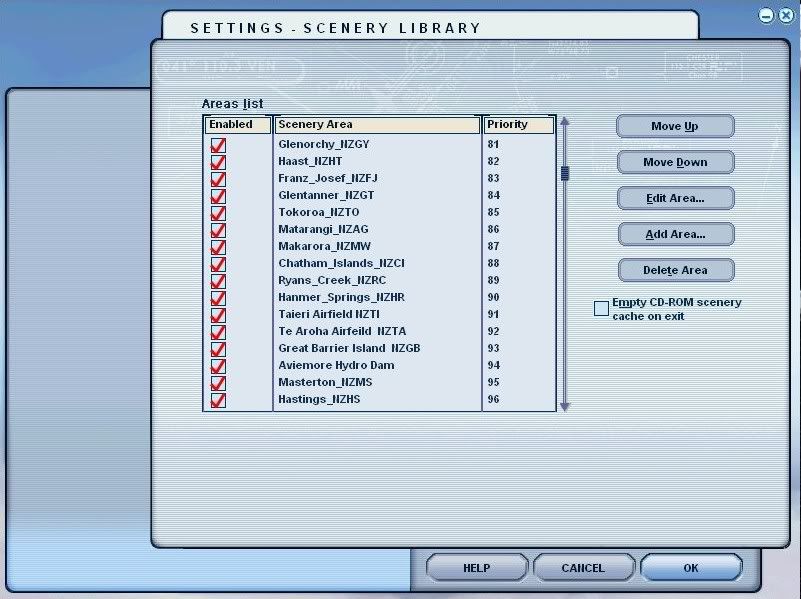
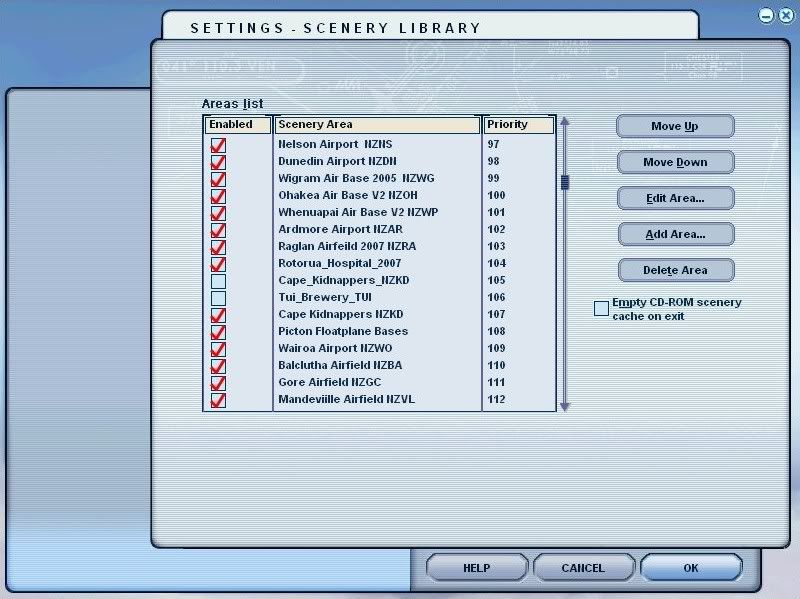
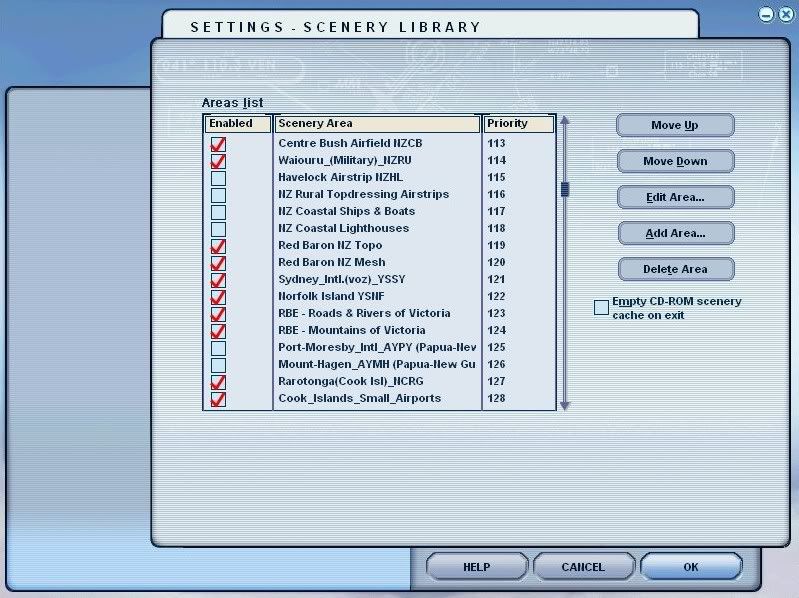
As an example, here are shots of my addons for New Zealand. Bear in mind, i fly mostly in NZ, so i give the NZ stuff priority over any overseas stuff, hence its higher up the list.
You will note , my NZ mesh at the bottom of the list, BELOW any NZ sceneries, but above any other overseas sceneries.
The "Static Objects Library" in mine is at the number 1 position,..... it can go further down the list, and in some peoples setups, works perfectly from further down, but in mine, i find i get faster texture load times at sceneries when i first start off at any given scenery in an aircraft.
These findings are based on what i have read in various scenery forums over the years, and from my own experiences with FS9 since i first got it in Oct 2003.
Once again,............ note the NZ Mesh is BELOW all the NZ sceneries....................
I currently have 645 addon sceneries ACTIVE in FS9, and all are built on the same principle, no matter what country they are in, in the FS world.
The sceneries for any given country are grouped together, with any Landclass and Mesh BELOW the sceneries (mesh at very BOTTOM), and all works perfectly.
Lawrie.Last edited by Snowman on Tue Dec 09, 2008 4:02 pm, edited 1 time in total.

by Charl » Tue Dec 09, 2008 4:16 pm

by cowpatz » Wed Dec 10, 2008 8:42 am
by Snowman » Wed Dec 10, 2008 2:10 pm
cowpatz wrote:QUOTE (cowpatz @ Dec 10 2008, 09:42 AM) <{POST_SNAPBACK}>Thanks for that guys. It looks like you have ALL of NZ covered there Lawrie. You must be able to cook dinner whilst waiting for FS9 to load up!
Nope,........ FS still loads in under 60 seconds.............
Number of aircraft installed, affects the time it takes FS to start up,.......... not the number of addon sceneries...........
Lawrie.
Users browsing this forum: No registered users and 19 guests