Page 1 of 1

PostPosted: Sun Sep 21, 2008 2:57 pm
by hugh
With all the cool stuff showing up here in the last few months I’m not sure how many more FS9 GA fields people can use but… here's a couple that Microsoft missed, plus one default one that didn’t get along so well with the 20M mesh.
They have some of the usual library objects in them, but Tony Arnold was kind enough to let me use his great Boonah fences and houses, which sure help a lot. Also there are small AI files (C172s doing touch and goes) in the NZFJ and NZRW files.

Pukaki
http://www.4shared.com/file/63711736/f9a50f71/Pukaki.html

Franz Josef:
http://www.4shared.com/file/63700537/8faa5...ranz_Josef.html

Ruawai:
http://www.4shared.com/file/63342562/c1ff89cb/Ruawai.html
PostPosted: Sun Sep 21, 2008 10:34 pm
by Naki
Thanks for sharing those Hugh - I have downloaded and will install.

PostPosted: Mon Sep 22, 2008 12:52 am
by hugh
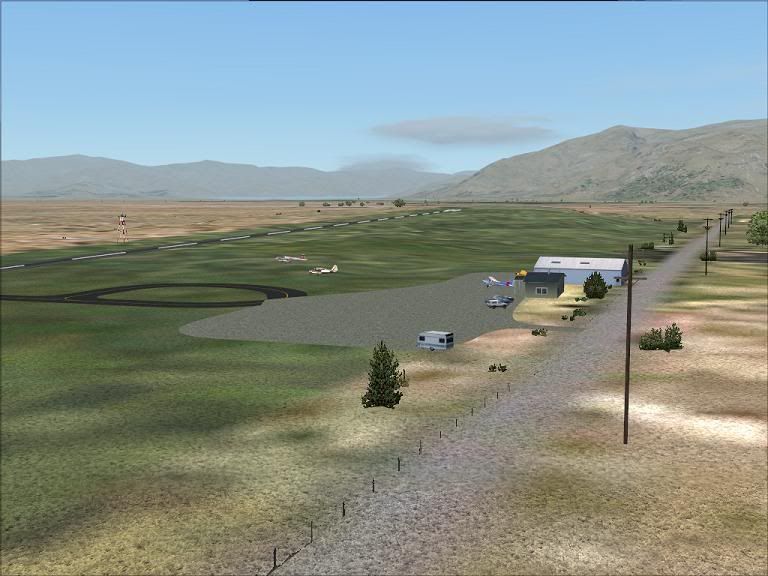
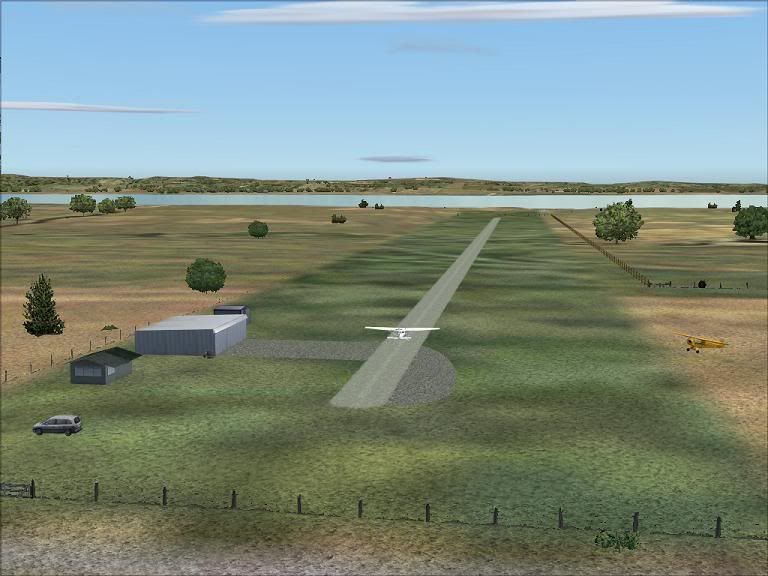
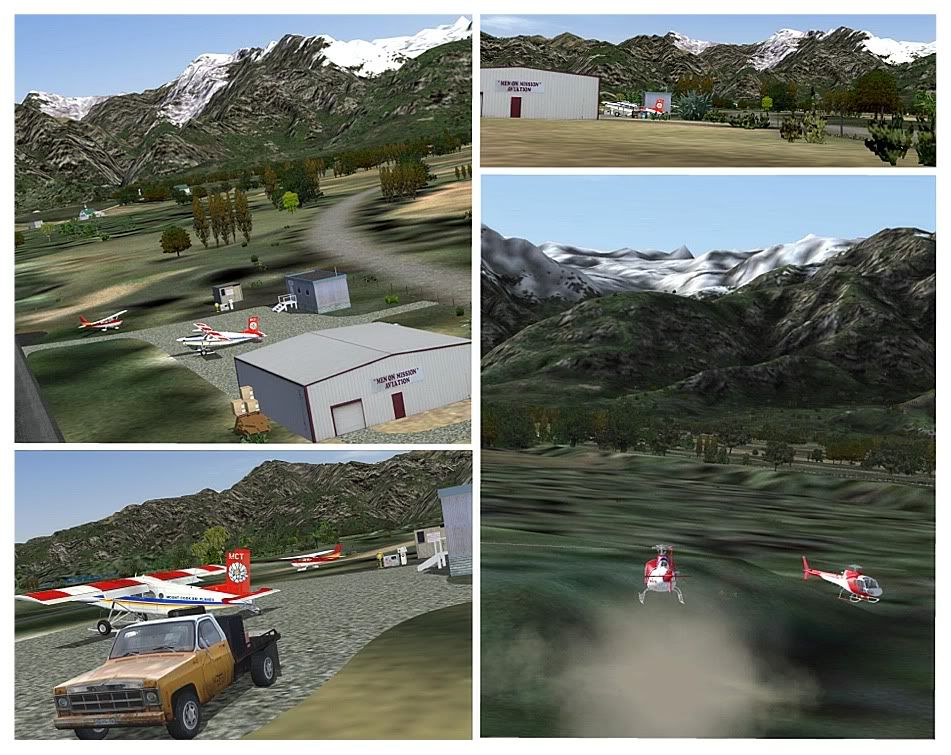
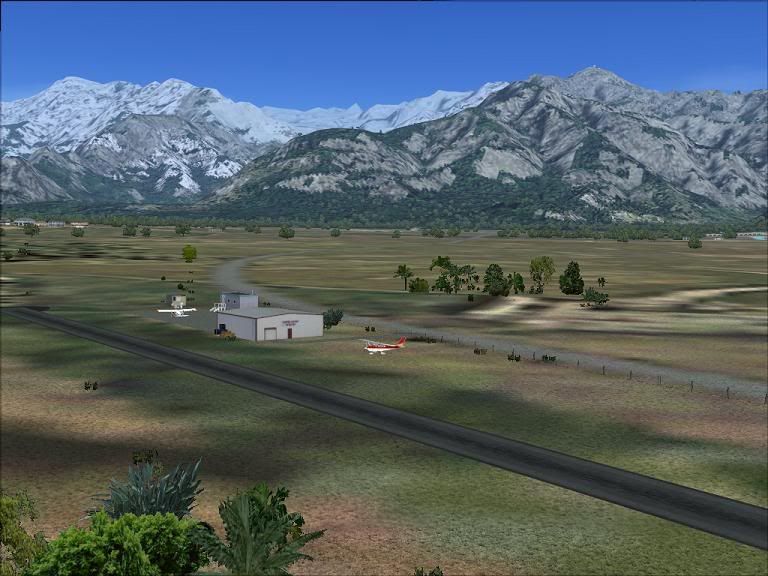
Hope it all works- they should look something like this:
Franz Josef


Pukaki


Ruawai

PostPosted: Mon Sep 22, 2008 1:46 pm
by Charl
Hugh, well done!
I had a little play at FJ


Great to have a strip there, 10 Squirrels AI package is next door!
Miraculously they don't trip over each other.
Great fun to drive the Porter staight up the glacier from below, I'll post a video.

PostPosted: Mon Sep 22, 2008 7:54 pm
by Markk
Awesome, thanks Hugh! clapping.gif

PostPosted: Tue Sep 23, 2008 8:23 pm
by hugh
Charl wrote:
QUOTE (Charl @ Sep 27 2008, 01:46 AM) <{POST_SNAPBACK}>
10 Squirrels AI package is next door!
Miraculously they don't trip over each other.

Hey it looks better on your rig than mine, I need to do some tweaking or get the credit card out. Would be great to see a video, and I will try that AI package.

I tried Pukaki with the freeware 75 m mesh- kind of by accident, a cfg mix-up- and if you are still using that mesh the south end of the runway will display better if you remove these 2 bgl files in the scenery folder:
pukakiflat2.bgl
pukflateast1.bgl
They are the flattens closest to the runway flatten.The fences on the slope won’t look great but it should look acceptable from the runway.

PostPosted: Thu Oct 02, 2008 7:25 pm
by Bazza
Good stuff Hugh, thanks for your efforts....

PostPosted: Sun Oct 05, 2008 3:01 pm
by Naki
These look great Hugh - only one problem I am having is that most of the trees/shrubs appear as sqaure & grey boxes - am I missing something out of the static objects library? - I have installed all that was provided in the download.

PostPosted: Mon Oct 06, 2008 9:28 pm
by hugh
Naki wrote:
QUOTE (Naki @ Oct 10 2008, 04:01 AM) <{POST_SNAPBACK}>
one problem I am having is that most of the trees/shrubs appear as sqaure & grey boxes

That’s with those Matts trees installed? Is it any airfield in particular, like Ruawai? That was the first one I made, so I may have let a few trees slip in from other than the sets I listed in the readme(Matts 2, 3 and 4). FJ needs Matts 11. If you have all the Matts Trees sets you should see everything, but if you do and this problem is showing up at all three airfields I’m not sure whats doing it.

PostPosted: Mon Oct 06, 2008 9:47 pm
by Naki
Probs with all 3 - Ill try out your suggestion - I am pretty sure I am missng a set of Matts trees - I must of not installed all sets.

Cheers

Paul